> For the complete documentation index, see [llms.txt](https://docs.kyberswap.com/llms.txt). Markdown versions of documentation pages are available by appending `.md` to page URLs; this page is available as [Markdown](https://docs.kyberswap.com/user-guide/user-guides/selecting-preferred-network.md).
# Switching Networks
Supported across 15 chains and counting
## Introduction
KyberSwap supports the trading of more than 20,000 tokens across the majority of the most established DeFi chains. KyberSwap provides seamless access to liquidity across chains directly from the KyberSwap app. For the full list of chains which KyberSwap has been integrated with, you can refer to [Supported Exchanges and Networks](/getting-started/supported-exchanges-and-networks.md).
Trader Flow
1. [Connect Your Wallet](/user-guide/user-guides/connect-your-wallet.md)
2. **Switching Networks <-**
3. Swap Tokens
* [Instantly Swap At Superior Rates](/user-guide/swap.md)
* [Swap At Your Preferred Rates](/user-guide/limit-order.md)
* [Swap Between Different Tokens Across Chains](/user-guide/user-guides/swap-between-different-tokens-across-chains.md)
## MEV protection on Ethereum
To protect transactions on Ethereum against [MEV strategies](/getting-started/foundational-topics/decentralized-finance/maximal-extractable-value-mev.md), KyberSwap provides users with the option to select MEV protected [RPCs](/getting-started/foundational-topics/decentralized-technologies/rpc.md) such as Blink. Transactions via such RPCs will undergo a different transaction ordering process and therefore enjoy protection from multiple MEV strategies.
It is important that you understand the pros and cons of using MEV protected RPCs. This will help you make an informed decision as to the suitability of such RPCs with regards to your DeFi goals. MEV protected RPCs will be indicated with the green shield icon.
BLINK
**What is Blink?**
Blink Protect [RPC](/getting-started/foundational-topics/decentralized-technologies/rpc.md) allows regular users to easily submit their transactions to the Blink Auction by using a custom RPC endpoint in their wallet. Everything should be the same for users, except transactions are sent to the Blink builder instead of the public mempool.
Endpoint:
Key benefits to using the Blink RPC endpoint:
* **Frontrunning protection:** your transaction will not be seen by hungry sandwich bots in the public mempool.
* **No failed transactions:** your transaction will only be included if it doesn't include any reverts, so you don't pay for failed transactions.
> Note: your transaction could be uncled, emitted to the mempool, and then included on-chain.
Privacy notice: **Blink RPC does not track** any kind of user information (i.e. IP, location, etc.). No user information is ever stored or even logged.
Click [here](https://github.com/KyberNetwork/kyberswap-interface/commit/5ca7103e0099afe9c3e92fa0df7ed383fc03fdf3) for more information on Blink RPC.
**Blink on** [**KyberSwap.com**](https://kyberswap.com/swap/ethereum)
KyberSwap provides its user the option to conveniently connect to the Blink RPC when trading on the Ethereum mainnet.
Disclaimer on use of Third-party Integration/Service
For ease of communication, KyberSwap is referred to as "we" in this disclaimer. Any natural persons or other entities who engages in any activities on KyberSwap shall be considered as the user of KyberSwap, and is referred to as "you" in the disclaimer. We hereby remind you of the risks involved in using third-party services (referred to herein as “third-party services”).
1. Your use of any third-party services on KyberSwap is your personal decision and we have no control over it.
2. We are not responsible for the audit of any third-party services, nor do we make any commitments or guarantees on the validity, accuracy, correctness, reliability, quality, stability, completeness and/or timeliness of the technology and information involved in such third-party services and their associated services.
3. You are solely responsible for all outcomes arising from your choice to use the third-party services and their associated services.
4. You shall make your own judgement and evaluation as to whether any third-party services and its associated services comply with the applicable laws, regulations and relevant policy requirements of your jurisdiction. We do not provide any recommendation and opinions on this subject apart from recommending you to strictly abide by the laws and regulations of your jurisdiction.
5. Outcomes and occurrences which arise out of your use of any third-party services, including but not limited to legal issues, contract liability issues, and economic loss issues, shall be resolved between you and the relevant third-party services. We are not responsible for the resolution of any outcomes or disputes arising from your choice to use the third-party services.
6. We will not share any information with any third-party services unless under your consent. Once we receive your consent, you shall be solely responsible for all legal liabilities and disputes resulting from any third-party services access to your personal information and such labilities and disputes shall be resolved between you and the relevant third-party services.
**Our provision of access to third-party services on KyberSwap does not amount to any kind of recommendation, endorsement, or advice to use any third-party services or its associated services.**
## Switching your active network
### **Step 1: Connect your wallet**
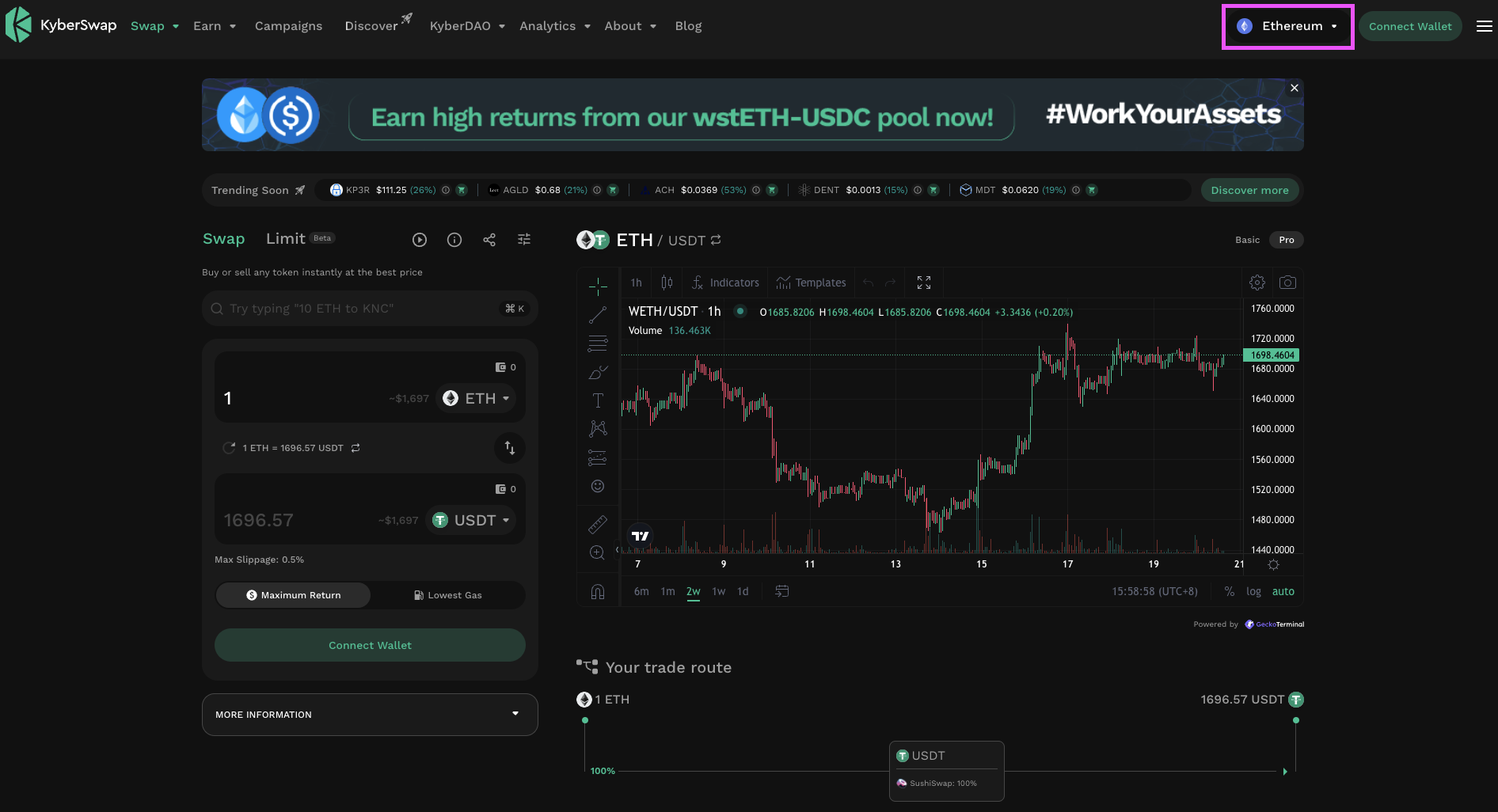
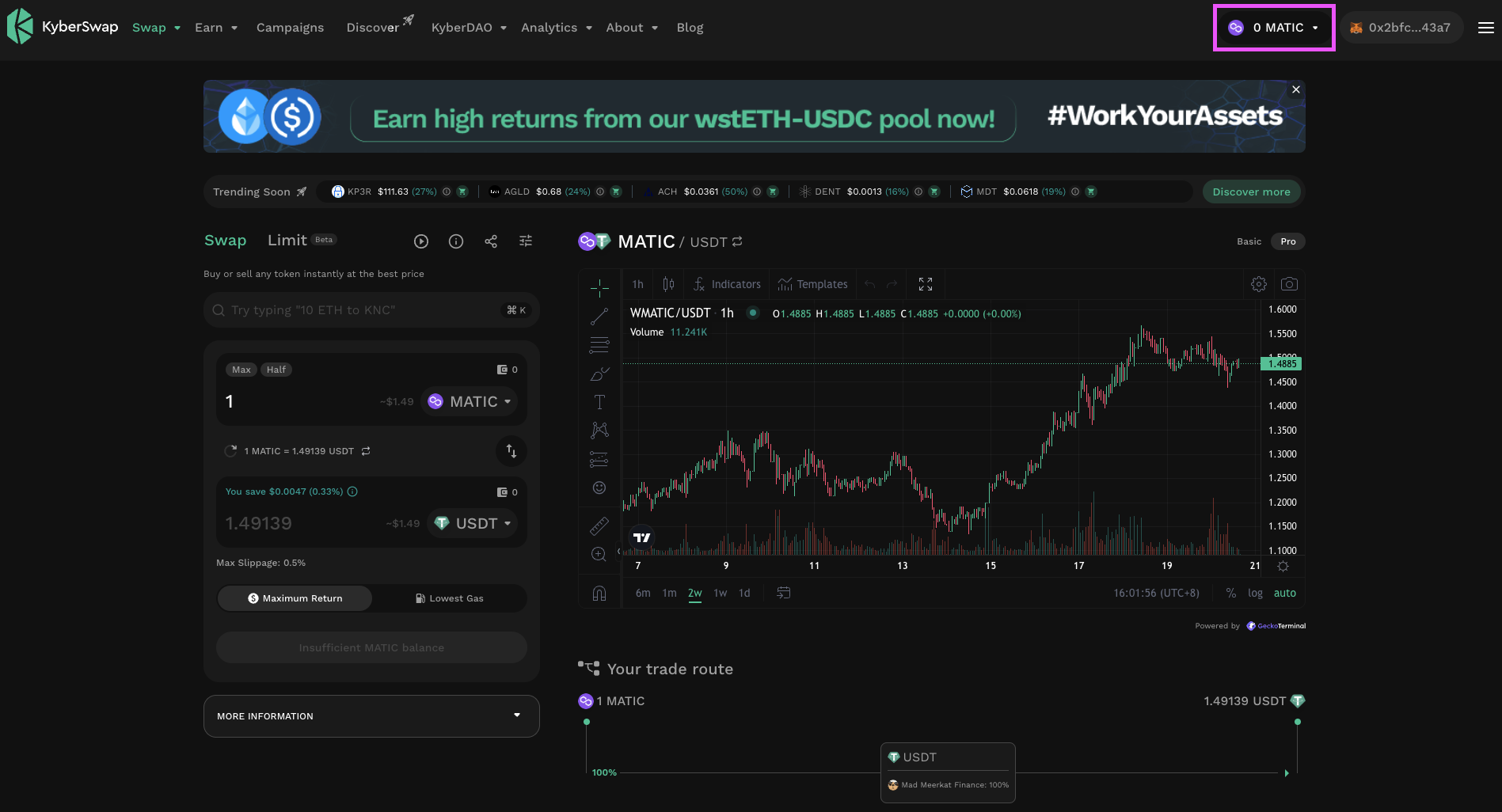
Upon [connecting your wallet](/user-guide/user-guides/connect-your-wallet.md), KyberSwap would have automatically defaulted to the network per your wallet's setting. You can view the active network on the top right of the KyberSwap app.
KyberSwap connected to Ethereum
In the example above, KyberSwap has connected to the Ethereum Mainnet as per the MetaMask setting.
### **Step 2: Switch networks**
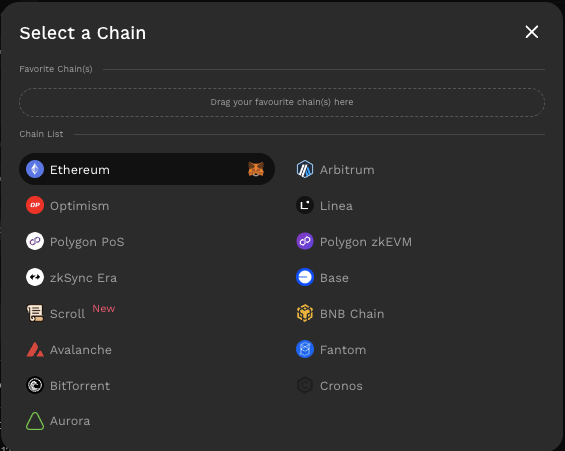
To change the network, you can select the dropdown which will display the full list of chain options for you to choose from. Please refer to [Supported Exchanges And Networks](/getting-started/supported-exchanges-and-networks.md) for the full details.
KyberSwap supported chains
Select your preferred chain and you should then be prompted by your wallet to confirm the network change.
{% hint style="success" %}
**MEV protection**
KyberSwap enables users to select MEV protected RPCs. Please refer to [MEV protection on Ethereum](#mev-protection-on-ethereum) for further details.
{% endhint %}
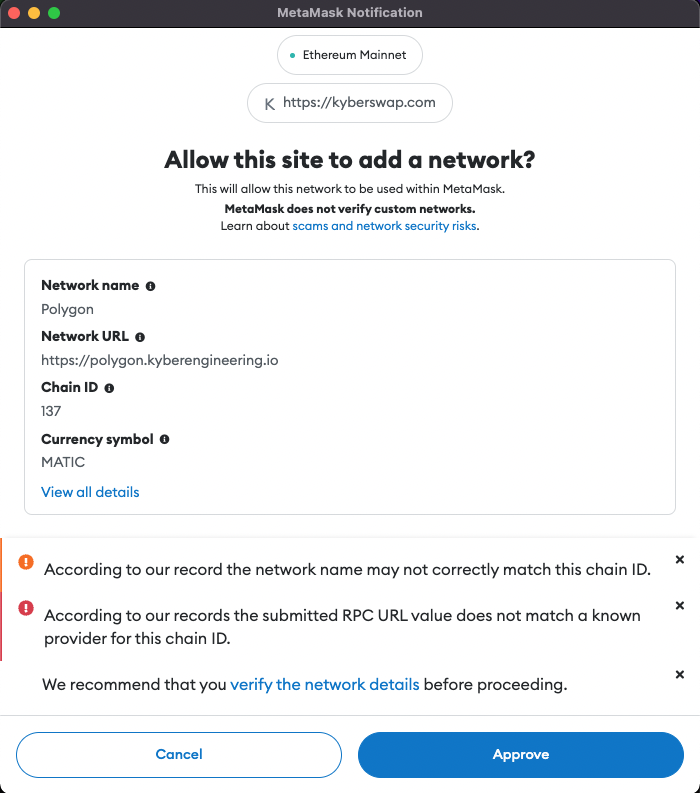
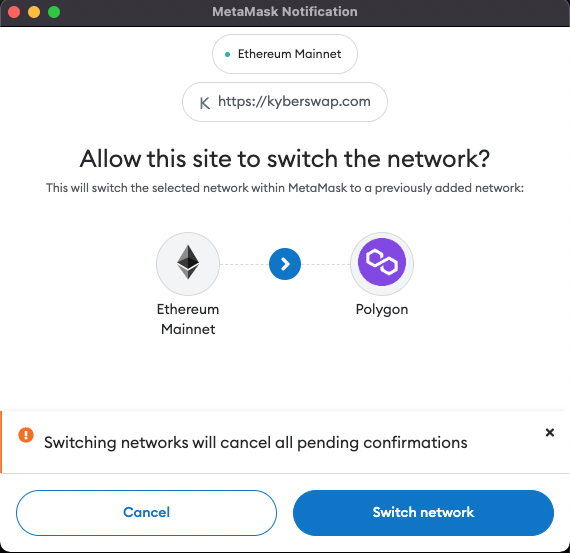
If this is your first time connecting to a chain, your wallet provider should display the details of the chain for your verification. The below is an example of adding the Polygon chain and confirming the chain switch using MetaMask.
Adding a Polygon chain to MetaMask
Switch to Polygon chain on Metamask
Once the switch has been approved, KyberSwap would then be connected to your selected network as can be verified via the active chain displayed in the top right of the KyberSwap app.
KyberSwap connected to Polygon
## Bonus: Favourite your most used networks
You can drag-and-drop your most used networks into your favourite chains section for easy access:
Save your favourite chains
---
# Agent Instructions
This documentation is published with GitBook. GitBook is the documentation platform designed so that both humans and AI agents can read, navigate, and reason over technical content effectively. Learn more at gitbook.com.
## Querying This Documentation
If you need additional information that is not directly available in this page, you can query the documentation by asking a question.
Perform an HTTP GET request on the following URL with the `ask` and `goal` query parameters:
```
GET https://docs.kyberswap.com/user-guide/user-guides/selecting-preferred-network.md?ask=&goal=
```
`ask` is the immediate question: it should be specific, self-contained, and written in natural language.
`goal` is what the user is ultimately trying to achieve, the reason they need the answer. Sharing it helps GitBook give you a better, more relevant answer. A goal is most helpful when it describes the outcome the user wants rather than restating the question. For example, with `ask=how do I create an API token`, a goal like `automate deployments from our CI pipeline` lets GitBook tailor the answer to that use case.
The response will contain a direct answer to the question and relevant excerpts and sources from the documentation.
Use this mechanism when the answer is not explicitly present in the current page, you need clarification or additional context, or you want to retrieve related documentation sections.
.gif?alt=media)