# Introduction to KyberSwap

DeFi's Open and Permissionless Liquidity Backbone

Kyber Network is building a world where anyone can freely, reliably and effortlessly trade their funds on their own terms. Founded on [decentralized finance](https://docs.kyberswap.com/getting-started/foundational-topics/decentralized-finance) (DeFi) principles of open access, KyberSwap is a multi-chain decentralized platform that offers advanced trading tools and a comprehensive suite of earning opportunities, enabling users to trade and earn without intermediaries through an open and permissionless experience.

With hundreds of projects building on top of KyberSwap, our solutions have facilitated over US$100B in transactions for more than 2.6M users (with totals continuing to increase). Serving as DeFi’s open and permissionless liquidity backbone, KyberSwap continues to expand its ecosystem and now connects to more than [420+ liquidity sources across 17 chains](https://docs.kyberswap.com/getting-started/supported-exchanges-and-networks).

<table data-view="cards"><thead><tr><th></th><th></th><th data-hidden data-card-cover data-type="image">Cover image</th><th data-hidden data-card-target data-type="content-ref"></th></tr></thead><tbody><tr><td><h3>👤 User Guide</h3></td><td>Learn how to use KyberSwap products and features step by step</td><td><a href="/files/fSc7nbpOpsvNhlc3zDif">/files/fSc7nbpOpsvNhlc3zDif</a></td><td><a href="/pages/mxns8qL7odOMYPx9JS4K">/pages/mxns8qL7odOMYPx9JS4K</a></td></tr><tr><td><h3>🛠 Developer Guide</h3></td><td>Learn how to integrate with KyberSwap API</td><td><a href="/files/p27esxJYyablc1ZCFiMV">/files/p27esxJYyablc1ZCFiMV</a></td><td><a href="/pages/nCZc8jy0eOIOhoFPpzRy">/pages/nCZc8jy0eOIOhoFPpzRy</a></td></tr><tr><td><h3>🤖 AI Agent Hub</h3></td><td>Resources and tools that enable AI agents to interact with KyberSwap</td><td><a href="/files/56xeJiHQy79ldvNJKJbC">/files/56xeJiHQy79ldvNJKJbC</a></td><td><a href="/pages/HwWoi5ckULK1Pamf9iVM">/pages/HwWoi5ckULK1Pamf9iVM</a></td></tr></tbody></table>

## KyberSwap Solutions

* [**KyberSwap Interface**](https://kyberswap.com/): A one-stop [web interface](https://kyberswap.com/) that provides convenient and open access to KyberSwap’s trading tools and earning opportunities within the DeFi ecosystem. Through the interface, users can access core functionalities, including [Swap](/user-guide/swap) (powered by KyberSwap Aggregator), [Limit Order](/user-guide/limit-order), [Cross-chain Swaps](/user-guide/cross-chain-swap), Kyber Earn (powered by [ZaaS](/developer-guide/zap-as-a-service-zaas-api)), and other supported features.
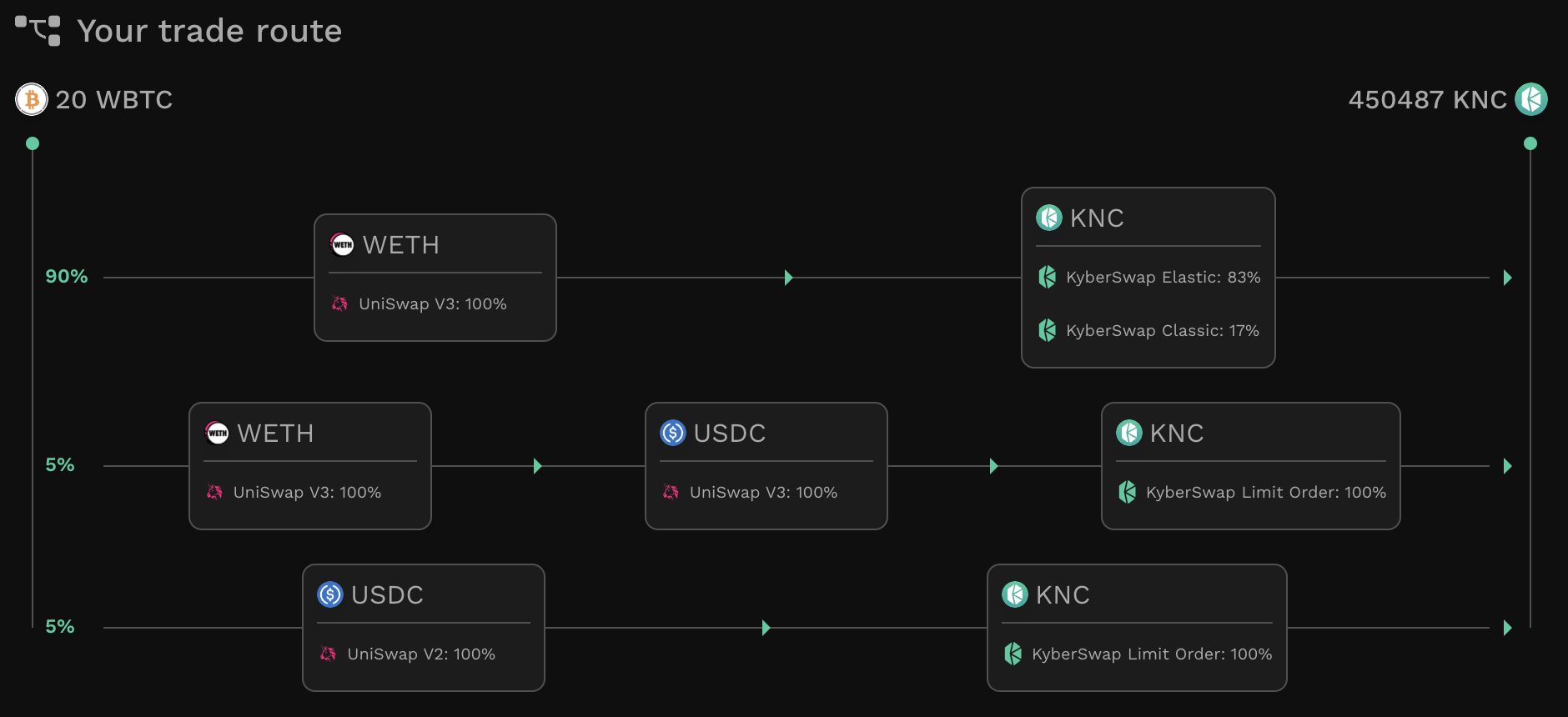
* [**KyberSwap Aggregator**](/developer-guide/aggregator-api): Enables token swaps at the best rates with our intelligent trade route scanner. Connected to over 420+ liquidity sources across 17 chains, KyberSwap Aggregator [splits and reroutes trades](/developer-guide/start-here/foundational-solutions/dynamic-trade-routing) through capital-efficient sources, thereby ensuring the best swap rates while encouraging greater market stability.
  * [**Aggregator API**](/developer-guide/aggregator-api): Provides developers with more fine-tuned control when integrating swap functionality within their app. We provide guidelines and code samples on how to query and execute swaps at the favourable rates.
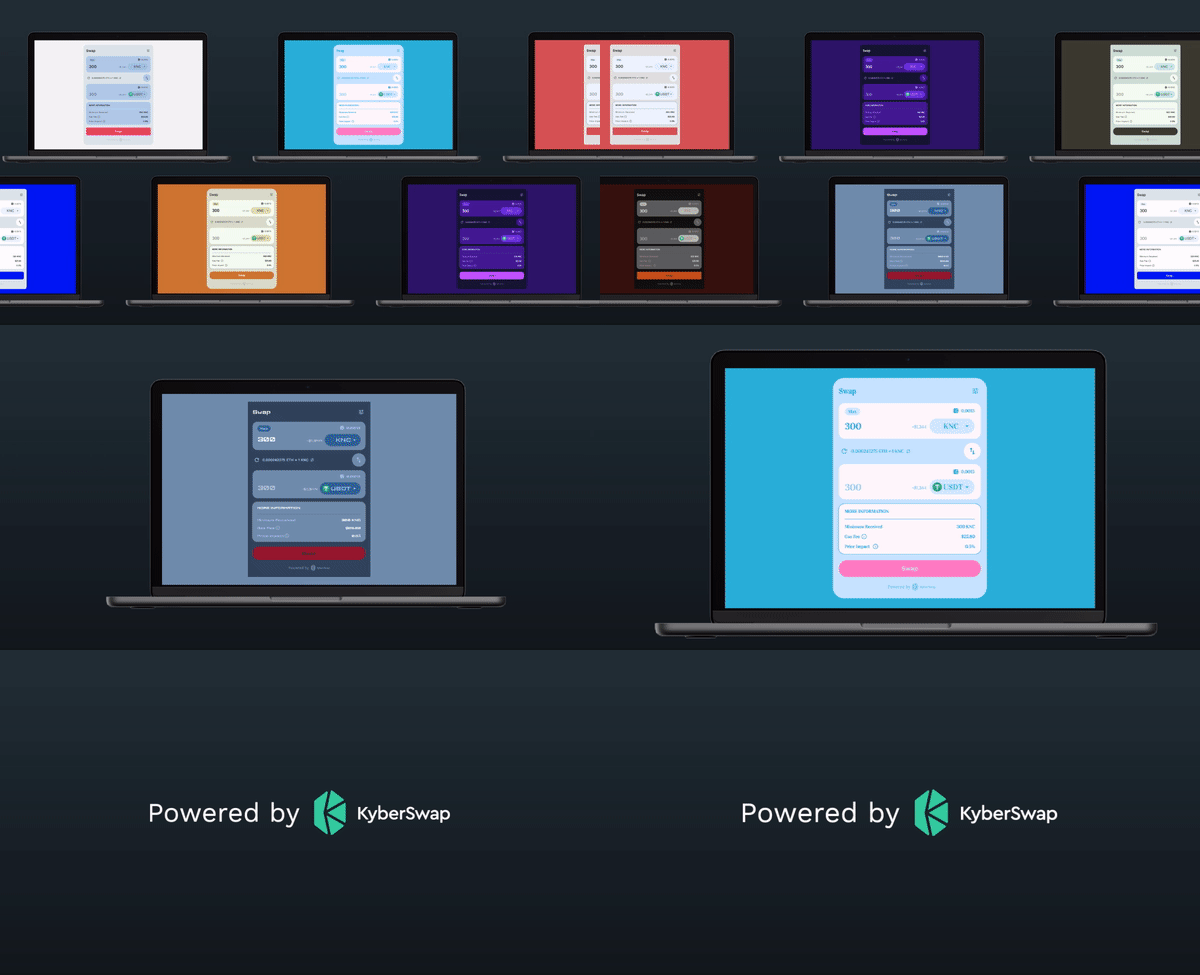
  * [**KyberSwap Widget**](/developer-guide/aggregator-api/how-to-guides/kyberswap-widget): Plug and play superior rates directly from your app with just a few lines of code. Our [endlessly customizable widget](https://app.gitbook.com/o/2RCW3YGZHRsvcw6VtGeF/s/w1XgQJc40kVeGUIxgI7c/kyberswap-solutions/kyberswap-widget/developer-guides/customizing-the-kyberswap-widget) enables integrators to seamlessly blend superior rates into their dApps with easily configurable trade routes, fees, and themes.
* [**Limit Order**](/user-guide/limit-order): Allows users to set preferred swap rates and execute gasless, slippage-free, and zero-fee trades powered by our wide network of takers. Orders are [automatically settled on-chain](/developer-guide/start-here/foundational-solutions/off-chain-relay) only when predefined conditions are met.
  * [**Limit Order API**](/developer-guide/limit-order-api)**:** A set of [Maker](/developer-guide/limit-order-api/api-reference/maker-api) and [Taker](/developer-guide/limit-order-api/api-reference/taker-api) APIs enables gasless management of limit orders secured by the option to settle on-chain. When settling orders on-chain, KyberSwap Limit Order provides the relevant APIs required to encode the call data to be sent to the Limit Order smart contracts.
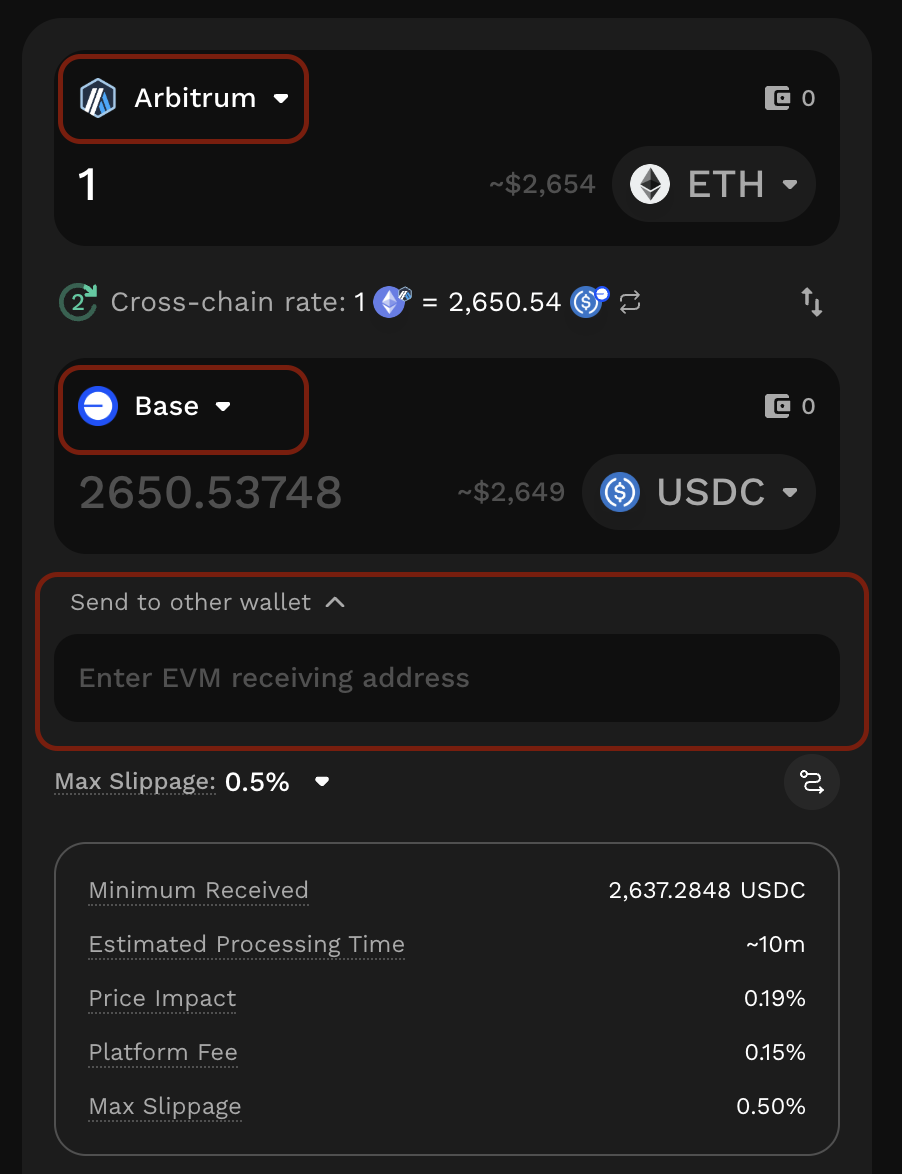
* [**KyberSwap Cross-Chain Swaps**](/user-guide/cross-chain-swap): Enables users to transfer and exchange assets across [23 supported blockchain networks](https://docs.kyberswap.com/getting-started/supported-exchanges-and-networks), including non-EVM and EVM chains. KyberSwap integrates with various third-party providers to suggest optimal rates and routes for cross-chain transactions.
* [**KyberSwap On-chain Price Service**](/developer-guide/start-here/foundational-solutions/kyberswap-onchain-price-service): Provides accurate, reliable, and tradable price information for a wide range of tokens.
* [**KyberZap**](/developer-guide/zap-as-a-service-zaas-api): A technology that streamlines liquidity provision and withdrawal by enabling users to zap in with single or multiple tokens of their choice, zap out to any token, and migrate between positions.
  * [**KyberSwap Zap as a Service (ZaaS)**](https://app.gitbook.com/o/2RCW3YGZHRsvcw6VtGeF/s/w1XgQJc40kVeGUIxgI7c/kyberswap-solutions/kyberswap-zap-as-a-service): An API that streamlines decentralized liquidity provision. Powered by [KyberSwap Aggregator](/developer-guide/aggregator-api), Zap minimizes price impact and employs fallback logic to execute additional swaps when necessary - maximizing capital efficiency and reducing failure rates, even during volatile market conditions.
  * [**KyberSwap Liquidity Widget**](https://app.gitbook.com/o/2RCW3YGZHRsvcw6VtGeF/s/w1XgQJc40kVeGUIxgI7c/kyberswap-solutions/kyberswap-liquidity-widget): A plug-and-play widget that simplifies integration with KyberSwap ZaaS and enables users to provide liquidity more efficiently within integrated dApps.
* [**KyberSwap FairFlow**](https://docs.kyberswap.com/kyberswap-solutions/kyberswap-fairflow): A swap hook built on Uniswap V4, Pancakeswap Infinity, and similar protocols that enhances liquidity pools, designed to help LPs earn additional yields from arbitrage value captured by external MEV bots.

### Liquidity Solutions <mark style="color:orange;">**(deprecated)**</mark>

{% hint style="warning" %}
**KyberSwap Elastic Security Incident**

On 22 Nov 2023, the Elastic protocol experienced a security incident. More details can be found via our [official channels](https://x.com/KyberNetwork?s=20).

All other KyberSwap products ([Aggregator](/kyberswap-solutions/kyberswap-aggregator) & [Limit Order](/kyberswap-solutions/limit-order)) continue to be fully operational.
{% endhint %}

* <mark style="color:orange;">**KyberSwap Classic (deprecated)**</mark>: Amplify your returns through programmable pricing curves as well as dynamic auto-adjusting fees which responds to market conditions. Deposit your tokens into capitally efficient pools and let the protocol optimize trading spreads (i.e. fees) based on the market volatility. This service was <mark style="color:orange;">**discontinued on 26 March 2024.**</mark>
* <mark style="color:orange;">**KyberSwap Elastic (deprecated)**</mark>: Add liquidity into [customizable price ranges](/reference/legacy/kyberswap-elastic/concepts/concentrated-liquidity) and [automatically compound your yields](/reference/legacy/kyberswap-elastic/concepts/reinvestment-curve). Your concentrated liquidity positions are safeguarded against front-runners with our native [Anti-Sniping feature](/reference/legacy/kyberswap-elastic/concepts/anti-sniping-mechanism). This service was <mark style="color:orange;">**discontinued on 23 November 2023.**</mark>


# Quickstart

New to KyberSwap? Start here.

## User Guides

Beginner-friendly guides to get you started

* [Instantly swap at the best rates](/user-guide/swap)
* [Swap at your preferred rates](/user-guide/limit-order)
* [Swap between tokens across multiple chains](/user-guide/cross-chain-swap)
* Explore earning opportunities, ape in, and manage your liquidity positions

## Developer Guides

Easily integrate KyberSwap with your application

* [Execute a swap with the Aggregator API](/developer-guide/aggregator-api/how-to-guides/execute-a-swap-with-the-aggregator-api)
* [Embed a swap interface with the Swap Widget](/developer-guide/aggregator-api/how-to-guides/kyberswap-widget)
* [Add liquidity using a single token, multiple tokens, or an existing position with the ZaaS API](/developer-guide/zap-as-a-service-zaas-api/how-to-guides/zap-in-enter-a-liquidity-position)
* [Embed a liquidity interface with the Liquidity Widget](/developer-guide/zap-as-a-service-zaas-api/how-to-guides/kyberswap-liquidity-widget)
* [Create and fill limit orders with the Limit Order API](/developer-guide/limit-order-api/how-to-guides/place-a-limit-order)


# FAQ

Your KyberSwap Questions Answered

## General

<details open>

<summary>What is KyberSwap?</summary>

KyberSwap is a multi-chain decentralized platform. KyberSwap is the best place to trade on networks such as Ethereum, Polygon, Binance Smart Chain (BSC), Avalanche, and Base since you can get the best rates for your token swaps.\
\
You can visit our [Introduction to KyberSwap](/) page for more details.

</details>

<details open>

<summary>How is KyberSwap different from other DeFi platforms?</summary>

KyberSwap is DeFi's first multi-chain [Dynamic Automated Market Maker](https://github.com/KyberNetwork/kyberswap-documentation/blob/main/getting-started/quickstart/broken-reference/README.md) (DMM) that is also a liquidity aggregator that optimizes returns for liquidity providers. KyberSwap differs from other DeFi platforms in the following ways:

* [Amplified Classic AMM pools with dynamic fees](https://github.com/KyberNetwork/kyberswap-documentation/blob/main/getting-started/quickstart/broken-reference/README.md)
* [Auto-compounding concentrated liquidity positions](/reference/legacy/kyberswap-elastic)
* [Optimized trade routing across DEXs and aggregators on multiple chains](/kyberswap-solutions/kyberswap-aggregator)
* [Surfacing valuable on/off-chain token data for data-driven trades](/reference/legacy/kyberai)

For the full KyberSwap Solution suite, please refer to [Our Solutions](/#our-solutions).

</details>

<details open>

<summary>Which countries are KyberSwap available in?</summary>

KyberSwap.com is available for use in most countries, except in Excluded Jurisdictions, which include but are not limited to Iran, North Korea, Myanmar, Cuba, Venezuela, Belarus, the Russian Federation and Viet Nam.\
Users are responsible to ensure that their use of KyberSwap complies with all applicable laws and regulations in their respective jurisdictions.

</details>

<details open>

<summary>Is KyberSwap licensed by the Monetary Authority of Singapore (MAS)?</summary>

​Neither KyberSwap, Kyber Network nor any entity affiliated therewith :\
(i) ​is regulated by MAS; or\
(ii) ​holds a licence issued by MAS for the provision of, or is authorised by MAS to provide, any service relating to tokens (whether digital payment tokens under the Payment Services Act of Singapore or digital tokens under the Financial Markets Services Act of Singapore).

​Please also note that this Site and its contents have not been reviewed by MAS.

</details>

<details open>

<summary>What chains does KyberSwap support?</summary>

Please refer to [Supported Exchanges And Networks](/getting-started/supported-exchanges-and-networks) for the full list of chains which are supported by KyberSwap.

</details>

<details open>

<summary>How secure are KyberSwap and KyberDAO?</summary>

Kyber Network highly values the security of the KyberSwap protocol and the KyberDAO governance platform.

KyberSwap is fully non-custodial and our users’ funds are not held by KyberSwap. In addition, KyberSwap, KyberDAO, and their associated smart contracts have been audited by reputable audit teams in the blockchain industry, such as [Chainsecurity](https://chainsecurity.com/) and [Hacken](https://hacken.io/).

You can find links to their security audit reports [here](/security/audits).

</details>

<details open>

<summary>What fees do I need to pay to use KyberSwap?</summary>

**Network Fees**

KyberSwap is a fully onchain service. Everyone who creates transactions on the blockchain will need to pay network fees associated with their transactions. These fees vary depending on

1. The network being used
2. Network congestion at the time
3. Complexity of the smart contract transaction being executed

**Trading Fees**

KyberSwap does not charge fees to users using the protocol to swap tokens. However Liquidity Providers are allowed to set fees on their liquidity pools and traders who choose to use these pools to perform swaps will need to pay trading fees to the LP, along with any associated network fees.

It should be noted that of these Trading Fees collected by LPs, [10% goes to KyberSwap’s governance DAO](/governance/kyberdao/fees-to-kyberdao), KyberDAO.

</details>

<details open>

<summary>Information about campaigns and contests</summary>

We host trading campaigns and contests from time to time via our community channels. These give users a chance to earn various rewards for participation. To stay up to date with current and future campaigns, please join our Discord server and monitor the [#announcements channel](https://discord.com/channels/608934314960224276/684611297526153226).

</details>

<details open>

<summary>Can I get a refund from KyberSwap?</summary>

KyberSwap is a decentralized platform and does not hold our users’ funds in custody. By using [KyberSwap.com](http://kyberswap.com/), **users assume all responsibility for any loss of funds.** Blockchain transactions are permanent, therefore users cannot be refunded for failed transactions, gas costs, or loss due to market dynamics (i.e. slippage, price impact, front-running, internal commissions, impermanent loss, or external theft).

</details>

<details open>

<summary>How to contact us for business outreach</summary>

**Partnerships**

We are always open to build relationships with others in the DeFi space. If you represent a project and would like to get in touch with us about a potential partnership, please send us a proposal via in #business-outreach channel on our [Discord server](http://discord.gg/kyberswap).

**Marketing Proposal**

If you have a marketing opportunity you would like to share with us, please post the details in the [#marketing-proposal channel on our Discord server](https://discord.com/channels/608934314960224276/1031237120943194182). A member of our marketing team will be in touch if we deem the proposal a fit.

</details>

## Accounts and wallets

<details open>

<summary>How do I create an account</summary>

As a decentralized platform, KyberSwap does not offer users “accounts” in the traditional sense. We do not store your private data and all transactions on our platform take place through the use of [Web3 wallets](/getting-started/foundational-topics/decentralized-technologies/wallets).

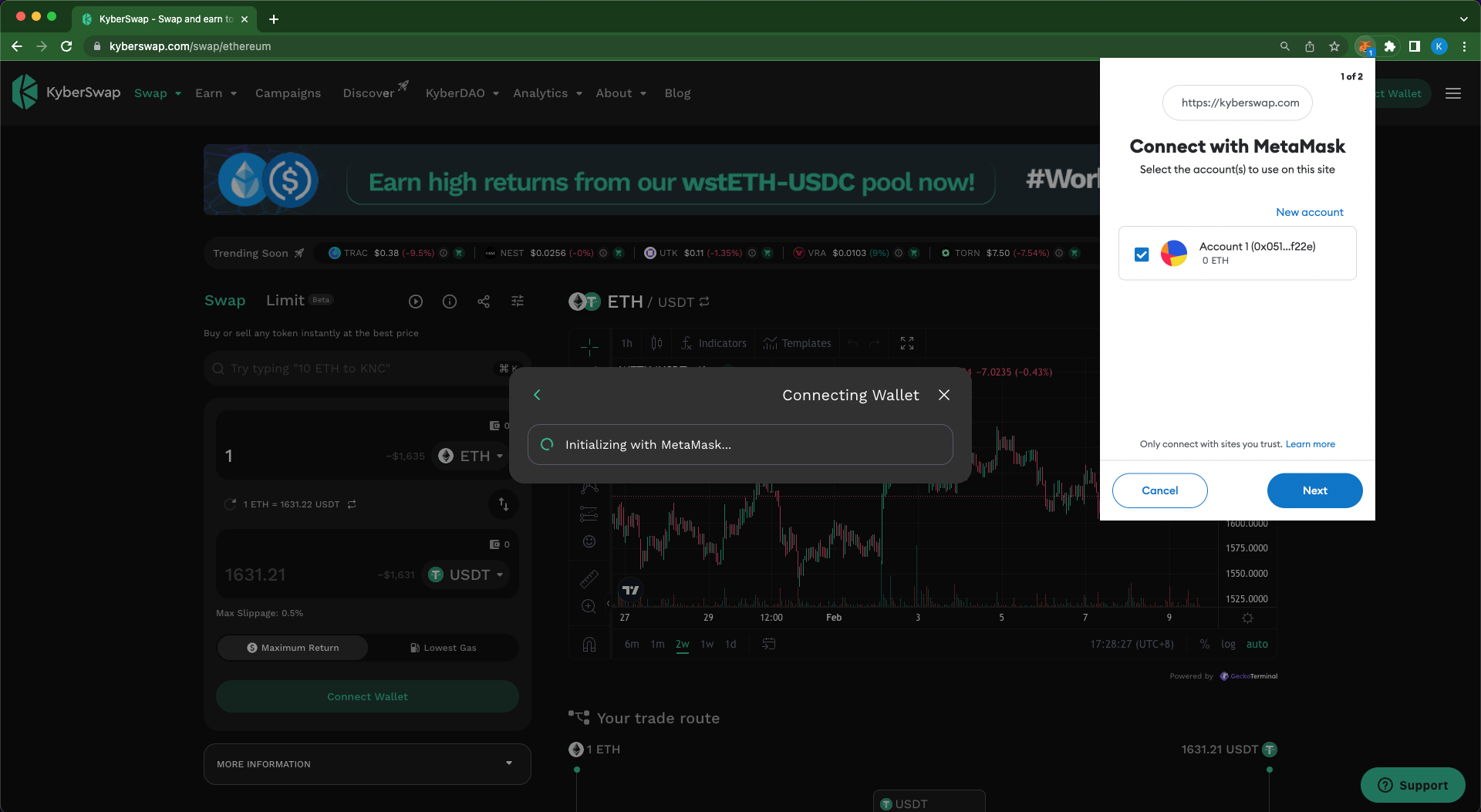
Connecting your Web3 wallet to the KyberSwap platform will enable you to use the full suite of KyberSwap's onchain features. For more information on how to connect your wallet to KyberSwap, please refer to [this article](/user-guide/user-guides/connect-your-wallet).

</details>

<details open>

<summary>How to connect or disconnect a Web3 wallet</summary>

Please refer to [Connect Your Wallet](/user-guide/user-guides/connect-your-wallet) for a step-by-step guide on connecting your Web3 wallet with KyberSwap. You can also visit [Wallets](/getting-started/foundational-topics/decentralized-technologies/wallets) to learn more about Web3 wallets and their implementation.

</details>

<details open>

<summary>How to change RPC in Metamask</summary>

If you are facing any transaction delays or if data is taking too long to load on KyberSwap, it could be due to congestion on the blockchain network that you are using. Since some Remote Procedure Call (RPC) endpoints may be more congested than others at a given time, so changing the RPC endpoint URL that your web3 wallet uses to connect to the network may sometimes give a better experience.

In this guide, we will show you how to specify an alternate RPC endpoint for **Metamask** to connect to the **Polygon network.**

**Step 1**: Open your Metamask wallet and click on “My accounts” (the circular button at the top right of the window) and then click on “Settings”.

<img src="https://support.kyberswap.com/hc/article_attachments/14435445235865" alt="001a_MyAccountsCircularButton.png" data-size="original"><img src="https://support.kyberswap.com/hc/article_attachments/14435414408857" alt="001b_Settings.png" data-size="original">

**Step 2**: Go to Networks and click the “Add Network” button.

<img src="https://support.kyberswap.com/hc/article_attachments/14435414474905" alt="002a_Networks.png" data-size="original"><img src="https://support.kyberswap.com/hc/article_attachments/14435445381913" alt="002c_AddNetworkButton.png" data-size="original">

This will open up a browser tab with more Metamask Settings.

**Step 3**: Click “Add a network manually” to proceed.

<img src="https://support.kyberswap.com/hc/article_attachments/14435414534169" alt="003a_BrowserTab.png" data-size="original">

**Step 4**: On the screen that appears, specify the new network. For the purposes of this guide we are going to specify an alternate Polygon Mainnet connection setting named “Polygon Mainnet 2”.

Under “New RPC URL” change the URL to the RPC URL that you would like to use. (For a list of public RPC URLs and private RPC providers on the Polygon network, please refer to [Polygon’s wiki](https://wiki.polygon.technology/docs/develop/network-details/endpoints/).) For this example we’re using [`https://polygon-rpc.com`](https://polygon-rpc.com/)

Click the “Save” button when you are done.

<img src="https://support.kyberswap.com/hc/article_attachments/14435445460249" alt="003b_AddNetworkManually.png" data-size="original">

The newly defined network that uses the new RPC should now appear in your Networks list.

<img src="https://support.kyberswap.com/hc/article_attachments/14435445464217" alt="003c_NewNetworkAppears.png" data-size="original">

</details>

## Troubleshooting

<details open>

<summary>I cannot connect my Metamask wallet</summary>

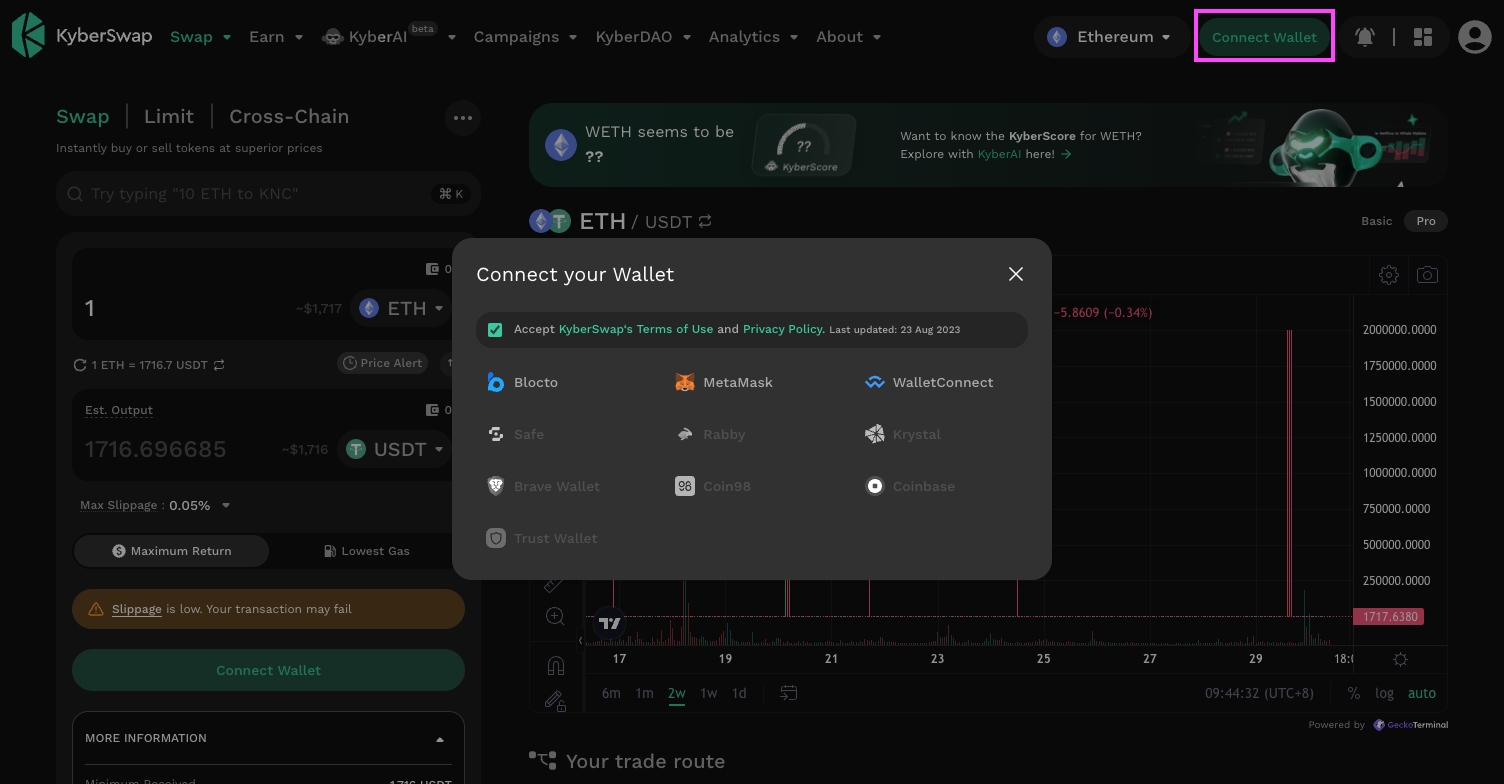
Metamask is one of the most popular web3 wallets among KyberSwap users, so it can be surprising to find that Metamask sometimes cannot be selected to use with [KyberSwap.com](http://kyberswap.com/): the “Connect” button either does nothing or the Metamask option is simply greyed out and unselectable on the “Connect your Wallet” screen. This is not intended behavior.

<img src="https://support.kyberswap.com/hc/article_attachments/14344808346777" alt="MetaMaskUnselectable.png" data-size="original">

There are a couple of things you can try to resolve this.

1. Ensure that the Metamask extension is installed on your browser.
2. Ensure that your Metamask wallet is unlocked with your password. Your wallet extension may also be waiting for confirmation from you to connect to KyberSwap.
3. If you have either or both **Trust Wallet** and/or **Coin98** wallet extensions installed, go into their extension settings and disable the options making them the default wallet. These wallet extensions have been known to set themselves as the default wallet, overriding other wallets like Metamask.

If these steps do not solve the problem, please take screenshots of what you’re seeing and contact [Support](https://discord.gg/kyberswap).

</details>

<details open>

<summary>I cannot claim my 5KNC Learnoverse Learndrop</summary>

Regarding the [KyberSwap Learndrop that started on 4 Jan 2023](https://www.bitdegree.org/course/kyberswap-exploring-the-evolution-of-dexs), disbursement of these rewards is managed by BitDegree Learnoverse. They perform a batch disbursement of rewards to all eligible users once per day. Please allow them some time after you've completed the tasks to properly distribute the rewards.\
\
If you believe your drop to be missing or late, please contact Learnoverse (<hello@learnoverse.com>) and tell them your Learnoverse account email, wallet address, and phone number.

</details>

## Others

<details open>

<summary>How do I restore my old KyberSwap App wallet?</summary>

KyberSwap used to have an app with a web3 wallet, but support for that app was discontinued as of 30 June 2021. The app is now obsolete.

<img src="https://support.kyberswap.com/hc/article_attachments/14394340012057" alt="KyberSwapAppObsolete.png" data-size="original">

If you still have this app installed on your device, you will find that it is no longer possible to send funds using the app. However, as is the case with any web3 wallet, you can simply restore the wallet to a different web3 wallet client (e.g. Metamask) using the KyberSwap app wallet’s backup secret. To avoid permanent loss of funds, we recommend that you endeavor to do this as soon as possible.

To find your backup secret, simply follow the following steps in the app.

**Step 1**: Tap on Settings > Manage Wallets

**Step 2**: Tap on the wallet you would like to back up

**Step 3**: Tap Edit > Show Backup Phrase

**Step 4**: When prompted, enter your app Passcode

**Step 5**: Tap “Choose your backup method” > Continue

If your wallet was imported, the app will provides two backup methods: Keystore & Private Key.

If your wallet was created in the KyberSwap app, the app will provide three backup methods: Keystore, Private Key, or 12-word Seed phrase.

Once you have obtained your secret, **keep it safe and do not share it with anyone else**. Use the secret to restore your wallet to an up-to-date web3 wallet client and you will once again have access to your funds.

</details>

<details open>

<summary>How to report scam or phishing Google Ads?</summary>

It’s common for scammers and bad actors to buy ads to promote their phishing websites to impersonate reputable exchanges like [KyberSwap.com](http://kyberswap.com/) in an effort to steal your hard-earned crypto.

<img src="https://support.kyberswap.com/hc/article_attachments/14606972086041" alt="000_LookAtTheScams.png" data-size="original">

Other than their sketchy URLs, these websites greatly resemble [KyberSwap.com](http://kyberswap.com/), but if you connect your wallet to their dubious smart contracts you might lose all your crypto. Please be vigilant and always check the URL to ensure that you are trading on the legitimate [KyberSwap.com](http://kyberswap.com/).

If you would like to help us keep our community safe, you can contribute by reporting these scam ads to Google by following these steps:

**Step 1**: Click on the triangle next to the scam ad. This will open the My Ad Center screen.

<img src="https://support.kyberswap.com/hc/article_attachments/14606973852441" alt="001a_Dropdownbutton.png" data-size="original">

**Step 2**: Click on “Report ad”.

<img src="https://support.kyberswap.com/hc/article_attachments/14607002049689" alt="002_MyAdCentre.png" data-size="original">

**Step 3**: Select the reason “An ad violates Google Ads policies”

<img src="https://support.kyberswap.com/hc/article_attachments/14607002209945" alt="003_ViolatesAdPolicies.png" data-size="original">

**Step 4**: Select the reason “It’s misleading or a scam” and provide additional details, e.g. “This is an ad for a phishing website that is impersonating [KyberSwap.com](http://kyberswap.com/), a reputable cryptocurrency decentralized exchange.” Click the “Submit” button to submit your report.

<img src="https://support.kyberswap.com/hc/article_attachments/14607024442521" alt="004_ReasonSubmit.png" data-size="original">

</details>

{% hint style="success" %}
**KyberSwap Help Center**

Can't find what you're looking for? Our dedicated team of experts are available 24 hours a day to assist you with any queries, concerns, or technical issues you might encounter.

For assistance, please contact us via [Discord server](https://discord.gg/kyberswap).
{% endhint %}


# Supported Exchanges And Networks

Chains and DEXs

The KyberSwap product suite has been deployed across the majority of the most established DeFi chains. Whichever your preferred network, you can secure the best rates via the [Aggregator](/kyberswap-solutions/kyberswap-aggregator) (17 Chains, 400+ DEXs), execute precise trades with [Limit Orders](/kyberswap-solutions/limit-order), or move assets seamlessly between networks using [Cross-chain Swaps](/user-guide/cross-chain-swap). You can also utilize [KyberSwap Zap as a Service](/kyberswap-solutions/kyberswap-zap-as-a-service) to effortlessly add liquidity into any concentrated liquidity protocol using any tokens, while also minimizing price impact through integration with the KyberSwap aggregator.

{% hint style="info" %}
**DEX filtering**

For traders, you can specify which DEXs are considered when computing your swap route by Customizing Trade Parameters directly on the [KyberSwap Interface](/kyberswap-solutions/kyberswap-interface).

For developers integrating with the [KyberSwap Aggregator](/kyberswap-solutions/kyberswap-aggregator), please refer to [DEX IDs](/developer-guide/aggregator-api/dex-ids) for internal mapping of DEXs used for filtering via the [API](/developer-guide/aggregator-api/aggregator-api-specification).
{% endhint %}

| **Type** | **Network (Chain ID)** | **Aggregator** | **Limit Order** | **Zap** | **Cross-chain Swap** |
| -------- | ---------------------- | -------------- | --------------- | ------- | -------------------- |
| EVM      | Ethereum (1)           | ✅              | ✅               | ✅       | ✅                    |
| EVM      | BNB Chain (56)         | ✅              | ✅               | ✅       | ✅                    |
| EVM      | Avalanche (43114)      | ✅              | ✅               | ✅       | ✅                    |
| EVM      | Berachain (80094)      | ✅              | ✅               | ✅       | ✅                    |
| EVM      | Sonic (146)            | ✅              | ✅               | ✅       | ✅                    |
| EVM      | Ronin (2020)           | ✅              | ✅               | ✅       | ✅                    |
| EVM      | Base (8453)            | ✅              | ✅               | ✅       | ✅                    |
| EVM      | Arbitrum (42161)       | ✅              | ✅               | ✅       | ✅                    |
| EVM      | Optimism (10)          | ✅              | ✅               | ✅       | ✅                    |
| EVM      | Polygon POS (137)      | ✅              | ✅               | ✅       | ✅                    |
| EVM      | Unichain (130)         | ✅              | ✅               |         | ✅                    |
| EVM      | Linea (59144)          | ✅              | ✅               | ✅       | ✅                    |
| EVM      | HyperEVM (999)         | ✅              | ✅               |         | ✅                    |
| EVM      | Plasma (9745)          | ✅              |                 |         | ✅                    |
| EVM      | Etherlink (42793)      | ✅              |                 |         | ✅                    |
| EVM      | MegaETH (4326)         | ✅              | ✅               |         | ✅                    |
| EVM      | Monad (143)            | ✅              | ✅               | ✅       | ✅                    |
| EVM      | zkSync                 |                |                 |         | ✅                    |
| EVM      | Mantle (5000)          |                |                 |         | ✅                    |
| EVM      | Scroll                 |                |                 |         | ✅                    |
| EVM      | Fantom                 |                |                 |         | ✅                    |
| EVM      | Blast                  |                |                 |         | ✅                    |
| Non-EVM  | NEAR                   |                |                 |         | ✅                    |
| Non-EVM  | Bitcoin                |                |                 |         | ✅                    |
| Non-EVM  | Solana                 |                |                 |         | ✅                    |

#### KyberEarn

<table data-header-hidden><thead><tr><th></th><th></th><th></th><th></th><th></th><th></th><th></th><th></th><th></th><th></th><th></th><th></th><th width="169.6319580078125"></th><th></th><th></th><th></th><th></th><th></th></tr></thead><tbody><tr><td><strong>Network</strong></td><td><strong>Uni V4 FF</strong></td><td><strong>Uni V4</strong></td><td><strong>Uni V3</strong></td><td><strong>Uni V2</strong></td><td><strong>Pancake ∞ CL FF</strong></td><td><strong>Pancake ∞ CL</strong></td><td><strong>Pancake ∞ CL Alpha</strong></td><td><strong>Pancake ∞ CL Brevis</strong></td><td><strong>Pancake ∞ CL Dynamic</strong></td><td><strong>Pancake ∞ CL LO</strong></td><td><strong>Pancake V3</strong></td><td><strong>Aerodrome Concentrated</strong></td><td><strong>Sushi V3</strong></td><td><strong>THENA</strong></td><td><strong>Camelot V3</strong></td><td><strong>QuickSwap V3</strong></td><td><strong>Kodiak</strong></td></tr><tr><td>Ethereum (1)</td><td>✅</td><td>✅</td><td>✅</td><td>✅</td><td></td><td></td><td></td><td></td><td></td><td></td><td>✅</td><td></td><td>✅</td><td></td><td></td><td></td><td></td></tr><tr><td>Base (8453)</td><td>✅</td><td>✅</td><td>✅</td><td>✅</td><td></td><td></td><td></td><td></td><td></td><td></td><td>✅</td><td>✅</td><td>✅</td><td></td><td></td><td></td><td></td></tr><tr><td>BNB Chain (56)</td><td>✅</td><td>✅</td><td>✅</td><td>✅</td><td>✅</td><td>✅</td><td>✅</td><td>✅</td><td>✅</td><td>✅</td><td>✅</td><td></td><td></td><td>✅</td><td></td><td></td><td></td></tr><tr><td>Arbitrum (42161)</td><td>✅</td><td>✅</td><td>✅</td><td>✅</td><td></td><td></td><td></td><td></td><td></td><td></td><td>✅</td><td></td><td>✅</td><td></td><td>✅</td><td></td><td></td></tr><tr><td>Optimism (10)</td><td></td><td></td><td>✅</td><td></td><td></td><td></td><td></td><td></td><td></td><td></td><td></td><td></td><td></td><td></td><td></td><td></td><td></td></tr><tr><td>Polygon POS (137)</td><td></td><td></td><td>✅</td><td></td><td></td><td></td><td></td><td></td><td></td><td></td><td></td><td></td><td>✅</td><td></td><td></td><td>✅</td><td></td></tr><tr><td>Avalanche (43114)</td><td></td><td></td><td>✅</td><td></td><td></td><td></td><td></td><td></td><td></td><td></td><td></td><td></td><td></td><td></td><td></td><td></td><td></td></tr><tr><td>Berachain (80094)</td><td></td><td></td><td></td><td></td><td></td><td></td><td></td><td></td><td></td><td></td><td></td><td></td><td></td><td></td><td></td><td></td><td>✅</td></tr><tr><td>Monad (143)</td><td>✅</td><td>✅</td><td>✅</td><td></td><td></td><td></td><td></td><td></td><td></td><td></td><td>✅</td><td></td><td></td><td></td><td></td><td></td><td></td></tr></tbody></table>


# Foundational Topics

DeFi For Everyone: Understanding The Building Blocks

## Overview

Welcome to KyberSwap! As an open and permissionless protocol, KyberSwap builds on top of many decentralized concepts and related technologies. We've gone through that journey ourselves and know how exciting but simultaneously overwhelming it can get. Our goal here at KyberSwap is to make DeFi accessible to all and hence to help you along your journey to financial autonomy, we have created a series of conceptual guides that will help you better navigate the DeFi space.

Given that the DeFi ecosystem extends beyond just swaps, the concepts covered are curated to quickly bring you up to speed on the decentralized swaps ecosystem where KyberSwap has established itself as an important contributor of liquidity solutions. Wherever supplementary concepts are required, external links to some of the best online resources have been provided to enable you to explore further.

As a decentralized application, many of KyberSwap's features are directly supported by lower level decentralized infrastructure. While these technologies are not a core feature of KyberSwap, they are nonetheless a crucial aspect of achieving the decentralizatoin guarantees which KyberSwap strongly believes in. As such, the guides are split into 2 sections:

<table data-card-size="large" data-view="cards"><thead><tr><th></th><th data-hidden></th><th data-hidden></th><th data-hidden data-card-target data-type="content-ref"></th></tr></thead><tbody><tr><td><a href="/pages/4YySjn7rrmTxS60vPTW1"><strong>Decentralized Finance (DeFi)</strong></a></td><td></td><td></td><td><a href="/pages/4YySjn7rrmTxS60vPTW1">/pages/4YySjn7rrmTxS60vPTW1</a></td></tr><tr><td><a href="#decentralized-technologies"><strong>Decentralized Technologies</strong></a></td><td></td><td></td><td><a href="/pages/qNP5UeSCiMsy7xcVFJ10">/pages/qNP5UeSCiMsy7xcVFJ10</a></td></tr></tbody></table>


# Decentralized Finance

An Open And Permissionless Financial System For Everyone

Decentralized Finance, more commonly referred to as DeFi, was conceived as a more fair, transparent, and equitable alternative to the traditional financial (tradFi) system. In the DeFi paradigm, you always have ownership and control over your own finances without the need for a centralized entity to custody your assets. In other words, you can trade, borrow, save, and functionally achieve almost all tradFi offerings without ever having to trust an intermediary to handle your assets.

The term DeFi was [coined as a play on the word "defy"](https://medium.com/wtf-dao/story-of-defi-how-it-started-where-it-stands-now-defi-definition-revisited-628fc3bab308) as in to kickstart a financial autonomy revolution against tradFi systems which tended to be opaque and held back by decade-old systems and processes. Critically, there was no space for intermediaries in this conception of DeFi as the incentives when it came to handling other people's money naturally collided against the core values of DeFi (i.e. as an intermediary, you can earn more money if your clients know less and trust you to execute the trade in their best interest). Without an intermediary to conduct the trades, the community could only fall back on good old reliable math implemented via transparent, innovative, and incorruptible code.

The sections below builds upon these foundations and offers you a view into how far DeFi has evolved in the short period since the movement started. While the ideas behind the movement are as old as time, technological innovation is finally providing us a practical glimpse as to what this future would look like.

If the above has caught your attention and you would like to deep dive further into DeFi, you can checkout [other valuable resources](/getting-started/foundational-topics/other-valuable-resources) which will aid you in your DeFi journey.


# Tokens

Digital Representation Of Value

## What is a token?

Tokens are essentially digital representation of assets on the blockchain. This can be blockchain native assets where the asset is fully described by the blockchain or a tokenised representation of an asset that is external to the blockchain. In the latter case, an [oracle](https://ethereum.org/en/developers/docs/oracles/) or trusted party is required to bridge the asset into the blockchain. Note that tokens can represent anything and everything as it is just tokenised data.

## Coins vs Tokens

While everything can be tokenized on the blockchain, it is important to differentiate between coins and tokens so that you don't end up with frozen funds.

* Coins are essentially a form of digital currency which is native to its blockchain. The blockchain protocol defines the coins supply curve which includes the minting and burning of coins.\
  \
  Coins facilitate activity on the chain by creating a market for on-chain computing resources. The easiest method to identify a coin is if a blockchain requires you to pay transaction fees denominated in their native coin.\
  \
  Below are the list of blockchains and their respective coins which are supported by KyberSwap. Do note that each chain has control over their coin symbol and as such some chains have opted to keep the ETH symbol. The ETH coin is specific to each chain and are not interoperable. You can refer to [Bridge Your Assets Across Multiple Chains](https://github.com/KyberNetwork/kyberswap-documentation/blob/main/getting-started/foundational-topics/decentralized-finance/broken-reference/README.md) if you would like to transfer coin value form one chain to the next.

| Blockchain       | Coin Symbol |
| ---------------- | ----------- |
| Ethereum         | ETH         |
| BNB Smart Chain  | BNB         |
| Arbitrum         | ETH         |
| Polygon PoS      | MATIC       |
| Optimism         | OP          |
| Avalanche        | AVAX        |
| Base             | ETH         |
| Cronos           | CRO         |
| zkSync Era       | ETH         |
| Fantom           | FTM         |
| Linea            | ETH         |
| Polygon zkEVM    | ETH         |
| Aurora           | ETH         |
| BitTorrent Chain | BTT         |
| Scroll           | ETH         |

* Tokens do not have their own blockchain and instead leverages existing chains (each with their own coins) to create and store their token data. Token teams are able to define the token supply and behaviour by creating a token [smart contract](https://ethereum.org/en/smart-contracts/) that is hosted on a blockchain. Consequently, token economics (a.k.a. tokenomics) can be specially crafted to suit a particular use case on the chain.\
  \
  The use cases for tokens are only limited by code. As such, token applications are virtually unlimited. Some popular use cases are: utility tokens to use a particular service, governance tokens that enable holders to participate in project governance, non-fungible tokens to prove exclusive ownership.\
  \
  The same token ticker can exist on multiple chains depending on which chains the token smart contract has been deployed on. While the token conceptually represents the same asset across chains, you will still need to [bridge](https://github.com/KyberNetwork/kyberswap-documentation/blob/main/getting-started/foundational-topics/decentralized-finance/broken-reference/README.md) the token to your selected chain if you are performing any actions on that chain.

## Token standards

As tokens are effectively on-chain data, token standards were sorely needed as the crypto space matured. Such standards ensured that each token implemented a standard set of fields and functions that made them interoperable with other tokens. Moreover, this set the foundation for a whole range of services which enabled value to be seamlessly transferred across distinct applications.

The two most popular token standards that established itself in the DeFi space are:

* [ERC20](https://docs.openzeppelin.com/contracts/4.x/erc20): A standard for fungible tokens which implements a basic set of token characteristics including name, symbol, and decimals. This is supplemented with additional functionalities which enable developers to mint/burn/transfer tokens as well as query token balances.
* [ERC721](https://docs.openzeppelin.com/contracts/4.x/erc721): A standard for non-fungible tokens (NFTs) which implements a basic set of characteristics including collection name, symbol, and NFT identifiers. In addition to the ERC20 functionalities, ERC721 also adds further functionalities that enables querying of NFT owners.

## Trade and earn with your preferred stablecoins

KyberSwap supports the trading of any token that implements the ERC20 standard. You can [Add Your Favourite Tokens](/user-guide/user-guides/add-your-favourite-tokens) via the KyberSwap interface and start trading them immediately.

{% tabs %}
{% tab title="Traders" %}

* [Add Your Favourite Tokens](/user-guide/user-guides/add-your-favourite-tokens)
* Instantly Swap At Superior Rates
* [Swap At Your Preferred Rates](/user-guide/limit-order)
  {% endtab %}
  {% endtabs %}


# Stablecoins

Stable Unit Of Accounting

## Overview

Stablecoins are [tokens](/getting-started/foundational-topics/decentralized-finance/tokens) which are designed to maintain a fixed peg against a particular value reference. At present, the most popular stablecoins (USDT, USDC, DAI) are pegged to the USD due to its status as a global reserve currency but this is likely to change with increasingly global adoption of crypto (EURC, XSGD, IDRT).

Stablecoins are usually minted/burned based on a collateralisation ratio of a basket of assets. These assets determine the trust assumptions of the stablecoin and can range from fiat/assets being held in a tradFi account (USDC, USDT, PAXG) or crypto assets/tokens (DAI, TUSD, FRAX). Stablecoin protocols are able to set a target collateralisation ratios in order to drive capital efficiency.

As a stable unit of accounting, stablecoins facilitate liquidity flows due to the intuitive nature of the asset that it is pegged against. Put simply, stablecoin users have a stable point of reference against which they can value their trades or actions on the chain.

## Trade with your preferred stablecoins

KyberSwap enables you to easily trade your favorite stablecoins by [adding them to the KyberSwap Interface](/user-guide/user-guides/add-your-favourite-tokens).

{% tabs %}
{% tab title="Traders" %}

* [Add Your Favourite Tokens](/user-guide/user-guides/add-your-favourite-tokens)
* Instantly Swap At Superior Rates
* [Swap At Your Preferred Rates](/user-guide/limit-order)
  {% endtab %}
  {% endtabs %}


# DEX/DeFi Aggregator

DeFi's Liquidity Backbone

## Fractured liquidity

While DEXs managed to achieve the non-trivial goal of facilitating secured and pseudonymous peer-to-peer transactions, a more socioeconomic challenge arose due to the open and permissionless nature of DeFi. Given that public smart contract code could easily be copied and tweaked, liquidity for the same asset pairs were fractured across various DEXes for a myriad of reasons:

* **Transaction costs**: The network fees (gas) that was required to confirm a transaction could make smaller volume trades unprofitable. Users who prioritize lower fees might migrate their trades to DEXs on a chain with lower transaction fees.
* **Yield optimisation**: Various AMM DEXs implemented customised pricing curves in an effort to maximise a liquidity provider’s risk-adjusted returns. Liquidity providers have different risk profiles resulting in each provider having a preferred DEX implementation. This is less significant for order book DEXs as users define their own risk levels through manual market making.
* **Information asymmetry**: Given DeFi ecosystem maturity, information on the best rates are not easily available resulting in more partially informed decisions.
* **UX familiarity**: Doing your own research (DYOR) takes a significant amount of time and hence users will tend to gravitate towards dapps which they are more familiar with, even if the rates offered are objectively sub-par.
* **Ecosystem considerations**: DEXs forms a part of a larger DeFi ecosystem hence there are other non-DEX specific considerations such as preferred tokens, integration with other DeFi primitives, etc.

Due to the above reasons, liquidity tends to be fractured across individual DEXs resulting in less optimal trades and yields. For order book DEXs, the splitting of trade orders results in shallower book depth and therefore less likelihood that a pending order will be matched. For AMM DEXs, the splitting of liquidity meant that the relative size of a trade against a liquidity pool was larger, resulting in greater slippage. Consequently, there exists a strong incentive for DEXs to engage in anti-competitive behaviour in the short term which goes against the goal of a decentralised and open DeFi ecosystem.

## Connecting siloed liquidity

DEX aggregators are a demand-side solution that was created with the purpose of connecting siloed liquidity across various DEXs (both AMM and order book). This is achieved through splitting and rerouting trades across various DEXs to achieve optimal swap rates given the network conditions. By aggregating liquidity across DEXs, aggregators provide users with a convenient entry point to explore and compare rates in an objective manner.

An aggregator’s competitive edge comes from its ability to efficiently calculate the most efficient trade route taking into account swap rates, slippage, and gas fees. Critically, this trade route optimisation necessitates programmatically routing trades towards the most capitally efficient liquidity sources which encourages greater market stability through competition.

## How DEX Aggregators work

DEX aggregators are made possible due to the open and composable nature of DeFi whereby standard interfaces enable liquidity to be queried and trades to be executed directly with a DEX smart contract. Through integration with a myriad of DEX smart contracts, aggregators are able to function as an optimisation layer between the DEX smart contract and incoming trade requests. The centralised equivalent would be similar to a brokerage/OTC rerouting trades across multiple exchanges.

The basic concept behind aggregators is quite simple and consists of the following generalised steps:

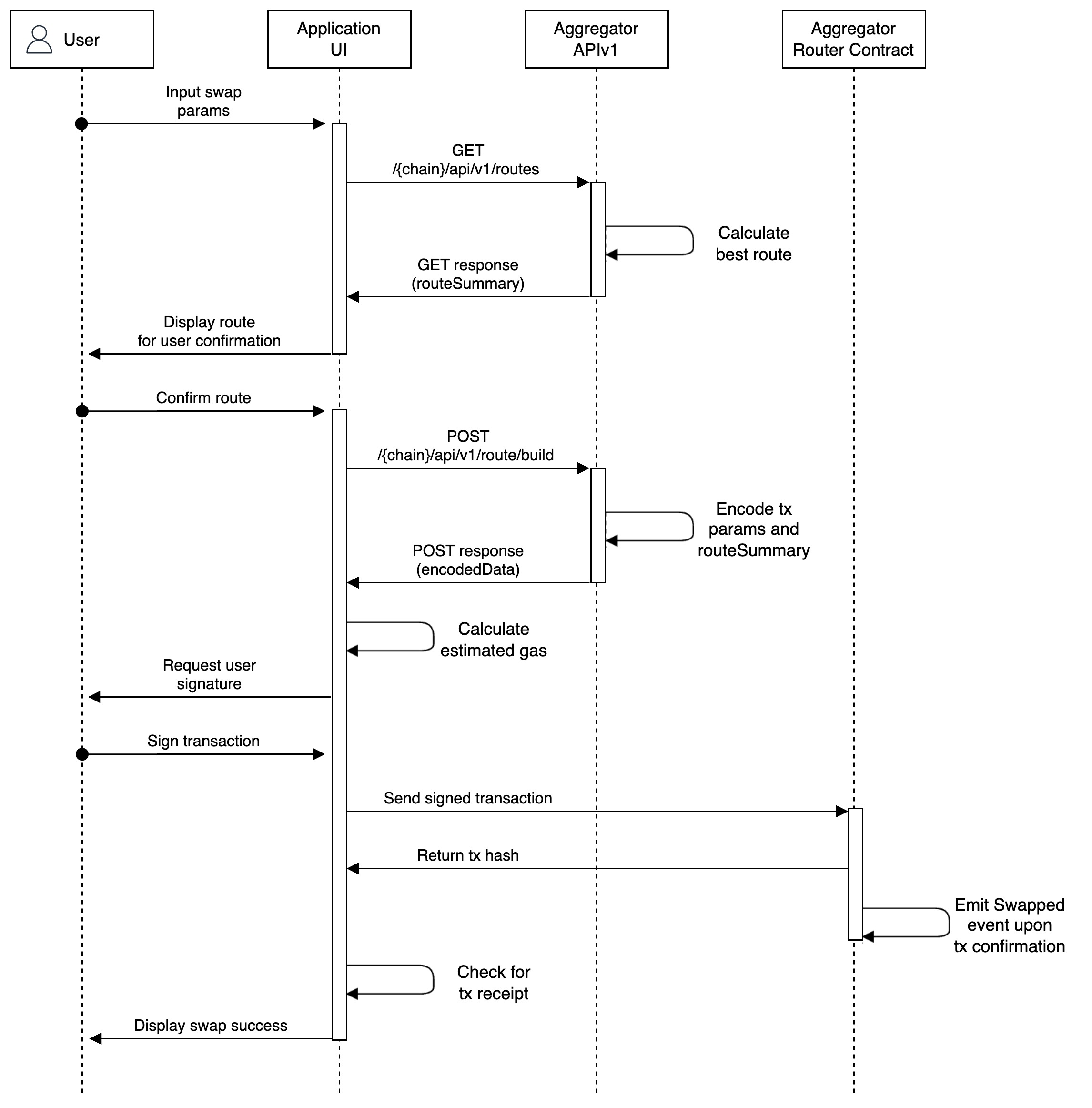
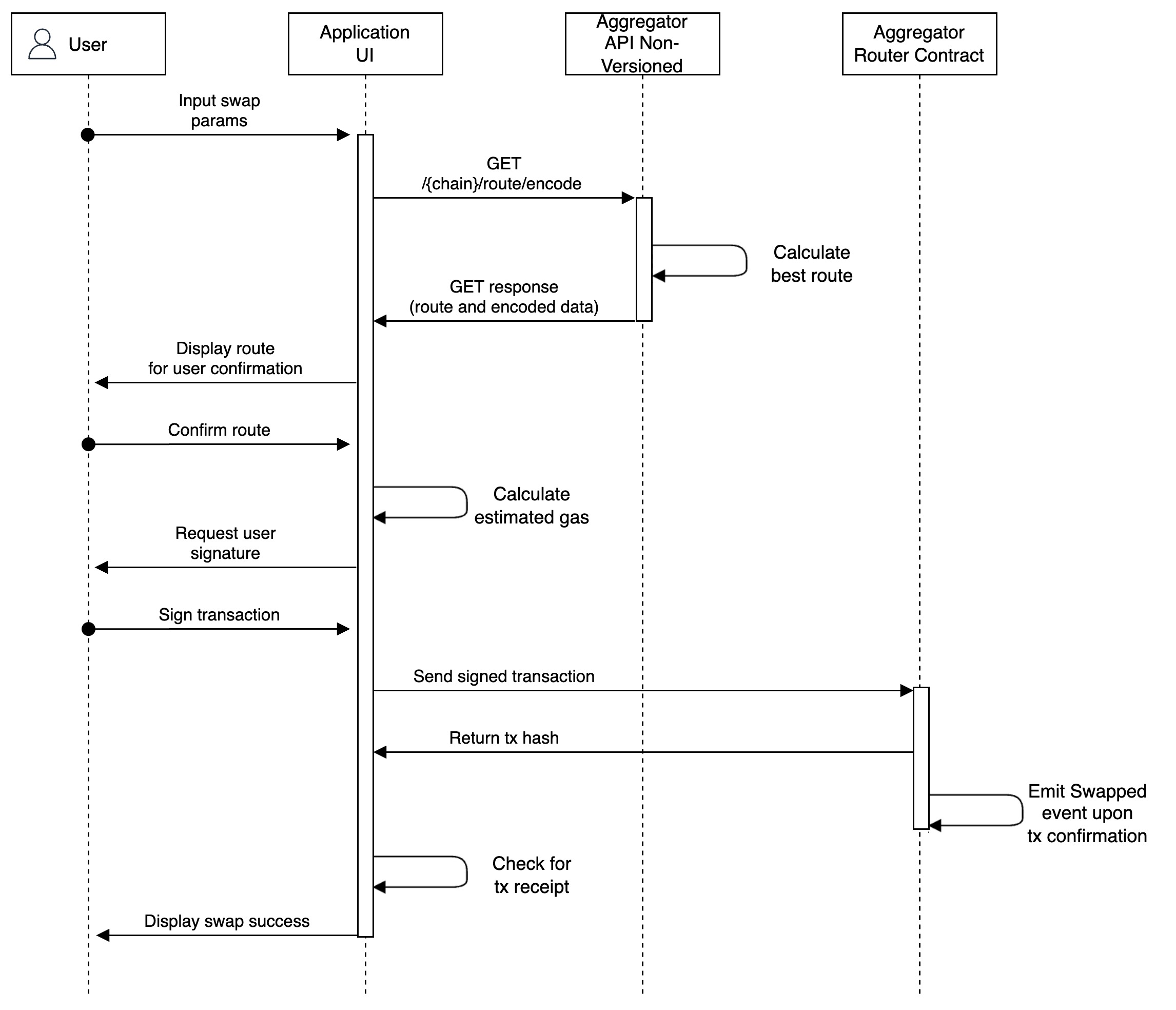
1. User submits a swap request to the aggregator API endpoint.
2. The aggregator queries the connected DEXs for liquidity data on the specified trading pair. *Note that token standards (i.e.* [*ERC20*](/getting-started/foundational-topics/decentralized-finance/tokens#token-standards)*) ensures token interoperability across DEXs.*
3. Based on the trade volume, the aggregator will calculate a more efficient route for the trade using the aggregated liquidity data. Trades might even be split if the potential slippage outweighs the gas costs.
4. Bundle the trade route(s) as an unsigned transaction pending the user’s approval.
5. User views the finalised trade route and submits a signed transaction to the network, using a network provider of their choice.
6. An aggregator smart contract atomically executes the signed transaction, debiting the user’s input token.
7. User receives the output token in their account.

In keeping with DeFi composability, notice that aggregators do not specify a particular user interface implementation nor infrastructure communication channels (i.e. providers). While many aggregator teams have implemented their own user interface (eg. [Kyberswap Interface](/kyberswap-solutions/kyberswap-interface)) for users to view and submit trades, the aggregator API endpoint can be easily triggered from any web application. Aggregators can therefore be seamlessly integrated with applications demanding superior token swap rates without the overhead of managing multiple liquidity sources.

Note that the bundled transactions should also be atomically executed by the network. This ensures that trades with multiple routes do not get partially settled which could result in an overall disadvantageous position as the network condition dynamically changes. Transaction atomicity provides greater assurances around the final swap price which would always be within the user consented interval.

A key aspect to this flow is that users are given the final option to consent to the suggested route as the bundled transaction requires their signature. While aggregators return all the details of the trade (ie. route, splits, final price), application developers are still responsible for displaying such information to the user in a way that best suites their target user. Nonetheless, having an application which provides transparent and easily understandable data will likely result in the application having a competitive edge as this aligns with the optimal user experience.

## Trade at superior rates

The[ KyberSwap Aggregator ](/kyberswap-solutions/kyberswap-aggregator)can be conveniently accessed via the [KyberSwap Interface](/kyberswap-solutions/kyberswap-interface). By initiating a trade via the KyberSwap [UI](https://kyberswap.com/swap), users are able to view optimal rates as well as the exact route which their trade will take.

For developers, KyberSwap Aggregator exposes a set of [swap APIs ](/developer-guide/aggregator-api/aggregator-api-specification)which enable favourable rates to be queried and encoded to be sent to the [Aggregator smart contract](broken://pages/jGSQwkNNFqLTnHbPExjE).

{% tabs %}
{% tab title="Traders" %}

* [Instantly Swap At Superior Rates](https://github.com/KyberNetwork/kyberswap-documentation/blob/main/getting-started/foundational-topics/decentralized-finance/broken-reference/README.md)
  {% endtab %}

{% tab title="Developers" %}

* [Integrating The KyberSwap Widget](/developer-guide/aggregator-api/how-to-guides/kyberswap-widget/integrating-the-kyberswap-widget)
* [Execute A Swap With The Aggregator API](/developer-guide/aggregator-api/how-to-guides/execute-a-swap-with-the-aggregator-api)
* [Aggregator API Specification](/developer-guide/aggregator-api/aggregator-api-specification)
* [Aggregator Contracts](/developer-guide/aggregator-api/contracts)
  {% endtab %}
  {% endtabs %}


# Slippage

Securing Your Trades Against Market Fluctuations

## Overview

Slippage refers to the difference between the expected and final price of a trade. As there is always a certain amount of time between order placement and order execution, there is a possibility that market conditions might have changed during this short interval. Consequently, time to execution is a significant factor when considering slippage risks. By extension, slippage risks are also higher during periods of relative market volatility whereby asset prices tend to change more rapidly.

It is important to note that slippage is an inherent characteristic of any active market. As such, it is important to be aware of how it can affect your trades and what are the steps you can take to mitigate its effects. Of note, slippage is not always negative as it could also result in more favorable trades which we will cover in more detail below.

{% hint style="info" %}
**Slippage vs price impact**

Although closely related, slippage and price impact are separate concepts. Slippage occurs due to market factors external to the trader while price impact occurs due to the size of a trade relative to the available liquidity.

Please refer to the [Price Impact](/getting-started/foundational-topics/decentralized-finance/price-impact) page for more details.
{% endhint %}

## DEX slippage

Specific to DeFi, the majority of trades take place via DEXs hence slippage presents itself differently depending on the order matching mechanism.

Note that for public blockchains, transactions are always batched into their respective blocks to be appended to the chain. This means that the slippage window increases according to how your transaction is prioritized by the network. Moreover, even within the same block, it is possible that trades for the same token pair are ordered before yours. As such, DEXs have implemented various safety mechanisms in an effort to minimize any unexpected trading outcomes.

### AMM slippage

For AMM DEXs, trades occur along a smooth price curve hence every trade against the pool will shift the market price according to the resulting token ratio changes in the pool. In the event that another transaction against the target pool is prioritized over yours, the actual price of the pool would have changed between the confirmation of your order and the final execution.

Due to how orders are prioritized on the blockchain (see above), it is not possible to guarantee the price at the point of order submission. As such, rather than failing the order which would result in an endless cascade of failed orders, most AMMs have implemented a slippage tolerance parameter for trades against their pools. By setting the slippage as a percentage of the expected price, transactions can still be executed as long as the final price is within the boundaries set. This makes transaction processing much more efficient at the application layer while also enabling traders to protect their trades.

While it is always recommended to keep the slippage setting as low as possible to ensure trades are executed at the best rates, such transactions might face a higher failure rate in times of extreme market volatility. Setting a higher slippage increases the likelihood of transaction success but comes with greater risks of worse rates due to market volatility as well as the presence of front-running opportunities.

#### Slippage tolerance for liquidity provision

Note that slippage also applies whenever liquidity is added or removed from an AMM pool due to the way transactions are ordered into blocks. Whenever a position is added to a liquidity pool, the protocol will try to match the token ratio required for liquidity additions to the current ratio of the pool. This also applies in the other direction whenever a position is removed from the pool.

## Order book slippage

For order book DEXs, trades are executed when a pending order is filled by a counterparty with a matching order. In the case of limit orders where trades are only executed if the market price matches the expected price, hence slippage only happens in the direction favouring the trader. As such, limit orders are a great way to ensure that there are no negative trade outcomes based on the predefined parameters of the trade.

As limit orders can be valid for an indefinite amount of time, order book DEXs have also implemented an expiry and cancellation mechanism for limit orders. This acts as a safety mechanism so that traders are able to act according to the changing market conditions and not be caught with unfavorable orders which they had committed to under different market conditions.

## Positive vs negative slippage

As hinted above, slippage can be either negative or positive as its definition does not specify a particular direction in terms of expected and executed price. As a user in the DeFi space, it is usually harder to realize positive slippage due to the presence of [MEV](/getting-started/foundational-topics/decentralized-finance/maximal-extractable-value-mev) bots which are always on the lookout for front-running opportunities. This is especially the case for larger trades where the gas costs required for a successful MEV strategy becomes progressively more insignificant as the trade size increases.

## Slippage examples

#### Scenario

Alice got into `ETH` early and is planning to cash out her profits by selling her `ETH` for `USDT`. Alice wants to execute the swap immediately and decides to swap via the [KyberSwap Aggregator](/kyberswap-solutions/kyberswap-aggregator) for the best rates.

#### Assumptions

* The current pool price is 2,000 (i.e. 1`ETH` = 2,000`USDT`) which is in line with the wider market price for `ETH`
* `USDT` maintains it's peg with the US dollar
* Alice wants to sell 1`ETH` and sets a [max slippage](https://github.com/KyberNetwork/kyberswap-documentation/blob/main/getting-started/foundational-topics/decentralized-finance/broken-reference/README.md) of 1% (higher value chosen for illustrative purposes)
* Alice confirms the 1`ETH` swap with an estimated output 2,000`USDT`
* Based on the above, the minimum received for the transaction is 1,980`USDT`. Below this threshold, the transaction is reverted (i.e. cancelled).

#### Negative slippage

Between confirming the swap and the execution of the swap, the market moves against Alice's trade and the swap was executed at 1,990.

$$
Slippage=\frac{actualOutput-estimatedOutput}{estimatedOutput}\*100%
$$

$$
Slippage=\frac{1990-2000}{2000}\*100%=-0.5%
$$

Alice expected 2,000`USDT` but only got 1,990`USDT` for a net shortfall of 10`USDT`. This equates to a negative slippage of 0.5%. Note that the negative slippage is capped at the 1% max slippage setting hence if output amount from the trade falls below 1,980`USDT`, the trade will not be executed. As such, it is always recommended that you [configure a max slippage](https://github.com/KyberNetwork/kyberswap-documentation/blob/main/getting-started/foundational-topics/decentralized-finance/broken-reference/README.md) for your trades.

#### No slippage

Between confirming the swap and the execution of the swap, no other trades are executed before Alice's trade hence the executed price is as per the estimated 2,000.

$$
Slippage=\frac{2000-2000}{2000}\*100%=0%
$$

Alice expected 2,000`USDT` and got 2,000`USDT`. Hence, there is no difference between the expected amount and the final executed amount resulting in no slippage incurred for this transaction.

#### Positive slippage

Between confirming the swap and the execution of the swap, the market moves in favor of Alice's trade and the swap was executed at 2,010.

$$
Slippage=\frac{2010-2000}{2000}\*100%=0.5%
$$

Alice expected 2,000`USDT` and managed to get 2,010`USDT` for a net surplus of 10`USDT`. This equates to a positive slippage of 0.5%.

## Protecting our users

KyberSwap's highest priority is the safety of our users. As such, we have implemented multiple safeguards to ensure that traders using our platform do not receive any unwelcome surprises.

By splitting and rerouting trades across multiple liquidity sources, the [KyberSwap Aggregator](/kyberswap-solutions/kyberswap-aggregator) minimizes the potential slippage incurred from any single source. Moreover, the [KyberSwap Aggregator](/kyberswap-solutions/kyberswap-aggregator) enables traders to set a `Max Slippage` to guarantee that trades are only executed if the final price is within the expected price range.

Lastly, [KyberSwap Limit Order](/kyberswap-solutions/limit-order) allows traders predefine the prices at which their trades will be executed. This sidesteps any negative slippage risks and provides traders much greater price guarantees for their trades.

{% tabs %}
{% tab title="Traders" %}

* Customizing Trade Parameters
* Instantly Swap At Superior Rates
* [Swap At Your Preferred Rates](/user-guide/limit-order)
  {% endtab %}

{% tab title="Developers" %}

* [Execute A Swap With The Aggregator API](/developer-guide/aggregator-api/how-to-guides/execute-a-swap-with-the-aggregator-api)
* Place A Limit Order
* Fill A Limit Order
  {% endtab %}
  {% endtabs %}


# Price Impact

Avoid The Pitfalls Of Low Liquidity

## Overview

Price impact refers to the change in the market price that is brought about due to the execution of a transaction. Price impact is determined by the trade size relative to the available liquidity. In general, as each token purchased results in less available supply, it follows that the price of each additional token unit increases accordingly. Put simply, the more tokens demanded by a trade, the higher the average price per token as tokens will have to be sourced further and further from the market price (i.e. the market price only indicates the price of the next available token).

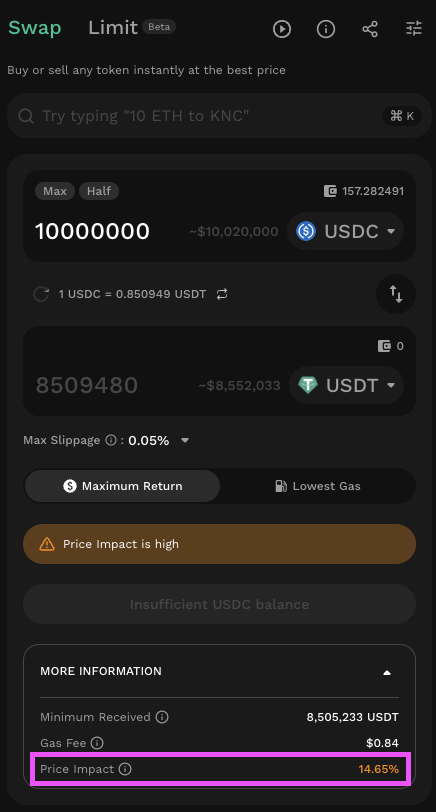
<figure><img src="/files/ZopuPy9TLHG1WIVpb3zi" alt=""><figcaption><p>KyberSwap price impact</p></figcaption></figure>

As an example, the screenshot above taken from the KyberSwap [swap page](https://kyberswap.com/swap) indicates that a 10M USDC to USDT trade would result in a 14.65% price impact. This means that such a trade would result in the trader paying, on average, 14.65% more USDC per USDT token as compared to the current market price.

As price impact is a function of supply and demand, it is a natural outcome of any market. As such, it is important to be aware of the price impact of your trades and take the necessary steps to minimize it.

{% hint style="info" %}
**Slippage vs price impact**

Although closely related, slippage and price impact are separate concepts. Slippage occurs due to market factors external to the trader while price impact occurs due to the size of a trade relative to the available liquidity.

Please refer to the [Slippage](/getting-started/foundational-topics/decentralized-finance/slippage) page for more details.
{% endhint %}

## DEX price impact

Due to the varying DEX order matching mechanisms, price impact tends to be more pronounced for users on AMM DEXs as opposed to order book DEXs.

### AMM price impact

Every AMM pool maintains a ratio of tokens against which trades are made along a price curve. As a result of this design, trading against a pool means adding one token to the pool while simultaneously removing the other token. For example, if a trader swaps 1 ETH for DAI in an ETH/DAI pool, the trader is adding 1 ETH to the pool while withdrawing 1600 DAI (assuming market price of the next 1 ETH is 1600 DAI). Given that the token ratio is a key determinant of pool price, this inverse movement of token quantities results in even greater price movements as the supply of the token being bought (i.e. DAI) drops while the supply of the token being sold increases (i.e. ETH).

The AMM price curve design ensures that the price per token scales with the available liquidity in the pool. Nonetheless, this results in higher price impact risks for pools with less liquidity as prices increases exponentially for every additional token. To mitigate price impact risks, it is advisable to split large trades across different pools or you can use an aggregator (e.g. [KyberSwap Aggregator](/kyberswap-solutions/kyberswap-aggregator)) which automatically splits and reroutes trades to the most capitally efficient liquidity sources.

### Order book price impact

Price impact does not apply to order book DEXs in the conventional flow as active limit orders are only executed when a matching order is found. As such, setting a limit order that is within the bid-ask spread sidesteps any price impact risks as limit orders will be filled when the current market price matches the limit order ask. Put in another way, the "impact" that your limit order has on the market is that you are creating a price floor or ceiling for the asset.

Where price impact does come into play is when a trader sets a limit order that is significantly above or below the market price. This might happen accidentally due to mistaken input parameters or as part of more complex trading strategies to secure large amounts of tokens at predefined prices (i.e. according to active limit orders). In such cases, price impact is limited to the difference between the limit order price and the market price.

## Protecting our users

KyberSwap's highest priority is the safety of our users. As such, we have implemented multiple safeguards to ensure that traders using our platform do not receive any unwelcomed surprises.

By splitting and rerouting trades across multiple liquidity sources, the [KyberSwap Aggregator](/kyberswap-solutions/kyberswap-aggregator) minimizes the potential price impact incurred from any single source. Moreover, the [KyberSwap Aggregator](/kyberswap-solutions/kyberswap-aggregator) enables traders to set a `Max Slippage` to guarantee that trades are only executed if the final price is within the expected price range.

Lastly,[ KyberSwap Limit Orders](/kyberswap-solutions/limit-order) will always attempt to fill active orders at the market price. KyberSwap Limit Orders have been integrated with the KyberSwap Aggregator to ensure a larger potential pool of liquidity sources which reduces the potential price impact of an order.

{% tabs %}
{% tab title="Traders" %}

* Customizing Trade Parameters
* Instantly Swap At Superior Rates
* [Swap At Your Preferred Rates](/user-guide/limit-order)
  {% endtab %}

{% tab title="Developers" %}

* [Execute A Swap With The Aggregator API](/developer-guide/aggregator-api/how-to-guides/execute-a-swap-with-the-aggregator-api)
* Place A Limit Order
* Fill A Limit Order
  {% endtab %}
  {% endtabs %}


# Zap

## Problem: Gas Fees And Capital Efficiency

As a Liquidity Provider, one of the major pain points when contributing liquidity to [AMM pools](https://github.com/KyberNetwork/kyberswap-documentation/blob/main/getting-started/foundational-topics/decentralized-finance/broken-reference/README.md) is the need to source the exact ratio of tokens at the point of adding liquidity. For example, if you are adding liquidity to a USDC-WETH pool but only had 1,000USDC in your wallet, you would have go through multiple steps:

* Check the ratio of tokens required for adding liquidity. This ratio will be dependent on the current pool price as well as the position's selected range.
* Swap USDC -> WETH
* Add the exact amounts of the remaining USDC and the newly swapped WETH

Note that throughout the above process, swaps as well as liquidity additions are exposed to [slippage](/getting-started/foundational-topics/decentralized-finance/slippage) risks(as well as [price impact](/getting-started/foundational-topics/decentralized-finance/price-impact) for swaps). As such, the amount added is rarely ever exact which results in unpredictable amounts of tokens being left in your wallet. If this is a significant amount, not only will you be losing out on potential yield but you would have to repeat the above process again, incurring double the amount of gas fees.

## Solution: One Click Zap

To improve the liquidity provider user experience, zaps enable LPs to conveniently achieve all the above in a single click. In other words, zaps allow users to add/remove liquidity to AMM pools with just a single token by signing a single transaction.

Following on the example above, there are 2 directions for zaps:

* **Zap In** (add liquidity): If you are providing 1,000USDC to the USDC-WETH pool, zapping in allows you to send 1,000USDC to the contract and receive the position NFT in return. A portion of the 1,000USDC will be converted to WETH and added to the pool depending on the pool price relative to your selected position range. The exact proportion can be derived from your position NFT.
* **Zap Out** (remove liquidity): When removing liquidity, you can also choose to zap out and receive one of the pool's tokens. In this case, your position NFT value (i.e. total value of USDC & WETH) will be converted to USDC and returned to your wallet.

In both the above cases, LPs are less likely to face any slippage risks as the whole process is completed within a single transaction. Consequently, there is also no longer a need to conduct additional transactions which incur both more gas fees and manual management.

{% hint style="success" %}
**Maximizing Returns With Kyber Zap**

KyberSwap has iterated upon the zap concept, enabling LPs to zap into pools! Please refer to Zap for more information on how this innovation could maximize your LP returns.
{% endhint %}


# Maximal Extractable Value (MEV)

DeFi's Scalpers

## Overview

Maximal Extractable Value (MEV) are strategies used to realise a risk-free profit from front-running pending network transactions. As transactions are only finalised after being mined in a block, MEV takes advantage of the time premium of publicly available pending transactions in order to reprioritise transactions. As such, MEV extracts value from the system based on how public blockchains prioritize transactions.

## The information premium <a href="#id-0868" id="id-0868"></a>

To understand MEV, we first need to go back to how transactions are confirmed on the network. Currently, for the majority of PoW or PoS chains, a user signals their willingness for their transaction to be finalized on the chain by paying a gas fee. This transaction processing fee is required to ensure that the user sends a genuine transaction as they stand to lose this fee if the transaction is malicious. Where this fee gets interesting is due to the fact that each new block on the network has a limited amount of space to which transactions can be added. In other words, the network is only able to process a limited number of transactions and needs a way to prioritise transactions.

Aside from validating new blocks, miners also have the responsibility to propose new blocks and this is where things start to get tricky. In a conventional scenario, a user signals their willingness for faster transaction confirmation times by increasing the gas fee which they are willing to pay. On the other side, miners would select the transaction with the highest gas prices from the transaction queue as this would maximize their profits. Plain and simple as this ensures that the miner is indifferent to the transaction contents and prioritizes based on the fee alone. The complication arises due to the presence of a publicly available transaction queue.

All transactions on such networks will first have to be added to a queue (mempool) in order to be picked up by the miner. This queue is necessarily public given the transparency that public blockchains affords. Where an unsuspecting user might be caught off-guard is when the details of their transaction is used against them prior to being finalized on the network. Remember that it takes time for a transaction to be finalized (ie added to a block) and within this time, this information could be capitalized on as it had already been signed by the user. Of note, this is not only restricted to miners as third-parties who see such information are able to propose transactions with a higher gas fee to get their transaction priotitized.

## The time premium <a href="#id-7536" id="id-7536"></a>

The information above is only valuable as long as the transaction has yet to be finalized. As such, the transaction confirmation duration sets an upper bound on the time value of such information, after which the information is essentially worthless to the MEV strategy. Given that ETH block times are approximately [\~12 seconds](https://ycharts.com/indicators/ethereum_average_block_time), this doesn’t give much time for the MEV strategy to be carried out. As such, MEV is usually carried out by bots which generally does the following:

* Monitor the transaction queue for transactions which meet their specific criteria
* Calculate profitability based on available information. This will also have to take into account the gas costs
* If there is a profit to be made, form a transaction based on the calculated parameters
* Send the transaction with a higher gas fee to front-run the targeted transaction
* Monitor the sequence of transaction confirmation as there is still the possibility of the target transaction being confirmed first. If so, cancel the MEV transaction

Efficiency is key here as every second the MEV transaction is delayed means the bot is closer to missing out on being included for that block. The above is taking into account a single bot but realistically, there would be plenty of bots each trying to get a piece of the pie. As such, in addition to having to be as efficient as the competition, network latency also plays a critical role to the success of the strategy.

As most blockchains default to gas fee to prioritize transactions, bots instead compete to be the the first in queue when a block is proposed. Notice that a block proposer has between the confirmation of the last block and the finalisation of the next block to propose a block. As such, the timing of block creation is not fixed and the only thing that the bots can do is outbid other bots in hopes that the block proposer will select their transaction upon finalizing the block template. Bots can submit a transaction with a prohibitively high gas fee but that would mean they significantly diminish their profits. What is more likely is that the bots will incrementally outbid each other by monitoring other bot transactions. This means that lower latency provides a competitive advantage to such strategies.

## Capitalizing on the premiums <a href="#b4f4" id="b4f4"></a>

Given the above background, there are a number of ways where profits can be extracted via reordering, including, or excluding transactions within a block. Do remember that all of the below strategies aim for their MEV transaction to be included in the same block or before the target transaction confirmation.

### Sandwich attack <a href="#id-1669" id="id-1669"></a>

A bot monitors the queue for a large incoming trade. Large trades would usually result in slippage which is the difference between the quoted price at the time when the user confirmed the trade and the effective price when the trade was confirmed.

Upon identifying a target trade, say in this case a trader is swapping 100ETH to KNC, the bot will buy up KNC before the target trade is approved. This increases the effective price of KNC which the bot then sells back to the trader. From the trader’s perspective, this increases their slippage and hence their cost price of the equivalent KNC received.

### Arbitrage <a href="#cc44" id="cc44"></a>

A bot monitors the queue for a large incoming trade. Upon identifying the target trade, the bot calculates the implied price movement on the specific exchange where the trade is placed. The bot queries the price across other exchanges (decentralised but also centralised if they have sufficient capital) and compares the price impact above to determine profitability.

Using the same example above, the bot buys KNC from other exchanges and immediately sells it to the exchange where the target trade is taking place. This increases the effective price of KNC for the trader.

### Sniping <a href="#id-03a2" id="id-03a2"></a>

There are two forms of sniping which takes place in crypto:

* **AMM liquidity adjustments**: Specific to AMMs, sniping is a specific form of MEV whereby an attacker jumps in front of normal liquidity providers by adding and removing liquidity just before and right after a huge swap.
* **Token releases**: A bot monitors the queue for transactions which are intended to buy newly released tokens/NFTs. As there is usually a rush of users trying to get their hands on the new token, the price of the token tends to increase rapidly upon launch. Based on the purchase transactions submitted by the users, the bot can determine if it is able to obtain the token by front running the user and then selling it to them at a significantly higher price.

### Liquidation <a href="#id-87e9" id="id-87e9"></a>

A bot monitors the queue for liquidator transactions. Upon identifying a target transaction, the bot forms a liquidation transaction and sends it to the network with a higher fee. As such, the bot did not actually identify the liquidation event that was triggered but instead capitalised on the liquidators’ slower transaction.

## Miners ++, MEV-Party +, Users -- <a href="#ddd2" id="ddd2"></a>

Of note, the strategies above could be used by both miners or MEV-parties but in either case, the miner still stands to benefit the most from such strategies. This is especially so if the miner is also the MEV-party as block producers do not need to include a transaction fee to incentivize transactions to be included in a block.

The MEV-party stands to pocket the additional slippage in trades or front-running key token events. The miner benefits from the increased gas prices due to MEV bots outbidding each other. All the above comes at the expense of a degraded user experience as trades are always settled at the highest price, fees are consistently high, and any profit opportunities identified are effectively snatched away.

## Protocol +/- ? <a href="#c289" id="c289"></a>

While it could be argued that MEV is part of the market efficiency in order to iron out information asymmetries, where the line is blurred is in access to the MEV tooling. Much of the MEV strategies detailed above require a fair bit of know-how in order to be executed. Moreover, the initial capital required might be quite significant to the average person especially when the gas fees are high, which is likely to be the case with all the MEV bots. This means that knowledgeable parties with sufficient capital reap the rewards in terms of MEV but this could potentially come at the cost of protocol security.

As a start, if the degraded user experience outweighs the benefits of using the network, community members might choose to leave the network. For the DeFi space, this has to be taken into account within the context of centralised exchanges which would technically not face such problems. Users might move their trades to centralised exchanges which then reduces decentralisation guarantees.

A more existential question is what happens when the MEV to block rewards ratio starts tilting in favor of MEV. In this scenario, it is more profitable for miners (who themselves are assumed to have a pure profit incentive) to start using MEV strategies instead of securing the network. Of course the MEV strategies wouldn’t exist without the blocks being created. However, taken as a whole, the network will not be able to provide reasonable guarantees that a transaction would be included based purely on the gas fee.

Taking this a step further, miners could even rewrite blockchain history in what is called a [time-bandit attack](https://www.mev.wiki/attack-examples/time-bandit-attack). By re-mining past blocks, all MEV extracted in the previous blocks could be used to subsidise the attack. This makes rational sense the higher the MEV to block reward ratio.\\

* The explosion of DeFi meant significantly more value being transacted on-chain. Moreover, the market cap of ERC20 tokens has exploded relative to ETH.
* During the bull run, transaction fees managed to outpace block rewards meaning that more value is being extracted through unconventional means.
* Increased sophistication and adoption of MEV strategies meaning that this is no longer limited to a niche group of traders.

The second point above is what is concerning as it is hard to argue that such unconventional MEV strategies are of more value than securing the network.

## Protecting our traders

For traders, the KyberSwap Aggregator allows you to [customize the maximum slippage](/user-guide/swap/instantly-swap-at-the-best-rate#customizing-trade-parameters) for each trade. This minimizes any front-running opportunities linked to your trade as your trade will only be executed if the final price is within the interval set.

{% tabs %}
{% tab title="Traders" %}

* [Customize trade parameters](/user-guide/swap/instantly-swap-at-the-best-rate#customizing-trade-parameters)
* [Instantly Swap At Superior Rates](/user-guide/swap/instantly-swap-at-the-best-rate)
  {% endtab %}
  {% endtabs %}


# Decentralized Technologies

Without Which None Of This Would Be Possible

There are a whole range of decentralized technologies which makes what we do here at KyberSwap possible. As our focus lies in making decentralized swaps accessible to all, we realized early on that KyberSwap will be able to generate the most value-add for users at the decentralized application layer. Consequently, we have decided to leverage the expertise of various decentralized infrastucture providers by integrating and building on top of their respective ecosystems.

Critically, this process of integration is contingent upon KyberSwap maintaining its open and permissionless nature. To this end, the sections below outlines some of the key decentralized technology topics where significant consideration was required when designing KyberSwap solutions.


# Wallets

Be Your Own Bank

## Your keys, your crypto

In keeping with the principles of financial autonomy and open access, a core foundation of the crypto (and by extension DeFi) space was that users always owned their assets which could only be accessed with the user's consent. Advancements in technology and cryptography has now made it possible for users to achieve organisational levels of security for digital assets which are held on a public blockchain. Without knowledge of a password (i.e. [private keys](https://www.oreilly.com/library/view/mastering-ethereum/9781491971932/ch04.html)), no party is able to forcefully seize or move a user's funds. Wallets were created as a way for users to securely manage their keys while still making application interactions convenient.

## Application for managing your funds

Wallets are essentially applications which enable users to conveniently manage their digital assets. While wallets now come with a myriad of functionalities, the most basic wallets enable users to view their funds, transaction history, and even interact with other applications through signing transactions.

Critically, as your funds and accounts live on the blockchain, wallets are only a convenience tool facilitating fund management. In other words, you can swap wallet providers at any time as long as you have your private keys. Remember that your private keys should never be shared with anyone as knowledge of the private keys gives full access to all your funds on the blockchain.

## Types of wallets

Wallets generally fall into two overarching categories which are differentiated based upon whether the wallet is air-gapped from the internet:

* **Hot Wallet:** Wallets which are connected to the internet. Hot wallets store the private keys encrypted on applications which are web-based or installed on desktop/mobile devices. The added risks of having keys possibly exposed on the internet is counterbalanced by the convenience of managing keys and transaction signing. Some examples further categorised by platform are:
  * Browser Wallets: [Metamask](https://metamask.io/), [Brave](https://brave.com/wallet/), [Coin98](https://coin98.com/)
  * Mobile Wallets: [Argent](https://www.argent.xyz/), [Trust](https://trustwallet.com/)
  * Desktop Wallets: [Exodus](https://www.exodus.com/)
* **Cold Wallet:** Wallets which are kept offline or air-gapped from the internet. Cold wallets can be as basic as a paper wallet where the private key is written on or more complex implementations which takes advantage of hardware security modules. Hardware wallets enable transactions to be signed without the private keys ever being exposed to the internet.
  * Hardware Wallet: Ledger, Trezor

## KyberSwap wallet integrations

[KyberSwap Interface](/kyberswap-solutions/kyberswap-interface) has been integrated with the leading wallet providers allowing you to select your favourite wallet:

* [Blocto](https://blocto.io/)
* [Brave Wallet](https://brave.com/wallet/)
* [Coin98](https://coin98.com/)
* [Coinbase](https://www.coinbase.com/wallet)
* [Krystal](https://linktr.ee/krystalwallet)
* [Metamask](https://metamask.io/)
* [Rabby](https://rabby.io/)
* [Safe](https://safe.global/wallet)
* [Trust Wallet](https://trustwallet.com/)
* [WalletConnect](https://walletconnect.com/)

Please refer to the respective wallet provider resources on how to setup your wallet. Refer to [Connect Your Wallet](/user-guide/user-guides/connect-your-wallet) for a step-by-step guide on how to link your new wallet to the KyberSwap UI.


# Dapps

Decentralized Applications Powered By The Community

## Overview

Decentralized Applications (a.k.a. dapps) are apps that run on top of the blockchain using smart contracts. Being run on top of a peer-to-peer network, dapps avoids some of the pitfalls of their centralized counterparts. This includes non-custodial data exchanges, transaction transparency, as well as censorship resistance. Most dapps also implement a [token](/getting-started/foundational-topics/decentralized-finance/tokens) that secures their ecosystem via specific application level incentives.

In general, most dapps are created with the ultimate goal of facilitating peer-to-peer transactions without the need for an intermediary. This includes use cases such as [decentralized finance](/getting-started/foundational-topics/decentralized-finance), game finance, decentralized socials, as well as many more novel use cases that are currently being incubated. As dapps are only limited by code, the potential use cases are virtually endless.

Due to the open and transparent nature of most dapps, one key benefit that arises is that of composability whereby dapps are able to leverage existing dapp functionality to generate even more value for their end users.

## KyberSwap: The liquidity backbone for dapps

At KyberSwap, we are building the next generation of liquidity solutions that will enable our users to trade and earn at superior rates. Users can access our liquidity suite directly via [KyberSwap Interface](/kyberswap-solutions/kyberswap-interface) or developers can integrate trade functionality directly in their dapp with the [KyberSwap Widget](/developer-guide/aggregator-api/how-to-guides/kyberswap-widget) or [KyberSwap Aggregator](/kyberswap-solutions/kyberswap-aggregator) and [KyberSwap Limit Order](/kyberswap-solutions/limit-order) APIs.

{% tabs %}
{% tab title="Liquidity Providers" %}

* [Earn Yield By Contributing Liquidity](https://github.com/KyberNetwork/kyberswap-documentation/blob/main/getting-started/foundational-topics/decentralized-technologies/broken-reference/README.md)
  {% endtab %}

{% tab title="Traders" %}

* [Instantly Swap At Superior Rates](https://github.com/KyberNetwork/kyberswap-documentation/blob/main/getting-started/foundational-topics/decentralized-technologies/broken-reference/README.md)
* [Swap At Your Preferred Rates](/user-guide/limit-order)
  {% endtab %}

{% tab title="Developers" %}

* [Integrating The KyberSwap Widget](/developer-guide/aggregator-api/how-to-guides/kyberswap-widget/integrating-the-kyberswap-widget)
* [Execute A Swap With The Aggregator API](/developer-guide/aggregator-api/how-to-guides/execute-a-swap-with-the-aggregator-api)
* [Place A Limit Order](https://github.com/KyberNetwork/kyberswap-documentation/blob/main/getting-started/foundational-topics/decentralized-technologies/broken-reference/README.md)
* [Fill A Limit Order](https://github.com/KyberNetwork/kyberswap-documentation/blob/main/getting-started/foundational-topics/decentralized-technologies/broken-reference/README.md)
  {% endtab %}
  {% endtabs %}


# RPC

Connecting Dapps To The Blockchain

## Overview

In the Web3 space, a RPC is a shorthand which generally refers to how a [dapp](/getting-started/foundational-topics/decentralized-technologies/dapps) gets data from a blockchain. While data is transparently stored on the blockchain, querying and sorting the publicly available data is highly resource intensive. Moreover, given the immediacy of on-chain data, performance requirements usually dictate that transaction logic be computed on a full node which holds the full transaction history of the blockchain. As dapps are meant to be lightweight pieces of code that can conveniently run on a web-page or mobile browser, this approach is infeasible and that is where RPCs come in handy.

To achieve a better user experience for Web3 users, RPCs enable the following to be functionally separated:

* Dapps handle user interactions whereby users can view blockchain data and update such data by providing a signed instruction. Dapps do not need to hold onto all the blockchain data nor have the necessary computing resources to execute the transaction. As such, users can easily access dapps from any device with minimal concerns about hardware or network requirements.
* RPC nodes essentially run blockchain software and are therefore required to hold onto the full set of blockchain data and be able to reliably execute transactions. This requires significantly more computing resources and specialized hardware. By exposing an endpoint, RPC nodes enable dapps to query on-chain data as well as send signed instructions to be executed by the RPC node.

In short, RPCs allow dapps to focus on user interactions while leaving the complexity of translating and executing such user data to a node. Note that for simplicity, the above does not differentiate between the different types of nodes (i.e. light nodes, full nodes, etc.).

## RPC: Protocol, Nodes, Endpoints

From a technical standpoint, a RPC actually refers to a Remote Procedure Call protocol but this distinction is usually overlooked for end user simplicity. For the purposes of accuracy, the differences are highlighted below:

* Remote Procedure Call protocol is a standard interface which allows for a client (i.e. dapp) to remotely request for a server's (i.e. nodes) resources without requiring details on the server's location or network.
* Remote Procedure Call nodes are the servers which receive the requests from the client (i.e. dapp) and compute the instructions by runnning the blockchain software.
* Remote Procedure Call endpoints are the addresses which allows a client (i.e. dapp) to interface directly with the server (i.e. node)

In the large majority of cases, the term RPC is usually used to refer to the RPC endpoint which a user will interact with. Underlying this endpoint will of course be a RPC node which has been abstracted away.

## Selecting a RPC

As each chain requires nodes to run a different set of blockchain software, users will have to change their connected RPC endpoint when switching between chains. You can refer to our [Switching Networks guide](/user-guide/user-guides/selecting-preferred-network) on how to achieve this.

In addition to switching between chains, there is also an element of trust when a user selects a specific RPC on a chain. This is because the execution of dapp logic ultimately depends on the RPC node reliably and objectively processing the signed instructions. A RPC which is consistently offline or slower to respond would result in a degraded user experience. Moreover, RPC nodes can even take advantage of the transaction data to execute [MEV strategies](/getting-started/foundational-topics/decentralized-finance/maximal-extractable-value-mev) thereby profiting at the expense of the user. As such, users will have to select RPCs based on a combination of factors.

{% hint style="success" %}
**MEV Protection**

KyberSwap allows users to select RPCs which protect the user's transactions against MEV strategies by routing the transaction into a private mempool. Please refer to MEV protection for more details.
{% endhint %}


# Oracles

Linking Blockchains To The World

## Overview

Much like how we rely on our senses to make sense of the world around us, blockchains require an interface to receive data that is external to their own chain. Data on the blockchain (i.e. [on-chain data](/getting-started/foundational-topics/decentralized-technologies/on-chain-vs-off-chain-data)) can be easily consumed for on-chain functions but is limited to data which can be fully-described by the blockchain. In other words, blockchains are unable to access data that is stored outside the blockchain network (i.e. [off-chain data](/getting-started/foundational-topics/decentralized-technologies/on-chain-vs-off-chain-data)). As such, blockchains require an oracle to feed off-chain data so that it can be used for on-chain processing by smart contracts. In effect, oracles function as a bridge between the blockchain and all external data sources.

The most relatable example in DeFi is that of fiat-backed [stablecoins](/getting-started/foundational-topics/decentralized-finance/stablecoins), whereby every unit of USDC is backed by the equivalent cash amount held in a bank account. As the blockchain does not have access to the bank account, it relies on a trusted party to feed the data into the blockchain so that the on-chain token balances can be adjusted according to the off-chain cash balances. In this case, USDC users entrusts this oracle function to [Circle](https://www.circle.com/en/about-circle), which operates the USDC token.

Note that as off-chain data is not determined by the network, all oracles require some form of trust assumption when it comes to identifying a source of truth. This can range from a single entity who is the sole owner of the source of truth or complex game theoretical models which enable consensus to be reached. In the latter case, the oracle design becomes extremely important as economic incentives must be aligned with data correctness. Given that the data from oracles will likely be used to trigger some form of on-chain computation, the reliability and security of the oracle data feed is paramount to ensure that the robustness of the ecosystem as a whole.

{% tabs %}
{% tab title="Developers" %}

* [Get Elastic Pool Price](https://github.com/KyberNetwork/kyberswap-documentation/blob/main/getting-started/foundational-topics/decentralized-technologies/broken-reference/README.md)
  {% endtab %}
  {% endtabs %}


# On-Chain vs Off-Chain Data

Making Sense Of Data

## Overview

Unlike traditional finance where data is stored in siloed databases, DeFi transactions offers significantly greater transparency as transaction data is stored on the blockchain which can be publicly queried by any user with internet access. Critically, on-chain data is always impartial as it reflects the exact transaction parameters as it occured with no data lag nor any risks of being tampered post-transaction. The storage of data on the blockchain has become known as on-chain data with all other data sources being referred to as off-chain data.

Given that the [DeFi](/getting-started/foundational-topics/decentralized-finance) ecosystem is powered by [dapps](/getting-started/foundational-topics/decentralized-technologies/dapps) which run on top of permissionless public blockchains, all DeFi actions results in new transaction data being created and logged on the blockchain. Moreover, with improving token standards (i.e. [ERC20](https://ethereum.org/en/developers/docs/standards/tokens/erc-20/)) as well as DeFi smart contract best practices, DeFi transactions also emits standardized event notifications (i.e. [transfer](https://eips.ethereum.org/EIPS/eip-20#transfer-1), [swap](https://github.com/KyberNetwork/ks-classic-sc/blob/master/contracts/DMMPool.sol#L52)) which provides further context for the transaction. Consequently, there is a wealth of raw on-chain data which holds significant value once sorted.

In contrast to on-chain data, off-chain data is usually stored on a private database where access is determined by its operator. This is not inherently a bad thing as there are certain data points which can't be wholly captured by on-chain data (i.e. price, real world asset data, etc.) and such services plugs these gaps. Moreover, off-chain data providers could also provide additional value through processing raw data to uncover additional insights. This ability to make sense of raw data is both its strongest suite as well as its achilles heel as users will have to trust that the data provided is accurate.


# Other Valuable Resources

External Resources

## Beginner Friendly

### ethereum.org

* [Ethereum wallets](https://ethereum.org/en/dao/)
* [Introduction to smart contracts](https://ethereum.org/en/smart-contracts/)
* [Introduction to Web3](https://ethereum.org/en/web3/)
* [Decentralized finance](https://ethereum.org/en/defi/)
* [Stablecoins](https://ethereum.org/en/dao/)
* [Non-fungible tokens (NFTs)](https://ethereum.org/en/nft/)
* [Decentralized autonomous organizations (DAOs)](https://ethereum.org/en/dao/)

## Technical Concepts

### ethereum.org

* [Ethereum Virtual Machine](https://ethereum.org/en/developers/docs/evm/)
* [Introduction to dapps](https://ethereum.org/en/developers/docs/dapps/)
* [Token standards](https://ethereum.org/en/developers/docs/standards/tokens/)


# Getting Started

Simple Step-By-Step Tutorials

The following guides are targeted at all users, regardless of DeFi familiarity. Whether you're just getting started in DeFi or a degen aping into the next meme coin, these guides will bring you up to speed on the Kyberswap ecosystem. While many of the core flows are similar to its competition, KyberSwap interface brings together a myriad of enhancements to improve the user experience while still ensuring the best rates through KyberSwap's core protocols.

## Getting Started

**Start trading and earning on KyberSwap in minutes.**

KyberSwap is a multi-chain decentralized platform that offers advanced trading tools and a comprehensive suite of earning opportunities, enabling users to trade and earn without intermediaries through an open and permissionless experience.

## Before you start

Two things you need before using KyberSwap:

[**A Web3 wallet**](/user-guide/user-guides/connect-your-wallet) - KyberSwap supports MetaMask, WalletConnect, Coinbase Wallet, and most major browser wallets.&#x20;

**Tokens on a supported network** — Make sure your wallet holds tokens on one of the chains KyberSwap supports. See [Supported Chains & Networks](/getting-started/supported-exchanges-and-networks) for the full list.

### Connect your wallet

Visit [kyberswap.com](https://kyberswap.com) and click **Connect Wallet** in the top right. Select your wallet, approve the connection, and choose the network you want to trade on.

## What you can do

<figure><img src="https://docs.kyberswap.com/~gitbook/image?url=https%3A%2F%2F1368568567-files.gitbook.io%2F%7E%2Ffiles%2Fv0%2Fb%2Fgitbook-x-prod.appspot.com%2Fo%2Fspaces%252Fw1XgQJc40kVeGUIxgI7c%252Fuploads%252Fgit-blob-5632b59b4dd764a88a35a4eed9e39c8fad99a87b%252Fcover.png%3Falt%3Dmedia&#x26;width=768&#x26;dpr=3&#x26;quality=100&#x26;sign=e10beedc&#x26;sv=2" alt=""><figcaption></figcaption></figure>

**KyberSwap Interface**: A one-stop [web interface](https://kyberswap.com/) that provides convenient and open access to KyberSwap’s trading tools and earning opportunities within the DeFi ecosystem. Through the interface, users can access core functionalities, including [Swap](/user-guide/swap) (powered by KyberSwap Aggregator), [Limit Order](/user-guide/limit-order), [Cross-chain Swaps](https://docs.kyberswap.com/kyberswap-solutions/kyberswap-interface/user-guides/cross-chain-swap), Kyber Earn (powered by [ZaaS](https://docs.kyberswap.com/kyberswap-solutions/kyberswap-zap-as-a-service)), and other supported features.

* [**Swap**](/user-guide/swap): Instantly swap at superior rates, KyberSwap connected to over 420+ liquidity sources across 17 chains, KyberSwap Aggregator [splits and reroutes trades](https://docs.kyberswap.com/kyberswap-solutions/kyberswap-aggregator/concepts/dynamic-trade-routing) through capital-efficient sources, thereby ensuring the best swap rates while encouraging greater market stability.
* [**Limit Order**](/user-guide/limit-order): Allows users to set preferred swap rates and execute gasless, slippage-free, and zero-fee trades powered by our wide network of takers. Orders are [automatically settled on-chain](/developer-guide/start-here/foundational-solutions/off-chain-relay) only when predefined conditions are met.
* [**Cross-chain Swap**](/user-guide/cross-chain-swap): Enables users to transfer and exchange assets across [23 supported blockchain networks](/getting-started/supported-exchanges-and-networks), including non-EVM and EVM chains. KyberSwap integrates with various third-party providers to suggest optimal rates and routes for cross-chain transactions.
* Kyber Earn: A streamlined, all-in-one platform designed to help users easily access and manage yield-generating opportunities across multiple liquidity protocols. By aggregating top-tier liquidity protocols - including Uniswap V3, Uniswap V4, PancakeSwap, Aerodrome, and SushiSwap, etc. - Kyber Earn provides a single interface where users can seamlessly explore, compare diverse earning opportunities, enter positions with ease, and easily track and manage their positions.

{% hint style="info" %}
**Need help?**

Reach out to us on [Discord](https://discord.gg/kyberswap). Our dedicated team of experts is available 24 hours a day to assist you with any queries, concerns, or technical issues you might encounter.
{% endhint %}


# Connect Your Wallet

Your keys, your crypto

## Before you begin

As a Decentralized platform, KyberSwap does not offer users “accounts” in the traditional sense. We do not store your private data and all transactions on our platform take place through the use of [Web3 wallets](/getting-started/foundational-topics/decentralized-technologies/wallets). Connecting your Web3 wallet to the KyberSwap platform will enable you to use the full suite of KyberSwap's onchain features.

KyberSwap has integrated with the leading wallet providers allowing you to select your favourite wallet:

* [Blocto](https://blocto.io/)
* [Brave Wallet](https://brave.com/wallet/)
* [Coin98](https://coin98.com/)
* [Coinbase](https://www.coinbase.com/wallet)
* [Krystal](https://linktr.ee/krystalwallet)
* [Metamask](https://metamask.io/)
* [Rabby](https://rabby.io/)
* [Safe](https://safe.global/wallet)
* [Trust Wallet](https://trustwallet.com/)
* [WalletConnect](https://walletconnect.com/)

Please refer to the respective wallet provider resources on how to setup your wallet.

<details>

<summary>Trader Flow</summary>

1. **Connect Your Wallet <-**
2. [Switching Networks](/user-guide/user-guides/selecting-preferred-network)
3. Swap Tokens
   * [Instantly Swap At Superior Rates](/user-guide/swap)
   * [Swap At Your Preferred Rates](/user-guide/limit-order)
   * [Swap Between Different Tokens Across Chains](/user-guide/cross-chain-swap)

</details>

## Connecting your Web3 wallet

To connect your Web3 wallet, click on the **Connect Wallet button** at the top right of the page. This will bring up the wallet selection pop-up where the various wallet connection options will be displayed.

<figure><img src="/files/jM30TP9xIS1XXX8FcNc3" alt=""><figcaption></figcaption></figure>

To proceed with the connection, check the box if you agree to our Terms of Use and Privacy Policy. This will then allow you to select your preferred Web3 wallet that will be connected with the KyberSwap app. Authorise the connection in your chosen Web3 wallet's UI.

Next, select the Web3 wallet that you would like to use to connect to KyberSwap and authorize the connection to KyberSwap on your chosen Web3 wallet’s UI.

### MetaMask Example

For the example below, we are connecting to KyberSwap with MetaMask.

<figure><img src="/files/Vxcy3VdczSeFLJolupgZ" alt=""><figcaption><p>Select MetaMask account to connect</p></figcaption></figure>

<figure><img src="/files/k4rvcQaN9ninHe96yzX1" alt=""><figcaption><p>Confirm connection</p></figcaption></figure>

Once confirmed, you should be able to see the same wallet account being reflected on the top right of the KyberSwap app. You can even click on the connected account to bring up a handy account summary.

<figure><img src="/files/C5sViFl6Aoe1H78wFnGG" alt=""><figcaption><p>KyberSwap Wallet Helper</p></figcaption></figure>

## Funding your wallet

To ensure the security of the network, all transactions on a public blockchain (i.e. Ethereum, Polygon, etc.) require a small fee to be paid in return for being processed by the network. Fees are paid in the selected chain's [native currency](/getting-started/foundational-topics/decentralized-finance/tokens#coins-vs-tokens) (i.e. ETH on Ethereum, MATIC on Polygon, etc.) and do not go towards KyberSwap.

If you do not have the required funds, you will first need to purchase some from a centralised exchange before sending it to your wallet address. Feel free to reach out to the KyberSwap team on [Discord](https://discord.gg/kyberswap) if you have further questions.


# Switching Networks

Supported across 15 chains and counting

## Introduction

KyberSwap supports the trading of more than 20,000 tokens across the majority of the most established DeFi chains. KyberSwap provides seamless access to liquidity across chains directly from the KyberSwap app. For the full list of chains which KyberSwap has been integrated with, you can refer to [Supported Exchanges and Networks](/getting-started/supported-exchanges-and-networks).

<details>

<summary>Trader Flow</summary>

1. [Connect Your Wallet](/user-guide/user-guides/connect-your-wallet)
2. **Switching Networks <-**
3. Swap Tokens
   * [Instantly Swap At Superior Rates](/user-guide/swap)
   * [Swap At Your Preferred Rates](/user-guide/limit-order)
   * [Swap Between Different Tokens Across Chains](/user-guide/user-guides/swap-between-different-tokens-across-chains)

</details>

## MEV protection on Ethereum

To protect transactions on Ethereum against [MEV strategies](/getting-started/foundational-topics/decentralized-finance/maximal-extractable-value-mev), KyberSwap provides users with the option to select MEV protected [RPCs](/getting-started/foundational-topics/decentralized-technologies/rpc) such as Blink. Transactions via such RPCs will undergo a different transaction ordering process and therefore enjoy protection from multiple MEV strategies.

It is important that you understand the pros and cons of using MEV protected RPCs. This will help you make an informed decision as to the suitability of such RPCs with regards to your DeFi goals. MEV protected RPCs will be indicated with the green shield icon.

<details>

<summary>BLINK</summary>

**What is Blink?**

Blink Protect [RPC](/getting-started/foundational-topics/decentralized-technologies/rpc) allows regular users to easily submit their transactions to the Blink Auction by using a custom RPC endpoint in their wallet. Everything should be the same for users, except transactions are sent to the Blink builder instead of the public mempool.

Endpoint: <https://ethereum-mev-protection.kyberengineering.io/>

Key benefits to using the Blink RPC endpoint:

* **Frontrunning protection:** your transaction will not be seen by hungry sandwich bots in the public mempool.
* **No failed transactions:** your transaction will only be included if it doesn't include any reverts, so you don't pay for failed transactions.

  > Note: your transaction could be uncled, emitted to the mempool, and then included on-chain.

Privacy notice: **Blink RPC does not track** any kind of user information (i.e. IP, location, etc.). No user information is ever stored or even logged.

Click [here](https://github.com/KyberNetwork/kyberswap-interface/commit/5ca7103e0099afe9c3e92fa0df7ed383fc03fdf3) for more information on Blink RPC.

**Blink on** [**KyberSwap.com**](https://kyberswap.com/swap/ethereum)

KyberSwap provides its user the option to conveniently connect to the Blink RPC when trading on the Ethereum mainnet.

</details>

<details>

<summary>Disclaimer on use of Third-party Integration/Service</summary>

For ease of communication, KyberSwap is referred to as "we" in this disclaimer. Any natural persons or other entities who engages in any activities on KyberSwap shall be considered as the user of KyberSwap, and is referred to as "you" in the disclaimer. We hereby remind you of the risks involved in using third-party services (referred to herein as “third-party services”).

1. Your use of any third-party services on KyberSwap is your personal decision and we have no control over it.
2. We are not responsible for the audit of any third-party services, nor do we make any commitments or guarantees on the validity, accuracy, correctness, reliability, quality, stability, completeness and/or timeliness of the technology and information involved in such third-party services and their associated services.
3. You are solely responsible for all outcomes arising from your choice to use the third-party services and their associated services.
4. You shall make your own judgement and evaluation as to whether any third-party services and its associated services comply with the applicable laws, regulations and relevant policy requirements of your jurisdiction. We do not provide any recommendation and opinions on this subject apart from recommending you to strictly abide by the laws and regulations of your jurisdiction.
5. Outcomes and occurrences which arise out of your use of any third-party services, including but not limited to legal issues, contract liability issues, and economic loss issues, shall be resolved between you and the relevant third-party services. We are not responsible for the resolution of any outcomes or disputes arising from your choice to use the third-party services.
6. We will not share any information with any third-party services unless under your consent. Once we receive your consent, you shall be solely responsible for all legal liabilities and disputes resulting from any third-party services access to your personal information and such labilities and disputes shall be resolved between you and the relevant third-party services.

**Our provision of access to third-party services on KyberSwap does not amount to any kind of recommendation, endorsement, or advice to use any third-party services or its associated services.**

</details>

## Switching your active network

### **Step 1: Connect your wallet**

Upon [connecting your wallet](/user-guide/user-guides/connect-your-wallet), KyberSwap would have automatically defaulted to the network per your wallet's setting. You can view the active network on the top right of the KyberSwap app.

<figure><img src="/files/V8zIGyd1GJJLnq1Tgslj" alt=""><figcaption><p>KyberSwap connected to Ethereum</p></figcaption></figure>

In the example above, KyberSwap has connected to the Ethereum Mainnet as per the MetaMask setting.

### **Step 2: Switch networks**

To change the network, you can select the dropdown which will display the full list of chain options for you to choose from. Please refer to [Supported Exchanges And Networks](/getting-started/supported-exchanges-and-networks) for the full details.

<figure><img src="/files/caNeG0sPIpY4E7KMKPIa" alt=""><figcaption><p>KyberSwap supported chains</p></figcaption></figure>

Select your preferred chain and you should then be prompted by your wallet to confirm the network change.

{% hint style="success" %}
**MEV protection**

KyberSwap enables users to select MEV protected RPCs. Please refer to [MEV protection on Ethereum](#mev-protection-on-ethereum) for further details.
{% endhint %}

If this is your first time connecting to a chain, your wallet provider should display the details of the chain for your verification. The below is an example of adding the Polygon chain and confirming the chain switch using MetaMask.

<figure><img src="/files/H883TWKr73gzgUT4M0A3" alt=""><figcaption><p>Adding a Polygon chain to MetaMask</p></figcaption></figure>

<figure><img src="/files/AVMpbm7vHiJAPrDNElnx" alt=""><figcaption><p>Switch to Polygon chain on Metamask</p></figcaption></figure>

Once the switch has been approved, KyberSwap would then be connected to your selected network as can be verified via the active chain displayed in the top right of the KyberSwap app.

<figure><img src="/files/TOEDpBaveuPdkklQsLdZ" alt=""><figcaption><p>KyberSwap connected to Polygon</p></figcaption></figure>

## Bonus: Favourite your most used networks

You can drag-and-drop your most used networks into your favourite chains section for easy access:

<figure><img src="/files/WK0b0eckCHEWrcjAwGHT" alt=""><figcaption><p>Save your favourite chains</p></figcaption></figure>


# Add Your Favourite Tokens

Import Custom ERC20 Tokens

## Introduction

KyberSwap whitelists some of the most commonly transacted tokens on our platform, but you can also search for and specify custom ERC20 tokens to add to the KyberSwap Interface. While the screenshots below showcases adding a custom token for the standard swap flow, the interface remains largely the same across all other functions: adding liquidity, limit orders, etc.

## Importing custom tokens

### Step 1: Select network

To start, ensure your wallet is set to the intended network. The search function is network-specific and will only return results native to that network. You can refer to [Switching Networks](/user-guide/user-guides/selecting-preferred-network) if you require help with changing the active network.

![Select chain](https://support.kyberswap.com/hc/article_attachments/13774220291737)

### Step 2: Search for token

Next, tap on either (or both) of the coin selector buttons to bring up the Token Selection screen. This screen lists all the whitelisted tokens by default, but you can use the search bar to look for a specific non-whitelisted token.

![Coin selector](https://support.kyberswap.com/hc/article_attachments/13774186216985)

Enter either the ticker symbol or the contract address of the token you wish to import.

{% hint style="info" %}
**Importing exotic tokens**

Do note that KyberSwap will display a warning if you try to add less frequently swapped tokens. This is because such tokens usually has limited liquidity which could result in negative outcomes due to greater [slippage](/getting-started/foundational-topics/decentralized-finance/slippage) and [price impact](/getting-started/foundational-topics/decentralized-finance/price-impact) risks.

<img src="/files/Xd4qj20ALF1BQZZUAODl" alt="" data-size="original">

Users are advised to proceed carefully when trading such exotic tokens as changing market conditions can significantly impact the outcome of a trade. It is highly recommended that users safeguard their transactions by using KyberSwap's [Max Slippage](https://github.com/KyberNetwork/kyberswap-documentation/blob/main/kyberswap-solutions/kyberswap-interface/user-guides/broken-reference/README.md) feature when trading exotic tokens.
{% endhint %}

### Step 3: Import token

Once you have found the intended token, tap on the Import button and the “I Understand” confirmation button that subsequently appears.

![Importing the CAKE token](https://support.kyberswap.com/hc/article_attachments/13774186171801)

![Confirm CAKE import](https://support.kyberswap.com/hc/article_attachments/13774215385625)

The new custom token has now been imported. It will appear under your Imported tokens list in the coin selector screen and you will now be able to perform swaps using this token.

![Imported tokens tab](https://support.kyberswap.com/hc/article_attachments/13774215520281)


# Get Crypto With Fiat

Buy crypto easily with over 50+ currencies

## Introduction

KyberSwap has integrated the Transak toolkit to enable our customers to conveniently purchase crypto with fiat directly on <https://kyberswap.com/buy-crypto>.

**For any support on your transaction, please contact** [**Transak**](https://support.transak.com/hc/en-us)**.** More information can be found on our third-party integration [page](/reference/third-party-integrations).

<figure><img src="/files/D90pps9qjpaPI9r5e5Dv" alt=""><figcaption><p>KyberSwap x Transak</p></figcaption></figure>

<details>

<summary>Trader Flow</summary>

1. [Connect Your Wallet](/user-guide/user-guides/connect-your-wallet)
2. [Switching Networks](/user-guide/user-guides/selecting-preferred-network)
3. Get Tokens
   * **Get Crypto With Fiat** **<-**
   * [Bridge Your Tokens](/user-guide/user-guides/bridge-your-assets-across-multiple-chains)
4. Swap Tokens
   * [Instantly Swap At Superior Rates](/user-guide/swap)
   * [Swap At Your Preferred Rates](/user-guide/limit-order)
   * [Swap Between Different Tokens Across Chains](/user-guide/user-guides/swap-between-different-tokens-across-chains)

</details>

<details>

<summary>Disclaimer on use of Third-party Integration/Service</summary>

For ease of communication, KyberSwap is referred to as "we" in this disclaimer. Any natural persons or other entities who engages in any activities on KyberSwap shall be considered as the user of KyberSwap, and is referred to as "you" in the disclaimer. We hereby remind you of the risks involved in using third-party services (referred to herein as “third-party services”).

1. Your use of any third-party services on KyberSwap is your personal decision and we have no control over it.
2. We are not responsible for the audit of any third-party services, nor do we make any commitments or guarantees on the validity, accuracy, correctness, reliability, quality, stability, completeness and/or timeliness of the technology and information involved in such third-party services and their associated services.
3. You are solely responsible for all outcomes arising from your choice to use the third-party services and their associated services.
4. You shall make your own judgement and evaluation as to whether any third-party services and its associated services comply with the applicable laws, regulations and relevant policy requirements of your jurisdiction. We do not provide any recommendation and opinions on this subject apart from recommending you to strictly abide by the laws and regulations of your jurisdiction.
5. Outcomes and occurrences which arise out of your use of any third-party services, including but not limited to legal issues, contract liability issues, and economic loss issues, shall be resolved between you and the relevant third-party services. We are not responsible for the resolution of any outcomes or disputes arising from your choice to use the third-party services.
6. We will not share any information with any third-party services unless under your consent. Once we receive your consent, you shall be solely responsible for all legal liabilities and disputes resulting from any third-party services access to your personal information and such labilities and disputes shall be resolved between you and the relevant third-party services.

**Our provision of access to third-party services on KyberSwap does not amount to any kind of recommendation, endorsement, or advice to use any third-party services or its associated services.**

</details>

## Transak

Transak is a developer integration toolkit that enables onboarding of users to buy/sell crypto in any blockchain app, website or web plugin. Transak helps onboard mainstream users into dApp, protocol, game or wallet app.

Click here for more information on [**Transak**](https://docs.transak.com/docs/what-is-transak)**.**

## KyberSwap Integration

Transak is integrated on KyberSwap through a browser integration that will redirect users to Transak to access their fiat on ramp services.

<figure><img src="/files/5jLQBlRiQDzl84Kw5BMT" alt=""><figcaption><p>Purchase crypto with fiat on KyberSwap with Transak</p></figcaption></figure>

**\*All of the KYC, regulation & compliance, fiat payment methods, and crypto coverage are solely handled by Transak.**

Clicking "Buy Crypto" will bring you to a third party website, owned and operated by an independent party over which KyberSwap has no control ("[**Third Party Website**](https://global.transak.com/)").

For support, please contact Transak [**here**](https://support.transak.com/)**.**

Click [**here**](https://transak.com/blog/kyberswap-now-integrated-with-transak)[ ](https://blog.kyber.network/kyberswap-launches-multichain-integration-39e12c42fb73)for the official announcement.

## Buy crypto easily with over 50+ currencies

### Step 1: Navigate to the buy crypto interface

The link to the buy crypto interface can be found within the "Swap" dropdown of the KyberSwap landing page. Alternatively, you can go directly to <https://kyberswap.com/buy-crypto>.

<figure><img src="/files/oCaeAipho6Qljo4OODxr" alt=""><figcaption><p>Buy crypto navigation</p></figcaption></figure>

### Step 2: Connect your wallet

Follow the instructions on the screen where you will be prompted to connect your wallet if you have yet to connect a wallet to KyberSwap. If you already have a connected wallet, your connected wallet address will be displayed on-screen as per the second image below.

<figure><img src="/files/XINueKAv6mUEhVPPbElm" alt=""><figcaption><p>Connect your crypto wallet</p></figcaption></figure>

Clicking the "Connect your wallet" button should bring up the connect wallet pop-up similar to the one in the [Connect Your Wallet](/user-guide/user-guides/connect-your-wallet) guide. Once you have connected wallet, your wallet address will be displayed on-screen.

<figure><img src="/files/DZjZjsF6wEXpuxIP5bqm" alt=""><figcaption><p>Connected wallet address</p></figcaption></figure>

### Step 3: Specify purchase currency and payment method

Upon selecting the "Buy Crypto" button, a Transak order pop-up will be displayed. You can select your preferred currency for the purchase by clicking on the currency dropdown.

Additionally, you are also provided the option to select your preferred payment method.

<figure><img src="/files/KJoeDO5YG1CKL5lyA3S4" alt=""><figcaption><p>Select preferred currency</p></figcaption></figure>

### Step 4: Select a cryptocurrency and chain

You will then be required to specify the cryptocurrency that you would like to receive as well as the chain which it will be sent on.

<figure><img src="/files/dHiFveUbOSaS6WlTisch" alt=""><figcaption><p>Select token to receive</p></figcaption></figure>

### Step 5: Review transaction

Select the "Buy Now" button and you will be able to view a summary of your transaction which includes the relevant amounts and fees.

<figure><img src="/files/i3s96xWYrcIzAJYrwmyX" alt=""><figcaption><p>Transaction details</p></figcaption></figure>

### Step 6: Verify your email

As part of the fiat on-ramp process, Transak requires an email verification. Enter your email and you will be prompted to verify your email by inputting the verification code sent.

<figure><img src="/files/NudnXYbXuE0qGwsxS6HY" alt=""><figcaption><p>Transak verification code</p></figcaption></figure>

Input the verification code received and you will also have to agree to Transak's T\&Cs.

### Step 7: Submit KYC details

You will then be prompted to enter personally identifiable information (personal details, address, ID, digital face verification).

Do note that as this transaction involves transaction in fiat, **KYC is required for the transaction to be processed by Transak**. **The handling of KYC is exclusively performed by Transak, and KyberSwap does not retain any KYC information.**

<figure><img src="/files/N5ZD281fQospdZElkpeg" alt=""><figcaption><p>Fill in your details</p></figcaption></figure>

If this is your first time using Transak, there might be some processing time required for the KYC process.

<figure><img src="/files/weWSRTVPcnhzCbrm656y" alt=""><figcaption><p>KYC processing</p></figcaption></figure>

You will be notified once the KYC process is completed.

<figure><img src="/files/tdpGmsvMwzM3XXD58OtR" alt=""><figcaption><p>KYC completed</p></figcaption></figure>

Upon receiving the verification success email, an "Order Now" button will then be made available to you.

<figure><img src="/files/2KyXqiVE3T5bA3uCPl7p" alt=""><figcaption><p>Account details</p></figcaption></figure>

### Step 8: Enter payment details

Following successful KYC, you will then be prompted for your payment details. In this case, the payment method selected is via credit/debit card.

<figure><img src="/files/zi19a6ONhdDfl0Wca82j" alt=""><figcaption><p>Payment details</p></figcaption></figure>

### Step 9: Confirm your order

You will then be able to review and confirm your order.

<figure><img src="/files/bRuuzQl2iCtLjH2Hid1t" alt=""><figcaption><p>Confirm the order</p></figcaption></figure>

### Step 10: Swap your crypto

Upon transaction confirmation, the corresponding crypto amount would have been sent to the wallet specified. You are now free to spend the crypto as you like. A good starting point is to swap them for your favourite tokens on <https://kyberswap.com/swap>!


# Bridge Your Assets Across Multiple Chains

Easily Transfer Tokens From One Chain To Another

## Introduction

KyberSwap has included links to various native bridges that enable you to conveniently navigate to the official bridge for the chain that you are connected to:

* [BSC (ChainID: 56)](https://www.bnbchain.org/en/bridge)
* [Arbitrum (ChainID: 42161)](https://bridge.arbitrum.io/)
* [Polygon PoS (ChainID: 137)](https://wallet.polygon.technology/?redirectOnConnect=%2FzkEVM-Bridge%2Fbridge%3Ffaster-bridges%3Dtrue)
* [Optimism (ChainID: 10)](https://app.optimism.io/bridge/deposit)
* [Avalanche (ChainID: 43114)](https://core.app/bridge/)
* [Base (ChainID: 8453)](https://bridge.base.org/deposit)
* [zkSync Era (ChainID: 324)](https://portal.zksync.io/bridge/)
* [Polygon zkEVM (ChainID: 1101)](https://wallet.polygon.technology/?redirectOnConnect=%2FzkEVM-Bridge%2Fbridge%3Ffaster-bridges%3Dtrue)
* [Linea (ChainID: 59144)](https://bridge.linea.build/)

<details>

<summary>Trader Flow</summary>

1. [Connect Your Wallet](/user-guide/user-guides/connect-your-wallet)
2. [Switching Networks](/user-guide/user-guides/selecting-preferred-network)
3. Get Tokens
   * [Get Crypto With Fiat](/user-guide/user-guides/get-crypto-with-fiat)
   * **Bridge Your Tokens <-**
4. Swap Tokens
   * [Instantly Swap At Superior Rates](/user-guide/swap)
   * [Swap At Your Preferred Rates](/user-guide/limit-order)
   * [Swap Between Different Tokens Across Chains](/user-guide/user-guides/swap-between-different-tokens-across-chains)

</details>

## Bridge your token from one chain to the next

### Step 1: Connect to the destination chain

Select the chain which you are bridging to by using KyberSwap's chain selector tool.

<figure><img src="/files/pwX6jy5kndfgNTvCdKek" alt=""><figcaption><p>Select chain</p></figcaption></figure>

If this is the first time connecting to a specific chain, you will have to approve adding the network provider to your wallet's list of providers.

<figure><img src="/files/sHHuq8mL9H1Vqp6Iy2S2" alt=""><figcaption><p>Add network to MetaMask</p></figcaption></figure>

### Step 2: Open the KyberSwap menu

Once connected to the target network, you can then access the native bridges via the menu in the top right.

<figure><img src="/files/eastXWnuXVfnbdoWula2" alt=""><figcaption><p>Navigate to the chain's native bridge</p></figcaption></figure>


# Swap Between Different Tokens Across Chains

Access Any Token On Any Chain All Via A Single Swap

## Introduction

{% embed url="<https://drive.google.com/file/d/1WORp7ZUBhvafLMBcINai5WqKqbf4R6Bt/view?usp=sharing>" %}

KyberSwap has integrated the Squid cross-chain swap and liquidity routing protocol to enable our users to perform cross-chain swaps directly on <https://kyberswap.com/cross-chain>.

More information can be found on our third-party integration [page](/reference/third-party-integrations).

<details>

<summary>Trader Flow</summary>

1. [Connect Your Wallet](/user-guide/user-guides/connect-your-wallet)
2. [Switching Networks](/user-guide/user-guides/selecting-preferred-network)
3. Get Tokens
   * [Get Crypto With Fiat](/user-guide/user-guides/get-crypto-with-fiat)
   * [Bridge Your Tokens](/user-guide/user-guides/bridge-your-assets-across-multiple-chains)
4. Swap Tokens
   * [Instantly Swap At Superior Rates](/user-guide/swap)
   * [Swap At Your Preferred Rates](/user-guide/limit-order)
   * **Swap Between Tokens On Different Chains <-**

</details>

<details>

<summary>Disclaimer on use of Third-party Integration/Service</summary>

For ease of communication, KyberSwap is referred to as "we" in this disclaimer. Any natural persons or other entities who engages in any activities on KyberSwap shall be considered as the user of KyberSwap, and is referred to as "you" in the disclaimer. We hereby remind you of the risks involved in using third-party services (referred to herein as “third-party services”).

1. Your use of any third-party services on KyberSwap is your personal decision and we have no control over it.
2. We are not responsible for the audit of any third-party services, nor do we make any commitments or guarantees on the validity, accuracy, correctness, reliability, quality, stability, completeness and/or timeliness of the technology and information involved in such third-party services and their associated services.
3. You are solely responsible for all outcomes arising from your choice to use the third-party services and their associated services.
4. You shall make your own judgement and evaluation as to whether any third-party services and its associated services comply with the applicable laws, regulations and relevant policy requirements of your jurisdiction. We do not provide any recommendation and opinions on this subject apart from recommending you to strictly abide by the laws and regulations of your jurisdiction.
5. Outcomes and occurrences which arise out of your use of any third-party services, including but not limited to legal issues, contract liability issues, and economic loss issues, shall be resolved between you and the relevant third-party services. We are not responsible for the resolution of any outcomes or disputes arising from your choice to use the third-party services.
6. We will not share any information with any third-party services unless under your consent. Once we receive your consent, you shall be solely responsible for all legal liabilities and disputes resulting from any third-party services access to your personal information and such labilities and disputes shall be resolved between you and the relevant third-party services.

**Our provision of access to third-party services on KyberSwap does not amount to any kind of recommendation, endorsement, or advice to use any third-party services or its associated services.**

</details>

## Axelar x Squid

#### What is Axelar?

Axelar delivers secure cross-chain communication for Web3, enabling you to build Interchain dApps that grow beyond a single chain. *Secure* means Axelar is built on proof-of-stake, the battle-tested approach used by Ethereum, Polygon, Cosmos, and more. *Cross-chain communication* means you can build a complete experience for your users that lets them interact with any asset, any application, on any chain with one click.

Click [**here**](https://docs.axelar.dev/) for more information on Axelar.

#### What is axlUSDC?

axlUSDC is a wrapped, multi-chain representation of USDC, a dollar stablecoin. For each unit of axlUSDC, there is a unit of USDC locked in an Axelar Gateway on Ethereum. axlUSDC is secured by a dynamic validator set running delegated Proof-of-Stake, which holds key shares in the Axelar Gateways via multi-party cryptography.

Click [**here**](https://docs.axelar.dev/learn/axlusdc) for more information on axlUSDC.

#### What is Squid?

Squid is the cross-chain swap and liquidity routing protocol on [Axelar Network](https://axelar.network/).

Squid utilises existing DEXs to swap and send any native token between chains. This can be done via their SDK, Front End or Contracts directly.

Swaps are composable with Axelar's generalised message passing, so Squid can enable *one-click* transactions between any application and any user, using any asset.

Buy NFTs from any marketplace, use multi-chain DeFi, play a game on another chain, all without signing multiple transactions or downloading multiple wallets.

Click [**here**](https://docs.squidrouter.com/) for more information on Squid.

#### Why Axelar x Squid?

<figure><img src="/files/0eA6pqySiV4fpS1Vov7n" alt=""><figcaption><p><a href="https://docs.squidrouter.com/architecture/liquidity-model">Squid liquidity model</a></p></figcaption></figure>

By routing transactions through axlUSDC/USDC stable swap pools as well as USDC/native token pools, Squid supports swapping of any token combination across supported chains. Built on top of Axelar, Squid leverages Axelar's general cross-chain messaging abilities as well as its axlUSDC ecosystem to enable secure cross-chain token swaps.

## KyberSwap Integration

<figure><img src="/files/g1aducz2jmmJfpPvKnek" alt=""><figcaption><p>KyberSwap x Squid</p></figcaption></figure>

Squid is integrated on KyberSwap through API front end functionality to provide users with an option to conveniently swap tokens across the following supported chains:

* Ethereum (ChainID: 1)
* BSC (ChainID: 56)
* Arbitrum (ChainID: 42161)
* Polygon PoS (ChainID: 137)
* Optimism (ChainID: 10)
* Fantom (ChainID: 250)
* Avalanche (ChainID: 43114)
* Linea (ChainID: 59144)

## Swap tokens across chains

### **Step 1: Connect your wallet**

You can navigate to the cross-chain swap page via the Swap dropdown in the navbar or by directly pasting the following URL in your browser address bar: <https://kyberswap.com/cross-chain>.

[Connect your Web3 wallet to KyberSwap](/user-guide/user-guides/connect-your-wallet) and [select the network](/user-guide/user-guides/selecting-preferred-network) that you would like to use for the swap using the selector at the top right of the Swap page.

<figure><img src="/files/cklootn0Aizxuybx6Z1G" alt=""><figcaption><p>Connected chain and wallet</p></figcaption></figure>

### **Step 2:** Specify your chain and tokens to be swapped

As this is a cross-chain swap (i.e. swapping tokens on an origin chain to a different token on a destination chain), you will have to specify the following swap parameters:

* **Origin chain**: The input chain where the input token you are swapping out from is hosted. The origin chain will have to match the connected chain in step 1.
* **Input token**: The token to swap out from the origin chain.
* **Destination chain**: The output chain to receive the output tokens from the swap.
* **Output token**: The token to receive on the destination chain. Note that tokens will be sent to the same address on the destination chain (i.e. the address used to send input tokens will be equivalent to the output token address but on a different chain).

<figure><img src="/files/nQnE8JrUNkwWZjyumEmq" alt=""><figcaption><p>Select chain and token</p></figcaption></figure>

### **Step 3**: Configure cross-chain swap amount

Specify the amount you would like to swap by either typing in an amount manually or by clicking the account balance in the input form to swap all tokens in your wallet. An estimate of the amount returned should appear in the quote field.

{% hint style="info" %}
**Protecting against slippage**

KyberSwap Interface allows users to customize trade parameters which enables greater trade security or even more advanced trade strategies. Refer to [Customizing trade parameters](#customizing-trade-parameters) section for more details.
{% endhint %}

<figure><img src="/files/qeIcmnPwThjLF595aUal" alt=""><figcaption><p>Specify cross-chain swap amount</p></figcaption></figure>

{% hint style="warning" %}
**Squid Slippage Handling**

As market conditions can change during processing of the cross-chain swap, Axelar implements a safeguard against excessive [slippage](/getting-started/foundational-topics/decentralized-finance/slippage) by transferring axlUSDC to the trader's wallet if the slippage for the last token swap exceeds the configured slippage. Please refer to [Squid Docs](https://docs.squidrouter.com/architecture/fallback-behaviour-on-failed-transactions) for more information about this fallback behaviour. In such cases, you can view your axlUSDC directly in the KyberSwap UI.

<img src="/files/pPWWBPKQxbcgNnru9747" alt="" data-size="original">

You can refer to [Axelars Docs](https://docs.axelar.dev/dev/reference/mainnet-contract-addresses#assets) for the full list of axlUSDC contract addresses across the supported chains.
{% endhint %}

### **Step 4**: Approve or permit contract to swap tokens

Approve or Permit KyberSwap to swap the tokens on your behalf. Proceed to Step 5 if token approval/permit is not required.

If this is the first time you are swapping this token on this network using this wallet, the "Swap" button will be greyed out. You will first need to approve/permit the KyberSwap smart contract to spend your tokens before proceeding with the swap.

In the pursuit of greater gas savings for our users, KyberSwap has implemented a permit option for tokens which follow the [ERC-2612](https://eips.ethereum.org/EIPS/eip-2612) standard. In contrast to the basic [ERC20](/getting-started/foundational-topics/decentralized-finance/tokens#token-standards) token implementation, ERC-2612 enables gasless approvals of smart contract allowances with just a signed message. In other words, approving a token via "Permit" does not require any gas and achieves the same effect as the ERC20 "Approve". If you see a "Permit" button, it means your token is eligible for gasless approvals!

{% hint style="info" %}
**Permitable tokens**

Please refer to [Permitable Tokens](/reference/permitable-tokens) for the full list of tokens which have implemented the ERC-2612 standard.
{% endhint %}

{% tabs %}
{% tab title="Permit" %}
Click on the "Permit \[Token]" button to allow KyberSwap to swap the tokens on your behalf.

<figure><img src="/files/EmFMA9ILywwidr2JxCqc" alt=""><figcaption><p>Permit EIP-2612 compatible tokens</p></figcaption></figure>

To ensure the safety of your tokens, users will be prompted to sign the transaction for the exact amount in their wallet UI. By signing the permit request, this ensures that KyberSwap is only able to swap the exact number of tokens from your wallet. As long as the accumulated tokens for current or future swaps exceeds this limit, another permit process will be required.

Upon signing the permit, you will then be able to proceed with the swap.

<figure><img src="/files/yHGW1QmFsRjncZ3QO55H" alt=""><figcaption><p>Note the value in the signature request matches the swap amount</p></figcaption></figure>

{% hint style="info" %}
**A note on permits**

By permitting the swap, you are authorizing KyberSwap to swap the exact amount of tokens specified in the trade for the next 24 hours. This 24 hour deadline is implemented as a safety mechanism to ensure that the permit expires in case a corresponding swap order was not submitted or in the highly improbable event that an order was not filled. A new permit will be required upon the expiration of the current permit.

Note that the granting of a permit and the confirmation of a swap ([step 5](#step-5-confirm-the-swap)) are separate transactions whereby the latter is unable to proceed without the completion of the former. More importantly, as opposed to permits, swaps will always require gas to be paid as token transfers have to be confirmed by the network. As such, in the case whereby a swap remains in a pending state, it is possible to cancel the swap transaction in your wallet while the permit remains valid until expiry. If a future swap requires more tokens than an existing permit, the user will be requested to sign a new permit.
{% endhint %}
{% endtab %}

{% tab title="Approve" %}
Click on the "Approve \[Token]" button to allow KyberSwap to swap the tokens on your behalf.

<figure><img src="/files/RCmitUIXxpw5VhzCQBY9" alt=""><figcaption><p>Approve token</p></figcaption></figure>

To ensure the safety of your tokens, KyberSwap will also prompt you to select an allowance limit for the token being approved. By setting an allowance limit, this ensures that KyberSwap is only able to swap the specified number of tokens from your wallet. As long as the accumulated tokens for current or future swaps exceeds this limit, another approve process will be required. You can either set a custom allowance limit or opt for an infinite limit.

Hovering your mouse above the options will also bring up the helpers for your convenience.

<figure><img src="/files/cqW9gIgi4l7HtKUWIiQ5" alt=""><figcaption><p>Infinite allowance helper</p></figcaption></figure>

<figure><img src="/files/DDsXhlbgboq3sMj3CTFz" alt=""><figcaption><p>Custom allowance helper</p></figcaption></figure>

Note that setting a custom allowance limit via the KyberSwap UI will be available for all wallets except for MetaMask and Trust Wallet. For these, users will be prompted to set the allowance limit directly in their wallet UI. This avoids any tx failures caused by amount mismatch.

<figure><img src="/files/bMvpxCtNq6h4lSs19QDD" alt=""><figcaption><p>Set allowance limit in MetaMask</p></figcaption></figure>

Upon confirming an allowance limit, your wallet will then prompt you to sign the transaction request with the relevant gas fees.
{% endtab %}
{% endtabs %}

### **Step 5**: Confirm the swap

Click the “Swap” button to bring up the confirmation screen.

{% tabs %}
{% tab title="Standard flow" %}
In the case of the standard flow where the cross-chain swap:

* is not expected to result in significant [price impact](/getting-started/foundational-topics/decentralized-finance/price-impact) or;
* has not been [configured](https://github.com/KyberNetwork/kyberswap-documentation/blob/main/kyberswap-solutions/kyberswap-interface/user-guides/broken-reference/README.md) with an aggressive max [slippage](/getting-started/foundational-topics/decentralized-finance/slippage);

the confirmation pop-up will be as follows:

<figure><img src="/files/37SpY9GRpXWyBAyGsfNp" alt=""><figcaption><p>Confirm the swap</p></figcaption></figure>
{% endtab %}

{% tab title="High slippage" %}
To protect our users from front-running, the confirmation pop-up will display a warning whenever a more aggressive max slippage has been configured for the swap.

<figure><img src="/files/KOzngFimojGQPuKi5ZIL" alt=""><figcaption><p>Slippage warning</p></figcaption></figure>
{% endtab %}

{% tab title="Price impact" %}
Depending on the available liquidity for the tokens being swapped, the expected [price impact ](/getting-started/foundational-topics/decentralized-finance/price-impact)could be significant. In such cases, the KyberSwap UI will display various warnings depending on the severity of the expected price impact. In the exceptional case that the price impact can not be determined, the swap will be disabled to ensure no negative impact to the trader.

**Price impact is greater than 2% but below 10%**

<figure><img src="/files/CHXUDXwnFmqhZ92XrHOC" alt=""><figcaption><p>Moderate price impact</p></figcaption></figure>

**Price impact is greater than or equal to 10%**

<figure><img src="/files/2XyTOsNKuTZsuc3aLXNa" alt=""><figcaption><p>Extremely high price impact</p></figcaption></figure>

Note that to proceed with swaps with extremely high price impact, users must enable [Degen Mode](https://github.com/KyberNetwork/kyberswap-documentation/blob/main/kyberswap-solutions/kyberswap-interface/user-guides/broken-reference/README.md).
{% endtab %}
{% endtabs %}

{% hint style="info" %}
**Third-party integration: Squid**

Note that in order to proceed with the cross-chain swap, users must acknowledge that the swap will be handled by [Squid x Axelar](#axelar-x-squid). As such, users are encouraged to visit [Squid's Docs](https://docs.squidrouter.com/architecture/liquidity-model) to understand how their swaps are being routed and secured across the supported chains.
{% endhint %}

In all the above cases, the confirmation screen will always display a few key pieces of information for review:

* **Output Amount**: Estimated return of output tokens on the destination chain after the swap.
* **Current Price**: The rate at which the swap will happen (this can be inverted using the 🔁 button). Note that the rate is computed based on the response received from the [Squid API](https://docs.squidrouter.com/api/get-a-route).
* **Minimum Received**: This is the minimum amount of output tokens that you will receive on the destination chain from the cross-chain swap. The swap will only be completed if this minimum amount threshold is achieved else the transaction will revert. Refer [Squid API](https://docs.squidrouter.com/api/get-a-route).
* **Estimated Processing Time**: The expected amount of time for the output tokens to be received on the destination chain once the origin chain has executed the cross-chain swap. Refer Squid [Transaction times](https://docs.squidrouter.com/architecture/transaction-times-and-fees#transaction-times) for more information.
* **Price Impact**: The estimated change in the market price due to the size of your transaction.

{% hint style="danger" %}
**Price impact**

Do take note of the resulting price impact of your trade as this will determine the final average price of your trade. Higher trade volumes relative to available liquidity will result in each additional token unit being acquired at a higher price. As such, a higher price impact would result in subpar swap rates.

Please refer to the [Price Impact](/getting-started/foundational-topics/decentralized-finance/price-impact) page for further details.
{% endhint %}

* **Gas Fee**: The estimated network fee associated with this transaction. As a cross-chain swap involves transactions occurring across two chains, Squid simplifies the fees by charging a fixed network gas fee for all cross-chain transfers.
* **Service Fee**: Cross-chain swap fees charged by Squid for servicing the swap across-chains. Note that this differs from the gas fees which is required for the blockchain to process your transactions as well as the message relay fees which ensures the security of the cross-chain messages by incentivizing the relayers.

{% hint style="info" %}
**Squid x Axelar fees**

As an integrator, KyberSwap does not charge any additional fees for cross-chain swaps and have provided the functionality as a convenience feature for our users to quickly swap between tokens on different chains.

For more information on the fees that are incurred during a cross-chain swap, please refer to the Squid documentation on [Fees](https://docs.squidrouter.com/architecture/transaction-times-and-fees#fees) and [Gas Fees](https://docs.squidrouter.com/widget/information-for-integrators#gas-fees).
{% endhint %}

Upon confirming the swap in the UI, you will be prompted to sign the transaction in your wallet. In this example, we are using the MetaMask wallet to confirm the swap transaction.

<figure><img src="/files/gJx7pkZxtfeuElwMzrr2" alt=""><figcaption><p>Confirm transaction in wallet</p></figcaption></figure>

Once the transaction has been confirmed in the wallet, your swap transaction will then be submitted to the network to be executed. You should see the Transaction Submitted screen appear. You can click on "View Transaction" to see your transaction on the blockchain explorer.

Upon the transaction being executed, KyberSwap will also send a notification to alert you that the cross-chain swap has been accepted by the network and is currently being processed.

<figure><img src="/files/VmqRX6zlH2xJnYwdsWIk" alt=""><figcaption><p>Swap successfully executed on input chain</p></figcaption></figure>

As the swap requires value to be moved across different chains, each with their own security mechanisms, the end-to-end transaction will require additional time to be finalized. You can view the status of your cross-chain transaction by bringing up the KyberSwap wallet explorer.

<figure><img src="/files/KMNw97Stz5HGpaL2VV8g" alt=""><figcaption><p>Cross-chain transaction in the KyberSwap wallet explorer</p></figcaption></figure>


# Swap

Instantly Swap At Superior Rates - Sourcing Capitally Efficient Liquidity For Your Trade

## Overview

KyberSwap Aggregator enables traders to swap at superior rates by seamlessly connecting users and applications to fractured liquidity across various decentralized exchanges and multiple chains. Through splitting and optimizing trade routes via both [AMM](https://github.com/KyberNetwork/kyberswap-documentation/blob/main/kyberswap-solutions/kyberswap-aggregator/broken-reference/README.md) and [Order Book](https://github.com/KyberNetwork/kyberswap-documentation/blob/main/kyberswap-solutions/kyberswap-aggregator/broken-reference/README.md) DEXs, KyberSwap Aggregator is able to objectively discover capital efficient liquidity sources thereby ensuring favourable swap rates while encouraging greater market stability.

For developers, KyberSwap Aggregator provides you with a set of [APIs](/developer-guide/aggregator-api/aggregator-api-specification) that enable you to discover the best DEXs to route your swap via a single API call. Developers integrating KyberSwap also have the option of customising fees, as well as which token they would like to accept the fees in.

{% hint style="info" %}
**Supported exchanges and networks**

For the full list of DEXs which have been integrated across KyberSwap Aggregator supported chains, please refer to [Supported Exchanges And Networks](/getting-started/supported-exchanges-and-networks).
{% endhint %}

### Limit Order integration

To ensure superior rates, KyberSwap Aggregator has integrated KyberSwap [Limit Orders](/kyberswap-solutions/limit-order) as an additional liquidity source. This means that swaps via the Aggregator will also be routed through active limit orders which effectively increases the pool of potential liquidity sources for an Aggregator swap. By combining solutions, KyberSwap ensures optimal rates for our users by sourcing capital efficient liquidity sources for a swap.

<figure><img src="/files/3CWRIB2B2bVufVWGN67g" alt=""><figcaption><p>Swap routed via KyberSwap Limit Order</p></figcaption></figure>

For more info on configuring liquidity sources for your swap, please visit [Customizing Trade Parameters](https://github.com/KyberNetwork/kyberswap-documentation/blob/main/kyberswap-solutions/kyberswap-aggregator/broken-reference/README.md).

### Professional Market Maker Integration

In addition to the liquidity sources above, KyberSwap Aggregator has also been integrated with Professional Market Makers (PMMs), enabling Aggregator swaps on Ethereum Mainnet to access real-time quotes from our network of PMMS. PMM quotes are gathered off-chain and only settled on-chain if the PMM quotes offer more favourable rates. KyberSwap's PMM network adds greater market depth to what is already an [extensive list of liquidity sources](/getting-started/supported-exchanges-and-networks), ensuring superior rates for KyberSwap traders and integrators.

PMMs actively quote two sides of the markets and generate a profit based on the difference in the bid-ask spread. As a result of this market-making role, PMMs are able to more efficiently deploy liquidity and consequently aid in the price discovery of an asset without the added volatility. By connecting multiple on-chain ([DEXs](https://github.com/KyberNetwork/kyberswap-documentation/blob/main/kyberswap-solutions/kyberswap-aggregator/broken-reference/README.md), [Aggregators](/getting-started/foundational-topics/decentralized-finance/dex-aggregator)) and off-chain ([KyberSwap Limit Order](/kyberswap-solutions/limit-order), PMMs) liquidity sources, KyberSwap not only guarantees more equitable access to capital but also actively contributes towards a more efficient market.

## Next steps

<details>

<summary>Liquidity Providers</summary>

* [Discover how KyberSwap sources more trades for your pool](/developer-guide/start-here/foundational-solutions/dynamic-trade-routing)

</details>

<details>

<summary>Traders</summary>

* [Learn how KyberSwap sources the best rates for your swap](/developer-guide/start-here/foundational-solutions/dynamic-trade-routing)
* [Instantly swap at superior rates from the KyberSwap Interface](#find-superior-rates-for-your-swaps)

</details>

<details>

<summary>Developers</summary>

* [Explore foundational solutions](/developer-guide/start-here/foundational-solutions)
* [Execute a swap with the Aggregator API](/developer-guide/aggregator-api/how-to-guides/execute-a-swap-with-the-aggregator-api)
* [Filter Aggregator queries using KyberSwap DEX IDs](/developer-guide/aggregator-api/dex-ids)

</details>


# Instantly Swap At The Best Rate

KyberSwap allows you to swap tokens easily at superior rates by aggregating liquidity from different DEXs and aggregators on the network. Through splitting and optimizing trade routes across various liquidity sources, KyberSwap is able to source favourable rates for your swap.

Please refer to [Supported Exchanges and Networks](/getting-started/supported-exchanges-and-networks) for the full list of decentralized exchanges which have been integrated with KyberSwap.

### **Step 1: Connect your wallet**

[Connect your Web3 wallet to KyberSwap](/user-guide/user-guides/connect-your-wallet) and [select the network](/user-guide/user-guides/selecting-preferred-network) that you would like to use for the swap using the selector at the top right of the Swap page.

<figure><img src="/files/229jU1EwJCTROsshOK4G" alt=""><figcaption><p>Connected chain and wallet</p></figcaption></figure>

### **Step 2:** Specify your swap pair

You can either do this manually using the individual token selection buttons on the swap screen.

<figure><img src="/files/Jfj9pAvdO5EFUWO2ZnC3" alt=""><figcaption><p>Specify tokens individually</p></figcaption></figure>

or by searching for your desired swap pair using the search field. (The keyboard shortcut Ctrl+K also opens this search feature.)

<figure><img src="/files/tE7GyZbmEFtIKIOSv7uo" alt=""><figcaption><p>Swap via smart search</p></figcaption></figure>

{% hint style="warning" %}
**Fee-on-transfer tokens**

Note that certain ERC20 token smart contracts implement a fee-on-transfer (FOT) mechanism whereby for every token transfer, a percentage of the tokens are burned or distributed to various wallets. As a permissionless dapp, KyberSwap enables users to [Add Their Favourite Tokens](/user-guide/user-guides/add-your-favourite-tokens) and hence do not limit the type of tokens traded as long as the token follows the [ERC20 standard](https://docs.openzeppelin.com/contracts/4.x/erc20).

Specific to swaps against [AMM DEXs](https://github.com/KyberNetwork/kyberswap-documentation/blob/main/kyberswap-solutions/kyberswap-interface/user-guides/broken-reference/README.md), tokens undergo multiple hops between various smart contracts during the course of a single swap. Multiple contracts are required to ensure the security of the swap as well as the accountability that accompanies clear functional separation between different smart contract teams. Given that FOT tokens are designed to charge a tax on every transfer, each token hop will incur a tax which is usually a percentage of the transfer amount.

For standard AMM swaps, the FOT tax will be charged twice as tokens are transferred from the pool contract to the executor contract to the recipient. If the swap involves a commission fee (configured by integrators or referees), an additional hop to the router contract is required to collect the fees.

For swaps, the token transfer happens after the swap logic has been processed based on the market price (i.e. calculating input/output amount). As such, the party that incurs the FOT tax will be dependent on the direction of the swap:

* For standard token to FOT token trades, the trader will receive FOT token minus the FOT tax.
* For FOT token to standard token trades, the pool will receive FOT token minus the FOT tax. Traders will not incur the FOT tax in this case.

Note that the FOT tax is specified in the FOT token's smart contract (i.e. the FOT token team) hence KyberSwap does not have any control over the FOT mechanism. Users are advised to trade such tokens at their own risk as KyberSwap was optimized to handle the standard ERC20 implementation.
{% endhint %}

### **Step 3**: Configure swap amount

Specify the amount you would like to swap by either typing in an amount manually or by using the “Max” and “Half” buttons to swap pre-set proportions of your wallet balance. An estimate of the amount returned should appear in the quote field.

{% hint style="info" %}
**Route refresh: Ensuring optimal rates**

Do note that the KyberSwap Interface will continuously update the swap rates in order to source superior rates for your swap given the changing market conditions. As such, you will always be able to see the latest proposed route and rates prior to clicking the "Swap" button.

Upon clicking the "Swap" button, KyberSwap Aggregator will attempt to secure the final route that will be displayed on the "Confirm Swap" pop-up (see [Step 5](#step-5-confirm-the-swap)).
{% endhint %}

KyberSwap Interface allows users to customize trade parameters which enables greater trade security or even more advanced trade strategies. Refer to [Customizing trade parameters](#customizing-trade-parameters) section for more details.

{% hint style="danger" %}
**Max slippage: Protecting your trades**

KyberSwap enables you to avoid any negative trade outcomes by setting a Max Slippage. Please refer to [Customizing trade parameters](#customizing-trade-parameters) below for further details or [Slippage](/getting-started/foundational-topics/decentralized-finance/slippage) if you would like to understand the concept better.
{% endhint %}

<figure><img src="/files/ShgPEfAsXgFfLC3t3FLw" alt=""><figcaption><p>Specify swap amount</p></figcaption></figure>

### **Step 4**: Approve or permit contract to swap tokens

Approve or Permit KyberSwap to swap the tokens on your behalf. Proceed to Step 5 if token approval/permit is not required.

If this is the first time you are swapping this token on this network using this wallet, the "Swap" button will be greyed out. You will first need to approve/permit the KyberSwap smart contract to spend your tokens before proceeding with the swap.

In the pursuit of greater gas savings for our users, KyberSwap has implemented a permit option for tokens which follow the [ERC-2612](https://eips.ethereum.org/EIPS/eip-2612) standard. In contrast to the basic [ERC20](/getting-started/foundational-topics/decentralized-finance/tokens#token-standards) token implementation, ERC-2612 enables gasless approvals of smart contract allowances with just a signed message. In other words, approving a token via "Permit" does not require any gas and achieves the same effect as the ERC20 "Approve". If you see a "Permit" button, it means your token is eligible for gasless approvals!

{% hint style="info" %}
**Permitable tokens**

Please refer to [Permitable Tokens](/reference/permitable-tokens) for the full list of tokens which have implemented the ERC-2612 standard.
{% endhint %}

{% tabs %}
{% tab title="Permit" %}
Click on the "Permit \[Token]" button to allow KyberSwap to swap the tokens on your behalf.

<figure><img src="/files/EmFMA9ILywwidr2JxCqc" alt=""><figcaption><p>Permit EIP-2612 compatible tokens</p></figcaption></figure>

To ensure the safety of your tokens, users will be prompted to sign the transaction for the exact amount in their wallet UI. By signing the permit request, this ensures that KyberSwap is only able to swap the exact number of tokens from your wallet. As long as the accumulated tokens for current or future swaps exceeds this limit, another permit process will be required.

Upon signing the permit, you will then be able to proceed with the swap.

<figure><img src="/files/yHGW1QmFsRjncZ3QO55H" alt=""><figcaption><p>Note the value in the signature request matches the swap amount</p></figcaption></figure>

{% hint style="info" %}
**A note on permits**

By permitting the swap, you are authorizing KyberSwap to swap the exact amount of tokens specified in the trade for the next 24 hours. This 24 hour deadline is implemented as a safety mechanism to ensure that the permit expires in case a corresponding swap order was not submitted or in the highly improbable event that an order was not filled. A new permit will be required upon the expiration of the current permit.

Note that the granting of a permit and the confirmation of a swap ([step 5](#step-5-confirm-the-swap)) are separate transactions whereby the latter is unable to proceed without the completion of the former. More importantly, as opposed to permits, swaps will always require gas to be paid as token transfers have to be confirmed by the network. As such, in the case whereby a swap remains in a pending state, it is possible to cancel the swap transaction in your wallet while the permit remains valid until expiry. If a future swap requires more tokens than an existing permit, the user will be requested to sign a new permit.
{% endhint %}
{% endtab %}

{% tab title="Approve" %}
Click on the "Approve \[Token]" button to allow KyberSwap to swap the tokens on your behalf.

<figure><img src="/files/RCmitUIXxpw5VhzCQBY9" alt=""><figcaption><p>Approve token</p></figcaption></figure>

To ensure the safety of your tokens, KyberSwap will also prompt you to select an allowance limit for the token being approved. By setting an allowance limit, this ensures that KyberSwap is only able to swap the specified number of tokens from your wallet. As long as the accumulated tokens for current or future swaps exceeds this limit, another approve process will be required. You can either set a custom allowance limit or opt for an infinite limit.

Hovering your mouse above the options will also bring up the helpers for your convenience.

<figure><img src="/files/cqW9gIgi4l7HtKUWIiQ5" alt=""><figcaption><p>Infinite allowance helper</p></figcaption></figure>

<figure><img src="/files/DDsXhlbgboq3sMj3CTFz" alt=""><figcaption><p>Custom allowance helper</p></figcaption></figure>

Note that setting a custom allowance limit via the KyberSwap UI will be available for all wallets except for MetaMask and Trust Wallet. For these, users will be prompted to set the allowance limit directly in their wallet UI. This avoids any tx failures caused by amount mismatch.

<figure><img src="/files/bMvpxCtNq6h4lSs19QDD" alt=""><figcaption><p>Set allowance limit in MetaMask</p></figcaption></figure>

Upon confirming an allowance limit, your wallet will then prompt you to sign the transaction request with the relevant gas fees.
{% endtab %}
{% endtabs %}

### **Step 5**: Confirm the swap

Click the “Swap” button to bring up the confirmation screen.

{% hint style="warning" %}
**Route confirmation and market volatility**

Do note that once the final route has been secured, the details related to your swap will be available for your review in the "Confirm Swap Details" pop-up.

In times of volatility, the market conditions might have changed in-between clicking the "Swap" button and the "Confirm Swap Details" pop-up being displayed. KyberSwap will display the latest rates in the "Confirm Swap Details" pop-up for you to review.

**If there is a change in the price, to protect you, you will need to accept the new price before proceeding with the swap. Refer tabs below for the various scenarios.**

Please review the swap information in full prior to confirmation as the final secured route might differ from the swap screen (see [Step 3](#step-3-configure-swap-amount)). As an additional safeguard, KyberSwap highly recommends that users take advantage of our "Max Slippage" feature (refer to [Customizing trade parameters](#customizing-trade-parameters)).
{% endhint %}

#### Price changes (==, ++, --)

{% tabs %}
{% tab title="No change in price" %}
If there are no changes to the swap price between viewing the route and confirming the route, the UI will display the following "Confirm Swap Details" pop-up.

<figure><img src="/files/sNWJkjahFmTJ36Dr2cOa" alt=""><figcaption><p>Confirm swap with no change in price</p></figcaption></figure>
{% endtab %}

{% tab title="Better price" %}
In the case whereby the market has moved in the trader's favor, the "Confirm Swap Details" pop-up will display the greater amount and users can proceed with the swap. The user can continue to swap at even better rates thanks to KyberSwap sourcing the most optimal and updated route.

<figure><img src="/files/yHkKOUtyAdYzeSpXcdwO" alt=""><figcaption><p>Confirm swap with better rates</p></figcaption></figure>
{% endtab %}

{% tab title="Worse price" %}
In cases whereby market conditions have moved against the trader, KyberSwap will display various warnings depending on the severity of the price deviation. To protect our users, additional safeguards are put in place to ensure that users are always in full control of their trades.

**Price drops by less than 1% (price drop <1%)**

A warning is displayed but no additional steps are required to confirm the swap.

<figure><img src="/files/R6EHPXaHYLOieFBYKLX9" alt=""><figcaption><p>Confirm swap for price drop &#x3C; 1%</p></figcaption></figure>

**Price drops more than 1% but less than 5% (1%< price drop < 5%)**

A warning is displayed and user will have to accept the new amount by clicking on the "Accept New Amount" button.

<figure><img src="/files/SAzHuoo1EKx30blJ06jc" alt=""><figcaption><p>Accept new amount for 1% &#x3C; price drop &#x3C; 5%</p></figcaption></figure>

**Price drops more than 5% but less than 10% (5%< price drop < 10%)**

A strong warning is displayed and user will have to accept the new amount by clicking on the "Accept New Amount" button.

<figure><img src="/files/09nlBXABSb5QLVP2xCug" alt=""><figcaption><p>Accept new amount for 5% &#x3C; price drop &#x3C; 10%</p></figcaption></figure>

**Price drops more than 10% (10%< price drop)**

A warning is displayed and user will have to accept the new amount by clicking on the "Accept New Amount" button. Additionally, users will have to manually type in their confirmation to validate that they consent to the significant price deviation.

<figure><img src="/files/VN2xNBQzYPiXAfpImret" alt=""><figcaption><p>Accept new amount for price drop &#x3C; 10%</p></figcaption></figure>

<figure><img src="/files/JiBoBDmEgVX6BsfgILtv" alt=""><figcaption><p>Manual confirmation of price drop greater than 10%</p></figcaption></figure>
{% endtab %}
{% endtabs %}

In all the above cases, the confirmation screen will always display a few key pieces of information for review:

* **Output amount:** Estimated return after the Swap.
* **Current Price**: the rate at which the swap will happen (this can be inverted using the 🔁 button).
* **Minimum Received**: This is the minimum amount of output tokens that you will receive from the swap. The swap will only be completed if this minimum amount threshold is achieved else the transaction will revert.
* **Gas Fee**: The estimated network fee associated with this transaction.
* **Price Impact**: The estimated change in the market price due to the size of your transaction.

{% hint style="danger" %}
**Price impact**

Do take note of the resulting price impact of your trade as this will determine the final average price of your trade. Higher trade volumes relative to available liquidity will result in each additional token unit being acquired at a higher price. As such, a higher price impact would result in subpar swap rates.

Please refer to the [Price Impact](/getting-started/foundational-topics/decentralized-finance/price-impact) page for further details. Consider [placing a limit order](/user-guide/limit-order) instead.
{% endhint %}

* **Slippage**: The estimated difference between the expected price and final price of the trade. Slippage is an inherent characteristic of all active markets whose risks can only be mitigated. For more detailed insights, please refer to [Slippage](/getting-started/foundational-topics/decentralized-finance/slippage).

{% hint style="warning" %}
KyberSwap’s interface does **not charge any flat swap fee** for trades executed directly through its interface. If an additional fee appears during a transaction, it is **not charged by KyberSwap**.
{% endhint %}

{% hint style="warning" %}
KyberSwap’s interface does **not charge any flat swap fee** for trades executed directly through its interface. If an additional fee appears during a transaction, it is **not charged by KyberSwap**.
{% endhint %}

Click the “Confirm Swap” button to proceed. You should see the Transaction Submitted screen appear. You can click on "View Transaction" to see your transaction on the blockchain explorer. Additionally, you can add the token to MetaMask if you haven't already done so.

<figure><img src="/files/EJ80qtH74YKZ4oLvlXfi" alt=""><figcaption><p>Transaction broadcasted confirmation</p></figcaption></figure>

You should also see the transaction appear in your account’s transaction history.

<figure><img src="/files/FQengEl41Od0O7pZ6Tzb" alt=""><figcaption><p>Transaction history in the KyberSwap wallet UI</p></figcaption></figure>

## Customizing trade parameters

<figure><img src="/files/pZM8BZ1A9WLE2ZLmuEg1" alt=""><figcaption><p>Advanced swap settings</p></figcaption></figure>

The KyberSwap Interface also provides additional features for more advanced traders that allow customisation of the following trade parameters:

* **Max Slippage:** The maximum amount of slippage before the trade is reverted. Slippage refers to the difference between the expected and final price at which the trade was executed. As market conditions can change between the submission and execution of the trade, this guarantees that the trade will only be executed if the final price is within the expected price interval. For more details on slippage, refer to our [Foundational Topics](/getting-started/foundational-topics/decentralized-finance/slippage).

{% hint style="warning" %}
**Max Slippage setting**

While KyberSwap recommends keeping the Max Slippage as low as possible to ensure that trades are executed at favourable rates, such transactions might face a higher failure rate in times of extreme market volatility.

Setting a higher Max slippage increases the likelihood of transaction success but comes with greater risks of worse rates due to market volatility as well as the presence of frontrunning opportunities. **KyberSwap highly recommends setting a Max Slippage for all swaps to protect your trades.**
{% endhint %}

* **Transaction Time Limit:** The amount of time from submission that the transaction is valid for. If the transaction is not executed within the specified time frame, the transaction will be cancelled.
* **Degen Mode:** Refer to [Degen Mode](#degen-mode-tread-carefully) section below.
* **Liquidity Sources:** Select the liquidity sources (i.e. DEXes) through which your trade will be routed. By default, all KyberSwap supported DEXes on the connected chain will be selected. You can view the list of supported DEXs on each chain on the [Supported Exchanges And Networks Page](/getting-started/supported-exchanges-and-networks).

These settings can be accessed via selecting the slider icons on the main swap page:

<figure><img src="/files/udraDmleUo3AXBhbqp7v" alt=""><figcaption><p>Access trade settings</p></figcaption></figure>

## Degen Mode: Trade carefully

KyberSwap implemented Degen Mode for our most "advanced" apes. While KyberSwap has consistently iterated upon industry-leading safeguards to enable our users to trade safely, we are aware that some advanced traders might find these protective features inconvenient. As such, switching to Degen Mode allows users to conduct high impact trades without any confirmation prompts nor price impact limits.

{% hint style="info" %}
**Price deviations**

Note that even with Degen Mode turned on, any significant price deviations that occurs while the swap is being secured will still require user confirmation. Please refer to [Route confirmation and market volatility](#step-5-confirm-the-swap) for more details.
{% endhint %}

### Overriding safeguards

By turning on Degen Mode, multiple safeguards will be overridden allowing users to:

* Configure max slippage ≥ 20% and ≤ 50%
* Confirm trades with price impact ≥10%
* Proceed with swaps when price impact is unable to be calculated

### Activating Degen Mode

{% hint style="danger" %}
**Advanced traders only**

Tread carefully when turning on Degen Mode as [slippage](/getting-started/foundational-topics/decentralized-finance/slippage) and [price impact](/getting-started/foundational-topics/decentralized-finance/price-impact) risks are not conservatively capped which could result in significant losses. **KyberSwap recommends that users only activate Degen Mode if you are fully aware of the risks of unprotected trades.**
{% endhint %}

Degen Mode can be toggled on via the "[Advanced Settings](#customizing-trade-parameters)" pop-up covered in the previous section.

<figure><img src="/files/kkdjYmqr0MsA9e3q15BK" alt=""><figcaption><p>Degen Mode toggle</p></figcaption></figure>

Upon toggling the Degen Mode switch, you will be prompted to manually confirm the switch.

<figure><img src="/files/iFBWkXSfjoWpTzOv0VI8" alt=""><figcaption><p>Confirm Degen Mode</p></figcaption></figure>

As a safety precaution, Degen Mode will be auto-disabled after 30 minutes of being switched on.


# FAQ

Your KyberSwap Aggregator Questions Answered

## General

<details open>

<summary><strong>Which chains does KyberSwap Aggregator support?</strong></summary>

The full list of supported chains can be found on [Supported Exchanges and Networks](/getting-started/supported-exchanges-and-networks).

</details>

<details open>

<summary><strong>Which tokens does KyberSwap Aggregator support?</strong></summary>

KyberSwap whitelists well-known tokens for ease of access, but you can import custom tokens that meet the ERC20 standard via our user interface. For more information on how to do this, please refer to [Add Your Favourite Tokens](/user-guide/user-guides/add-your-favourite-tokens).

</details>

<details open>

<summary><strong>What fees do I need to pay to use the KyberSwap Aggregator?</strong></summary>

Network Fees: KyberSwap is a fully onchain service. Everyone who creates transactions on the blockchain will need to pay network fees associated with their transactions. These fees vary depending on

1. The network being used
2. Network congestion at the time
3. Complexity of the smart contract transaction being executed

Trading Fees: KyberSwap does not charge fees to users using the protocol to swap tokens. However Liquidity Providers are allowed to set fees on their liquidity pools and traders who choose to use these pools to perform swaps will need to pay trading fees to the LP, along with any associated network fees. The output amount that users see returned from KyberSwap Aggregator is already the amount after this fee.

</details>

## Trading

<details open>

<summary><strong>How do I change slippage tolerance?</strong></summary>

Slippage tolerance for swaps defaults to different values depending on the token pair's categorization, but you can change this in Swap settings.

For more information on completing a swap, you can refer to [Instantly Swap At The Best Rates](/user-guide/swap) for a step-by-step guide.

</details>

## Troubleshooting

<details open>

<summary><strong>Why is my transaction stuck in "Pending" state?</strong></summary>

**Reasons for stuck transactions**

If your swap transaction was successfully accepted by the KyberSwap platform but you see on your transaction history and on blockchain explorers that the transaction has been stuck in a “pending” state for more than a few blocks, this could be due to one of several reasons:

* Low Gas Limit: During periods of high network activity, gas prices tend to increase. If you’ve set your Web3 wallet to use a gas limit that is relatively low, it may take some time before miners pick up your transaction from the mempool.
* Multiple Transactions Held Up by One Slow Transaction: If you have sent several transactions within a short amount of time, some of your transactions could be held up behind one or more transactions that are pending due to low gas limits.

**How to fix stalled transactions**

If the transaction is stalled (stuck in a pending state) in the mempool and has zero block confirmations, you can either cancel it or expedite it be rebroadcasting the transaction using the same nonce as the pending transaction. This action will incur its own network fee and is performed through your Web3 wallet software.

If you have a queue of stuck transactions, you may only need to cancel/expedite the first few transactions before the rest get unstuck on their own.

Here are links to instructions on how to perform this action on some of the more common Web3 wallets.

* [Metamask](https://support.metamask.io/manage-crypto/transactions/how-to-speed-up-or-cancel-a-pending-transaction/)
* [Trust Wallet](https://support.trustwallet.com/support/solutions/articles/67000635278-why-is-my-transaction-pending-or-stuck-)
* [MEW](https://help.myetherwallet.com/en/articles/5461454-canceling-or-replacing-a-transaction-after-it-s-been-sent)
* [1inch iOS Wallet](https://help.1inch.io/en/articles/5211509-how-to-cancel-or-speed-up-a-pending-transaction-in-the-1inch-wallet)
* [Crypto.com Defi Wallet](https://help.crypto.com/en/articles/4476691-how-do-i-cancel-or-speed-up-my-pending-eth-erc-20-transaction-on-crypto-com-defi-wallet-with-replace-by-fee)

</details>

<details open>

<summary><strong>I received fewer tokens than expected</strong></summary>

Before confirming a swap transaction, you will be shown an order confirmation screen that clearly displays the tokens you will receive after the swap. This screen helps to ensure that there are no unpleasant surprises; you will never receive fewer tokens than the minimum amount displayed on this screen if the swap is successful.

Do pay particular attention to the [Price Impact](/getting-started/foundational-topics/decentralized-finance/price-impact) and [Slippage](/getting-started/foundational-topics/decentralized-finance/slippage) numbers. For further details, please refer to [Confirm the swap](/user-guide/swap#step-5-confirm-the-swap).

<img src="/files/DQrteOKzlGNdbKDQsShN" alt="" data-size="original">

</details>

Still can't find what you're looking for? Reach out to us on [Discord](https://discord.gg/kyberswap).


# Limit Order

Swap At Your Preferred Rates - Trade On Your Own Terms

## Overview

<figure><img src="/files/8ZzuetPUsYZrHQmaFbao" alt=""><figcaption><p>KyberSwap Limit Order</p></figcaption></figure>

KyberSwap Limit Order was created to enable our users to trade on their own terms. This means users are able to predefine their preferred swap rates which are automatically settled on-chain by KyberSwap's network of takers. Create, modify, and cancel limit orders for free with KyberSwap Limit Order.

No more having to monitor the markets around the clock waiting for your target price to be reached. Trades are always settled when prices favor the trader, meaning that users might actually receive more tokens than expected. Critically, users have complete ownership of their assets until a matching trade has been found.

{% hint style="info" %}
**Supported tokens and chains**

KyberSwap Limit Orders support all [ERC20](/getting-started/foundational-topics/decentralized-finance/tokens#token-standards) tokens and the full list of supported chains can be found on [Supported Exchanges And Networks](/getting-started/supported-exchanges-and-networks).
{% endhint %}

The [KyberSwap Interface](https://kyberswap.com/limit/) provides a convenient interface to easily create, modify, and track all your orders. KyberSwap has also implemented a suite of [Limit Order APIs](/developer-guide/limit-order-api) that enable developers to seamlessly integrate limit order functionality within their apps.

### Aggregator integration

To increase the likelihood that limit orders will be filled, KyberSwap Limit Orders has been integrated as an additional liquidity source on the [KyberSwap Aggregator](/kyberswap-solutions/kyberswap-aggregator). This means that swaps via the Aggregator will also be routed through active limit orders which effectively increases the pool of potential takers for a limit order. By combining solutions, KyberSwap enables our users to discover the best liquidity sources for their trades.

<figure><img src="/files/1X6BPLlfcHikNNPbtTUv" alt=""><figcaption><p>An Aggregator swap routed via Limit Orders</p></figcaption></figure>

##


# Create Limit Orders

A [**Limit Order** ](/kyberswap-solutions/limit-order)is a way for KyberSwap traders to swap tokens at a specified price or better. This stipulation allows you to have better control over your prices and capital efficiency. Limit orders are not sent to any specific user, but can instead be filled by anyone, including the KyberSwap aggregator. You can also create limit orders via KyberSwap APIs. When the market price matches the price set in the limit order, a **taker** can fill it. When a taker fills the order, the taker pays the gas fees associated with the transaction.

### **Step 1: Connect your wallet**

[Connect your Web3 wallet to KyberSwap](https://support.kyberswap.com/hc/en-us/articles/13757914421273) and select the network that you would like to use for the swap using the selector at the top right of the Swap page.

![Select network](https://support.kyberswap.com/hc/article_attachments/14668135326105)

### **Step 2**: Navigate to the limit order page

From the Swap page, click the “Limit” tab on the token swap interface. This brings up the limit order interface.

![Limit order screen](https://support.kyberswap.com/hc/article_attachments/14668135361561)

### **Step 3**: Specify your swap pair

You can either do this manually using the individual token selection buttons on the swap screen or by searching for your desired swap pair using the search field. (The keyboard shortcut Ctrl+K also opens this search feature.)

![USDC-KNC search](https://support.kyberswap.com/hc/article_attachments/14668185799449)

{% hint style="warning" %}
**Fee-on-transfer tokens**

Note that certain ERC20 token smart contracts implement a fee-on-transfer (FOT) mechanism whereby for every token transfer, a percentage of the tokens are burned or distributed to various wallets. As a permissionless dapp, KyberSwap enables users to [Add Their Favourite Tokens](/user-guide/user-guides/add-your-favourite-tokens) and hence do not limit the type of tokens traded as long as the token follows the [ERC20 standard](https://docs.openzeppelin.com/contracts/4.x/erc20).

Specific to limit orders, tokens are transferred after a maker order has been matched with a taker order (not including FOT tax). As such, the party that incurs the FOT tax will be dependent on the direction of the swap:

* **Output token**: In the case whereby a standard token is being traded for a FOT token, the FOT token is being transferred from the maker to the taker. Maker will receive the standard token less the swap fees while taker will receive the FOT token minus the swap fees AND FOT tax.
* **Input token**: In the case whereby a FOT token is being traded for a standard token, the FOT token is being transferred from the taker to the maker. Maker will receive the FOT token less the swap fees AND fee-on-transfer while taker will receive the standard token minus the swap fees.

For a swap between two FOT tokens, the FOT tax will be incurred by both parties. If the limit order is filled via the [KyberSwap Aggregator](/kyberswap-solutions/kyberswap-aggregator), there will be an additional token hop via the aggregator smart contract hence the FOT tax will also be charged on the additional hop.

Note that the FOT tax is specified in the FOT token's smart contract (i.e. the FOT token team) hence KyberSwap does not have any control over the FOT mechanism. Users are advised to trade such tokens at their own risk as KyberSwap was optimized to handle the standard ERC20 implementation.
{% endhint %}

### **Step 4**: Configure your order amount

Specify the amount you would like to offer by typing in an amount manually into the “You Pay” field. Please ensure that your wallet balance is sufficient to cover the swap offer.

![Specify offer amount.png](https://support.kyberswap.com/hc/article_attachments/14668185864985)

### **Step 5**: Configure your order price

Set the price by manually entering a price at the “Sell \[token] at rate”. This will calculate an estimate of the amount you should receive in the “You Receive” field. KyberSwap will provide you with a percentage estimate of how much more favorable/unfavorable to you (the market maker) the specified price is relative to the current market price.

![Specify price](https://support.kyberswap.com/hc/article_attachments/14668151102489)

{% hint style="info" %}
**Taker gas fees and filling of orders**

KyberSwap LO uses an [off-chain relay, on-chain settlement](/kyberswap-solutions/limit-order/concepts/off-chain-relay) mechanism which enables makers to create orders without requiring gas fees to be paid. However, takers of an order will have to incur a gas fee to settle the order on-chain. Depending on the chain where the LO is taking place, these gas fees could result in smaller trades being unprofitable.

For example, if it costs a taker 40USD in gas fees to settle an Ethereum LO on-chain, takers will unlikely execute smaller volume trades due to the transaction costs. As such, maker LOs with lower volumes will likely not be filled unless the price diverges significantly enough to justify a taker's gas fees. This effect is less pronounced on other chains where gas fees tend to be negligible.

To increase the likelihood that your LO will be filled, KyberSwap UI provides a handy helper whenever it detects that the current LO volume would likely result in unfilled orders.

<img src="/files/9vKhFe2khgoh4hVb66h4" alt="" data-size="original">
{% endhint %}

### **Step 6**: Specify the time limit of your order

If your order is not filled by the end of this time limit, it will be automatically cancelled. You can either select from a list of set times or specify a custom expiry time and date. Note that you can still manually cancel your order (or any unfilled portion of your order) before it expires.
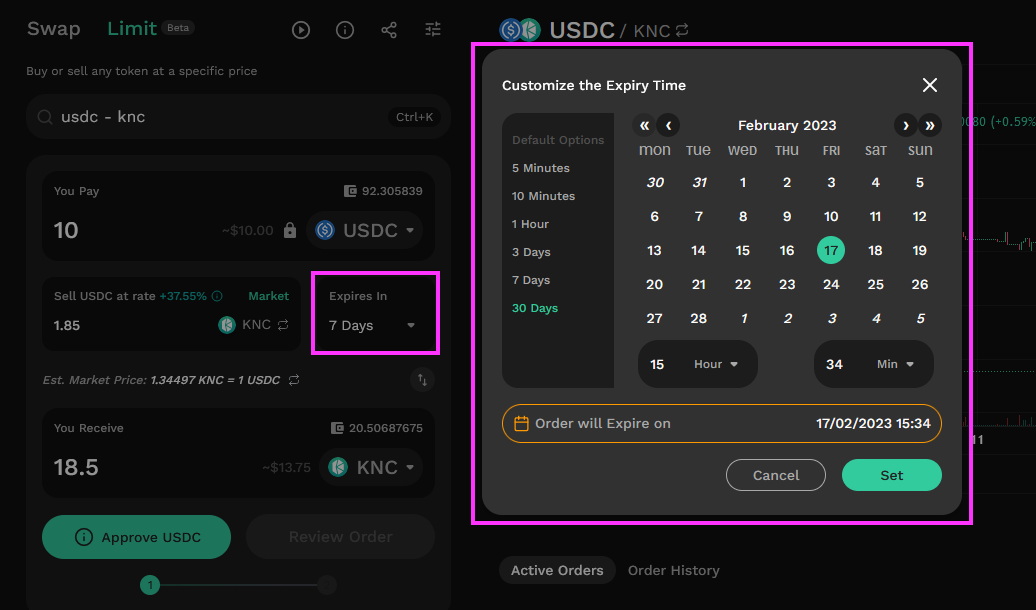
![Set expiry for order](https://support.kyberswap.com/hc/article_attachments/14668186069529)

### **Step 7**: Approve contract to spend tokens

If this is the first time you are swapping this token on this network, click on “Approve \[Token]”. Your wallet will prompt you to give your approval (an onchain transaction requiring gas) for the KyberSwap smart contract to transact using this token on this network. This is a one-time action and subsequent swaps involving this token will not require further approvals unless there is an update to the smart contract.

{% hint style="info" %}
**Asset balances and token allowance**

By setting a token allowance, you are allowing the KyberSwap contract to transfer the the available amount of tokens in your wallet. Your tokens will remain in your wallet until the limit order is executed. However, in cases whereby your wallet contains insufficient tokens for the limit order to be completed (i.e. tokens are removed from wallet or tokens were used for earlier orders), your outstanding limit order will not be filled. The limit order token amount is capped by the available tokens in your wallet at the point of order creation.
{% endhint %}
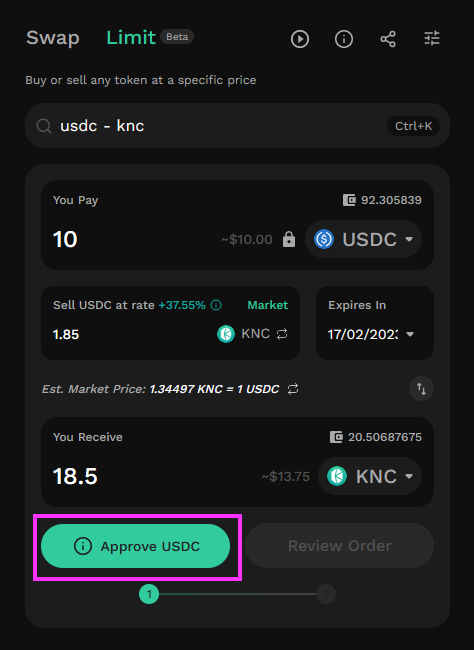
![Approve USDC](https://support.kyberswap.com/hc/article_attachments/14668151296537)

### **Step 8**: Review and confirm your order

Click on “Review Order” to bring up the preview screen. Once you are satisfied with the details of the limit order, click “Place Order” to proceed.
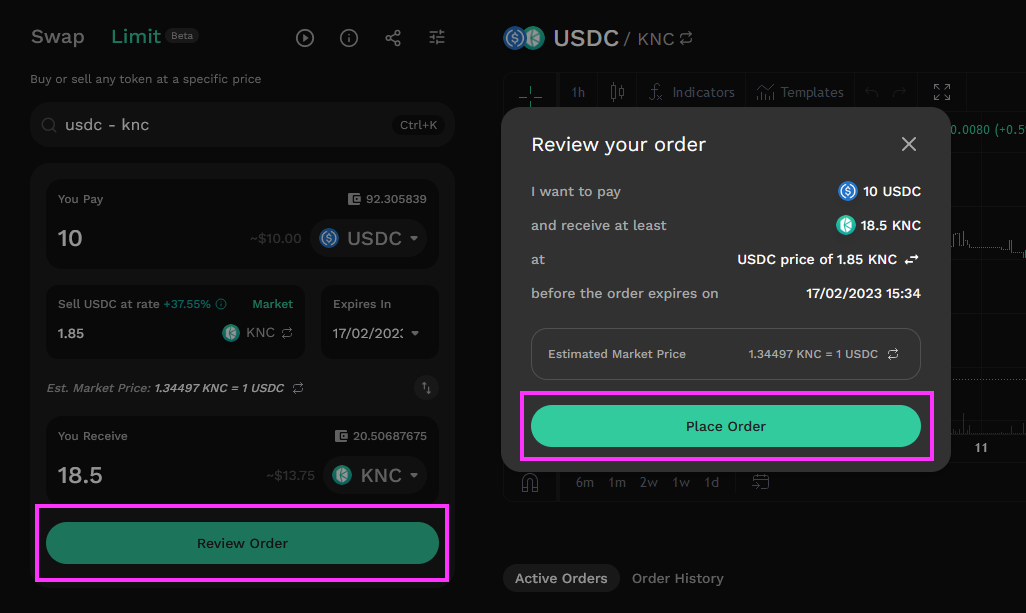
![Review limit order](https://support.kyberswap.com/hc/article_attachments/14668186328089)

You will need to confirm this onchain transaction in your web3 wallet.
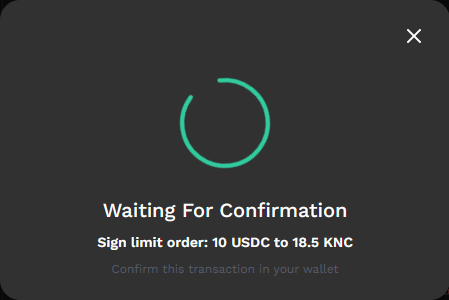
![Transaction pending confirmation](https://support.kyberswap.com/hc/article_attachments/14668151529369)

Once the order has been confirmed you should see it appear in the Active Orders screen of the swap interface. You can select individual orders to view the price history for the order pair.
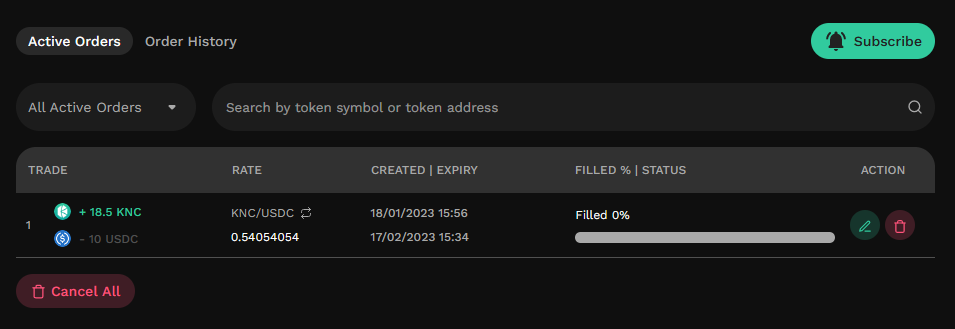
![Active orders](https://support.kyberswap.com/hc/article_attachments/14668186560537)

Note: When your order is *completely* filled it will be moved to the Order History tab of this interface.

{% hint style="info" %}
**Limit order and wallet balances**

Tokens which have been comitted to the limit order will only be deducted from the maker's wallet when a matching taker order is settled on-chain. This means that, up until the point when the limit order is executed the tokens remain available in your wallet and can be used in any of the usual ways. During execution, if there are insufficient tokens in your wallet, the limit order will not fill and therefore result in a failed transaction.

Limit orders can only be created if the user has sufficient token balances in their wallet at the point of placing the maker order.
{% endhint %}


# Update Limit Orders

Manage Your Positions Effortlessly

## Introduction

We understand that DeFi markets are volatile and users need to quickly react to such changes. As such, KyberSwap Limit Orders enables you to modify your orders at any time. As long as the order is still active (not expired or fully filled), you can easily modify your order on the KyberSwap Interface.

## How to update a limit order

If you have an open order that you would like to amend, you can update it through the Active Orders interface, but please note that this functionally is the same as performing the following two steps combined into a single transaction:

* Canceling the open order
* Creating a new open order with new parameters

{% hint style="info" %}
**Limit Order modification gas fees**

Note that limit order update is an on-chain transaction which requires gas fees to be processed. This is because the signed maker transaction is distributed across our network of off-chain takers. As all potential takers now have a copy of the maker transaction, the only way to guarantee cancellation is to send a cancellation transaction to the chain so that if any other takers match and execute the maker transaction on-chain, the limit order will fail.
{% endhint %}

### **Step 1**: Select active order

Find the active order you would like to update and click on its green Edit button. The button icon looks like a pen. This will bring up the Edit Order screen:

![Edit active order](/files/BVi7PMmf8jl0Szn9RWlZ)

### **Step 2**: Modify the order parameters

Amend the parameters of your limit order in the Edit Order screen. You can change one or more of the following parameters:

* The amount of token being offered (”You Sell”)
* The price (”Sell \[token] at rate”)
* The time limit (”Expires In”)
* The edit option (See [Gasless Cancellation](/kyberswap-solutions/limit-order/concepts/gasless-cancellation) for more info)

You cannot amend the token swap pair.

![Edit order pop-up](/files/CdblmJDJz9j0pmaNU3E2)

Click on “Edit Order” to proceed.

### **Step 3**: Review your modified order

Review the details of the order in the “Review your order” screen that appears. Once you are satisfied, click on the “Place Order” button.

* If you chose the "Gasless Edit" option, this will be an [off-chain transaction](/getting-started/foundational-topics/decentralized-technologies/on-chain-vs-off-chain-data) which requires 2 signatures for cancellation and creating a new order.
* If you chose the "Hard Edit" option, this will be an [on-chain transaction](/kyberswap-solutions/limit-order/concepts/off-chain-relay) that requires an approval and gas.

![Review order](/files/0q1xUbQIJ0ZDOchzOh9l)

The new limit order with updated parameters should now appear on your Active Orders list, and the old limit order will now be listed under your Cancelled Orders in your Order History.


# Cancel Limit Orders

Manage Your Positions Effortlessly

## Introduction

We understand that DeFi markets are volatile and users need to quickly react to such changes. KyberSwap Limit Orders enables you to cancel your orders at any time. As long as the order is still active (not expired or fully filled), you can easily cancel your order on the KyberSwap Interface.

For convenience, KyberSwap also offers the option to cancel a single order or all active orders.

## Cancellation options

KyberSwap Limit Order offers 2 modes of cancellation depending on your trading requirements:

* [**Gasless Cancel**](/kyberswap-solutions/limit-order/concepts/gasless-cancellation#gasless-cancel): Cancel your limit order without incurring gas fees. Upon triggering gasless cancel, users might need to wait up to 5 minutes for the cancellation to be confirmed.
* [**Hard Cancel**](/kyberswap-solutions/limit-order/concepts/gasless-cancellation#hard-cancel): Instantly cancel your limit order by incurring a small prioritization gas fee. Upon triggering hard cancel, users will need to confirm the gas fee whereupon cancellation is confirmed once the transaction has been mined.

{% hint style="info" %}
**Cancellation mechanisms**

Please refer to [Gasless Cancellation](/kyberswap-solutions/limit-order/concepts/gasless-cancellation) for an overview of how KyberSwap achieves limit order cancellation both on-chain (i.e. Hard Cancel) and off-chain (i.e. Gasless Cancel).
{% endhint %}

## How to cancel a specific limit order

You can manually cancel your order (or any unfilled portion of your order) before it expires.

### **Step 1**: Select active order

Find the active order you would like to update and click on its red Cancel button. The button icon looks like a trash can. This will bring up the Cancel Order screen:

![Cancel order](/files/7OnCypyMY0RHMijYz1VS)

### **Step 2**: Review cancellation

On the cancellation pop-up, you will be provided with 2 options for cancellation:

* [**Gasless Cancel**](/kyberswap-solutions/limit-order/concepts/gasless-cancellation#gasless-cancel): Cancel without paying gas. In cases where the LO is close to the market rate, you might need to wait a maximum of 5 minutes.
* [**Hard Cancel**](/kyberswap-solutions/limit-order/concepts/gasless-cancellation#hard-cancel): Pay a small prioritization gas fee to immediately cancel your order.

Please refer to our [Gasless Cancellation](/kyberswap-solutions/limit-order/concepts/gasless-cancellation) page for more details on how KyberSwap Limit Orders enable trades without gas.

![Confirm cancellation](/files/jql6oyLXR7CjzWIdnEqZ)

Review the information presented on the Cancel Order screen and select your cancellation option. You can then proceed by clicking the "Cancel Order" once you are satisfied.

{% tabs %}
{% tab title="Gasless Cancel" %}
This is an [off-chain](/getting-started/foundational-topics/decentralized-technologies/on-chain-vs-off-chain-data) transaction which requires another signature and is almost immediate in most cases. If your order was recently included in a taker or aggregator quote, a countdown timer will be shown indicating the waiting time (maximum 5 mins) until your order is gaslessly cancelled.

Once the cancellation is confirmed by the KyberSwap Operator, the cancelled order will appear under your Cancelled Orders in your Order History.
{% endtab %}

{% tab title="Hard Cancel" %}
This is an [on-chain transaction](/kyberswap-solutions/limit-order/concepts/off-chain-relay) that will require approval and gas fees to be paid to the network.

Once the cancel transaction is confirmed on the blockchain, the cancelled order will appear under your Cancelled Orders in your Order History.
{% endtab %}
{% endtabs %}

## How to cancel all active limit orders

You can also cancel all active orders as long as they are completely or partially unfilled.

### **Step 1**: Select cancel all

Click on the red “Cancel All” button. This will bring up a Cancel Order screen.

![Cancel all orders](/files/bHqCcBn9yw9vUuzxRe7e)

### **Step 2**: Confirm cancellation

Select your cancellation option and click “Cancel” to confirm the Cancel All action. Refer [Review Cancellation](#step-2-review-cancellation) in the section above for details regarding the options.

![Confirm cancellation of all orders](/files/iY36DtThm4LG0LqJVx46)

Any limit orders cancelled in this manner will appear under your Cancelled Orders in your Order History.


# FAQ

Your KyberSwap Limit Order Questions Answered

## General

<details open>

<summary>Which chains are supported by Limit Orders?</summary>

The full list of supported chains can be found on [Supported Exchanges and Networks](/getting-started/supported-exchanges-and-networks).

</details>

<details open>

<summary>Which tokens does Limit Orders support?</summary>

KyberSwap whitelists well-known tokens for ease of access, but you can import custom tokens that meet the ERC20 standard via our user interface. For more information on how to do this, please refer to [Add Your Favourite Tokens](/user-guide/user-guides/add-your-favourite-tokens).

</details>

## Trading

<details open>

<summary>How do I tell If my Limit Order has been filled?</summary>

Under your Active Orders, you should be able to see a yellow progress bar if your order has been partially filled. You can click on the dropdown button next to the order to see the individual taker orders that partially filled your limit order.

<img src="https://support.kyberswap.com/hc/article_attachments/14668248790041" alt="001_FilledProgress.png" data-size="original">

If you cannot find your order on the Active Orders tab, it may have been completely filled. Filled limit orders appear under your Order History and have a full green progress bar. You can click on the dropdown button next to the order to see the individual taker orders that contributed to filling your limit order.

<img src="https://support.kyberswap.com/hc/article_attachments/14668248798489" alt="002_100PercentFilledGreen.png" data-size="original">

</details>

<details open>

<summary>Why is my Limit Order not being filled?</summary>

Here are a few common reasons for Limit Orders not being filled.

**The exact limit order price target might not have been reached.**

There might be a difference in the the price of your limit order and the current market price. The chance of your order being filled increases as the market price gets closer to your order’s price.

**The order might not have been profitable for a taker.**

Takers must consider the order's size, gas fees, and personal profit margin before deciding to fill your order. Furthermore, some takers might only fill part of your limit order, and then seek out more profitable orders elsewhere.

**The order involves tokens that have low trading volumes.**

Orders that involve exotic tokens or token pairs may have fewer takers to fill the order.

</details>

<details open>

<summary>Why can't I view my order?</summary>

There are several factors that can make you not see your order:

* The transactions might not have been signed before placing
* The order was already executed (you can check in Order History tab)
* The page needs to be refreshed.

</details>

<details open>

<summary>Why does modifying or canceling my limit order incur gas fees?</summary>

You can now cancel for free with [gasless cancel](/kyberswap-solutions/limit-order/concepts/gasless-cancellation). Please refer to [Cancellation Options ](/user-guide/limit-order/cancel-limit-orders#cancellation-options)for the user guide.

For users who require cancellation to be instant, KyberSwap provides a [hard cancel](/kyberswap-solutions/limit-order/concepts/gasless-cancellation#hard-cancel) option. Gas is required in this case as the signed maker transaction (i.e. newly created order) is distributed to our network of off-chain takers. As all potential takers now have a copy of the maker transaction, the only way to guarantee cancellation is to send a cancellation transaction to the chain so that if any other takers match and execute the maker transaction on-chain, the limit order will fail.

Please refer to [Off-Chain Relay, On-Chain Settlement](/kyberswap-solutions/limit-order/concepts/off-chain-relay) for further details on the Limit Order mechanism.

</details>

Still can't find what you're looking for? Reach out to us on [Discord](https://discord.gg/kyberswap).


# Cross-chain Swap

Enables users to seamlessly move and exchange assets across multiple blockchain networks

## Introduction

With the introduction of Cross-Chain Swap, KyberSwap expands beyond [Swap](/user-guide/swap) and [Limit Order](/user-guide/limit-order) to become a comprehensive, one-stop platform for traders. Users can now access essential trading tools within a single, unified interface - without the need to switch between different protocols or platforms.

The Cross-chain Swap function on [KyberSwap.com](http://kyberswap.com/) enables users to seamlessly swap assets across different blockchain networks - all within a single, unified interface. Instead of manually interacting with multiple bridges or swapping assets across multiple DEXs, users can swap from any token on one chain to a different token on another chain, directly through KyberSwap, with no external steps required.

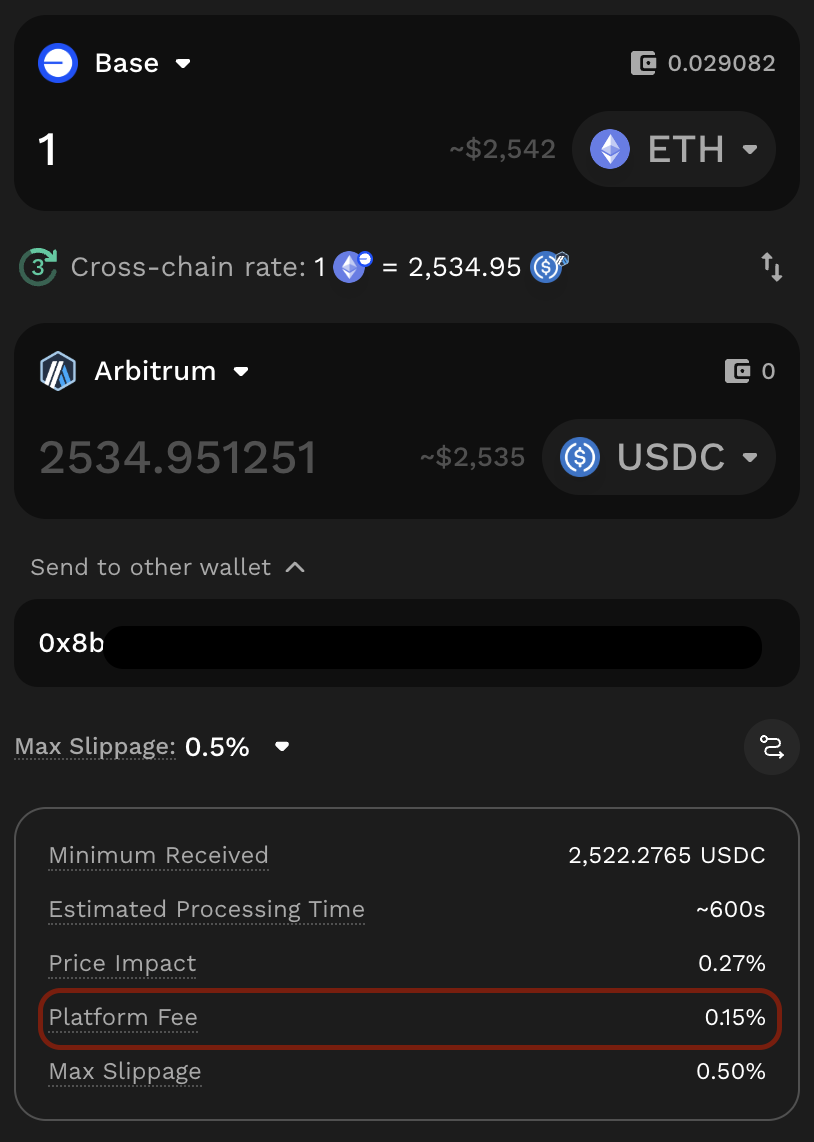
<figure><img src="/files/5UqSbtbDeoc7fDYwIUoY" alt=""><figcaption></figcaption></figure>

KyberSwap Cross-chain Swap feature aggregates liquidity from multiple third-party cross-chain swaps and cross-chain swap protocols. Key features include:

* KyberSwap automatically sources and compares real-time quotes on the user’s behalf across providers in real time, ensuring that users receive the **optimal price,** without needing to manually compare options themselves.
* Beyond just EVM chains, KyberSwap extends its reach to support non-EVM chains as well, significantly broadening accessibility.
* For complete transparency, users can easily view all available options from other protocols, including rates, fees, and estimated arrival times, empowering them to make informed decisions.
* Furthermore, the entire cross-chain journey is simplified with a single interface to track the status of each transaction in real-time, providing a smooth and transparent experience end-to-end.

<details>

<summary>Supported Network and Cross-chain Protocols</summary>

Supported chains include:

* [Major EVM chains currently supported on KyberSwap](https://docs.kyberswap.com/getting-started/supported-exchanges-and-networks)
* Bitcoin
* Near

Supported third-party cross-chain swaps and cross-chain swap protocols:

* Near Intent
* Across
* Relay Protocol
* XY Finance
* Debridge
* LI.FI
* Mayan Finance

*Support for chains and protocols could be changed over time.*

</details>

<details>

<summary>Platform Fee</summary>

To support the continued development and maintenance of the Cross-Chain Swap, KyberSwap applies a platform fee for using this feature. When performing a cross-chain swap, the applicable platform fee is shown as “Platform Fee” in the swap details section after the route is generated and before you confirm the transaction.

<figure><img src="/files/oyga9Z1NdOgjBKThQzDl" alt="" width="375"><figcaption></figcaption></figure>

Below is the detailed fee structure:

<table data-header-hidden><thead><tr><th></th><th width="181.61328125"></th><th></th><th></th><th></th></tr></thead><tbody><tr><td><strong>Route</strong></td><td><strong>Stable tokens &#x26; Same native token</strong></td><td><strong>Common</strong></td><td><strong>Exotic</strong></td><td><strong>High-volatility</strong></td></tr><tr><td><strong>EVM ↔ EVM</strong></td><td>0.05 %</td><td>0.10 %</td><td>0.15 %</td><td>0.25 %</td></tr><tr><td><strong>Near ↔ EVM</strong></td><td>0.1%</td><td>0.2%</td><td>0.2%</td><td>0.2%</td></tr><tr><td><strong>Solana ↔ EVM</strong></td><td>0.1%</td><td>0.2%</td><td>0.2%</td><td>0.2%</td></tr><tr><td><strong>BTC ↔ EVM</strong></td><td>0.25 % </td><td>0.25 % </td><td>0.25 % </td><td>0.25 % </td></tr><tr><td><strong>Non-EVM ↔ Non-EVM</strong></td><td>0.25 %</td><td>0.25 % </td><td>0.25 % </td><td>0.25 %</td></tr></tbody></table>

> Note: The “Platform Fee” is separate from the “Protocol Fee”. Some third-party providers may charge a protocol-specific fee for using their route. If applicable, this “Protocol Fee” will be displayed in the Swap Details when this route is selected, or within the “Choose Your Route” section during route comparison.

</details>

## User Guide

Let’s navigate to the Cross-chain tab on KyberSwap interface or visit the link: <https://kyberswap.com/cross-chain> to experience seamless asset swaps across multiple blockchain networks, no switching apps.

<details>

<summary>Connect wallet</summary>

**1.1. EVM to EVM**

<figure><img src="/files/ZdUDCHxkfxfbqZ9ISkof" alt="" width="563"><figcaption></figcaption></figure>

* Source chain:
  * Simply connect your [Web3 wallet](https://docs.kyberswap.com/kyberswap-solutions/kyberswap-interface/user-guides/connect-your-wallet) using the “Connect” button in the top-right corner, or through “Connect Wallet” in the Cross-chain Swap panel.
  * Ensure that your wallet is connected to the appropriate source network. If not, the interface will prompt you to switch to the correct network before allowing you to proceed with the swap configuration.
* Destination chain:
  * No additional wallet connection is required if the same EVM-compatible wallet supports the destination networ

**1.2. EVM to Bitcoin/Near**

<figure><img src="/files/a3ZNGoACrDukEYLF2KJk" alt="" width="375"><figcaption></figcaption></figure>

* Source chain:
  * Simply connect your [Web3 wallet](https://docs.kyberswap.com/kyberswap-solutions/kyberswap-interface/user-guides/connect-your-wallet) using the “Connect Wallet” button in the top-right corner, or through the “Select Wallet” option in the Cross-Chain Swap panel.
  * Ensure that your wallet is connected to the appropriate source network. If not, the interface will prompt you to switch to the correct network before allowing you to proceed with the swap configuration.
* Destination chain:
  * You are required to manually enter your Bitcoin/NEAR receiving address to receive the output tokens.
  * If you prefer to connect your Bitcoin/Near wallet, you can click “Select Wallet” to connect an available compatible wallet for Bitcoin or Near, depending on your chosen destination chain. In this case, the default receiving address will be your connected wallet address.

**1.3. Bitcoin to other chains**

<figure><img src="/files/G1oduvnA96vmb0gjwMzZ" alt="" width="563"><figcaption></figcaption></figure>

* Source chain:
  * Click “Select Wallet” in the Cross-Chain Swap panel, and connect a compatible wallet available for Bitcoin.
* Destination chain:
  * You are required to manually enter your receiving address to receive the output tokens.
  * If you prefer to connect your wallet, you can click “Select Wallet” to connect an available compatible wallet for the destination chain. In this case, the default receiving address will be your connected wallet address.

**1.4. Near to other chains**

<figure><img src="/files/6FEBUCqtX7zeh3n8Kema" alt="" width="563"><figcaption></figcaption></figure>

* Source chain:
  * Click “Select Wallet” in the Cross-Chain Swap panel, and connect a compatible wallet available for Near.
* Destination chain:
  * You are required to manually enter your receiving address to receive the output tokens.
  * If you prefer to connect your wallet, you can click “Select Wallet” to connect an available compatible wallet for the destination chain. In this case, the default receiving address will be your connected wallet address.

</details>

<details>

<summary>Configure your swap details</summary>

<figure><img src="/files/hq3YwK63YxuuWnGDYq7v" alt="" width="375"><figcaption></figcaption></figure>

* Source Network: Choose the blockchain where your current token is held.
* Destination Network: Select the target blockchain where you want to receive the output token.
* Token Pair: Specify the token you want to swap from, and the token you wish to receive on the destination chain.
* Amount: Enter the amount of the source token you intend to swap.
* Enter the receiving address for the destination chain:
  * EVM ↔ EVM:
    * If you wish to send the output tokens to another wallet, you may enable the “Send to other wallet” option and enter the desired receiving address. **If this option is not enabled, the default receiving address will be your connected wallet address.**
  * Other network cases:
    * If you do not connect a compatible wallet for the destination chain, you are required to manually enter the receiving address to receive the output tokens.
    * If you have connected a receiving wallet to the KyberSwap interface for the destination chain, the default receiving address will be your connected wallet address.

KyberSwap will source from all available routing options from supported protocols and select the most optimal option.

</details>

<details>

<summary><strong>View Quotes and Explore other Routing Options</strong></summary>

<figure><img src="/files/pU6sWC5kqkau3kncsFhj" alt="" width="563"><figcaption></figcaption></figure>

After entering the amount, KyberSwap automatically fetches real-time quotes from multiple third-party cross-chain protocols and **selects the option that provides best rate among the quotes by default.**

For full visibility, you can click “More Options” to open the “Choose Your Route” section, where you can compare available providers, view estimated return amounts, fees, and estimated arrival times, you can choose another quote which you prefer. This transparency empowers users to make informed decisions about which route best meets their needs.

Note: Some providers may have their protocol fee for using their router; if applicable, this fee will be displayed on Swap details as “Protocol Fee” (when the route is selected) or via “Choose Your Route” section.

</details>

<details>

<summary>Review Details and Confirm Swap</summary>

<figure><img src="/files/wNLkTGwr5nwEXPEEXc6x" alt="" width="375"><figcaption></figcaption></figure>

After configuring swap details, you might need to Approve the input token first if you haven’t previously authorized the protocol to swap this token on your behalf. Once approved, click “Review the Cross-chain Swap”.

A confirmation box will be opened, where you should carefully review all transaction details: token amount, destination address, minimum received, estimated processing time, platform fee, etc.

Once everything is verified, click “Confirm Swap” and approve the transaction in your wallet.

</details>

<details>

<summary>Review transaction history</summary>

<figure><img src="/files/eJwDcuBjGfMQ24rn9LTK" alt="" width="563"><figcaption></figcaption></figure>

After initiating a cross-chain swap, users can track the entire transaction lifecycle directly within the KyberSwap interface, eliminating the need to manually monitor multiple platforms or dashboards. The \*\*\*\*transaction history panel presents a detailed overview of each swap, including the time and date when the swap is initiated, sender wallet, status, route, amount of input and output tokens, and on-chain transactions.

The status of each transaction is updated in real time to reflect its current state:

* **Processing** – The transaction is in progress, including the swap on the source chain, bridging, and settlement on the destination chain.

  Note: Some chains or protocols may take more time to complete. You can refer to the “Estimated Processing Time” shown in the confirmation box before proceeding with the transaction.
* **Success** – The transaction has been completed successfully. The output tokens have been delivered to your receiving address on the destination chain.
* **Failed** – The transaction could not be completed. It is automatically reverted, and the input tokens are returned to your sender wallet address.

This integrated visibility ensures that users stay informed at every step, from initial approval to final settlement. Whether you're verifying a large trade, troubleshooting a failed transaction, or simply tracking past activity, KyberSwap's transaction history provides a centralized, transparent, and user-friendly view of your cross-chain interactions.

</details>


# Kyber Earn

All-in-one Liquidity Hub for Liquidity Providers

## Introduction

### Overview

[Kyber Earn](https://kyberswap.com/earn) is an all-in-one platform that lets you discover, enter, and manage liquidity positions across multiple protocols — including Uniswap V3, Uniswap V4, PancakeSwap, Aerodrome, SushiSwap, etc. - from a single interface.

Instead of switching between DEXs to compare pools, manually balancing tokens, or tracking positions across different dashboards, Kyber Earn brings everything together. You can explore and compare earning opportunities with rich visual analytics, enter positions using any tokens you hold, and actively monitor and adjust your liquidity - all in one place.

{% hint style="info" %}
Kyber Earn does not operate liquidity pools directly. It provides tooling to interact with pools on third-party protocols, currently including Uniswap V3, Uniswap V4, PancakeSwap, Aerodrome, and SushiSwap, among others. For a comprehensive list of supported chains and protocols, refer to [Supported Exchanges And Networks](/getting-started/supported-exchanges-and-networks).
{% endhint %}

### **Integrated Technologies: Zap technology**

All deposit, withdrawal, migration, repositioning, and compounding operations within Kyber Earn are powered by [Zap as a Service (ZaaS)](/developer-guide/zap-as-a-service-zaas-api). ZaaS automatically handles the token swaps and calculations needed to enter or exit a position, so you don't have to do it manually.

Key highlights:

* **Up to 5 input tokens** — Deposit into any pool using up to 5 different tokens in a single transaction, an industry-first for concentrated liquidity.
* **Optimized routing** — All swaps are routed through the [KyberSwap Aggregator](https://docs.kyberswap.com/kyberswap-solutions/kyberswap-aggregator), optimizing for the best rate, minimal price impact, and gas efficiency.
* **Fallback logic** — If the primary swap route encounters issues, KyberZap automatically simulates and executes alternative routes to maximize capital usage.

For full technical details, see the [**Zap as a Service (ZaaS) documentation**](/developer-guide/zap-as-a-service-zaas-api)**.**

## Key Benefits

### Discover & Compare Pools with Rich Insights

Kyber Earn aggregates pools across supported protocols and gives you the data you need to make informed decisions — not just a single APR number.

* **Real-Time Metrics** - Browse pools with live data on APR (including Est. Pool APR, Active APR, Max APR), fees earned, TVL, volume, and rewards.

  <figure><img src="/files/LnfPbg26bEosBWddPvaf" alt=""><figcaption></figcaption></figure>
* **Five APR Metrics** — Go beyond standard Est. pool APR. Kyber Earn surfaces five distinct APR metrics — Est. Pool APR, Active APR, Max APR, Est. Position APR, and Est. My Position APR — so you can evaluate pools and positions with precision. See the [APR Metrics page](https://docs.kyberswap.com/user-guide/kyber-earn/apr-metrics) for a full breakdown of how each is calculated and when to use it.

  <figure><img src="/files/enuhX4MUOKmMLHrEziIg" alt=""><figcaption></figcaption></figure>
* **Pool Categories** — Pools are grouped into three categories to help you filter by strategy:
  * **Farming** — Pools with active reward programs, earning you additional token rewards on top of LP fees.
  * **Highlighted** — Pools matching tokens in your connected wallet, or top volume pools if no wallet is connected — a personalized starting point.
  * **Low Volatility** — Stablecoin and correlated-asset pools with steady yield and minimal impermanent loss risk.
  * **High APR** — Pools offering the highest aggregate yields, suited for LPs comfortable with higher price volatility.
  * **Solid Earning** — Pools with the highest trading fees over the past 7 days, indicating consistent, organic volume.

### Visualized Pool & Position Data

Every pool detail page is organized into three tabs — **Information**, **Earning(s)**, and **Analytics** — so performance is actually readable, not buried in raw numbers.

* **Information** — View pool metrics at a glance: TVL, 24h volume, 24h fees, rewards, liquidity utilization, and an interactive APR history chart over 24h, 7d, or 30d. The chart overlays Est. Pool APR, Active APR, and volume so you can see how yields have trended over time.

  <figure><img src="/files/CL3myT9NQ5XgNq3X4O4c" alt=""><figcaption></figcaption></figure>
* **Earning(s)** — See the earning history for any pool, broken down by source: LP Fees, LM (Liquidity Mining) Rewards, EG (Equilibrium Gain) Sharing, and Bonus (other incentives). A donut chart shows the total earned and how it splits across sources, while a bar chart tracks daily earnings over your selected period. APR and Active APR are displayed with their fee and reward components side by side.

  <figure><img src="/files/4zM9modEBk3AgyScezzF" alt=""><figcaption></figcaption></figure>
* **Analytics** — Access pool price candlestick charts (24h, 7d, 30d) powered by [Token Settlement Price](/developer-guide/start-here/foundational-solutions/token-settlement-price) - derived from real on-chain swap events - alongside a liquidity flows chart showing add/remove activity, net flow, and TVL over time.

  <figure><img src="/files/pibjjhtgLupM9zSPQOmZ" alt=""><figcaption></figcaption></figure>

### More Reward Opportunities

Kyber Earn surfaces multiple earning layers beyond standard trading fees:

* **FairFlow Rewards** — Pools running on Uniswap V4 or similar protocols with [KyberSwap FairFlow](/user-guide/kyberswap-fairflow) generate additional yield for LPs through two reward components:
  * **EG (Equilibrium Gain) Sharing** — Rewards from arbitrage value captured by the FairFlow swap hook, distributed to LPs.
  * **LM (Liquidity Mining) Rewards** — Token incentives allocated to LPs participating in FairFlow pools.
* **Bonus Rewards via Merkl** — Additional bonus incentives sourced through Merkl are displayed directly in the pool detail view, so you can see the full earning potential of a pool before entering.

### Enter Any Pool in One Transaction

Entering a concentrated liquidity position normally requires multiple steps: swapping tokens in separate transactions to match the pool's required ratio, calculating exact amounts, and then depositing. Kyber Earn removes this friction with [**our Zap technology**](/developer-guide/zap-as-a-service-zaas-api).

* **Flexible Entry** — Supply liquidity using any combination of up to 5 tokens from your wallet. KyberSwap’s Zap handles all the swapping and ratio balancing for you.
* **Instant Migration** — Use Zap Migrate to move capital from an existing position to a new pool in a single atomic transaction — no need to withdraw, swap, and redeposit manually.

#### Track & Manage Your Positions

Once you've entered positions, Kyber Earn gives you a unified dashboard to monitor performance and manage your liquidity — all from one place.

* **Unified Dashboard** — Track accrued fees, rewards, and position status (in-range vs. out-of-range) across all your positions, chains, and protocols.
* **Full Position Management** — Increase liquidity, claim fees, withdraw (partially or fully), set up or view your active Smart Exit orders — every action you need to manage a position is accessible from the dashboard.
* **One-Click Repositioning** — When the market moves and your position goes out of range, reposition to a new price range in a single transaction. Kyber Earn automatically withdraws, claims fees, rebalances, and redeposits for you — no manual steps required.
* **Smart Exit** — Set predefined exit conditions (e.g., "exit if ETH drops below $2,000") and Kyber Earn will automatically withdraw your position when those conditions are met — no need to monitor 24/7. See the [Smart Exit documentation](/user-guide/smart-exit) for full details.

## Core Capabilities

[Kyber Earn](https://kyberswap.com/earn) provides a unified interface for interacting with supported liquidity pools and managing yield-generating positions. The following core capabilities are available to users:

#### **Position Creation**

* **Zap In (Single or Multi-Token)** — Enter any pool using 1 to 5 tokens of your choice. The tokens don't need to match the pool's pair — KyberZap swaps them into the correct ratio via the [KyberSwap Aggregator](/developer-guide/aggregator-api) with minimal price impact.
* **Zap Migrate** — Move capital from an existing position directly into a new pool in one transaction. Your current position is exited, fees are claimed, and assets are swapped and redeposited into the target pool automatically.

#### **Position Management, Increase Liquidity and Reposition**

You can view and manage all your existing positions from the [My Positions](https://kyberswap.com/earn/positions) dashboard.

* **Performance Tracking** — Monitor accrued trading fees, [FairFlow](https://docs.kyberswap.com/kyberswap-solutions/kyberswap-fairflow) rewards, bonus rewards, and whether each position is in-range or out-of-range — all in real time.
* **Increase Liquidity** — Increase the size of an existing position by zapping in additional assets. The protocol automatically calculates the exact token ratio required by your specific price range and handles the underlying conversions for you, with the same execution flow as a standard Zap In.
* **Repositioning** — Adjust your position to a new price range when the market shifts. Kyber Earn withdraws your liquidity, claims accrued fees, rebalances the assets for the new range, and redeposits — all in one transaction.

#### **Fee and Reward Management**

Users can view and manage fees and rewards generated by their liquidity positions directly within Kyber Earn.

* **Claiming** — Accrued trading fees can be claimed per position at any time from the My Positions dashboard.
  * FairFlow rewards are separate from trading fees and governed by a vesting schedule. The accumulated reward amount becomes claimable after the vesting period concludes at the end of each FairFlow cycle. Refer to the [FairFlow documentation](/user-guide/kyberswap-fairflow) and information on the interface for cycle timing and claim details.
* **One-Click Compounding** — Automatically reinvest accrued fees for each position back into the core principal of the corresponding position in one transaction, maximizing the effects of compound interest without manual asset swapping.

#### **Advanced Exit Strategies**

Users have flexible options to withdraw their capital, tailored to specific market conditions and risk parameters:

* **Zap Out (Single Asset)** — Withdraw partially or fully remove a position, then automatically swap the underlying pool assets into a single target token of your choice. This operation is powered by KyberZap, which routes the consolidation swap through the KyberSwap Aggregator to minimize price impact.
* **Standard Withdrawal** — Withdraw partially or fully remove a position manually, receiving the underlying pool assets in their current ratio, no additional swaps. Accrued fees are collected in the same transaction.
* [**Smart Exit**](/user-guide/smart-exit) (Industry-First Intent-Based Liquidity Withdrawal) — Leverage a unique, intent-based market solution to conditionally remove liquidity. Rather than monitoring active ticks 24/7, users simply define specific exit conditions. Liquidity is withdrawn only when these specific conditions are triggered, ensuring execution is strictly enforced and fully verifiable via public smart contracts.
  * **Example scenario:** An LP holds a ETH/USDC position with a price range of $2,200–$2,800. They submit a Smart Exit condition to trigger if the ETH price drops below $2,100 or after 12:00, April 1, 2026. If the on-chain ETH price is ≤ $2,100, the Smart Exit contract withdraws the position and returns the pool assets to the LP’s wallet, limiting further impermanent loss exposure below that level. If the price condition is never met, the position is automatically withdrawn at or after 12:00 on April 1, 2026.
  * Notes:
    * Submitting, cancelling, and modifying Smart Exit conditions are handled off-chain - no gas is required for these actions. The only on-chain transaction occurs when exit conditions are triggered and the position withdrawal is executed.

      * Smart Exit returns assets in the pool token ratio. It does not consolidate into a single token - an automatic Zap Out as part of the Smart Exit flow is not currently supported.

      For comprehensive technical details and guidelines, you can refer to: [Smart Exit documentation](/user-guide/smart-exit).

{% hint style="warning" %}
Before confirming any Zap operation (Zap In, Zap Out, Migrate, or Reposition), always review the quoted output, slippage, Zap impact, and applicable fees displayed in the interface.
{% endhint %}

#### **Permissionless Pool Creation**

* **Custom Pool Creation** — If a desired pair and fee tier do not exist, users can initialize a new liquidity pool directly through the Kyber Earn interface using any combination of up to 5 tokens, setting the foundational liquidity parameters for the market.

{% hint style="info" %}
Disclaimer: KyberSwap provides tools for tracking and managing liquidity on third-party protocols. KyberSwap does not operate, control, or guarantee the performance of any third-party pool. Any pool-related concerns should be directed to the corresponding protocol.
{% endhint %}

### Platform fee

All operations executed through [the KyberZap contract](/developer-guide/zap-as-a-service-zaas-api/contracts-and-addresses) incur a platform fee. The fee is charged on the input amount and varies based on the specific token pair category. The applicable fee amount is transparently displayed in the interface for review prior to transaction confirmation.

Refer to [Fee Structure](/user-guide/fee-schedule) for further details.

**Ready to start earning?** [Explore pools on Kyber Earn](https://kyberswap.com/earn) and manage all your LP positions — with deeper insights, visual analytics, and smarter tools — from one place.


# APR Metrics

Understand Kyber Earn's APR metrics to find insights and fine-tune your LP strategy

## Introduction

Kyber Earn provides five APR metrics across the pool explorer and position management interfaces. These metrics provide liquidity providers with a layered view of earning potential, ranging from pool-level indicators to position-specific estimates.

Most DeFi platforms display a single pool APR based on total value locked (TVL). Kyber Earn introduces additional metrics that account for active liquidity, position range, and projected reward distribution. This provides a more precise estimate of potential returns for individual positions.

<figure><img src="/files/ClfeFlvk3mLG5w1pydZ1" alt=""><figcaption></figcaption></figure>

<table data-header-hidden><thead><tr><th width="206.72265625"></th><th></th></tr></thead><tbody><tr><td><strong>Metric</strong></td><td><strong>What it represents</strong></td></tr><tr><td>Est. Pool APR</td><td>Annualized return based on total fees earned by the pool over the selected time window (24h, 7d, or 30d), relative to total pool TVL. Serves as the standard baseline metric for comparing pool performance.</td></tr><tr><td>Active APR</td><td>Annualized return based on earnings relative to active TVL only - liquidity currently within the price range. Excludes out-of-range capital from the denominator.</td></tr><tr><td>Max APR</td><td>The highest APR observed across all positions in the pool. Represents the return ceiling for a strategically placed position.</td></tr><tr><td>Est. Position APR</td><td>Estimated annualized return for a new position at a selected price range. Based on projected fee earnings and applicable rewards under current conditions. Provided for reference only and does not guarantee future returns.</td></tr><tr><td>Est. My Position APR</td><td>Annualized return of an existing position, calculated from fees earned relative to its current value over the selected time window. Reflects realized performance.</td></tr></tbody></table>

## How APR(s) are calculated

### Estimated Pool APR

Estimated Pool APR measures the annualized return of the pool as a whole, based on total fee earnings relative to total pool TVL over a selected time window. It is the standard baseline metric used across most DEX interfaces and serves as a quick, comparable signal of overall pool productivity.

$$
Position\ APR \ (24h)= \frac{Fee\ earned\ in\ 24h}{Current\ liquidity\ value}*365*100%
$$

<figure><img src="/files/EFolQPSrF7Q8MGZ7DqDz" alt=""><figcaption></figcaption></figure>

<figure><img src="/files/eLxoyUj1ikdAxsYHvAkc" alt=""><figcaption></figcaption></figure>

#### When to use it

Pool APR is most useful as a first-pass filter when browsing pools - it quickly surfaces high-activity pools versus low-volume ones. For evaluating what a specific concentrated liquidity position is likely to earn, Active APR and Est. Position APR are more meaningful.

### Active APR

Active APR measures the annualized return of liquidity that is currently in range and actively earning trading fees. Unlike a standard pool-wide APR, Active APR uses only the active TVL - liquidity deployed within the current price range — as the denominator. This means out-of-range liquidity does not dilute the metric, making it a more accurate signal of real earning efficiency for concentrated liquidity positions.

*Active APR can appear significantly higher than a traditional pool APR because out-of-range capital is excluded from the denominator. A high Active APR indicates that in-range liquidity has been earning efficiently, not necessarily that the pool has high total volume.*

#### How to calculate

Every 15 minutes, the system records two values for the interval:

* $$E\_i$$: Fees earned during that 15-minute interval
* $$TVL\_i$$: Active TVL (in-range liquidity only) at the end of that interval

Active APR is the sum of per-interval fee-to-active-TVL ratios over the trailing 24 hours, annualized:

$$
APR\_{active}=\sum\_{i\  in\  24h} (\frac{E\_i}{TVL\_i}) \*365 \*100 %
$$

The trailing 24-hour window contains up to 96 data points (one per 15-minute interval). If fewer than 96 points are available - for example, if the pool was recently created or data points were excluded due to abnormal activity — the result is scaled proportionally to normalize for the missing intervals:

$$
APR\_{active}=\sum\_{i\  in\  24h} (\frac{E\_i}{TVL\_i})\* \frac{96}{k} \*365 \*100 %
$$

<figure><img src="/files/5Sm6zlWgafxbZLz0bHf2" alt=""><figcaption></figcaption></figure>

<figure><img src="/files/6C3Wxmzy2NsJcOHpQWHb" alt=""><figcaption></figcaption></figure>

#### When to use it

Active APR is most useful when comparing pools where you intend to keep your position in range. It reflects how efficiently a pool has been generating fees relative to capital that was actually earning - a more reliable indicator than TVL-diluted metrics that include idle, out-of-range liquidity.

### Max APR

Max APR is the highest position APR observed across all positions in the pool at a given time. It represents the return ceiling - what the best-positioned LP in the pool has been earning - and is useful for understanding the potential upside of a tightly ranged concentrated liquidity position.

$$
Position\ APR \ (24h)= \frac{Earning\ in\ 24h}{Current\ position\ value}*365*100%
$$

Max APR is then the maximum Position APR across all positions in the pool at the time of calculation.

*Max APR reflects the APR of the single best-performing position in the pool, not an average. It should be read as an upper bound, not a typical or expected return.*

<figure><img src="/files/6bNHRcMLtQL2u2D2hpg3" alt=""><figcaption></figcaption></figure>

#### When to use it

Max APR is useful for two purposes:

* Understanding the return ceiling of a pool - the maximum a well-positioned LP has achieved.
* Comparing the gap between Active APR and Max APR. A large gap indicates that fee distribution is highly concentrated: a narrow price range captures significantly more fees, but carries higher out-of-range risk if the price moves beyond that range. A small gap suggests fees are distributed more evenly across positions.

### Estimated Position APR based on selected range

The Position APR Estimation feature - currently implemented in FairFlow farming pools - displays an Estimated Position APR when users select their desired price range during the liquidity provision process. This estimation reflects the potential annual returns from three key components: Liquidity Pool (LP) Fees, Equilibrium Gain (EG) rewards, and Liquidity Mining (LM) incentives.

For further details, refer to [Position APR Estimation](/user-guide/kyberswap-fairflow/position-apr-estimation).

<figure><img src="/files/DesJYiWJQzuaqCPuf8QI" alt="" width="375"><figcaption></figcaption></figure>

### Estimated My Position APR

My Position APR is an estimated annualized return for an existing open position, calculated from the fees and rewards that position has actually earned over the selected time window (24h or 7d) relative to its current value.

Unlike other pool-level metrics, Position APR is specific to a single LP's position. It reflects what that position has actually earned. This makes it the most relevant metric for evaluating whether an existing position is performing efficiently.

$$
Position\ APR \ (24h)= \frac{Earning\ in\ 24h}{Current\ position\ value}*365*100%
$$

The time window is selectable: 24h or 7d. The annualization factor adjusts accordingly.

<figure><img src="/files/gXgvVdPV1WWrQx1pLPLD" alt=""><figcaption></figcaption></figure>

<figure><img src="/files/LeuK57yKSS5JyzOX4suC" alt=""><figcaption></figcaption></figure>

#### When to use it

Position APR is most useful for evaluating the ongoing efficiency of an open position over recent history. Comparing your Position APR against the pool's Active APR indicates whether your specific range is earning at, above, or below the pool's in-range average. A Position APR significantly below Active APR is a signal that **repositioning** may improve returns.


# FAQs

Your Kyber Earn Questions Answered

## General

<details open>

<summary>How is Kyber Earn different from protocols like Uniswap, PancakeSwap, or Aerodrome?</summary>

Uniswap, PancakeSwap, and Aerodrome are liquidity protocols - they operate the pools. Kyber Earn is a management layer on top of these protocols, aggregating their pools into a single interface so LPs can discover, enter, and manage positions across multiple DEXs without switching between platforms.

Beyond aggregation, Kyber Earn adds capabilities not available natively on any single protocol: single/multi-token zapping (up to 5 tokens in one transaction), position migration, repositioning, fee compounding, zapping out into a single token, intent-based conditional exit via Smart Exit, five distinct APR metrics for smarter pool evaluation, and visual analytics including APR history, earning breakdowns by source, and pool price charts.

Kyber Earn does not replace these protocols — it enhances the experience of using them.

</details>

<details open>

<summary>How is Kyber Earn different from other liquidity management platforms?</summary>

Kyber Earn differentiates itself through Zap technology and deeper analytics. While most platforms only allow basic deposits matched to a pool's token pair, Kyber Earn enables LPs to supply liquidity using any combination of up to five tokens, regardless of the target pool's underlying pair. The platform automatically calculates ratios and routes conversions to minimize price impact.

Additionally, Kyber Earn provides five APR metrics (including Active APR for concentrated liquidity), visual earning breakdowns by source, pool price charts powered by on-chain settlement data, and industry-first innovations like Smart Exit for intent-based conditional liquidity withdrawal and Zap Migrate for single-transaction capital migration between pools.

</details>

<details open>

<summary>Is Kyber Earn safe to use?</summary>

Kyber Earn is an interface layer that aggregates pools from third-party protocols - it does not operate any pools directly. Any inherent risk associated with a specific pool belongs to that third-party protocol. Users are advised to independently assess the security of any protocol or pool before adding liquidity.

</details>

<details open>

<summary>What is impermanent loss, and how does Kyber Earn help?</summary>

Impermanent loss occurs when the price ratio of a pool's token pair changes from when you deposited, causing your position to be worth less than simply holding the tokens. Kyber Earn helps manage this through active range monitoring on the dashboard (showing in-range vs. out-of-range status in real time), one-click repositioning (realigning to a new range without manual steps), and Smart Exit (automatically withdrawing when a price threshold, fee target, or time limit is triggered - limiting further exposure).

</details>

<details open>

<summary>What are the different APR metrics on Kyber Earn?</summary>

Kyber Earn displays five APR metrics to help you evaluate pools and positions at different levels of detail:

* **Est. Pool APR** — Annualized return based on total fees earned by the pool over the selected time window (24h, 7d, or 30d), relative to total pool TVL. Serves as the standard baseline metric for comparing pool performance.
* **Active APR** — Annualized return based on earnings relative to active TVL only - liquidity currently within the price range. Excludes out-of-range capital from the denominator.
* **Max APR** — The highest APR observed across all positions in the pool. Represents the return ceiling for a strategically placed position.
* **Est. Position APR** — Estimated annualized return for a new position at a selected price range. Based on projected fee earnings and applicable rewards under current conditions. Provided for reference only and does not guarantee future returns.
* **Est. My Position APR** — Annualized return of an existing position, calculated from fees earned relative to its current value over the selected time window. Reflects realized performance.

Most platforms only show a single pool APR. These five metrics let you compare pools more accurately and understand how your specific range and capital affect your real yield. For a full breakdown of how each is calculated, see the [APR Metrics page](/user-guide/kyber-earn/apr-metrics).

</details>

<details open>

<summary>What rewards can I earn on Kyber Earn besides trading fees?</summary>

Beyond standard LP trading fees, Kyber Earn surfaces additional reward layers depending on the pool:

* [**FairFlow Rewards**](/user-guide/kyberswap-fairflow) — Pools running on Uniswap V4, PancakeSwap V4, etc. with KyberSwap FairFlow generate two additional reward components: EG (Equilibrium Gain) Sharing from captured arbitrage value, and LM (Liquidity Mining) Rewards as token incentives following a vesting schedule per cycle.
* **Bonus Rewards via Merkl** — Select pools offer additional bonus incentives sourced through Merkl, displayed directly in the pool detail view.

You can see the full earning breakdown — LP Fees, LM Rewards, EG Sharing, and Bonus — in the Earning(s) tab on any pool detail page. Use the Farming pool category to quickly filter for pools with active reward programs.

</details>

## How-To and Operations

<details open>

<summary>How do I find the best pool for my risk profile on Kyber Earn?</summary>

Kyber Earn segments pools into three categories - Low Volatility, High APR, and Solid Earn - to match different LP strategies. Use Low Volatility for stablecoin or correlated pairs with minimal impermanent loss risk. Use High APR for maximum yield potential with higher price volatility. Use Solid Earn for pools with proven, consistent trading volume.

</details>

<details open>

<summary>How do I move liquidity from one pool to another?</summary>

Use Zap Migrate when you select the liquidity source when adding a new position. It exits your existing position and deploys the withdrawn assets into a new target pool atomically in a single transaction, without requiring you to manually withdraw, swap, and redeposit.

</details>

<details open>

<summary>What is the best way to protect my liquidity position from market movement?</summary>

Users can utilize the [Smart Exit](/user-guide/smart-exit) feature for a position to establish automated withdrawal parameters. Smart Exit supports 3 types of exit conditions: pool price thresholds, target fee yields, and specific time limits. By configuring these parameters, the smart contract will automatically execute the liquidity withdrawal when the defined conditions are met. This allows users to manage exposure to price volatility, withdraw based on yield performance, or remove liquidity after a set duration without requiring manual intervention.

</details>

<details open>

<summary>Can I provide liquidity with just one token?</summary>

Users can add liquidity using a single token via the Zap In feature. The protocol utilizes the KyberSwap Aggregator to automatically calculate and execute the necessary underlying token swaps to match the target pool's required reserve ratio. Additionally, users can choose to fund a position using any custom combination of up to 5 distinct tokens.

</details>

<details open>

<summary>How do I compound my liquidity position earnings?</summary>

Choose a position you want to compound and open the pool details. Navigate to the "Unclaimed fee" section, select Claim, and then click Compound. It collects your accrued trading fees and reinvests them back into your position in a single transaction, increasing your position size without manual swapping.

</details>

<details open>

<summary>What should I do when my position goes out of range?</summary>

You have three options: wait for the price to return to your range; use Repositioning to move your liquidity to a new range aligned with the current price; or withdraw using Standard Withdrawal or Zap Out if you want to exit entirely or partially.

</details>

<details open>

<summary>Why is my position APR less than the pool APR shown?</summary>

There are two common reasons:

* **Wide price range:** A wider range spreads your liquidity across more ticks, reducing your share of active liquidity and therefore your share of fees earned relative to your position value. Consider using Reposition to adjust to a narrower range around the current price.
* **High competition:** As more LPs deposit into the same pool, the total TVL increases. If fee earnings do not grow proportionally, the APR is diluted across a larger capital base. Consider increasing your liquidity to maintain your share of fees.

For a detailed explanation of how each APR metric is calculated — including Est. Position APR and Est. My Position APR which reflect your specific range and capital — see the [APR Metrics page](/user-guide/kyber-earn/apr-metrics).

</details>


# Smart Exit

Conditional withdrawal liquidity on Kyber Earn

## **Core Concept**

Providing liquidity allows users to earn trading fees, but it also introduces a key challenge: deciding when to exit a position. Liquidity providers often define an exit plan in advance, such as exiting at a target price, after earning a certain amount of fees, or at a specific time. Manually executing this strategy can be challenging due to market volatility and the need for constant monitoring.

Smart Exit addresses this challenge by allowing users to **predefine exit conditions and have their liquidity position exited automatically when those conditions are met**. This approach allows users to execute an exit strategy for a position without continuously monitoring market conditions or manually timing transactions. This represents a first-of-its-kind approach in the current LP management landscape for automating liquidity exit decisions.

### Technology and Its Components

Smart Exit adopts an **intent-based execution model**, where users declare exit conditions for a liquidity position instead of directly submitting an on-chain execution transaction. Rather than managing execution timing, gas fees, or transaction submission, users specify a set of conditions under which their liquidity should be exited.

These intent declarations are monitored **off-chain** for efficiency. When the specified conditions are satisfied, an execution transaction is generated and submitted for on-chain execution. At execution time, smart contracts validate that the transaction conforms to the user-defined intent before allowing the liquidity exit to proceed.

The system is **trustless and verifiable**. Although condition monitoring and transaction submission may involve off-chain components, all validation logic and execution constraints are enforced by public smart contracts. As a result, liquidity exits can only occur when the declared intent is satisfied, and execution behavior can be independently verified on-chain.

Smart Exit also supports **gasless execution**. Users are not required to hold native network tokens at the time of execution; instead, operators broadcast execution transactions on the user’s behalf. Despite this abstraction, execution and settlement remain fully on-chain and subject to smart contract validation.


# Feature Capabilities

## Gasless order creation & cancellation

Smart Exit supports **gasless order creation and cancellation**, meaning users can create or cancel a Smart Exit order without submitting an on-chain transaction from their wallet, and without needing native gas tokens at the time of setup or cancellation. When creating an order, users define the exit conditions for a specific liquidity position, confirm the order and sign the permission, after which the system begins monitoring those conditions. When an active order is cancelled, it becomes inactive and cannot be executed.

{% hint style="info" %}
Note: “Gasless order creation” refers to the setup step only. Gas requirements for the execution step are described separately in the [**Gas fee execution mechanism**](#gas-fee-execution-mechanism) section.
{% endhint %}

## Execution mechanism

### Condition Mechanism

Smart Exit allows users to define one or more exit conditions, which can be used **individually** or **combined** using logical operators **AND** or **OR**.

* AND: both conditions must be met to exit.
* OR: one of two conditions can be met to exit.

When multiple conditions are combined, execution behavior depends on the selected logic, as shown below:

<table><thead><tr><th width="182.40234375">Metrics Pair</th><th>AND (ALL) Behavior</th><th>Text</th></tr></thead><tbody><tr><td>Fee Yield + Pool Price</td><td><p>Exit executes only when <strong>fee yield ≥ threshold and pool price meets the target.</strong><br></p><p>Example: Fee Yield ≥ 5% <strong>AND</strong> Pool Price ≥ 1.00 → executes only when <strong>both</strong> are met at the same time.</p></td><td><p>Exit executes when <strong>fee yield ≥ threshold or pool price meets the target.</strong><br></p><p>Example: Fee Yield ≥ 5% <strong>OR</strong> Pool Price ≥ 1.00 → executes when <strong>either</strong> condition is met, whichever occurs first.</p></td></tr><tr><td>Fee Yield + Time</td><td><p>Exit executes only when <strong>fee yield ≥ threshold and time condition is met.</strong><br></p><p>Example: Fee Yield ≥ 5% <strong>AND</strong> Time after 12:00 on 01/03/2026 → executes only when <strong>both</strong> are met.</p></td><td><p>Exit executes when <strong>fee yield ≥ threshold or time condition is met.</strong><br></p><p>Example: Fee Yield ≥ 5% <strong>OR</strong> Time after 12:00 on 01/03/2026 → executes when <strong>either</strong> condition is met, whichever occurs first.</p></td></tr><tr><td>Pool Price + Time</td><td><p>Exit executes only when <strong>pool price meets the target and time condition is met.</strong><br></p><p>Example: Pool Price ≥ 1.00 <strong>AND</strong> Time after 12:00 on 01/03/2026 → executes only if the price target is met <strong>after</strong> the specified time.</p></td><td><p>Exit executes when <strong>pool price meets the target or time condition is met.</strong><br></p><p>Example: Pool Price ≥ 1.00 <strong>OR</strong> Time after 12:00 on 01/03/2026 → executes when <strong>either</strong> condition is met, whichever occurs first.</p></td></tr></tbody></table>

Note: All examples assume the order has not expired and the execution gas cap is satisfied.

#### 1. Fee Yield Condition

<figure><img src="/files/xK4BfKxy78u6Nm1EbvVa" alt=""><figcaption></figcaption></figure>

Fee Yield condition triggers an exit when the fee yield earned by the position reaches (or exceeds) a user-defined threshold. Fee yield is calculated in **token-based** and is computed based on fees earned **from the time the position is created**. The value shown and selected in the interface is the **percentage yield**, calculated using the formula below.

$$
percentage Yield = \frac{f₀ + \frac{f₁}{P}}{t₀ + \frac{t₁}{P}}\*100
$$

Where:

* *f0, f1* : fees earned for Token₀ and Token₁, accumulated from the time the position was created.
* *t0, t1*: the initial deposited amounts of Token₀ and Token₁ when adding liquidity.
* *P* : the current pool price (Token₁ per Token₀)

Note:

* Use real-time pool price
* When the Fee Yield condition is satisfied, the pool price used at that time is treated as the **exitPoolPrice** for that evaluation.
* Fee yield is evaluated **in token-based** basis rather than in USD value, so the calculation reflects fees actually earned by the position, independent of external price movements. This design avoids misleading effects caused by short-term price volatility and ensures that the condition is not affected by changes in market valuation.

To help users understand their current fee earnings and set more informed strategies, the interface displays **Earning Fee Yield** during order setup. The value represents the percentage of fees earned from the time the position was created up to the current time, calculated based on **the amount of fee tokens** earned by the position relative to the initial deposit, as defined by the formula above.

<figure><img src="/files/Cng0SifmNZAl2g2VMCKK" alt="" width="563"><figcaption></figcaption></figure>

#### 2. Pool Price Condition

<figure><img src="/files/5WCyPqSvAUlmeo28tRTN" alt=""><figcaption></figcaption></figure>

The **Pool Price** condition triggers an exit when the pool price reaches or exceeds a user-defined threshold.

Users can set the condition as either:

* Price ≥ target (e.g., exit when the price rises to a level), or
* Price ≤ target (e.g., exit when the price falls to a level).

Note: Pool price is expressed in the pool’s quote convention (e.g., Token₁ per Token₀).

Example:

* If a user sets a condition of Pool price **≥ 1.00**, the exit will be executed at a pool price of **1.00** or slightly above the threshold, such as **1.00001**. This ensures that the threshold is enforced and that the user-defined condition (**Pool Price ≥ 1.00**) is satisfied at execution time.

#### 3. Time-based Condition

<figure><img src="/files/2fMYmCBnFcNqPVkxYaYG" alt=""><figcaption></figcaption></figure>

The **Time-based** condition triggers an exit before or after a user-specified date and time.

* Before: any time before the user-specified date and time.
* After: at or immediately after the user-specified date and time.

The Time-based condition can be used as a standalone trigger for an automatic exit **after the specified time is reached** (only after condition can be used), or combined with other conditions. When combined, the position can exit **only when both** the time requirement (before or after, as configured) and another condition are satisfied (**AND**), or exit when **either** a condition is met **or** when/after the specified time is reached (**OR**, as a fallback).

### Gas fee execution mechanism

Users do not need to hold native tokens to pay gas upfront. However, Smart Exit execution still requires an on-chain transaction and therefore incurs network gas costs. The execution transaction is submitted by an executor wallet, which pays gas upfront and is reimbursed from the user’s exit output tokens from the position. This reimbursement is limited by a user-signed maximum gas cap; if the actual gas required exceeds the cap at execution time, the order will not execute. This mechanism is designed to work across Ethereum and other EVM networks, including periods of volatile gas pricing.

**Gas cap calculation (setup-time)**

The maximum gas cap is derived from the current estimated gas cost with a buffer, expressed as a percentage of the position value:

$$c\_{percentage} = \frac{100*1.5*a}{current position USD value}$$

Where:

* $c\_{percentage}$: Max execution gas cap, expressed as a percentage of the position’s USD value at setup time.
* $a$: Current estimated gas fee (USD) for executing the Smart Exit, based on the real-time gas estimate.
* 1.5: Buffer multiplier (adds a 50% buffer) to account for gas volatility.
* current position USD value: The estimated USD value of the LP position at setup time, based on current token prices.

## Order monitoring & management

Smart Exit provides an order management view where users can review and manage all Smart Exit orders created for their liquidity positions. For each order, users can view key configuration details (e.g., selected position, configured conditions, and max execution gas) and the current status. Historical orders remain available for reference, together with related execution records.

<figure><img src="/files/4fTOjN3yJtjMWi2y53dO" alt=""><figcaption></figcaption></figure>

Smart Exit also supports notifications for key order events, including order creation, when conditions are met, and when execution is completed or cannot be executed. Notifications are delivered through the Notifications Hub on Kyberswap.com.

<figure><img src="/files/Z8yqRzGMwLfIjgejobMd" alt="" width="375"><figcaption></figcaption></figure>


# User Guide

Smart Exit is currently available on BNB Chain and Base for the following protocols:

* Uniswap v3
* Uniswap v4 (including FairFlow)
* PancakeSwap v3
* PancakeSwap Infinity CL (including FairFlow)

*Support for chains and protocols will be updated over time.*

## Create Smart Exit order

### Navigation

You can create a Smart Exit order immediately after creating a new liquidity position in **Kyber Earn**, or from an existing position on the **My Positions** page.

<figure><img src="/files/BU1PqsbFB98bdPkf3ssg" alt="" width="375"><figcaption></figcaption></figure>

<figure><img src="/files/xnMijlGB99TNPJybCFqc" alt=""><figcaption></figcaption></figure>

<figure><img src="/files/4azalhrl52aHtAlAJmLg" alt=""><figcaption></figcaption></figure>

You can also click Set Up Smart Exit on Smart Exit Orders page and select the position you want to create the order for.

<figure><img src="/files/IkwWP3X0MLnba2Ud4OOO" alt="" width="375"><figcaption></figcaption></figure>

<figure><img src="/files/VHlL469NNNyfsftx2Nf6" alt=""><figcaption></figcaption></figure>

Smart Exit option is enabled only for positions on supported protocols and chains. For unsupported positions, the Smart Exit option will be disabled.

<figure><img src="/files/6sT42JKbnR72JCMGBGzs" alt=""><figcaption></figcaption></figure>

### Configure the order

[Set Exit conditions](#set-exit-conditions)

[Set Max execution gas](#set-max-execution-gas)

[Set Expiration time](#set-expiration-time)

<figure><img src="/files/xK4BfKxy78u6Nm1EbvVa" alt=""><figcaption></figcaption></figure>

#### **Set Exit conditions**

Define one or more conditions for exiting the position.

{% hint style="info" %}
For details on each condition type, refer to: [Execution mechanism](/user-guide/smart-exit/feature-capabilities#execution-mechanism)
{% endhint %}

If multiple conditions are configured, select how they are evaluated:

* AND: the order becomes executable only when **all** configured conditions are met **and** the order has not expired.
* OR: the order becomes executable when **any one** of the configured conditions is met **and** the order has not expired.

**Example**

You have a position in ETH/USDC (Uniswap V4 FairFlow) on Base with the intended strategy:

“Exit my LP position when ETH hits $3,800 **OR** after 12:00 on 01/03/2026.”

Configuration:

* Condition 1 (Pool Price): Exit when ETH/USDC **≥** **$3,800**
* Condition 2 (Time-based): Exit this position **after** **12:00 on 01/03/2026.**
* Combine using **OR**

<figure><img src="/files/372AxdCIrrhbH7pZfAiM" alt=""><figcaption></figcaption></figure>

#### **Set Max execution gas**

Configure the maximum gas cap authorized for execution.

For details, refer to [**Gas fee execution mechanism**](/user-guide/smart-exit/feature-capabilities#gas-fee-execution-mechanism)

If the actual gas cost at execution time exceeds this cap, the order will not execute. If the user does not customize this setting, a default value recommended by the system will be applied.

<figure><img src="/files/kAxi20yNu5k3TS6t2wJc" alt=""><figcaption></figcaption></figure>

If the actual gas cost at execution time exceeds this cap, the order will not execute. If the user does not customize this setting, a default value recommended by the system will be applied.

#### Set Expiration time

Set an expiration time for the order. After the expiration time is reached, the order becomes inactive and cannot be executed.

<figure><img src="/files/V8Jvs9NarjtAIVc8dsew" alt=""><figcaption></figcaption></figure>

If the user does not set an expiration time, the order will default to Forever.

### Sign and confirm

Review the authorization request and sign to grant the necessary permission for Smart Exit to execute on the selected position. By signing, you agree to the conditions you have set, including the maximum execution gas and platform fee.

<figure><img src="/files/8PAZUdTe1oLU20uNFsbD" alt=""><figcaption></figcaption></figure>

Once the signing process is complete, your order will appear in the Smart Exit order list.

Note: If the order is successfully executed, the actual gas fee and platform fee are deducted from the position’s output tokens using the following priority:

* Primary: deduct from the native token output, if available.
* Secondary: if no native token output is available, deduct from the stable token output.
* Fallback: if neither native nor stable token output is available, deduct from the token with the higher output balance (to reduce the risk of insufficient balance or rounding issues).
* Insufficient balance: if the selected token balance is still insufficient, the deduction is split proportionally across both output tokens.

### Monitor order status

After a Smart Exit order is created, its status can be tracked from the Smart Exit Orders page.

<figure><img src="/files/IkwWP3X0MLnba2Ud4OOO" alt="" width="375"><figcaption></figcaption></figure>

The order will be active until at least one condition (OR) or all conditions (AND) are met, and the order is still within its valid period.

<figure><img src="/files/4fTOjN3yJtjMWi2y53dO" alt=""><figcaption></figcaption></figure>

While the order is active and has not been executed, users have the option to **cancel the order gaslessly.**

When **the configured exit conditions are met** and the actual gas cost at execution time is within the user-defined max gas cap, the position will be exited automatically. Users can view the order status and the execution transaction hash from the Smart Exit Orders page.

If network gas spikes and the actual gas cost exceeds the configured max gas cap, the execution transaction will not be submitted, and the order will remain unexecuted.

If an order becomes **inactive**, it will not execute. This can occur when:

* **Expired:** the order passed its configured expiry time.
* **Cancelled:**
  * The position was modified (e.g., liquidity was increased, reduced, or fully removed)
  * The order was manually cancelled by the user.
  * The position state changed (e.g., the position NFT was transferred to another wallet or the position was staked).

## Fee Structure

To support the continued development and maintenance of the Smart Exit, KyberSwap applies a platform fee for using this feature. When reviewing a Smart Exit order, the applicable platform fee is displayed as “Platform Fee” in the Confirmation section before the order is confirmed.

<figure><img src="/files/2sBJfAenYElxMcfZZTcH" alt="" width="375"><figcaption></figcaption></figure>

Below is the detailed fee structure:

<table><thead><tr><th width="169.5546875">Pair Category</th><th width="184.69140625">Platform Fee</th></tr></thead><tbody><tr><td>Stable pair</td><td>0.025%</td></tr><tr><td>Correlated pair</td><td>0.05%</td></tr><tr><td>Common pair</td><td>0.15%</td></tr><tr><td>High volatility pair</td><td>0.75%</td></tr><tr><td>Exotic pair</td><td>0.3%</td></tr></tbody></table>

The platform fee is deducted from the position’s output tokens at execution. For details on the deduction mechanism, refer to [Sign and confirm](#sign-and-confirm).

<details>

<summary>Pair category definition</summary>

**Stable pair**

Token pairs that composed of stablecoins or assets designed to maintain a stable value relative to each other (e.g., USDC/USDT).

**Correlated pair**

Token pairs are strongly correlated or derivatives of each other. This includes derivative tokens (e.g., liquid staking tokens representing staked ETH) or tokens minted from one another (e.g., WETH/wstETH).

**Common pair**

Token pairs composed of widely adopted assets, defined as tokens within the top 50 by market capitalization (≥ USD 100M market cap) on each chain. This information can be referenced from the Market Overview or other reliable data sources.

**Exotic pair**

Token pairs that are not covered under the stable, correlated, or common pair categories.

**High volatility pair**

Token pairs that include tokens added to the Token Catalog within the past 1 month.

</details>


# Deployment Contracts

In Code We Trust

<details open>

<summary>BSC (ChainID: 56)</summary>

* **KSSmartIntentRouter:** [`0xaEE04d31696D14bCe773Db6d1aCEc3398ee09974`](https://bscscan.com/address/0xaEE04d31696D14bCe773Db6d1aCEc3398ee09974)​
* **KSRemoveLiquidityPancakeV4CLHook:** [`0xF67476E5d3fa43E0470f8f1D3C43bf202dC50Eec`](https://bscscan.com/address/0xF67476E5d3fa43E0470f8f1D3C43bf202dC50Eec)​
* **KSRemoveLiquidityUniswapV3Hook:** [`0x72473DE0B52d079ca21709EA67085757c3Bb1851`](https://bscscan.com/address/0x72473DE0B52d079ca21709EA67085757c3Bb1851)​
* **KSRemoveLiquidityUniswapV4Hook:** [`0x635dFfeE858A9F941d058401B393FCFAb41d7841`](https://bscscan.com/address/0x635dFfeE858A9F941d058401B393FCFAb41d7841)​

</details>

<details open>

<summary>Base (ChainID: 8453)</summary>

* **KSSmartIntentRouter:** [`0xaEE04d31696D14bCe773Db6d1aCEc3398ee09974`](https://basescan.org/address/0xaEE04d31696D14bCe773Db6d1aCEc3398ee09974)​
* **KSRemoveLiquidityPancakeV4CLHook:** [`0xF67476E5d3fa43E0470f8f1D3C43bf202dC50Eec`](https://basescan.org/address/0xF67476E5d3fa43E0470f8f1D3C43bf202dC50Eec)
* **KSRemoveLiquidityUniswapV3Hook:** [`0x72473DE0B52d079ca21709EA67085757c3Bb1851`](https://basescan.org/address/0x72473DE0B52d079ca21709EA67085757c3Bb1851#code)​
* **KSRemoveLiquidityUniswapV4Hook:** [`0x635dFfeE858A9F941d058401B393FCFAb41d7841`](https://basescan.org/address/0x635dFfeE858A9F941d058401B393FCFAb41d7841#code)​

</details>


# KyberSwap FairFlow

FairFlow (FF) is a swap hook that enhances liquidity pools, built on Uniswap V4 and similar protocols. It is designed to help LPs earn additional yields from arbitrage value besides LP fees - while maintaining top-tier security.

The arbitrage value, which would typically be captured by external MEV bots, is now redistributed back to LPs through our Equilibrium Gain (EG) Sharing Program, funded by the FF hook. Furthermore, FF doesn’t require LP token staking to earn EG Sharing. So, LPs can use them in other DeFi protocols to unlock additional yield opportunities and utility.


# Problem Statement

In traditional AMM models, LPs provide liquidity to earn LP fees (gain side) as compensation for Impermanent Loss (loss side). When prices revert to their original level to make Impermanent Loss equal zero, it may appear that LPs haven't lost anything. However, in reality, LPs still incur Opportunity Value Loss, which is captured by arbitrage activity.

To simplify the concept, we have a basic example here (some technical details have been omitted): Imagine you provide full-range liquidity with 1 ETH + 1,000 USDC when ETH is priced at $1,000.

* When ETH price increases to $2,000, your LP position rebalances to \~0.707 ETH and 1,414 USDC which is equivalent to selling \~0.293 ETH for 414 USDC. However, if you kept your ETH and sold it now, you would have received 586 USDC.
* The $172 difference (586 USDC - 414 USDC) represents Impermanent Loss. It also reflects the Opportunity Value Loss from arbitrage in a simple case where the pool doesn’t rebalance automatically, the LP can withdraw 0.293 ETH by adding 414 USDC (to rebalance the pool) and sell these ETH elsewhere for 586 USDC.
* Later, when ETH returns to $1,000, your LP position reverts to 1 ETH and 1,000 USDC. Following the same logic, it's as if you used 414 USDC to buy back \~0.293 ETH. However, you could have repurchased \~0.293 ETH for just 293 USDC. This results in an additional Opportunity Value Loss of $121.
* At the endpoint (when ETH returns to $1,000), the LP incurs an $293 ($172+$121) in Opportunity Value Loss\* from arbitrage activity in a simple case - even though the Impermanent Loss is zero.

\**In reality, the Opportunity Value Loss from arbitrage can be greater than in the simplified example, because prices typically do not move directly from $1,000 to $2,000 and back. Instead, they fluctuate intensively in between, creating more opportunities for arbitrage activities.*

*Note: This simplified example is for conceptual illustration only. The figures are not based on any simulation. Refer to the table below for actual simulation results.*

<figure><img src="/files/KlJxxeUX4tKuCM8RcYzQ" alt=""><figcaption></figcaption></figure>


# Solution (FairFlow)

### Return Opportunity Value Loss From Arbitrage To LPs

Instead of allowing arbitrage profits to be fully captured by external arbitrageurs, FF redirects these profits back to LPs - known as Equilibrium Gain (EG) - through EG Sharing Program.

This is made possible because the KyberSwap Aggregator is the only taker for FF pools, blocking external arbitrageurs from fully extracting value. As a result, the majority of arbitrage profits generated within FF pools are captured by the FF hook and then redistributed to LPs.

<figure><img src="/files/UGyGw7UezisI3bZNAvMa" alt=""><figcaption></figcaption></figure>

Here’s a simple explanation and example to help you understand how FF works:

* A user wants to trade 10,000 USDC for ETH via KyberSwap Aggregator.
* Behind the scenes, the KyberSwap Aggregator checks prices across various pools and FF pools to determine that the fair market output should be 3.88 ETH.
* If the FF pools offer better output compared to the fair market output, KyberSwap Aggregator will ask FF pools signer for a signature of the fair market price. Then KyberSwap Aggregator will return to the taker the signature and a trading route that partially goes through the FF pools.
* If part of the trade is routed through the FF pools - say 1,000 USDC - and that portion returns more than expected based on the signed reference (e.g. 0.40 ETH instead of 0.388 ETH), the difference (0.012 ETH) is recognized as Equilibrium Gain (EG).

  *Note: From the beginning, the taker received a quote that includes the fair market output so 0.388 is what they expected*
* In this case, KyberSwap Aggregator is the only taker for FF pool so this Equilibrium Gain (EG) is absorbed by FF hook, rather than going to external arbitragers, and later redistributed to LPs via EG Sharing Program.

<figure><img src="/files/vud6DZPkeeQwZfkUTLFP" alt=""><figcaption></figcaption></figure>

**How is Equilibrium Gain (EG) actually distributed back to LPs?**

The total EG is split into two parts:

* EG Sharing Program (70%): Distributed to each position proportionally to its EG contribution.
* Platform (30%): Allocated to the platform, which may distribute it to Partners (Token teams & Platforms), KyberSwap, KyberDAO or reserve it for LM program and other future rewards.

Positions earn an **EG Sharing** based on their contributed EG. EG Sharing Program directly distributes rewards in the two tokens of the token pair, and the cycle for EG distribution is on a weekly basis.

*Note: The EG Sharing Program structure may be revised in the future.*

### Earn EG Rewards Without Sacrificing Other Utilities

Since EG Sharing Program (also LM Program) doesn’t require LPs to stake their LP tokens in a farming contract to receive EG Sharing (and also LM reward), they can freely use those LP tokens in other DeFi protocols to earn additional yield.

For example:

* An LP holds a USDC/ETH LP token: 0x2AC03BF434db503f6f5F85C3954773731Fc3F056.
* They can claim their EG Sharing on KyberSwap in both tokens of the pair, without needing to stake the LP token.
* At the same time, the LP token can be used elsewhere - such as lending or staking platforms - for further yield opportunities and utility.

This flexibility is made possible by FFs off-chain reward mechanism. Unlike traditional AMMs where rewards are calculated via on-chain farming contracts, FF tracks LP participation off-chain and distributes EG Sharing to LP token holders. This design also helps reduce staking-related risks for LPs, as no staking is needed.


# FairFlow Details

### How EG is calculated

**Off-chain**

* Whenever the aggregator algorithm produces a route for a user’s request that **includes FF pools**, a fair price calculation is triggered through collaboration between the aggregator and the FF backend.
* The **additional value** contributed by the FF pools is determined as the **difference** between: ◦ The best route **including FF pools**, and&#x20;
  * The best alternative route **excluding FF pools**.
* A portion of this additional value is recognized as **potential EG**.&#x20;
  * The **remaining value** stays embedded in the route to ensure the taker still gets a competitive rate.
* Based on the calculated potential EG, the FF backend computes a **fair price** and generates a **signature** for it.
  * This signed fair price is then included in the user’s transaction.

**On-chain**

* When the transaction reaches the blockchain, the **hook** checks the signed fair price against the **actual on-chain output** of the FF pools.
* **If the actual result from the FF pools is better than or equal to the signed fair price**:
  * The pools deliver the **fair price result** to the taker.&#x20;
  * The pools absorb the difference internally (the EG).&#x20;
* **If the actual result is worse than the fair price**:&#x20;
  * The pools instead deliver the **actual on-chain result** to the taker.
  * No EG is absorbed in this case.

### How EG sharing is distributed

EG sharing for each position will be calculated and be displayed in near real-time, with approximately a 5-minute delay after blockchain confirmation. These rewards will accumulate over a fixed cycle, currently set to 7 days. At the end of each cycle, a new cycle will begin immediately.

The rewards from the completed cycle will enter a validation period of up to 48 hours. Once validated, our internal system will transfer the accumulated EG sharing funds to the distribution smart contract.

The accumulated EG sharing will be split between the LP Pool and Kyber (as the hook owner), with 70% allocated to the LP Pool and 30% to Kyber (This ratio is subject to change based on prevailing policies or governance decisions).

*Note: only selected pools that are listed in our EG Sharing program will be eligible to receive EG Sharing.*


# Deployment Contracts

In Code We Trust

This page contains all FairFlow deployment contracts, including:

* UniswapV4KEMHook (Uniswap V4 Hook)
* PancakeSwapInfinityKEMHook (PancakeSwap Infinity CL Hook)
* WhitelistedCollector (EG Collector)
* KSDistributor (Reward Distributor)

{% hint style="success" %}
You can visit our [Audits](/security/audits) page for more details.
{% endhint %}

<details>

<summary>Ethereum (ChainID: 1)</summary>

* **UniswapV4KEMHook**: [`0x4440854B2d02C57A0Dc5c58b7A884562D875c0c4`](https://etherscan.io/address/0x4440854B2d02C57A0Dc5c58b7A884562D875c0c4)
* **WhitelistedCollector**: [`0x9ed9AFb6B4caFbDfB2d833B0e70845997300f6B9`](https://etherscan.io/address/0x9ed9AFb6B4caFbDfB2d833B0e70845997300f6B9)
* **KSDistributor**: [`0xEae300Ac9409B2072697CA1d5fD137f8bB286f9c`](https://etherscan.io/address/0xEae300Ac9409B2072697CA1d5fD137f8bB286f9c)

</details>

<details>

<summary>BSC (ChainID: 56)</summary>

* **UniswapV4KEMHook**: [`0x4440854B2d02C57A0Dc5c58b7A884562D875c0c4`](https://bscscan.com/address/0x4440854B2d02C57A0Dc5c58b7A884562D875c0c4)
* **PancakeSwapInfinityKEMHook**: [`0x44428C6ce391915D51F963C0Dd395Cd0f95fdFD2`](https://bscscan.com/address/0x44428C6ce391915D51F963C0Dd395Cd0f95fdFD2)
* **WhitelistedCollector**: [`0x9ed9AFb6B4caFbDfB2d833B0e70845997300f6B9`](https://bscscan.com/address/0x9ed9AFb6B4caFbDfB2d833B0e70845997300f6B9)
* **KSDistributor**: [`0xEae300Ac9409B2072697CA1d5fD137f8bB286f9c`](https://bscscan.com/address/0xEae300Ac9409B2072697CA1d5fD137f8bB286f9c)

</details>

<details>

<summary>Base (ChainID: 8453)</summary>

* **UniswapV4KEMHook**: [`0x4440854B2d02C57A0Dc5c58b7A884562D875c0c4`](https://basescan.org/address/0x4440854B2d02C57A0Dc5c58b7A884562D875c0c4)
* **WhitelistedCollector**: [`0x9ed9AFb6B4caFbDfB2d833B0e70845997300f6B9`](https://basescan.org/address/0x9ed9AFb6B4caFbDfB2d833B0e70845997300f6B9)
* **KSDistributor**: [`0xEae300Ac9409B2072697CA1d5fD137f8bB286f9c`](https://basescan.org/address/0xEae300Ac9409B2072697CA1d5fD137f8bB286f9c)

</details>

<details>

<summary>Arbitrum (ChainID: 42161)</summary>

* **UniswapV4KEMHook**: [`0x4440854B2d02C57A0Dc5c58b7A884562D875c0c4`](https://arbiscan.io/address/0x4440854B2d02C57A0Dc5c58b7A884562D875c0c4)
* **WhitelistedCollector**: [`0x9ed9AFb6B4caFbDfB2d833B0e70845997300f6B9`](https://arbiscan.io/address/0x9ed9AFb6B4caFbDfB2d833B0e70845997300f6B9)
* **KSDistributor**: [`0xEae300Ac9409B2072697CA1d5fD137f8bB286f9c`](https://arbiscan.io/address/0xEae300Ac9409B2072697CA1d5fD137f8bB286f9c)

</details>

<details>

<summary>Unichain (ChainID: 130)</summary>

* **UniswapV4KEMHook**: [`0x444139d6B32c1ad0B00f24A616072F74b2f880c4`](https://uniscan.xyz/address/0x444139d6B32c1ad0B00f24A616072F74b2f880c4)
* **WhitelistedCollector**: [`0x9ed9AFb6B4caFbDfB2d833B0e70845997300f6B9`](https://uniscan.xyz/address/0x9ed9AFb6B4caFbDfB2d833B0e70845997300f6B9)
* **KSDistributor**: [`0xEae300Ac9409B2072697CA1d5fD137f8bB286f9c`](https://uniscan.xyz/address/0xEae300Ac9409B2072697CA1d5fD137f8bB286f9c)

</details>

<details>

<summary>Monad (ChainID: 143)</summary>

* **UniswapV4KEMHook**: [`0x4445520306c9C70952bDFEc28F3989f53d9f80C4`](https://monadscan.com/address/0x4445520306c9C70952bDFEc28F3989f53d9f80C4)
* **WhitelistedCollector**: [`0x9ed9AFb6B4caFbDfB2d833B0e70845997300f6B9`](https://monadscan.com/address/0x9ed9AFb6B4caFbDfB2d833B0e70845997300f6B9)
* **KSDistributor**: [`0xEae300Ac9409B2072697CA1d5fD137f8bB286f9c`](https://monadscan.com/address/0xEae300Ac9409B2072697CA1d5fD137f8bB286f9c)

</details>


# Experiment Results

The KyberSwap team conducted multiple experiments to evaluate the effectiveness of FF. In this case, we will give LPs the example of ETH/USDC 0.05% pool. Full detail can be accessed [here](https://kybernetwork.notion.site/FairFlow-ETH-USDC-0-05-Experiment-Public-for-LPs-1fb26751887e80aea9afd10b146e7126?source=copy_link)

The results show that Uniswap v4 FairFlow consistently delivers a higher Earning/Value (%) for LPs compared to a standard Uniswap v4 pool across all timeframes. Notably, the longer the timeframe, the larger the performance gap.

After 200 hours of experiment, the APR of the Uniswap v4 FairFlow 0.05% pool reached nearly 80%.

<figure><img src="/files/JrA0IzVe6MFGQymPdlii" alt=""><figcaption></figcaption></figure>


# Position APR Estimation

The Position APR Estimation feature - currently implemented in FairFlow farming pools - displays an Estimated Position APR when users select their desired price range during the liquidity provision process. This estimation reflects the potential annual returns from three key components: Liquidity Pool (LP) Fees, Equilibrium Gain (EG) rewards, and Liquidity Mining (LM) incentives.\
\
Estimated Position APR is the estimated annual return a liquidity provider may earn from a position based on user’s inputs with active liquidity share and chosen price range. This value serves as a reference metric to assist users in evaluating and comparing different price range strategies under pool’s market conditions.

<figure><img src="/files/MMyDmyPcCovdMJwH3Vwb" alt="" width="563"><figcaption></figcaption></figure>

### How the Estimated Position APR is calculated

The Estimated Position APR displayed while adding liquidity in any of Fair Flow farming pools is derived from three key components representing a user’s potential total return: LP Fees, EG rewards, and LM rewards. Each component is calculated and displayed separately, as explained below, and then combined to form the **Total Estimated Position APR** shown to users.

#### Estimated Liquidity Provider (LP) Fee APR

**Estimated Position’s Fee Earned per Second**:

<figure><img src="/files/DxjHvR0Q271RVNIwpaZn" alt="" width="271"><figcaption></figcaption></figure>

* ***F***<sub>***pool***</sub> is the estimated total trading fees generated by the pool per second.
  * For pools older than 24h:

    <figure><img src="/files/ZLpyCCojCW2qFa9YZkbm" alt="" width="262"><figcaption></figcaption></figure>

    * ***volume24h:*** volume in the last 24h.
  * For new pools (< 24h old):

    <figure><img src="/files/cCMx9kPt4ghDLtcMgioX" alt="" width="280"><figcaption></figcaption></figure>
* <img src="/files/o4ACqGkh8xDXxIB2FbSF" alt="" data-size="line"> represents the position’s share of total active liquidity.
  * ***L***<sub>***position***</sub> is the position’s liquidity amount, representing how much active liquidity the user contributes to the pool.
  * ***L*** is the total active liquidity in the pool, which is the combined liquidity from all positions currently within the active price range.

**Estimated LP Fee APR:**

<figure><img src="/files/ob5IcftBBPCQyEuhrxIN" alt="" width="375"><figcaption></figcaption></figure>

* ***TVL***<sub>***position***</sub> is the total value locked in the position (sum of the USD value of token₀ and token₁ in the position).

This estimation assumes that the pool serves the same volume over the last 24 hours and the price stays in the current active range.

#### Estimated Equilibrium Gain (EG) Reward APR

**Estimated EG reward APR** follows the same calculation method as the **Estimated LP Fee APR**, but instead of using ***F***<sub>***pool***</sub> (total trading fees generated by the pool per second), it uses the **total** **EG rewards generated by the pool per second,** which were distributed among all active liquidity positions in the pool.

Learn more about EG: <https://docs.kyberswap.com/kyberswap-solutions/kyberswap-fairflow/solution-fairflow>.

#### Estimated Liquidity Mining (LM) Reward APR

**Standard Deviation&#x20;*****s***

<figure><img src="/files/p6eIoiTxf7e1oUbdGEnA" alt="" width="86"><figcaption></figcaption></figure>

* Configuration (Distribution Range): ***N*** (number of ticks), derived from historical data. This range is related to the average size of a range in historical data that covers 95% of the price chart/ reward distribution.

**Estimated Reward Share for Range**:

<figure><img src="/files/BOlh62hDuvaZ3e5pKOaJ" alt="" width="375"><figcaption></figcaption></figure>

* Current tick (***t***<sub>***c***</sub>): Current price in the pool.
* Tick lower (***t***<sub>***l***</sub>): Lower range of the position.
* Tick upper (***t***<sub>***u***</sub>): Upper range of the position.
* The reward is assumed to follow a normal distribution centered at the current tick. The width of the distribution is configured using historical price data. Hence, the normal distribution Cumulative Distribution Function (CDF) is used here to estimate the share of reward for each tick.

**Estimated Position LM Reward per Second**:

<figure><img src="/files/YekrlipJmrlFRRSNyHvJ" alt="" width="323"><figcaption></figcaption></figure>

* Total Reward per Second (***R***): Reward allocated per second for the pool
* <img src="/files/yqTxyoQnEggTMlEi0srz" alt="" data-size="line">  represents the position’s share of total active liquidity.
  * ***L***<sub>***position***</sub> is the position’s liquidity amount, representing how much active liquidity the user contributes to the pool.
  * ***L*** is the total active liquidity in the pool, which is the combined liquidity from all positions currently within the active price range.

**Estimated LM Reward APR:**

<figure><img src="/files/rPNyuiXWHDWro80UP8gj" alt="" width="375"><figcaption></figcaption></figure>

* ***TVL***<sub>***position***</sub> is the total value locked in the position (sum of the USD value of token0 and token1 in the position).

<mark style="color:$primary;background-color:$info;">**Disclaimer:**</mark> <mark style="color:$primary;background-color:$info;"></mark><mark style="color:$primary;background-color:$info;">The Estimated Position APR is provided for reference purposes only. It does not guarantee future returns and may differ from actual results, which can vary based on market conditions, trading volume, price fluctuations, and user activity within the pool.</mark>


# FAQ

<details open>

<summary>Is FairFlow safe? Who holds the funds? </summary>

Funds are held directly in Uniswap V4's and similar protocols' pools, not by KyberSwap, FairFlow only adds a swap hook layer to control taker access and absorb EG, which does not add any security issues to LPs. You can refer to this document for reference: <https://docs.uniswap.org/contracts/v4/quickstart/hooks/swap>

FairFlow hook smart contract is audited by [Omniscia](https://x.com/Omniscia_sec).

</details>

<details open>

<summary>How can I claim my EG Sharing?</summary>

To claim EG Sharing, your wallet must hold the LP token at the time of claiming. If staked elsewhere, please unstake it first.

</details>

<details open>

<summary>Is FairFlow only applicable on Uniswap v4 and Pancakeswap v4?</summary>

No. FairFlow initially launched on Uniswap V4 and Pancakeswap V4 pools, but we plan to expand support to other similar protocols in the future.

</details>

<details open>

<summary>Can the EG Sharing Program change over time?</summary>

Yes. The EG Sharing Program, funded by the FairFlow hook, is subjected to constant evaluation and re-adjustment.

</details>

<details open>

<summary>How is the EG Sharing Program different from a Liquidity Mining Program? </summary>

Yes, they are different. The EG Sharing Program is funded by actual arbitrage opportunity (real cash flow), while traditional Liquidity Mining programs mainly rely on short-term token incentives provided by the project.

</details>

<details open>

<summary>Can FairFlow run a Liquidity Mining Program alongside the EG Sharing Program?</summary>

Yes, FairFlow can run a Liquidity Mining Program alongside the EG Sharing Program. Our objective is to maximize value for Liquidity Providers (LPs). KyberSwap will continuously evaluate high-potential pools and, when feasible, launch supplementary Liquidity Mining campaigns. We may also engage with strategic partners to co-fund these initiatives and further enhance LP yields.

</details>

<details open>

<summary>How does the KyberSwap Aggregator ensure the best rate for takers while Equilibrium Gain (EG) is absorbed?</summary>

A FairFlow pool is included in the routing only when it offers a better rate than existing liquidity sources and adds value to the quoted rate. The FairFlow hook captures only a portion of this added value as Equilibrium Gain (EG), ensuring that takers still receive a superior output compared to routes that don’t include FairFlow.

</details>

<details open>

<summary>Does limiting FairFlow access to the KyberSwap Aggregator restrict takers from interacting with it? </summary>

No, it does not. Even though only KyberSwap Aggregator is allowed to swap with FairFlow, the KyberSwap Aggregator is available for all takers and currently one of the top aggregators with good market share, and have been integrated into major platforms/wallets/solvers/fillers, etc.

</details>

<details open>

<summary>Will FairFlow hook be available for pools not created by Kyber? </summary>

Not at this time, but it is part of our development roadmap. We plan to release further details and timelines once the implementation plans are finalized.

</details>


# Fee Schedule

1. **Introduction**\
   By using the Sites or the Services, a Transaction Fee may be charged for each transaction executed, for the use of or execution of transactions on a blockchain network or in connection with the Services. Therefore, in addition to the network fees associated with their transactions, KyberSwap may charge a Trading Fee depending on the product being used. This Trading Fee helps sustain the protocol, reward liquidity providers, and support order execution on-chain. The Fee Schedule below provides details of the specific fee for each product on KyberSwap.
2. **Fee Summary Table**<br>

   <table><thead><tr><th align="center">Product</th><th width="163" align="center">Fee Type</th><th align="center">Fee Rate</th><th align="center" valign="middle">Note</th></tr></thead><tbody><tr><td align="center">Swap</td><td align="center">No fee</td><td align="center">No fee</td><td align="center" valign="middle"></td></tr><tr><td align="center">Limit Order</td><td align="center">Fixed</td><td align="center">0.01% - 1%</td><td align="center" valign="middle">depends on volatility level of the tokens</td></tr><tr><td align="center">Earn</td><td align="center">Fixed</td><td align="center">0.01% - 0.25%</td><td align="center" valign="middle"></td></tr><tr><td align="center">Widget/ iFrame</td><td align="center">Variable</td><td align="center">Variable</td><td align="center" valign="middle">Configured by protocol using (not by KyberSwap)</td></tr><tr><td align="center">Cross-chain Swap</td><td align="center">Fixed</td><td align="center">0.05% - 0.25%</td><td align="center" valign="middle">depends on route and volatility level of the tokens</td></tr><tr><td align="center">Other value-added service (Market Overview, Analytics, Token Checker, and MEV Protection)</td><td align="center">No fee</td><td align="center">No fee</td><td align="center" valign="middle"></td></tr></tbody></table>

   <br>
3. **Product-Specific Fee Details**
   1. **Swap**

      KyberSwap does not charge fees to users using the protocol to swap tokens. However Liquidity Providers are allowed to set fees on their liquidity pools and traders who choose to use these pools to perform swaps will need to pay trading fees to the LP, along with any associated network fees.
   2. **Limit Order**

      To support the continued development of the Limit Orders feature, KyberSwap will charge variable taker fees for orders filled on the following chains:

      * Ethereum (ChainID: 1)
      * BSC (ChainID: 56)
      * Arbitrum (ChainID: 42161)
      * Polygon (ChainID: 137)
      * Optimism (ChainID: 10)
      * Avalanche (ChainID: 43114)
      * Fantom (ChainID: 250)
      * Base (ChainID: 8453)
      * ZkSync (ChainID: 324)
      * Linea (ChainID: 59144)
      * Mantle (ChainID: 5000)
      * Scroll (ChainID: 534352)
      * Blast (ChainID: 81457)

      The fees charged will be according to the most exotic token in the trading pair. The section below lists the fees whereby the highest fee category will apply based on the classification of the input and output tokens. There are 4 categories of tokens with an additional special category for trades involving KNC.

      **Super stable (0.01%)**

      * Ethereum (ChainID: 1)
        * USDC: [`0xa0b86991c6218b36c1d19d4a2e9eb0ce3606eb48`](https://etherscan.io/address/0xa0b86991c6218b36c1d19d4a2e9eb0ce3606eb48)
        * USDT: [`0xdac17f958d2ee523a2206206994597c13d831ec7`](https://etherscan.io/address/0xdac17f958d2ee523a2206206994597c13d831ec7)
        * DAI: [`0x6b175474e89094c44da98b954eedeac495271d0f`](https://etherscan.io/address/0x6b175474e89094c44da98b954eedeac495271d0f)
      * BSC (ChainID: 56)
        * USDT: [`0x55d398326f99059ff775485246999027b3197955`](https://bscscan.com/address/0x55d398326f99059ff775485246999027b3197955)
        * USDC: [`0x8ac76a51cc950d9822d68b83fe1ad97b32cd580d`](https://bscscan.com/address/0x8ac76a51cc950d9822d68b83fe1ad97b32cd580d)
        * DAI: [`0x1af3f329e8be154074d8769d1ffa4ee058b1dbc3`](https://bscscan.com/address/0x1af3f329e8be154074d8769d1ffa4ee058b1dbc3)
        * BUSD: [`0xe9e7cea3dedca5984780bafc599bd69add087d56`](https://bscscan.com/address/0xe9e7cea3dedca5984780bafc599bd69add087d56)
      * Arbitrum (ChainID: 42161)
        * USDT: [`0xFd086bC7CD5C481DCC9C85ebE478A1C0b69FCbb9`](https://arbiscan.io/address/0xFd086bC7CD5C481DCC9C85ebE478A1C0b69FCbb9)
        * USDC: [`0xaf88d065e77c8cC2239327C5EDb3A432268e5831`](https://arbiscan.io/address/0xaf88d065e77c8cC2239327C5EDb3A432268e5831)
        * DAI: [`0xDA10009cBd5D07dd0CeCc66161FC93D7c9000da1`](https://arbiscan.io/address/0xDA10009cBd5D07dd0CeCc66161FC93D7c9000da1)
      * Polygon (ChainID: 137)
        * USDT: [`0xc2132d05d31c914a87c6611c10748aeb04b58e8f`](https://polygonscan.com/address/0xc2132d05d31c914a87c6611c10748aeb04b58e8f)
        * USDC: [`0x2791bca1f2de4661ed88a30c99a7a9449aa84174`](https://polygonscan.com/address/0x2791bca1f2de4661ed88a30c99a7a9449aa84174)
        * DAI: [`0x8f3Cf7ad23Cd3CaDbD9735AFf958023239c6A063`](https://polygonscan.com/address/0x8f3Cf7ad23Cd3CaDbD9735AFf958023239c6A063)
      * Optimism (ChainID: 10)
        * USDT: [`0x94b008aa00579c1307b0ef2c499ad98a8ce58e58`](https://optimistic.etherscan.io/address/0x94b008aa00579c1307b0ef2c499ad98a8ce58e58)
        * USDC: [`0x7f5c764cbc14f9669b88837ca1490cca17c31607`](https://optimistic.etherscan.io/address/0x7f5c764cbc14f9669b88837ca1490cca17c31607)
        * DAI: [`0xda10009cbd5d07dd0cecc66161fc93d7c9000da1`](https://optimistic.etherscan.io/address/0xda10009cbd5d07dd0cecc66161fc93d7c9000da1)
      * Avalanche (ChainID: 43114)
        * USDT: [`0x9702230A8Ea53601f5cD2dc00fDBc13d4dF4A8c7`](https://snowtrace.io/address/0x9702230A8Ea53601f5cD2dc00fDBc13d4dF4A8c7)
        * USDC: [`0xB97EF9Ef8734C71904D8002F8b6Bc66Dd9c48a6E`](https://snowtrace.io/address/0xB97EF9Ef8734C71904D8002F8b6Bc66Dd9c48a6E)
        * DAI.e: [`0xd586E7F844cEa2F87f50152665BCbc2C279D8d70`](https://snowtrace.io/address/0xd586E7F844cEa2F87f50152665BCbc2C279D8d70)
        * USDT.e: [`0xc7198437980c041c805A1EDcbA50c1Ce5db95118`](https://snowtrace.io/address/0xc7198437980c041c805A1EDcbA50c1Ce5db95118)
        * USDC.e: [`0xA7D7079b0FEaD91F3e65f86E8915Cb59c1a4C664`](https://snowtrace.io/address/0xA7D7079b0FEaD91F3e65f86E8915Cb59c1a4C664)
      * Fantom (ChainID: 250)
        * fUSDT: [`0x049d68029688eabf473097a2fc38ef61633a3c7a`](https://ftmscan.com/address/0x049d68029688eabf473097a2fc38ef61633a3c7a)
        * USDC: [`0x04068DA6C83AFCFA0e13ba15A6696662335D5B75`](https://ftmscan.com/address/0x04068DA6C83AFCFA0e13ba15A6696662335D5B75)
        * DAI: [`0x8D11eC38a3EB5E956B052f67Da8Bdc9bef8Abf3E`](https://ftmscan.com/address/0x8D11eC38a3EB5E956B052f67Da8Bdc9bef8Abf3E)

      **Stable (0.02%)**

      * Ethereum (ChainID: 1)
        * MAI: [`0x8D6CeBD76f18E1558D4DB88138e2DeFB3909fAD6`](https://etherscan.io/address/0x8D6CeBD76f18E1558D4DB88138e2DeFB3909fAD6)
        * BOB: [`0xB0B195aEFA3650A6908f15CdaC7D92F8a5791B0B`](https://etherscan.io/address/0xB0B195aEFA3650A6908f15CdaC7D92F8a5791B0B)
        * MIM: [`0x99D8a9C45b2ecA8864373A26D1459e3Dff1e17F3`](https://etherscan.io/address/0x99D8a9C45b2ecA8864373A26D1459e3Dff1e17F3)
      * BSC (ChainID: 56)
        * MAI: [`0x3F56e0c36d275367b8C502090EDF38289b3dEa0d`](https://bscscan.com/address/0x3F56e0c36d275367b8C502090EDF38289b3dEa0d)
        * BOB: [`0xB0B195aEFA3650A6908f15CdaC7D92F8a5791B0B`](https://bscscan.com/address/0xB0B195aEFA3650A6908f15CdaC7D92F8a5791B0B)
        * MIM: [`0xfE19F0B51438fd612f6FD59C1dbB3eA319f433Ba`](https://bscscan.com/address/0xfE19F0B51438fd612f6FD59C1dbB3eA319f433Ba)
      * Arbitrum (ChainID: 42161)
        * MAI: [`0x3F56e0c36d275367b8C502090EDF38289b3dEa0d`](https://arbiscan.io/address/0x3F56e0c36d275367b8C502090EDF38289b3dEa0d)
        * MIM: [`0xFEa7a6a0B346362BF88A9e4A88416B77a57D6c2A`](https://arbiscan.io/address/0xFEa7a6a0B346362BF88A9e4A88416B77a57D6c2A)
      * Polygon (ChainID: 137)
        * MAI: [`0xa3Fa99A148fA48D14Ed51d610c367C61876997F1`](https://polygonscan.com/address/0xa3Fa99A148fA48D14Ed51d610c367C61876997F1)
        * BOB: [`0xB0B195aEFA3650A6908f15CdaC7D92F8a5791B0B`](https://polygonscan.com/address/0xB0B195aEFA3650A6908f15CdaC7D92F8a5791B0B)
        * MIM: [`0x49a0400587A7F65072c87c4910449fDcC5c47242`](https://polygonscan.com/address/0x49a0400587A7F65072c87c4910449fDcC5c47242)
      * Optimism (ChainID: 10)
        * MAI: [`0xdFA46478F9e5EA86d57387849598dbFB2e964b02`](https://optimistic.etherscan.io/address/0xdFA46478F9e5EA86d57387849598dbFB2e964b02)
        * BOB: [`0xB0B195aEFA3650A6908f15CdaC7D92F8a5791B0B`](https://optimistic.etherscan.io/address/0xB0B195aEFA3650A6908f15CdaC7D92F8a5791B0B)
      * Avalanche (ChainID: 43114)
        * MAI: [`0x5c49b268c9841AFF1Cc3B0a418ff5c3442eE3F3b`](https://snowtrace.io/address/0x5c49b268c9841AFF1Cc3B0a418ff5c3442eE3F3b)
        * YUSD: [`0x111111111111ed1D73f860F57b2798b683f2d325`](https://snowtrace.io/address/0x111111111111ed1D73f860F57b2798b683f2d325)
        * MIM: [`0x130966628846BFd36ff31a822705796e8cb8C18D`](https://snowtrace.io/address/0x130966628846BFd36ff31a822705796e8cb8C18D)
      * Fantom (ChainID: 250)
        * MAI: [`0xfB98B335551a418cD0737375a2ea0ded62Ea213b`](https://ftmscan.com/address/0xfB98B335551a418cD0737375a2ea0ded62Ea213b)
        * MIM: [`0x82f0B8B456c1A451378467398982d4834b6829c1`](https://ftmscan.com/address/0x82f0B8B456c1A451378467398982d4834b6829c1)

      **Normal (0.1%)**

      * Top 200 tokens by market cap (identified via multiple on and off-chain services), excluding tokens under the super stable, stable, and KNC categories.

      **Exotic (0.3%)**

      * All remaining tokens not covered in the super stable, stable, normal, and KNC categories.

      **High Volatility (0.5%)**

      * Tokens that have been added in the Token Catalog from 2 weeks to 1 month.

      **Super High Volatility (1%)**

      * Tokens that have been added in the Token Catalog for less than 2 weeks.

      **KNC (0.1%)**

      * Trades to and from KNC will be charged a flat 0.1% fee.
   3. **Earn**

      There are two types of fees incorporated into the Zap API:\
      \
      **Protocol fees**

      Protocol fees are charged by KyberSwap in input token for Zap. In feature, and are based on 4 different token pair categories:

      | Pair Category   | Protocol Fee |
      | --------------- | ------------ |
      | Stable pair     | 0.01%        |
      | Correlated pair | 0.025%       |
      | Common pair     | 0.1%         |
      | Exotic pair     | 0.25%        |

      * Please refer to the example file below for a list of PancakeSwap v3 pools for each of the category above. PancakeSwap v3 pools not in the list belongs to the "Exotic pair" category.<br>

      **Partner fees**

      * Partner fee configuration is sent by the partner client via the API to charge a partner fee on top of the protocol fees
      * Similar to protocol fees, partners will only be able to charge the fee by the input token for Zap In.
      * Provides both a valid non-zero feeAddress and a positive integer feePcm (the unit is per cent mille, i.e. 1-1000th of 1%) in the API call to [GetRoute](/kyberswap-solutions/kyberswap-zap-as-a-service/kyberswap-zap-as-a-service-zaas-api/zaas-http-api#get-route). Otherwise, no fee will be collected for partner.
   4. **Widget/ iFrame**\
      The Widget/iFrame fee structure is **not applied universally across all integrations**; it depends on the specific protocols using it. These fees are not technically charged by KyberSwap—instead, they are configured by the partner protocols themselves. KyberSwap provides the underlying infrastructure that enables these protocols to implement and manage their custom fee customizations.

      Users trading directly on [KyberSwap.com](http://kyberswap.com/) UI are not subject to this fee structure.
   5. **Cross-chain Swap**

      To support the continued development and maintenance of the Cross-Chain Swap, KyberSwap applies a platform fee for using this feature. Below is the detailed fee structure:

      <table data-header-hidden><thead><tr><th></th><th width="181.61328125"></th><th></th><th></th><th></th></tr></thead><tbody><tr><td><strong>Route</strong></td><td><strong>Stable tokens &#x26; Same native token</strong></td><td><strong>Common</strong></td><td><strong>Exotic</strong></td><td><strong>High-volatility</strong></td></tr><tr><td><strong>EVM ↔ EVM</strong></td><td>0.05 %</td><td>0.10 %</td><td>0.15 %</td><td>0.25 %</td></tr><tr><td><strong>Near ↔ EVM</strong></td><td>0.1%</td><td>0.2%</td><td>0.2%</td><td>0.2%</td></tr><tr><td><strong>Solana ↔ EVM</strong></td><td>0.1%</td><td>0.2%</td><td>0.2%</td><td>0.2%</td></tr><tr><td><strong>BTC ↔ EVM</strong></td><td>0.25 % </td><td>0.25 % </td><td>0.25 % </td><td>0.25 % </td></tr><tr><td><strong>Non-EVM ↔ Non-EVM</strong></td><td>0.25 %</td><td>0.25 % </td><td>0.25 % </td><td>0.25 %</td></tr></tbody></table>

*Additional notes:*

*\*For Third Party Integrated Services, users are responsible for complying with the third party's fee schedule.*

*\*\*This Fee Schedule may be updated from time to time by KyberSwap. Please refer to our Terms of Use for further details.*\ <br>


# Start Here

Everything you need before your first API call

KyberSwap provides three APIs for building on-chain trading and liquidity features - the [Aggregator API](/developer-guide/aggregator-api) for instant token swaps, the [Zap as a Service (ZaaS) API](/developer-guide/zap-as-a-service-zaas-api) for streamlined liquidity provision, and the [Limit Order API](/developer-guide/limit-order-api) for gasless and price-conditional trades. This section covers everything that applies across all three: how to choose the right API, usage limits, supported chains, and the core solutions behind how they work.

## Which API Should I Use?

KyberSwap offers 3 APIs. Find your use case in the table below.

<table><thead><tr><th width="492.3203125">I want to...</th><th>Use this</th></tr></thead><tbody><tr><td>Swap token A → token B at the best available rate</td><td><a href="/pages/dY9bu639SydnIk0eHS1M">Aggregator API</a></td></tr><tr><td>Swap token A → token B at a price I set</td><td><a href="/pages/IfTxo5r5SbCVuJgc4J8i">Limit Order API</a></td></tr><tr><td>Add liquidity to a supported pool using any token</td><td><a href="/pages/0e8e4bKtsVL76xoN4Lhv">Zap as a Service API</a></td></tr><tr><td>Remove liquidity and receive a single token</td><td><a href="/pages/0e8e4bKtsVL76xoN4Lhv">Zap as a Service API</a></td></tr><tr><td>Migrate from a position to a new position</td><td><a href="/pages/0e8e4bKtsVL76xoN4Lhv">Zap as a Service API</a></td></tr><tr><td>Fill open limit orders as a taker or arbitrage bot</td><td><a href="/pages/IfTxo5r5SbCVuJgc4J8i">Limit Order API</a></td></tr></tbody></table>

* [**KyberSwap Aggregator** **API**:](/developer-guide/aggregator-api) Provides developers with more fine-tuned control when integrating swap functionality within their app. We provide guidelines and code samples on how to query and execute swaps at the favourable rates.
  * [**KyberSwap Widget**](/developer-guide/aggregator-api/how-to-guides/kyberswap-widget): Plug and play superior rates directly from your app with just a few lines of code. Our [endlessly customizable widget](https://app.gitbook.com/o/2RCW3YGZHRsvcw6VtGeF/s/w1XgQJc40kVeGUIxgI7c/kyberswap-solutions/kyberswap-widget/developer-guides/customizing-the-kyberswap-widget) enables integrators to seamlessly blend superior rates into their dApps with easily configurable trade routes, fees, and themes.
* [**Limit Order API:**](https://docs.kyberswap.com/kyberswap-solutions/limit-order/developer-guides) A set of [Maker](/developer-guide/limit-order-api#maker) and [Taker](/developer-guide/limit-order-api#taker) APIs enables gasless management of limit orders secured by the option to settle on-chain. When settling orders on-chain, KyberSwap Limit Order provides the relevant APIs required to encode the call data to be sent to the Limit Order smart contracts.
* [**KyberSwap Zap as a Service (ZaaS)**](/developer-guide/zap-as-a-service-zaas-api): An API that streamlines decentralized liquidity provision. Powered by [KyberSwap Aggregator](/developer-guide/aggregator-api), Zap minimizes price impact and employs fallback logic to execute additional swaps when necessary - maximizing capital efficiency and reducing failure rates, even during volatile market conditions.

## Rate Limits & Client ID

KyberSwap APIs do not require authentication. Include `x-client-id` header in every request, using your app or company name as the value. Refer to [Rate Limits & Client ID](/developer-guide/start-here/rate-limits-and-client-id) for further details.

## Supported Chains & Networks

All KyberSwap APIs are EVM-only. Each API is available on a different subset of chains. See [Supported Chains & Networks](/getting-started/supported-exchanges-and-networks) for the full list, including the chain identifier strings required in API paths.

## Foundational Solutions

A short set of solutions that explain why the APIs are designed the way they are - covering trade routing, off-chain relay, and gasless approvals. If you're new to KyberSwap's architecture, read these before integrating. See [Foundational Solutions](/developer-guide/start-here/foundational-solutions).


# Rate Limits & Client ID

Note on integration

KyberSwap APIs do not require authentication. There are no API keys, tokens, or secrets. However, all APIs support an optional client identifier header that affects your rate limit tier.

Clients are recommended to include the `x-client-id` header in every request, using your app or company name as the value.

* **\[V1] Get Swap Route**
  * **Header:** `x-client-id`
* **\[V1] Post Swap Route For Encoded Data**
  * **Header:** `x-client-id`

For example:

* \[V1] `GET` /routes
  * Header
    * `x-client-id: MyAwesomeApp`
* \[V1] `POST` /route/build
  * Header
    * `x-client-id: MyAwesomeApp`

This will enable us to serve you better as we continuously strive to improve our API.&#x20;

### Requesting a Higher Limit

By default, the Aggregator API allows **3 rps** (requests per second), and the ZaaS API allows **1 rps.**

If you wish to get your client-id whitelisted and to increase the rate limit, contact the KyberSwap BD team at [**business@kyber.network**](mailto:business@kyber.network)**.**


# Foundational Solutions

Before diving into any specific API, these concepts explain the core mechanics that KyberSwap's APIs are built on. Understanding these will help you make better integration decisions, debug unexpected behaviour faster, and know which parameters to reach for in which situation. If you're already comfortable with DeFi primitives, skip ahead to the API you need.


# Dynamic Trade Routing

Sourcing Optimal Liquidity For Your Trade

<figure><img src="/files/ElrxiOtHyh0Z9Dz3fbmR" alt=""><figcaption><p>Sourcing superior routes for your trade</p></figcaption></figure>

KyberSwap Aggregator has Dynamic Trade Routing, which aggregates fractured liquidity across DEXs thereby enabling users to source more capitally efficient liquidity to support their trades. Through integration with a myriad of DEX smart contracts, KyberSwap Aggregator is able to function as an optimisation layer between the DEX smart contract and incoming trade requests. This ensures that users always get more optimal rates for any token swap, on any of the KyberSwap Aggregator supported networks.

KyberSwap trades are split and routed through different DEXs for the best prices within the same chain/network. Users can trade tokens that may not be in KyberSwap pools but are available on other DEXs. You can see exactly which DEXs were involved in the trade and the % split between them.

KyberSwap's DEX aggregator also provides the following benefits:

* **KyberSwap Ecosystem Gas Savings**: The KyberSwap Aggregator is able to generate additional gas savings for trades which are wholly routed via KyberSwap pools by optimizing the trade route internally.
* **Fee on Transfer Savings**: KyberSwap Aggregator can also be configured to minimize the number of transfers. As a result, the gas fees associated with trading Fee on Transfer (FoT) tokens are also reduced. *In Fee on Transfer tokens, generally, a small portion of every transfer is either burnt or diverted to another wallet (i.e. tax). FoT tokens are common on the BSC chain.*


# Smart Settlement

Atomic Pools Comparison for Higher Swap Output with lower Slippage

## Overview

Standard DEX aggregators determine the optimal swap route at quote time - before a transaction is submitted. While this works well under normal conditions, it leaves trades exposed to execution-time risks: liquidity shifts, front-running, and PropAMM operators who quote tight spreads to attract order flow before widening them at execution.\
\
Smart Settlement addresses this by extending KyberSwap Aggregator’s existing [Dynamic Trade Routing](/developer-guide/start-here/foundational-solutions/dynamic-trade-routing) with an additional on-chain decision layer. At the moment of execution, Smart Settlement compares multiple candidate pools in real time and selects the one that delivers the highest token output for each swap hop. This comparison is atomic - it occurs within the same transaction, with no additional steps required from the user.\
\
The result is a swap execution that is more resilient to slippage, more resistant to PropAMM manipulation, and consistently closer to the quoted rate - regardless of market conditions at the time of submission.

## Key Benefits

* **More Tokens Received** - Real-time pool comparison finds the route that gives you the highest possible output.
* **Minimized Slippage** - On-chain decision making reduces the gap between quoted and received amounts.
* **Protection Against PropAMM Spoofing** - Proprietary AMMs (PropAMMs) are automated market makers operated by professional market makers who can dynamically adjust their pricing. In some cases, PropAMMs may show tight quotes to attract order flow and then widen their spreads before execution. Smart Settlement eliminates this by selecting the actual best pool at swap time.
* **Better Execution on Volatile or Meme Pairs** - Especially useful during high volatility when other traders front-run your swap and leave a price impact on an otherwise good pool at quote time. Smart Settlement will select the more liquid pool with a lower price impact.
* **Resilience Against MEV and Sandwich Attacks** - Even when the originally selected pool is sandwiched or front-run within the same block, Smart Settlement can detect the worsened rate and switch to a better pool. This provides an additional layer of resilience on top of your existing slippage protection.
* **Protection Against JIT Liquidity Removal** - In some cases, liquidity providers may add liquidity to a pool temporarily — to appear deep and attractive to aggregators, or to farm trading fee rewards and liquidity mining incentives — then remove it before execution. When this happens, the pool is shallower than expected and delivers worse output. Smart Settlement detects this on-chain at execution time: if the pool’s liquidity has been pulled and output has worsened, it switches to a pool with sufficient depth instead.
* **Seamless & Automatic** - No extra steps - just keep swapping on KyberSwap or any other integrating partners.
* **No Additional Protocol Fee** - Smart Settlement does not add any protocol fee. As per [Fee Schedule](/user-guide/fee-schedule), KyberSwap does not charge fees to users using the protocol to swap tokens.

## Supported Chains

Smart Settlement is available on all chains supported by the KyberSwap Aggregator. For the list of supported chains, refer to [Supported Exchanges and Networks](/getting-started/supported-exchanges-and-networks).

## How It Works

<figure><img src="/files/0IgdKhuA4SOtcrtWvcXk" alt=""><figcaption></figcaption></figure>

1. You select input and output tokens + amount (just like a normal swap).
2. **Smart Settlement** automatically detects pools with high slippage risk (e.g. small pools, PropAMM pools...) and proposes extra candidate pools for on-chain comparison.
3. You click **Swap** and submit the transaction.
4. At execution time, KyberSwap's contract compares all candidate pools as proposed.
5. For each swap hop, it compares and picks the one pool that **maximizes the output tokens**.
6. The transaction executes with the best possible outcome.

This happens in the background - you simply enjoy a better result with stronger protection.

<table data-full-width="false"><thead><tr><th>Scenario</th><th>Previous Behaviour</th><th>Smart Settlement</th></tr></thead><tbody><tr><td>Routes through a hot Uniswap V2 pool and gets too high slippage</td><td>Transaction reverts</td><td>Checks both Uniswap V2 and Uniswap V3 and picks Uniswap V3 pool, transaction succeeds.</td></tr><tr><td>Routes through a PropAMM pool and gets lower amount than quoted</td><td>User receives less tokens than quoted</td><td>On-chain comparison selects the better pool; user receives more tokens compared to previous behaviour.</td></tr><tr><td>Swapping for a meme coin</td><td>Routes through pools selected at quote time and gets some slippage</td><td>Onchain comparison picks a pool that just got a big sell (and thus offers better price), user receives the expected amount with no slippage.</td></tr></tbody></table>

### Frequently Asked Questions

<details open>

<summary><strong>How is Smart Settlement different from Dynamic Trade Routing?</strong></summary>

[Dynamic Trade Routing](/developer-guide/start-here/foundational-solutions/dynamic-trade-routing) determines the optimal route across liquidity sources at quote time - before the transaction is submitted. Smart Settlement operates at execution time, comparing candidate pools on-chain at the moment the transaction is processed. The two mechanisms work in combination: Dynamic Trade Routing selects the route and pool split, Smart Settlement verifies and can adjust the pool selection within that route at execution.

<table><thead><tr><th width="189.91796875"></th><th>Before: Dynamic Trade Routing only</th><th>After: Dynamic Trade Routing + Smart Settlement</th></tr></thead><tbody><tr><td>When the pool is selected</td><td>At quote time — before you submit the transaction</td><td>At execution time — on-chain, inside your transaction</td></tr><tr><td>What it optimizes</td><td>Finds the best route and pool split across all available liquidity sources</td><td>Verifies the pool selection at the moment your swap executes, and switches to a better candidate pool if one is available.</td></tr><tr><td>What happens if pool conditions change during execution time</td><td>You may receive whatever rate the pool offers at execution, even if it has worsened since quoting, as long as it remains above your minimum accepted return amount.</td><td>Smart Settlement detects the worsened rate and can switch to a better candidate pool at execution time, potentially improving your final output.</td></tr><tr><td>PropAMM shows a tight quote then widens spread</td><td>You may receive fewer tokens than quoted</td><td>Smart Settlement detects the worse rate on-chain and switches to a pool with better output</td></tr><tr><td>Your pool gets sandwich-attacked</td><td>You may absorb the price impact and receive fewer tokens than quoted.</td><td>Smart Settlement detects the impact and can switch to an unaffected pool with better output.</td></tr><tr><td>Liquidity is removed after quoting</td><td>You may experience higher slippage due to shallower pool depth and receive fewer tokens than quoted.</td><td>Smart Settlement detects the reduced depth and can switch to a pool with sufficient liquidity.</td></tr><tr><td>Transaction revert risk</td><td>Swap reverts if slippage exceeds your tolerance</td><td>Fallback candidates reduce revert rate — if the main pool would revert, an alternative can execute instead</td></tr><tr><td>Gas cost</td><td>Standard</td><td>Slightly higher in some cases due to on-chain pool comparisons. In most cases, the additional tokens received outweigh the small increase in gas cost.</td></tr><tr><td>User action required</td><td>None — automatic</td><td>None — automatic</td></tr></tbody></table>

In summary, Dynamic Trade Routing and Smart Settlement operate at different stages of a swap - quote time and execution time respectively - and together provide both optimal routing and on-chain execution verification.

</details>

<details open>

<summary><strong>Which tokens or pairs benefit from Smart Settlement?</strong></summary>

Smart Settlement is most effective for low-liquidity tokens, newly launched tokens, and pairs with high price volatility. It is also particularly beneficial for large swap amounts where price impact across pools is more significant, and for pairs where the primary liquidity source is a PropAMM or PMM pool.

</details>

<details open>

<summary><strong>Will Smart Settlement always find a better pool?</strong></summary>

If the originally quoted pool remains the best option at execution time, Smart Settlement will route through it as normal. The on-chain comparison only changes the selected pool when a better alternative exists at the moment of execution.

</details>

<details open>

<summary><strong>Can Smart Settlement cause my transaction to fail?</strong></summary>

Smart Settlement does not introduce additional revert conditions. If no better pool is found, execution proceeds through the originally quoted route. In addition, Smart Settlement includes fallback mechanisms that can reduce the chance of transaction failure — if the main pool would revert, an alternative candidate pool may execute instead. Your existing slippage tolerance setting remains the primary protection against transaction failure.

</details>

<details open>

<summary><strong>Does Smart Settlement interact with KyberSwap Limit Orders?</strong></summary>

Yes, any swaps with slippage risk may use Smart Settlement. Moreover, KyberSwap Limit Orders can serve as candidate pools when they offer competitive pricing and sufficient liquidity.

</details>

<details open>

<summary><strong>Does Smart Settlement protect against PropAMM spoofing?</strong></summary>

Yes — by comparing pools on-chain at execution time, Smart Settlement can detect when a PropAMM operator has worsened their quoted rate before settlement, and switch to a pool with better output.

</details>

<details open>

<summary><strong>Is Smart Settlement slower?</strong></summary>

No. The on-chain comparison is atomic and completes within the same transaction, just like a normal swap.

</details>

<details open>

<summary><strong>Why does it cost more gas?</strong></summary>

Gas cost may be slightly higher in some cases due to the additional on-chain pool comparisons. Optimizations are in place to ensure minimal added gas cost. The feature is designed so that in most cases, the additional tokens you receive outweigh the small increase in gas cost. The cost-benefit ratio is strongest on low-gas chains where the gas overhead is negligible.

</details>

<details open>

<summary><strong>Can I still set my own slippage tolerance?</strong></summary>

Yes. Smart Settlement does not change your existing trading experience or slippage settings on the interface. You can continue using your preferred slippage tolerance as usual.

</details>

<details open>

<summary><strong>Why do I see "Call Failed" warnings on my transaction hash link?</strong></summary>

This is expected and your transaction has completed successfully. Smart Settlement works by trying multiple candidate pools on-chain within the same transaction. The candidates that are not selected will show as failed internal calls on the block explorer - because the contract checked them, found they weren't the best option, and moved on. These show as "Call Failed" on block explorers. The candidate that delivered the highest output is the one that actually executed your swap. Your transaction status and final token output are unaffected - in fact, these "Call Failed" entries are evidence that Smart Settlement actively compared pools to get you a better result.

</details>

{% hint style="info" %}
Smart Settlement is currently available only to selected client IDs. Smart Settlement is rolling out gradually and will be expanded over time. If you are interested, reach out to us on #business-outreach channel on [Discord](https://discord.gg/kyberswap) or at [**business@kyber.network**](mailto:business@kyber.network).
{% endhint %}

## Need Help?

* Join our [Discord](https://discord.gg/kyberswap) or [Telegram](https://t.me/kyberswap) for support.
* Check the full [KyberSwap User Guide](/user-guide/user-guides) for more trading tips.
* Developers: See the [Aggregator EVM API](/developer-guide/aggregator-api/aggregator-api-specification/evm-swaps) for integrating KyberSwap with Smart Settlement into your dApp.

***

**Ready to maximize your returns?** Head to the [swap page](https://kyberswap.com/swap/ethereum) and try out Smart Settlement on your next trade.


# Off-Chain Relay, On-Chain Settlement

Gas Efficient Pre-committed Limit Orders

## Overview

The very first iterations of DeFi limit orders consisted of fully on-chain contracts whereby limit orders were stored on the blockchain itself. While this guaranteed the safety of the limit order (i.e. the order could not be tampered with or manipulated once submitted), orderbook DEXs failed to achieve the same traction as their AMM counterparts largely due to a single reason: gas costs. As every on-chain action requires gas fees, managing active limit orders can become extremely costly especially in times of extreme market volatility.

To get around this limitation, KyberSwap Limit Order implements a hybrid solution whereby limit orders are stored on an off-chain relay and only settled on-chain when a matching order has been found. The safety of the transaction is still guaranteed as traders have to commit to their limit order by signing the transaction with their private keys. This signature proves the trader's consent while also ensuring that submitted limit orders can not be modified without the order being nullified.

As a result of this design, makers are able to create and pre-commit to limit orders without incurring gas fees. These orders are then stored on an off-chain orderbook from which takers are able to view the active pending orders. Upon finding a desirable limit order, takers are able to fetch the order and perform the trade by filling the order on-chain.

{% hint style="success" %}
**Order cancellation and gas fees**

In order to accommodate varying trading requirements, KyberSwap Limit Order offers our users 2 modes of order cancellation: Gasless Cancel and Hard Cancel. More details can be found on [Gasless Cancellation](/kyberswap-solutions/limit-order/concepts/gasless-cancellation).
{% endhint %}


# Gasless Cancellation

Decentralized Trading Without The Gas Fees

## Overview

In an effort to provide the same fee-less experience which traders are used to with CEX limit orders, KyberSwap Limit Order has been enhanced with gasless cancellation functionality:

* **Gasless Cancel**: Cancel your limit order without incurring gas fees. Upon triggering gasless cancel, users might need to wait up to 90 seconds for the cancellation to be confirmed.
* **Hard Cancel**: Instantly cancel your limit order by incurring a small prioritization gas fee. Upon triggering hard cancel, users will need to confirm the gas fee whereupon cancellation is confirmed once the transaction has been mined.

With gasless cancellation, traders can now create, modify, and cancel limit orders without ever incurring gas fees with KyberSwap Limit Orders.

## Decentralized Limit Orders

KyberSwap Limit Orders adopts a hybrid off-chain matching and on-chain settlement model as described [here](/kyberswap-solutions/limit-order/concepts/off-chain-relay). While this design ensures that such limit orders can continue to be open and permissionless, one of the key tradeoffs is that the limit order protocol does not have control over the ordering of transactions.

The KyberSwap Limit Order protocol is only able to define the trade logic with transaction ordering being determined by the underlying chain. Once a limit order is created, the signed maker transaction is distributed to our network of off-chain takers.

### Hard Cancel

As all potential takers now have a copy of the maker transaction, the only way to guarantee cancellation is to send a cancellation transaction to the chain before an order is filled. Consequently, if any of the takers match and execute the maker transaction on-chain, the limit order will fail.

The first-come, first-serve approach above describes the **Hard Cancel** option whereby makers with an open limit order pay a gas fee to ensure that their order is immediately nullified on-chain. This gas fee essentially incentivizes miners to prioritize the cancellation transaction over any taker order which has a lower gas fee. As such, cancellation is confirmed once the Hard Cancel order has been included into a mined block.

### Gasless Cancel

While the **Hard Cancel** mechanism above practically guarantees cancellation, the transaction costs accrued can quickly accumulate especially for traders who constantly make adjustments to their limit orders. In addition, the cost of a single cancellation on chains such as Ethereum Mainnet (ChainID: 1) can be prohibitively expensive especially when order sizes are small or if a wrong parameter was entered. To address these issues, a **Gasless Cancel** option was introduced.

In contrast to the **Hard Cancel** option which cancels orders on-chain, the **Gasless Cancel** option cancels the order off-chain by introducing an operator timed signature requirement. For a limit order to be valid, it must be signed by both the maker and a KyberSwap Operator, each with their own signature validity period:

* **Maker signature**: Defines the expiry for the LO. This is set by the Maker at the point of LO creation. Maker order is automatically expired after this date.
* **Operator signature**: Valid for 60-90 seconds and is only created when an operator unsigned maker order is included in a quote (via [LO Taker](/kyberswap-solutions/limit-order/limit-order-api-specification/taker-apis) or [Aggregator](/developer-guide/aggregator-api/aggregator-api-specification/evm-swaps) APIs).

As a result of the aforementioned design, maker limit orders will have a maximum 90 seconds validity period upon which another Operator signature is required. Consequently, maker's have the option to instruct the KyberSwap Operator not to renew their signature by submitting a **Gasless Cancel** order prior to the next Operator signature (i.e. when the maker order is requested in a quote).

This means that, in the majority of cases, makers are able to gaslessly cancel their transactions immediately unless their maker order was previously included in a quote. In the latter case, there is a maximum 90 seconds waiting period for the limit order to be cancelled off-chain.

## Choose your trading journey

KyberSwap Limit Order makers now have the option to cancel their orders depending on their specific trading requirements. For makers where gas costs are a top priority, the **Gasless Cancel** option enables limit order to be cancelled as long as they are willing to wait up till a maximum of 90 seconds for cancellation. For makers who prioritize instant cancellation, the **Hard Cancel** option enables their orders to be cancelled immediately for a small fee.


# KyberSwap OnChain Price Service

### **Overview**

Welcome to the first-ever completely on-chain price service, designed to deliver accurate, reliable, and more tradeable price information for a wide array of tokens. In this section, we will explain the enhancements we've made to our price service and how it benefits you.

## Comparison with traditional pricing service

|                                | **Other price services**                                                                                                                                                                                                                                    | **Kyberswap on-chain price service**                                                                                                                                                                                                                                                                                                                                                                                                                                                                                                                                                                                                                                                                                                                                                       |
| ------------------------------ | ----------------------------------------------------------------------------------------------------------------------------------------------------------------------------------------------------------------------------------------------------------- | ------------------------------------------------------------------------------------------------------------------------------------------------------------------------------------------------------------------------------------------------------------------------------------------------------------------------------------------------------------------------------------------------------------------------------------------------------------------------------------------------------------------------------------------------------------------------------------------------------------------------------------------------------------------------------------------------------------------------------------------------------------------------------------------ |
| The quote symbol               | - Fiat currencies (USD, EUR, GBP, AUD, etc.) - Well-known cryptocurrencies (BTC, ETH, BNB, XRP, etc.)                                                                                                                                                       | - Stablecoins (USDT, USDC). - Native tokens (ETH, BNB, MATIC, etc.).                                                                                                                                                                                                                                                                                                                                                                                                                                                                                                                                                                                                                                                                                                                       |
| Source of price                | - Centralized Exchanges (CEXes) involving multiple pairs with different quote tokens. - Decentralized Exchanges (DEXes) with multiple pairs and possibly across different chains.                                                                           | Decentralized Exchanges (DEXes) using multiple pairs with different quote tokens.                                                                                                                                                                                                                                                                                                                                                                                                                                                                                                                                                                                                                                                                                                          |
| Type of target price           | Provides a single final price without distinguishing between buy and sell prices. This aggregated price may not reflect real on-chain liquidity, which can lead to discrepancies when attempting to execute trades on Decentralized Exchanges.              | Provides both buy and sell prices separately. Based on real on-chain liquidity, this ensures the prices are reflective of market conditions and executable in real trading scenarios, offering more accurate and trade-able prices on Decentralized Exchanges.                                                                                                                                                                                                                                                                                                                                                                                                                                                                                                                             |
| Network-Specific Pricing       | Typically, other services aggregate prices from multiple networks and combine them into a single price. While this approach provides an overall average, it may not accurately reflect the liquidity depth or market conditions of each individual network. | Kyberswap provides network-specific prices that vary depending on the liquidity depth of each network. This ensures that the prices you see are reflective of the actual market conditions on each network, resulting in more accurate and tradeable prices tailored to where the liquidity is most concentrated.                                                                                                                                                                                                                                                                                                                                                                                                                                                                          |
| The price formula              | The final price is derived from an aggregation of various sources using a predefined formula, which may be average, median, or weighted-based. The exact method can vary depending on the price service.                                                    | <p>- Utilizes a graph-based algorithm to build a graph of price from the pre-defined quote token (with a pre-defined amount) to all other tokens</p><p>+ Buy Price: Determined by finding the <code>maximum output amount</code> when converting the quote token to the target token (i.e., selling X amount of the quote token to determine the maximum amount of the target token that can be purchased).</p><p>+ Sell Price: Determined by finding the <code>minimum input amount</code> required to obtain the quote token from the target token (i.e., determining the minimum amount of the target token that needs to be sold to acquire X amount of the quote token). + After having the equation X quote token <-> Y target token , the price of the target token is derived.</p> |
| Verification of Price Accuracy | There might be a combination of market data aggregation, cross-exchange comparisons, and advanced algorithms to ensure the accuracy of their prices. They might also implement anomaly detection and regular audits to maintain reliability.                | - When passing the debug parameter in the request, the response will contain 3 more fields: + `tracedTokens` + `tracedPools` + `tracedAmounts` These fields can be used to verify the accuracy of the price calculation.                                                                                                                                                                                                                                                                                                                                                                                                                                                                                                                                                                   |

## The Evolution of On-chain Price Service

**Consistent and Reliable Price Calculation**

Kyberswap's on-chain price service leverages the same route-finding algorithm employed in our token swap calculations.

By reusing the Kyberswap-dex-lib CalcAmountOut functions, we ensure consistency and precision in price determination, eliminating the need for a separate price calculation formula.

**Network-Specific Pricing**

Kyberswap’s price service provides network-specific prices that vary depending on the liquidity depth of each network. On-chain price now available on all chains that Kyberswap support. Unlike other services that aggregate prices from multiple networks into a single average, Kyberswap’s approach ensures that the prices are reflective of the actual market conditions and liquidity available on each specific network. This results in more accurate and trade-able prices tailored to the unique dynamics of each network.

**Enhanced Token Coverage**

Our new system supports a broader range of tokens, allowing for more accurate price information even for less common or exotic tokens.

This improvement ensures that you can trade confidently, knowing that you have access to precise and comprehensive price data across a wide array of tokens.

**Improved Accuracy and Real-Time Updates**

Kyberswap's on-chain price service utilizes the native token's price as a reference point, sourced from reliable data providers.

By continuously updating this data **every 10 seconds**, the service ensures that the prices you see are always accurate, up-to-date, and reflective of real-time market conditions. This approach guarantees that the pricing information is as precise and tradeable as possible.

### System Components and Functionality

The Kyberswap on-chain price service is comprised of several key components, each playing a vital role in delivering accurate price information:

**Token List Management**:

* The system regularly updates the list of common tokens available for trading on Kyberswap. This ensures that a comprehensive range of tokens is consistently supported, with up-to-date pricing information.

**Price Graph Construction and Maintenance**:

* The system constructs a price graph in memory, utilizing data from various sources to calculate precise token prices. This graph is updated every 10 seconds to reflect the latest market conditions.
* Latest prices are stored in Redis, while historical snapshots are archived in a time-series database, ensuring both real-time accuracy and long-term reliability.

**API-based Price Retrieval**:

* The system efficiently handles API requests by retrieving the most recent price data stored in Redis. This enables users to obtain real-time price information, facilitating informed trading decisions.

#### **Conclusion**

This service guarantees precise, **up-to-date and the most trade-able price information**, enhancing your trading experience on Kyberswap. Enjoy more informed trading decisions and a streamlined experience with our advanced on-chain price service.

Enjoy trading on <mark style="color:green;">Kyberswap</mark>!


# Token Settlement Price

Real-Time Token Prices Derived From Actual On-Chain Swaps

## Overview

In DeFi, the price you see is not always the price you get. Traditional price services typically aggregate data from centralized exchanges, blend prices across multiple blockchain networks, and output a single averaged number. While convenient, this approach has real limitations: the averaged price often does not reflect the actual liquidity conditions on the specific chain where you intend to trade. The result can be unexpected slippage, less favorable rates, or a misleading view of a token's true market value on a given network. This problem is especially pronounced for less common tokens, tokens with uneven liquidity across chains, or fast-moving markets where conditions shift between the time a price is fetched and a trade is executed.

**The solution**

Token Settlement Price takes a fundamentally different approach. Instead of estimating or averaging, it derives prices directly from real swap transactions on the blockchain. Every time tokens are traded on a supported decentralized exchange (DEX), the system records the exact exchange ratio as the settlement price — the actual rate at which the trade was completed on-chain. These individual settlement prices are then organized into a comprehensive price graph spanning all supported DEX liquidity sources. From this graph, the system generates stable settlement prices — expressing every token's value in stablecoin terms (such as USDT or USDC) — updated with every new block on the blockchain.

Consequently, users gain access to token pricing that is transparent, verifiable, and grounded in what is actually happening on-chain. Settlement prices power the token price charts on [KyberSwap.com](http://KyberSwap.com) and enable KyberSwap to measure token price volatility - giving users a more accurate and trustworthy view of market conditions to support their trading decisions.

{% hint style="info" %}
Note: Prices are tracked by KyberSwap from on-chain settlement data, calculated from actual swap events across supported DEX liquidity sources — not aggregated feeds or oracle data. Values may differ from prices on other platforms.
{% endhint %}

## Key Benefits

**Grounded in real trades, not estimates:** Every settlement price comes from an actual swap that was executed and settled on-chain. There is no modeling, no blending of unrelated markets — just the real exchange ratio from a completed transaction. This means the price data reflects genuine market activity, not theoretical calculations.

**Fully on-chain and verifiable:** Because the data originates from blockchain swap events, every settlement price can be traced back to the specific transaction and block where it occurred. This level of transparency is not possible with price feeds sourced from centralized exchanges or proprietary aggregation formulas.

**Network-specific accuracy:** Settlement prices are recorded per blockchain network. A token's price on Ethereum may differ from its price on Polygon, Arbitrum, or BSC due to differences in liquidity depth and trading activity. Settlement prices capture these network-specific conditions rather than blending them into a single cross-chain average that may not reflect reality on any individual chain.

**Broad token coverage:** The system processes swap events across 420+ liquidity sources on 17 supported chains, enabling settlement price tracking even for less common or exotic tokens that traditional price services may not cover well.

**Powers the features you use:** Settlement prices are the data behind the token price charts displayed on the KyberSwap interface, giving users a visual history of how a token's price has moved based on real trades.

## How It Works

Token Settlement Price operates as a three-stage data pipeline: capturing real swap data, computing prices, and building a structured price graph.

**Capturing swap events**

Every swap on a supported DEX liquidity source generates an on-chain event that records the tokens involved and the exact amounts exchanged. KyberSwap's system continuously ingests these swap events across all supported protocols and chains, normalizing data from different DEX formats into a consistent structure.

**Computing settlement prices**

For each swap, the settlement price is calculated as the direct ratio between the output amount and the input amount. For example, if a user swaps 1 ETH and receives 3,000 USDT, the settlement price of ETH in that transaction is 3,000 USDT.

To express a token's price in stablecoin terms (such as USDT), the system finds a pricing path through the price graph — for example, Token A → Token B → Token C → USDT. Not all paths are equal, so the system applies a set of priorities to select the most reliable one:

* **Shorter paths and legitimate hops.** Prefer fewer hops between tokens, routing through well-established tokens.
* **Higher-liquidity pools.** Prefer high-liquidity pools over small ones.
* **Recent swaps.** Only include swaps within a 1-day window.
* **Larger trade sizes.** Prefer big swaps over tiny ones.

The system applies these priorities progressively, starting with the strictest criteria — for example, a maximum of 3 hops, hops through top 100 tokens, swaps within the last 15 minutes, and a minimum swap amount of $10 USD. If a price can be found under these conditions, that price is used. Otherwise, the system gradually relaxes the constraints until a price can be determined.

**Building the price graph**

Individual settlement prices are organized into a price graph — a network of token-pair price relationships across thousands of liquidity pools. On the Ethereum network alone, this graph spans approximately 16,000 tokens and 22,000 trading pairs. The graph is maintained in memory for fast access, synchronized to a caching layer for real-time retrieval, and archived in a time-series database for historical analysis.

From this graph, the system generates **stable settlement prices**: the value of every supported token expressed in a stablecoin. It achieves this by finding the most reliable pricing route from each token to a stablecoin, selecting from the top-ranked liquidity pools. These stable prices are updated on a per-block basis, ensuring they stay current with the latest on-chain activity.

#### Reliability and Data Integrity

Blockchain networks can occasionally experience temporary forks - known as reorganizations - where a set of recently confirmed blocks is replaced by an alternative chain. Because settlement prices are derived from individual, independent swap events rather than accumulated over time, the system handles this cleanly: it removes any prices associated with the reorganized blocks and recalculates from the corrected chain state. This design ensures that the pricing data remains accurate and consistent, even when the underlying blockchain undergoes unexpected changes.

#### Token Settlement Price vs. On-Chain Price Service

KyberSwap provides two distinct pricing solutions, each serving a different purpose:

* **Token Settlement Price** captures the actual exchange rate from every completed swap on supported DEX liquidity sources. It is backward-looking — recording what happened in real, on-chain transactions. Settlement prices power the token price charts on [KyberSwap.com](http://KyberSwap.com) and enable KyberSwap to measure token price volatility.
* [**On-Chain Price Service**](/developer-guide/start-here/foundational-solutions/kyberswap-onchain-price-service) delivers accurate, reliable, and tradeable price information for a wide array of tokens. It leverages the same route-finding algorithm used in KyberSwap's token swap calculations (`CalcAmountOut`) to ensure consistency and precision in price determination. It is forward-looking — estimating what you would get if you swapped right now, based on current on-chain liquidity.

<table data-header-hidden><thead><tr><th width="197.90234375"></th><th></th><th></th></tr></thead><tbody><tr><td></td><td><strong>Token Settlement Price</strong></td><td><strong>On-Chain Price Service</strong></td></tr><tr><td>What it does</td><td>Records the actual price from every completed swap</td><td>Calculates real-time tradeable prices via route simulation</td></tr><tr><td>Source of price</td><td>DEX swap events on-chain</td><td>DEXs using multiple pairs with different quote tokens</td></tr><tr><td>Price formula</td><td>Direct ratio: <code>amountOut / amountIn</code> from completed swaps</td><td>Graph-based algorithm using <code>CalcAmountOut</code>: buy price = <code>maximum output amount</code>; sell price = <code>minimum input amount</code></td></tr><tr><td>Price direction</td><td>Backward-looking — what happened</td><td>Forward-looking — what would happen now</td></tr><tr><td>Buy/Sell distinction</td><td>Single price per swap</td><td>Separate buy and sell prices</td></tr><tr><td>Update frequency</td><td>Per swap event, per block</td><td>Every ~10 seconds</td></tr><tr><td>Quote denomination</td><td>Stablecoins (via stable settlement prices)</td><td>Stablecoins (USDT, USDC) and native tokens (ETH, BNB, etc.)</td></tr><tr><td>Used for</td><td>Token price charts, volatility measurement</td><td>Up-to-date and tradeable price information via API</td></tr></tbody></table>

Together, they provide users with both a historically grounded view of token prices and forward-looking, actionable pricing for trading decisions.

## Frequently Asked Questions

**How is settlement price different from the token price I see on CoinGecko or CoinMarketCap?**

Services like CoinGecko and CoinMarketCap typically aggregate prices from both centralized and decentralized exchanges across multiple chains, then blend them into a single average. Settlement price is derived solely from on-chain swap events on a specific network. This means it more accurately reflects the actual liquidity and trading conditions on the chain where you plan to trade, but values may differ from those platforms.

**Why does the same token have different prices on different blockchain networks?**

Liquidity depth and trading activity vary across blockchain networks. A token may have deep liquidity on Ethereum but thinner liquidity on Arbitrum or Polygon, leading to different effective prices. Settlement prices capture these per-network differences because they are recorded from real swaps on each chain individually, rather than averaged into a single cross-chain number.

**How often are settlement prices updated?**

Settlement prices are recorded with every new swap event on every new block. The stable settlement prices derived from them are also updated on a per-block basis, ensuring the data stays current with the latest on-chain activity.

**Does settlement price cover low-liquidity or newly listed tokens?**

Yes. Because settlement prices are generated from swap events across supported liquidity sources on [our supported chains](/getting-started/supported-exchanges-and-networks), even less common or newly listed tokens receive price data as soon as they are tradeable on supported DEX liquidity sources.

**Why might KyberSwap's token price differ from other platforms?**

KyberSwap tracks prices from on-chain settlement data calculated from actual swap events — not from aggregated feeds or oracle data. Other platforms may aggregate prices from centralized exchanges, combine data across multiple chains, or use different calculation methods. These differences in methodology and data sources can result in price variations between platforms.


# Aggregator API

The guides in the following section are targeted at application developers as well as smart contract integrators that are interested in building on top of the KyberSwap Aggregator ecosystem.

## Overview

To cater for varying integration complexities, KyberSwap Aggregator offers developers 2 options for integration:

* [**KyberSwap Widget**](/developer-guide/aggregator-api/how-to-guides/kyberswap-widget): An endlessly customizable widget that can be seamlessly integrated with a few lines of code. Refer to [Integrating The KyberSwap Widget](/developer-guide/aggregator-api/how-to-guides/kyberswap-widget/integrating-the-kyberswap-widget) for instructions on how to install and add the widget to your frontend.
* [**Aggregator API**](/developer-guide/aggregator-api/aggregator-api-specification): For developers that require more fine-tuned control when integrating swap functionality within their app. If you're just getting started with the KyberSwap Aggregator, you can refer to our [Execute A Swap With The Aggregator API](/developer-guide/aggregator-api/how-to-guides/execute-a-swap-with-the-aggregator-api) dev guide for information and code samples on how to query and execute swaps at the favourable rates.

{% hint style="info" %}
**KyberSwap Aggregator APIv1 Upgrades**

The [EVM swap](/developer-guide/aggregator-api/aggregator-api-specification/evm-swaps) API has been upgraded for more performant queries and the details behind the enhancement as well as the updated swap flows can be viewed on [Upgrading To APIv1](/developer-guide/aggregator-api/how-to-guides/execute-a-swap-with-the-aggregator-api/upgrading-to-apiv1).
{% endhint %}

KyberSwap Aggregator implements a router contract which handles the complexity of routing and executing swaps atomically. Please refer to [Aggregator Contract Addresses](broken://pages/jGSQwkNNFqLTnHbPExjE) for the full list of contracts which have been deployed across the supported chains.

## Next steps

<table data-card-size="large" data-view="cards"><thead><tr><th></th><th data-hidden></th><th data-hidden></th><th data-hidden data-card-target data-type="content-ref"></th></tr></thead><tbody><tr><td><a href="/pages/Ca2imdCZHlIgyOHMiYTJ"><strong>Execute A Swap With The Aggregator API</strong></a></td><td></td><td></td><td><a href="/pages/Ca2imdCZHlIgyOHMiYTJ">/pages/Ca2imdCZHlIgyOHMiYTJ</a></td></tr><tr><td><a href="https://github.com/KyberNetwork/kyberswap-documentation/blob/main/kyberswap-solutions/kyberswap-aggregator/developer-guides/broken-reference/README.md"><strong>Plug And Play The KyberSwap Widget</strong></a></td><td></td><td></td><td><a href="https://github.com/KyberNetwork/kyberswap-documentation/blob/main/kyberswap-solutions/kyberswap-aggregator/developer-guides/broken-reference/README.md">https://github.com/KyberNetwork/kyberswap-documentation/blob/main/kyberswap-solutions/kyberswap-aggregator/developer-guides/broken-reference/README.md</a></td></tr><tr><td><a href="/pages/knShPh4NOeM7yuLYAyLk"><strong>Customize The KyberSwap Widget</strong></a></td><td></td><td></td><td><a href="/pages/knShPh4NOeM7yuLYAyLk">/pages/knShPh4NOeM7yuLYAyLk</a></td></tr><tr><td><a href="https://github.com/KyberNetwork/kyberswap-documentation/blob/main/kyberswap-solutions/kyberswap-aggregator/developer-guides/broken-reference/README.md"><strong>More Performant Queries With APIv2</strong></a></td><td></td><td></td><td><a href="https://github.com/KyberNetwork/kyberswap-documentation/blob/main/kyberswap-solutions/kyberswap-aggregator/developer-guides/broken-reference/README.md">https://github.com/KyberNetwork/kyberswap-documentation/blob/main/kyberswap-solutions/kyberswap-aggregator/developer-guides/broken-reference/README.md</a></td></tr></tbody></table>

{% hint style="warning" %}
For integrators who have previously integrated with our `Legacy` API, we highly encourage migrating to the `Latest` APIs to ensure access to the latest features as well as improve service quality and efficiency.
{% endhint %}


# How-to Guides

Step-by-step guides for common KyberSwap Aggregator API integration tasks.

Choose a guide below based on the action you want to implement.

| Guide                                                                                                                        | Description                                                                                                              |
| ---------------------------------------------------------------------------------------------------------------------------- | ------------------------------------------------------------------------------------------------------------------------ |
| [Execute a swap with Aggregator API](/developer-guide/aggregator-api/how-to-guides/execute-a-swap-with-the-aggregator-api)   | Fetch the best route and execute token swap.                                                                             |
| [Use EIP-2612 Permit in a Swap](/developer-guide/aggregator-api/how-to-guides/permit)                                        | Use EIP-2612 permit signatures to skip the ERC-20 approval transaction.                                                  |
| [Scale Swap Calldata With ScaleHelper](/developer-guide/aggregator-api/how-to-guides/scaling-swap-calldata-with-scalehelper) | Adjust an encoded swap's input amount by up to ±5% without re-fetching a route, using the on-chain ScaleHelper contract. |
| [Intergrate Swap Widget/iFrame](/developer-guide/aggregator-api/how-to-guides/kyberswap-widget)                              | Embed a fully functional swap interface into your app with minimal code.                                                 |


# Execute A Swap With The Aggregator API

Interacting With KyberSwap Aggregator Router Contract

## Overview

{% hint style="info" %}
*Disclaimer: the calldatas returned in any API responses are provided as is and as available. By using the calldata provided by our API to execute any swap, you acknowledge that you have independently reviewed and verified all transaction details and that you accept and assume full responsibility for all risks, including potential loss of funds, arising from such transactions*
{% endhint %}

KyberSwap maintains a single API specification for all EVM chains:

* [Swap API specs for EVM chains](/developer-guide/aggregator-api/aggregator-api-specification/evm-swaps)

{% hint style="success" %}
**KyberSwap Aggregator APIv1**

Following feedback on the initial non-versioned API, KyberSwap has implemented a more performant `[V1]` API which improves the response time for getting a route via offloading encoding requirements to the post method.

For integrators who have previously integrated with the non-versioned API, please refer to [Upgrading To APIv1](/developer-guide/aggregator-api/how-to-guides/execute-a-swap-with-the-aggregator-api/upgrading-to-apiv1) for further details on the motivation behind the upgrade as well as the relevant changes to swap flow and parameters.

Please use the `[V1]GET` API for more efficient route queries. The returned route can then be reused in the `[V1]POST` body to get the encoded swap data. The non-versioned`GET` and `[V1]GET` remains backwards compatible with the main change being the queried path.

**While both versions of the API remains backwards compatible, only the `[V1]` APIs will continue to receive updates and hence developers are highly encouraged to implement the latest `[V1]` APIs to avoid any disruptions as the non-versioned API is eventually deprecated.**
{% endhint %}

## Sequence diagram

<figure><img src="/files/Jj5cSKSeEA3tobbnI79N" alt=""><figcaption><p>APIv1 sequence diagram</p></figcaption></figure>

To execute a swap, the router (`MetaAggregationRouterV2`) contract requires the encoded swap data to be included as part of the transaction. This encoded swap data as well as other swap metadata are returned as part of the API response. As such, developers are expected to call the swap API prior to sending a transaction to the router contract.

{% hint style="info" %}
**Single Request Model**

While the `[V1]` APIs provide more performant queries, we understand that some integrators might prioritize a single request model over the dual request required in `[V1]`. For example, instead of querying rates and requesting for encoded data separately, both functions can be completed in a single request with slightly longer response times via our non-versioned API.

In such cases, integrators can still use our [non-versioned API](/developer-guide/aggregator-api/aggregator-api-specification/evm-swaps#chain-route-encode) whose call parameters are similar except for an additional required `to` field that denotes the recipient of the swapped tokens. Please see [Non-versioned API swap flow](/developer-guide/aggregator-api/how-to-guides/execute-a-swap-with-the-aggregator-api/upgrading-to-apiv1#non-versioned-api-swap-flow) for more details.
{% endhint %}

## TypeScript Example

{% hint style="success" %}
**Aggregator API Demo**

The code snippets in the guide below have been extracted from our demo GitHub repo which showcases the full end-to-end Aggregator operations in a TypeScript environment.
{% endhint %}

{% embed url="<https://github.com/KyberNetwork/ks-aggregator-api-demo/tree/master>" %}

### Step 1: Query Swap Route

Integrators can easily query for superior rates by passing in the following required parameters into the [`[V1] Get Swap Route`](/developer-guide/aggregator-api/aggregator-api-specification/evm-swaps#chain-api-v1-routes) API:

```typescript
const targetPathConfig = {
    params: {
        tokenIn: tokenIn.address,
        tokenOut: tokenOut.address,
        amountIn: Number(1*10**tokenIn.decimals).toString()
    }
};
```

[V1Get.ts](https://github.com/KyberNetwork/ks-aggregator-api-demo/blob/209a2d358fa3a47b50f87660c474d5592a155a13/src/apis/V1Get.ts#L10)

Note that the full list of available parameters as well as their usage can be found on the [specification page](/developer-guide/aggregator-api/aggregator-api-specification/evm-swaps).

For each of the token swaps queried, the `[V1] GET` API will return a data object consisting of:

* `routeSummary` -> An object containing the routing data in human readable format. The API will only return the route with the best rate as determined by the KyberSwap Aggregator algorithm.
* `routerAddress` -> The address of the router contract which facilitates the swap

### Step 2: Encode Preferred Swap Route

Upon finding a favourable route, we can then go ahead and encode the selected route by including the `routeSummary` in the request body of [`[V1] Post Swap Route For Encoded Data`](/developer-guide/aggregator-api/aggregator-api-specification/evm-swaps#chain-api-v1-route-build). Encoding the swap route via the API abstracts away the complexity of interacting with the contract directly.

```typescript
const requestBody = {
    routeSummary: routeSummary,
    sender: signerAddress,
    recipient: signerAddress,
    slippageTolerance: 10 //0.1%
}
```

[V1Post.ts](https://github.com/KyberNetwork/ks-aggregator-api-demo/blob/209a2d358fa3a47b50f87660c474d5592a155a13/src/apis/V1Post.ts#L21C1-L21C1)

Note that the `[V1] POST` API requires the `sender` and `recipient` to be appended to the `routeSummary` in order to configure the parties to the swap. In most cases, these would usually be the address that is executing the swap.

It is highly recommended that a `slippageTolerance` (in bips) is set to ensure that the swap proceeds smoothly within the boundaries set. Refer to [slippage](/getting-started/foundational-topics/decentralized-finance/slippage) for more info regarding it's causes and effects on swap rates.

The encoded data for the selected swap route will be returned as a hexstring under the `data` object.

### Step 3: Execute Swap Transaction On-Chain

To execute the swap, we will leverage the [ethers.js](https://docs.ethers.org/v6/) library. For simplicity, we will hard code a private key under `/src/libs/signer.ts` that will allow us to programatically interact with the EVM from the backend.

With a configured signer, we can then execute the transaction on-chain by paying the necessary gas fees:

```typescript
const executeSwapTx = await signer.sendTransaction({
    data: encodedSwapData,
    from: signerAddress,
    to: routerContract,
    maxFeePerGas: 1000000000000,
    maxPriorityFeePerGas: 1000000000000        
});
```

[V1Swap.ts](https://github.com/KyberNetwork/ks-aggregator-api-demo/blob/209a2d358fa3a47b50f87660c474d5592a155a13/src/operations/V1Swap.ts#L28)

A tx hash will be returned once the swap tx has been successfully executed:

<figure><img src="/files/HAKyZUsFpLUMHJfBbqje" alt=""><figcaption><p><a href="https://polygonscan.com/tx/0x149002bd7c5b290ecf31dc7d395cd3c0f97b19c1c8aeaf511541e9191dd29c7a">Sample swap on Polygon</a></p></figcaption></figure>


# Upgrading To APIv1

More Performant Routing And Encoding

## Overview

Following feedback on the initial non-versioned API, KyberSwap has implemented a more performant APIv1 which improves the response time for getting a route via offloading encoding requirements to a separate post method. With this upgrade, APIv1 brings the following improvements:

* Reduced latency which enables gas estimation calculations to be more accurate
* Reduces the risk of stale encoded data which could potentially lead to failed transactions on the UI
* Functional separation which enables more precise data handling and compute

## Swap flow: Non-versioned vs V1

As part of the APIv1 upgrade, querying of the route data and the encoded data has been separated into their own respective calls. This stands in contrast to the non-versioned API whereby both the route and encoded data are returned in a single [`GET`](/developer-guide/aggregator-api/aggregator-api-specification/evm-swaps#chain-route-encode) query.

Due to this functional separation, applications have more flexibility when handling route refreshes prior to user confirming the swap route. For example, if rates need to be refreshed, the application will just have to query the APIv1 [`GET`](/developer-guide/aggregator-api/aggregator-api-specification/evm-swaps#chain-api-v1-routes) endpoint which will return just the route summary. As the encoded data does not have to be processed at this stage, responses are much faster and redundant encodings are avoided.

Moreover, given the reduced latency for each call in APIv1, this reduces the likelihood that the returned data will be stale hence mitigating transaction failure risks. Routes are secured (i.e. "locked-in") via the APIv1 [`POST`](/developer-guide/aggregator-api/aggregator-api-specification/evm-swaps#chain-api-v1-route-build) which returns the encoded data to be sent to the [`MetaAggregationRouterV2`](broken://pages/jGSQwkNNFqLTnHbPExjE) contract.

### Non-versioned API swap flow

Route and encoded data returned in single `GET` call.

<figure><img src="/files/41blGJAdxOECQlfsGNnj" alt=""><figcaption><p>Non-Versioned API sequence diagram</p></figcaption></figure>

### APIv1 swap flow

Route summary returned in `GET` response and encoded data returned in `POST` response.

<figure><img src="/files/Jj5cSKSeEA3tobbnI79N" alt=""><figcaption><p>APIv1 sequence diagram</p></figcaption></figure>

## Field mappings

As part of this upgrade, some of the parameters have also been modified to make it more intuitive. The table below maps the relevant changes for avoidance of doubt.

* Non-versioned API `GET`: [`/{chain}/route/encode`](/developer-guide/aggregator-api/aggregator-api-specification/evm-swaps#chain-route-encode)
* APIv1 `GET`: [`/{chain}/api/v1/routes`](/developer-guide/aggregator-api/aggregator-api-specification/evm-swaps#chain-api-v1-routes)
* APIv1 `POST`: [`/{chain}/api/v1/route/build`](/developer-guide/aggregator-api/aggregator-api-specification/evm-swaps#chain-api-v1-route-build)

### Request

| API GET           | APIv1 GET       | APIv1 POST          |
| ----------------- | --------------- | ------------------- |
| tokenIn\*         | tokenIn\*       | -                   |
| tokenOut\*        | tokenOut\*      | -                   |
| amountIn\*        | amountIn\*      | -                   |
| saveGas           | saveGas         | -                   |
| slippageTolerance | -               | slippageTolerance   |
| isInBps           | isInBps         | -                   |
| chargeFeeBy       | chargeFeeBy     | -                   |
| feeReceiver       | feeReceiver     | -                   |
| feeAmount         | feeAmount       | -                   |
| deadline          | -               | deadline            |
| to\*              | -               | recipient\*         |
| clientData        | -               | source              |
| referral          | -               | referral            |
| permit            | -               | permit              |
| dexes             | includedSources | -                   |
| -                 | excludedSources | -                   |
| gasInclude        | gasInclude      | -                   |
| gasPrice          | gasPrice        | -                   |
| -                 | -               | routeSummary\*      |
| -                 | -               | sender\*            |
| -                 | -               | enableGasEstimation |

### Response

{% hint style="info" %}
The response parameters have been slightly altered in the `[V1]POST` API. The relevant parameter keys are provided below ( non-versioned -> `[V1]`):

* `inputAmount` -> `amountIn`
* `encodedSwapData` -> `data`
  {% endhint %}

| API GET           | APIv1 GET         | APIv1 POST    |
| ----------------- | ----------------- | ------------- |
| inputAmount       | amountIn          | amountIn      |
| outputAmount      | amountOut         | amountOut     |
| totalGas          | gas               | gas           |
| gasPriceGwei      | gasPrice          |               |
| gasUsd            | gasUsd            | gasUsd        |
| amountInUsd       | amountInUsd       | amountInUsd   |
| amountOutUsd      | amountOutUsd      | amountOutUsd  |
| receiveUsd        | -                 | -             |
| swaps             | route             | -             |
| pool              | pool              | -             |
| tokenIn           | tokenIn           | -             |
| tokenOut          | tokenOut          | -             |
| swapAmount        | swapAmount        | -             |
| amountOut         | amountOut         | -             |
| limitReturnAmount | limitReturnAmount | -             |
| maxPrice          | -                 | -             |
| exchange          | exchange          | -             |
| poolLength        | poolLength        | -             |
| poolType          | poolType          | -             |
| tokens            | -                 | -             |
| address           | -                 | -             |
| symbol            | -                 | -             |
| name              | -                 | -             |
| price             | -                 | -             |
| decimals          | -                 | -             |
| encodedSwapData   | -                 | data          |
| routerAddress     | routerAddress     | routerAddress |
| -                 | code              | code          |
| -                 | message           | message       |
| -                 | data              | data          |
| -                 | routeSummary      | -             |
| -                 | extraFee          | -             |
| -                 | feeAmount         | -             |
| -                 | chargeFeeBy       | -             |
| -                 | isInBps           | -             |
| -                 | feeReceiver       | -             |


# Permit

For swaps from supported EIP-2612 tokens, the \`permit\` parameter allows swapping without an approval transaction beforehand.

## Specification

{% hint style="info" %}
Refer to [API - EVM Swaps](/developer-guide/aggregator-api/aggregator-api-specification/evm-swaps) for details on where `permit`can be used
{% endhint %}

[EIP-2612](https://eips.ethereum.org/EIPS/eip-2612) tokens can be swapped directly without an initial approval transaction. The client needs to provide an abi-encoded `permit` function calldata (without selector) as a parameter to [API - EVM Swaps](/developer-guide/aggregator-api/aggregator-api-specification/evm-swaps#chain-api-v1-route-build) API call. Refer to the [EIP-2612](https://eips.ethereum.org/EIPS/eip-2612) specification for how to sign and encode this call. `permit` function ABI is provided below for reference:

{% code overflow="wrap" %}

```solidity
function permit(address owner, address spender, uint value, uint deadline, uint8 v, bytes32 r, bytes32 s) external
```

{% endcode %}

* `owner`: the swap's token sender
* `spender`: the KyberSwap router address as returned by the GET-route API
* `value`: the amount of token to be swapped
* `deadline`: deadline by which the permit is valid
* `v`, `r`, `s`: a valid `secp256k1` signature from the swap's token sender for the following typed message:

{% code overflow="wrap" %}

```javascript
const domain = {
  name,
  version,
  chainId,
  verifyingContract: await token.getAddress(),
};

const types = {
  Permit: [
    { name: "owner", type: "address" },
    { name: "spender", type: "address" },
    { name: "value", type: "uint256" },
    { name: "nonce", type: "uint256" },
    { name: "deadline", type: "uint256" },
  ],
};

const message = {
  owner,
  spender,
  value,
  nonce,
  deadline,
};
```

{% endcode %}

## Example

```javascript
import { ethers } from "ethers";
import fetch from "node-fetch";

const rpcUrl = "https://ethereum.publicnode.com";
const provider = new ethers.JsonRpcProvider(rpcUrl);
const signer = new ethers.Wallet(process.env.PRIV_KEY, provider);

const clientId = "permit-test";

const erc20Abi = [
  "function name() view returns (string)",
  "function nonces(address) view returns (uint256)",
  "function version() view returns (string)",
];

async function signPermit(signer, token, spender, value, chainId) {
  const owner = await signer.getAddress();
  const nonce = await token.nonces(owner);
  const name = await token.name();
  let version = "1";
  try {
    version = await token.version();
  } catch {}

  const deadline = Math.floor(Date.now() / 1000) + 3600;

  const domain = {
    name,
    version,
    chainId,
    verifyingContract: await token.getAddress(),
  };

  const types = {
    Permit: [
      { name: "owner", type: "address" },
      { name: "spender", type: "address" },
      { name: "value", type: "uint256" },
      { name: "nonce", type: "uint256" },
      { name: "deadline", type: "uint256" },
    ],
  };

  const message = {
    owner,
    spender,
    value,
    nonce,
    deadline,
  };

  const sig = await signer.signTypedData(domain, types, message);
  const { v, r, s } = ethers.Signature.from(sig);

  return { v, r, s, deadline };
}

async function getRoute(tokenIn, tokenOut, amountIn) {
  const url =
    `https://aggregator-api.kyberswap.com/ethereum/api/v1/routes` +
    `?tokenIn=${tokenIn}&tokenOut=${tokenOut}&amountIn=${amountIn}`;

  const res = await fetch(url, {
    headers: { "X-Client-Id": clientId },
  });

  const j = await res.json();
  if (!j.data) {
    throw new Error("no route: " + JSON.stringify(j));
  }
  const routeSummary = j.data.routeSummary;
  console.log(
    `Got a route to swap from ${routeSummary.amountIn} ${
      routeSummary.tokenIn
    } to ${routeSummary.amountOut} ${routeSummary.tokenOut}`,
  );
  return j.data;
}

async function buildRoute(route, permit, sender, amountIn) {
  const body = {
    routeSummary: route.routeSummary,
    sender,
    recipient: sender,
    slippageTolerance: 10,
    permit: ethers.AbiCoder.defaultAbiCoder().encode(
      [
        "address",
        "address",
        "uint256",
        "uint256",
        "uint8",
        "bytes32",
        "bytes32",
      ],
      [
        sender,
        route.routerAddress,
        amountIn,
        permit.deadline,
        permit.v,
        permit.r,
        permit.s,
      ],
    ),
    deadline: permit.deadline + 300,
    enableGasEstimation: false,
  };

  const res = await fetch(
    "https://aggregator-api.kyberswap.com/ethereum/api/v1/route/build",
    {
      method: "POST",
      headers: {
        "Content-Type": "application/json",
        "X-Client-Id": clientId,
      },
      body: JSON.stringify(body),
    },
  );

  const j = await res.json();
  if (!j.data) {
    throw new Error("build failed: " + JSON.stringify(j));
  }
  return j.data;
}

async function executeSwap(routerAddress, calldata, signer) {
  const tx = await signer.sendTransaction({
    to: routerAddress,
    data: calldata,
  });
  return tx.wait();
}

async function main() {
  const signerAddr = await signer.getAddress();

  const tokenIn = "0xa0b86991c6218b36c1d19d4a2e9eb0ce3606eb48"; // USDC
  const tokenOut = "0xEeeeeEeeeEeEeeEeEeEeeEEEeeeeEeeeeeeeEEeE"; // ETH pseudo-address
  const amountIn = 100000000n; // USDC 100 * 1e6

  const route = await getRoute(tokenIn, tokenOut, amountIn);
  const router = route.routerAddress;

  const token = new ethers.Contract(tokenIn, erc20Abi, provider);
  const net = await provider.getNetwork();

  const permit = await signPermit(signer, token, router, amountIn, net.chainId);

  const built = await buildRoute(route, permit, signerAddr, amountIn);

  const receipt = await executeSwap(router, built.data, signer);
  console.log(receipt);
}

main().catch(console.error);

```


# Scaling Swap Calldata With ScaleHelper

For modifying effective amount in on-chain (at most ±5%)

## Scale Helper contract

The `getScaledInputData` function is the main entry point for scaling swap transaction data. It takes pre-encoded transaction data for KyberSwap's `MetaAggregationRouterV2` and adjusts the swap amount to a new value while maintaining all other parameters proportionally.

This function is essential for adjusting pre-built swap transactions when you need to change the input amount. For example, if you have encoded swap data for 100 tokens but want to swap 150 tokens instead, this function will scale all the internal amounts proportionally while maintaining the same swap route and parameters.

The function returns false if the scaling fails (e.g., unsupported dexes, scaling constraints violated) and true with the new encoded data if successful. Thus, it is important to specify `onlyScalableSources=true` when getting a route that needs to be scaled later.

### Interface

```solidity
function getScaledInputData(
    bytes calldata inputData,
    uint256 newAmount
  ) external view returns (bool isSuccess, bytes memory newScaledData);
```

### How to use

* **Parameters:**
  * `inputData`: The original `calldata` used to call `MetaAggregationRouterV2`.
  * `newAmount`: The new amount you want to adjust to.
* **Returns**
  * `isSuccess`: Indicates whether scaling was successful (`true`) or not (`false`).
  * `newScaledData`: The new `calldata` after scaling. You can use this directly with `MetaAggregationRouterV2`.
* **Example**
  * Before: `RouterContract.call(inputData)`
  * After: `RouterContract.call(newScaledData)`

## Contract address

* `0x2f577A41BeC1BE1152AeEA12e73b7391d15f655D` for all supported chains

## **📝 Usage Notes**

### **✅ Auto-scaling with Partial Support**

If the calldata includes multiple DEXes and only some support scaling:

* The contract will attempt to scale only the compatible DEX portions.
* This ensures the resulting calldata reflects the correct `newAmount` as best as possible.

### **⚠️ Handling Failures**

If scaling is **not** supported for the given calldata:

* `isSuccess` will be `false`.
* `data` will be empty.
* To prevent transaction reverts, you **should use `try-catch`** when calling the Scale Helper.

```solidity
try scaleHelper.getScaledInputData(inputData, newAmount) returns (bool success, bytes memory scaledData) {
    if (success) {
        // proceed with scaledData
    } else {
        // fallback to original or skip scaling
    }
} catch {
    // handle error case
}
```

### **🔒 Scaling Restrictions**

Some DEXes do not allow adjusting the input amount. So, if you attempt to scale with them, the function may return `false`.

To avoid including such DEXes, our API provides a parameter called [`onlyScalableSources`](https://docs.kyberswap.com/kyberswap-solutions/kyberswap-aggregator/aggregator-api-specification/evm-swaps). When set to `true`, the returned calldata will only include DEXes that:

* Support both scaling up and down
* Support scaling down only

Note: If you set `onlyScalableSources` to `true` and try to **scale up** with a DEX that only supports **scaling down**, it will return empty data.

The KyberSwap router also has restrictions on the maximum scaling allowed. The current limit is set at ±5% (95%–105%)

**Tip:**

* You can request calldata with a slightly higher amount (2–4%) than needed, then use the scale helper to scale it down accordingly.
* If you need to scale up more than 2%, it should exclude some sources:
  * native v1 + v2

### **🔧 Enable/Disable Scale Helper**

* Occasionally, we may upgrade or maintain the Scale contract, which could result in downtime. In such cases, we will contact you to disable the use of the Scale Helper. Therefore, integrators should implement a mechanism to disable scaling to avoid downtime issues.

### **💡 Upgradeability Notice**

* The Scale Helper contract is a **proxy**, meaning it can be upgraded in the future, but d**o not hardcode the contract address** in your integration. Instead, allow it to be configurable.


# KyberSwap Widget

Plug And Play Superior Rates Straight From Your App

## Overview

<figure><img src="/files/SY3VlHuv0EUt0GKuPOYw" alt=""><figcaption><p>The KyberSwap Widget</p></figcaption></figure>

KyberSwap Widget provides users of your website with a handy tool for token swaps at superior rates. The KyberSwap Widget supports swaps across all Aggregator EVM chains. Please refer to [Supported Exchanges and Networks ](/getting-started/supported-exchanges-and-networks)for the full list of supported chains.

For guides on how to integrate the KyberSwap Widget into your app, you can refer to [Integrating The KyberSwap Widget](/developer-guide/aggregator-api/how-to-guides/kyberswap-widget/integrating-the-kyberswap-widget).

## Example use cases

* Building a custom front-end for KyberSwap
* Swapping assets in a Defi application

## Endlessly customizable

You can [customize](/developer-guide/aggregator-api/how-to-guides/kyberswap-widget/customizing-the-kyberswap-widget) the colors, font, and token list to match your app theme.. Alternatively, you can use our slightly modified sample `theme` to create your own look and feel.

<figure><img src="/files/YyFu5wGWbKC1IDufb1AT" alt="" width="375"><figcaption><p>Customize KyberSwap Widget</p></figcaption></figure>

```javascript
const theme: Theme = {
  primary: '#1C1C1C',
  secondary: '#0F0F0F',
  dialog: '#313131',
  borderRadius: '20px',
  buttonRadius: '24px',
  stroke: '#505050',
  interactive: '#292929',
  accent: '##28E0B9',
  success: '189470',
  warning: 'FF9901',
  error: 'FF537B',
  text: '#FFFFFF',
  subtext: 'A9A9A9',
  fontFamily: 'Work Sans',
}
```

## Next steps

<details>

<summary>Developers</summary>

* [Monetize your integration with custom fee](/developer-guide/aggregator-api/how-to-guides/kyberswap-widget/widget-iframe-fee)

</details>


# Integrating The KyberSwap Widget

Superior Rates With Minimal Code

## Installing the Swap Widget

To get started, install the widgets library using npm or Yarn.

#### npm:[​](https://docs.kyberswap.com/Aggregator/swap-widget/getting-started#npm) <a href="#npm" id="npm"></a>

```
npm i @kyberswap/widgets
```

{% embed url="<https://www.npmjs.com/package/@kyberswap/widgets>" %}

#### yarn:[​](https://docs.kyberswap.com/Aggregator/swap-widget/getting-started#yarn) <a href="#yarn" id="yarn"></a>

```
yarn add @kyberswap/widgets
```

## Adding the Swap widget to your app

{% hint style="success" %}
**Note on integrations: clientID**

In order to continuously improve the KyberSwap Widget, our widget implements a `client` field that enables us to understand how the widget swaps are being utilized. As a developer integrating with our widget, **please add your clientID (i.e. company name) to the `client` field** to enable us to serve you better. Refer below for example.
{% endhint %}

Embed the React component in your application with this piece of code:

```
import { Widget } from "@kyberswap/widgets";

<Widget
    client="yourCompanyNameHere"
    theme={theme}
    tokenList={[]}
    enableRoute = true
    enableDexes="kyberswap-elastic,uniswapv3,uniswap"
    provider={ethersProvider}
    defaultTokenOut={defaultTokenOut[chainId]}
    title={<div>Custom Title</div>}
/>
```

That's it! You should now see a fully functional swap widget on your site. You can easily [customize the widget](/developer-guide/aggregator-api/how-to-guides/kyberswap-widget/customizing-the-kyberswap-widget) according to your application colors.

## GitHub Repo

{% embed url="<https://github.com/KyberNetwork/kyberswap-widgets>" %}


# Customizing The KyberSwap Widget

Endlessly Customizable

## Overview

Below you’ll find a few examples showing how you can [customize the widget theme](https://docs.kyberswap.com/Aggregator/swap-widget/customize-widget) to match the look and feel of your dApp. All of them can be integrated using the following code snippet where you can set your `theme`:

```javascript
import { Widget } from "@kyberswap/widgets";

const theme: Theme = {
  // Check out the theme examples below
}

<Widget
  client="yourCompanyNameHere"
  theme={theme}
  tokenList={[]}
  provider={ethersProvider}
  defaultTokenOut={defaultTokenOut[chainId]}
/>
```

## Customizing the title

Integrators are free to set their own widget title using ReactNode or just a `string` value.

```javascript
  import { Widget } from "@kyberswap/widgets";

  <Widget
    title={
      <div>Custom Title</div>
    }
  />
```

## Customizing the width

Widget has a fixed height of 360px and a default width of 360px. You cannot modify the height of the widget. You can modify the width up to a minimum width of 300px.

You can customize the width by passing a valid CSS number or width to the widget's width holder.

```javascript
  import { Widget } from "@kyberswap/widgets";

  <Widget
    width={360}
  />
```

## Customizing the fees

The KyberSwap Widget makes it easy to configure a transaction facilitation fee by passing additional parameters to the widget. Information about parameters you can refer to [KyberSwap Aggregator APIs](/developer-guide/aggregator-api/aggregator-api-specification/evm-swaps).

```javascript
import { Widget } from "@kyberswap/widgets";

<Widget  feeSetting={
    feeAmount: 100,
    feeReceiver: "0xDcFCD5dD752492b95ac8C1964C83F992e7e39FA9",
    chargeFeeBy: "currency_in",
    isInBps: true,
} />
```

## Customizing the themes

You can set optional parameters to tailor the appearance and functionality of the swap widget to fit your app.

All attributes below are color codes, except `buttonRadius` (number), `borderRadius` (number between 0 and 1), and `fontFamily` (string).

You can check out examples of the swap widget, and the [Figma](https://www.figma.com/file/xXVDyWzLPrJgzrQ4GMroRp/Kyber-Widget?node-id=1%3A2) file if you want to mock it up first!

![Widget](https://docs.kyberswap.com/assets/images/darkmode-4d3902ec1c47620fdefd19b3d3722f71.png)

<table><thead><tr><th width="206">Properties</th><th width="161">Prop Type</th><th width="149">Example</th><th>Description</th></tr></thead><tbody><tr><td><code>primary</code></td><td><code>string</code></td><td><code>#F1FFEE</code></td><td>primary background color of swap form</td></tr><tr><td><code>secondary</code></td><td><code>string</code></td><td><code>#F1FFEE</code></td><td>secondary background color of swap form</td></tr><tr><td><code>dialog</code></td><td><code>string</code></td><td><code>#F1FFEE</code></td><td>color of dialog</td></tr><tr><td><code>borderRadius</code></td><td><code>string</code></td><td><code>30px</code></td><td>border-radius of swap form and swap button (same border-radius)</td></tr><tr><td><code>buttonRadius</code></td><td><code>string</code></td><td><code>5px</code></td><td>border-radius of swap button</td></tr><tr><td><code>stroke</code></td><td><code>string</code></td><td><code>#F1FFEE</code></td><td>color of the stroke</td></tr><tr><td><code>interactive</code></td><td><code>string</code></td><td><code>#F1FFEE</code></td><td>color of interactive button(Swap icon and token picker)</td></tr><tr><td><code>accent</code></td><td><code>string</code></td><td><code>#F1FFEE</code></td><td>swap button and link color</td></tr><tr><td><code>success</code></td><td><code>string</code></td><td><code>#F1FFEE</code></td><td>success color</td></tr><tr><td><code>warning</code></td><td><code>string</code></td><td><code>#F1FFEE</code></td><td>warning color</td></tr><tr><td><code>error</code></td><td><code>string</code></td><td><code>#F1FFEE</code></td><td>error color</td></tr><tr><td><code>text</code></td><td><code>string</code></td><td><code>#F1FFEE</code></td><td>primary text color</td></tr><tr><td><code>subtext</code></td><td><code>string</code></td><td><code>#F1FFEE</code></td><td>secondary text color</td></tr><tr><td><code>fontFamily</code></td><td><code>string</code></td><td><code>Roboto</code></td><td>font-family of Swap form</td></tr></tbody></table>

## Customizing the Trade Route

The KyberSwap Widget can be configured to also return the trade route by setting the `enableRoute` parameter to `true`.

Moreover, you can also specify the list of DEXs which trades via the widget will be routed to using the `enableDexes` parameter. The full list of DEX IDs can be found [here](/developer-guide/aggregator-api/dex-ids).

## Customizing the Token Lists

```javascript
import { Widget } from "@kyberswap/widgets";

// You can also pass a list of tokens as JSON, as long as the format is correct
const MY_TOKEN_LIST = [
    {
    "name": "KNC",
    "address": "0x1C954E8fe737F99f68Fa1CCda3e51ebDB291948C",
    "symbol": "KNC",
    "decimals": 18,
    "chainId": 1,
    "logoURI": "https://s2.coinmarketcap.com/static/img/coins/64x64/9444.png"
  },
    {
    "name": "Tether USD",
    "address": "0xdAC17F958D2ee523a2206206994597C13D831ec7",
    "symbol": "USDT",
    "decimals": 6,
    "chainId": 1,
    "logoURI": "https://raw.githubusercontent.com/trustwallet/assets/master/blockchains/ethereum/assets/0xdAC17F958D2ee523a2206206994597C13D831ec7/logo.png"
  },
  {
    "name": "USD Coin",
    "address": "0xA0b86991c6218b36c1d19D4a2e9Eb0cE3606eB48",
    "symbol": "USDC",
    "decimals": 6,
    "chainId": 1,
    "logoURI": "https://raw.githubusercontent.com/trustwallet/assets/master/blockchains/ethereum/assets/0xA0b86991c6218b36c1d19D4a2e9Eb0cE3606eB48/logo.png"
  },
]

<Widget
    theme={theme}
    tokenList={MY_TOKEN_LIST}
    provider={ethersProvider}
    defaultTokenOut={defaultTokenOut[chainId]}
/>
```


# iFrame Alternative

## Overview

KyberSwap provides an iFrame option for integrators that require swap functionality to be embedded directly into their website or dApp.

{% hint style="success" %}
**Note on integrations: clientID and domain whitelisting**

In order to ensure the security of user's fund when interacting with the KyberSwap iFrame, KyberSwap requires integrator domains to be whitelisted. By doing so, integrators can protect their users from cross-domain attacks.

**Please contact our Head of BD `tram@kyber.network`, if you would like to get your domain whitelisted. Upon whitelisting, you will then be provided with the base domain for iFrame integration.**

To accompany the domain, KyberSwap also implements a `clientId` field that enables us to continuously improve the KyberSwap Widget by understanding how swaps are being utilized. As a developer integrating with our widget, **please add your clientID (i.e. company name) to the `clientId` field** to enable us to serve you better.
{% endhint %}

## Parameters

<table><thead><tr><th width="199.33333333333331">Params</th><th width="125">Required</th><th>Description</th></tr></thead><tbody><tr><td>clientId</td><td>Yes</td><td>ID of the client integrating the iFrame.</td></tr><tr><td>chainId</td><td>No</td><td>The chainId for the transaction. Full list can be found <a href="/pages/AP9CWP5SqeMUcp1X4heL">here</a>.</td></tr><tr><td>inputCurrency</td><td>Yes</td><td>The token that the user is selling.</td></tr><tr><td>outputCurrency</td><td>Yes</td><td>The token that the user is buying.</td></tr><tr><td>features</td><td>No</td><td>Token swap mode(s) to enable in iFrame. Separated by <code>,</code>.<br><br><code>swap</code>: Market order facilitated by the <a href="/pages/P4AAjSd0nrbC42bSddka">KyberSwap Aggregator</a>.<br><br><code>limit</code>: Limit order facilitated by <a href="/pages/DCqb2Gq8yk2f2UIjmGEs">KyberSwap Limit Order</a>.<br><br><code>cross-chain</code>: Cross-chain swaps facilitated by <a href="/pages/XOGJBiqhOIQ2gsFwYsoO">Squid and KyberSwap</a>.</td></tr><tr><td>tab</td><td>No</td><td>Token swap mode to be loaded when iFrame is first loaded.</td></tr><tr><td>feeReceiver</td><td>Optional</td><td>Address to receive fee (if <code>chargeFeeBy</code> is not empty)</td></tr><tr><td>feeAmount</td><td>Optional</td><td>Fee amount to be collected<br><br>If <code>isInBps</code> = <code>true</code>, <code>feeAmount</code> is the % of fees that we will take with base unit = 10000 (i.e. <code>feeAmount</code> = 10 and <code>isInBps</code> = <code>true</code> then fee = 0.1%)<br><br>If <code>isInBps</code> = <code>false</code>, <code>feeAmount</code> is the amount of tokens that we will take as fees (i.e. <code>feeAmount</code>=10 and <code>isInBps</code> = <code>false</code> then fee = 10 wei)</td></tr><tr><td>isInBps</td><td>Optional</td><td>If true, fee is taken in BPS</td></tr><tr><td>chargeFeeBy</td><td>Optional</td><td>Indicates whether fee is charged by input token <code>currency_in</code> or output token <code>currency_out</code>.<br><br>Default is empty whereby no fee is charged.</td></tr></tbody></table>

## Adding the iFrame to your site

Sample code:

```jsx
    <iframe
      style={{ margin: 'auto' }}
      width="500px"
      height="900px"
      src="{kyberDomain/customDomain}?clientId={yourClientId}&tab=swap&inputCurrency=ETH&outputCurrency=0xe4DDDfe67E7164b0FE14E218d80dC4C08eDC01cB&isInBps=1&chargeFeeBy=currency_in&feeReceiver=0xDcFCD5dD752492b95ac8C1964C83F992e7e39FA9&feeAmount=500&chainId=42161"
    />
```


# Widget/iFrame Fee

Users trading directly on KyberSwap.com UI are not subject to this fee structure.

## Overview

The Widget/iFrame fee structure is **not applied universally across all integrations**; it depends on the specific protocols using it. These fees are not technically charged by KyberSwap—instead, they are configured by the partner protocols themselves. KyberSwap provides the underlying infrastructure that enables these protocols to implement and manage their own customizable fee structures.

Users trading directly on [KyberSwap.com](http://kyberswap.com/) UI are not subject to this fee structure.

## **Fee Visibility**

When executing a swap using the Widget/iFrame, the applicable transaction (platform) fee is shown in the swap details section, when you get the route **and** before you confirm the transaction.\
If no Platform Fee is configured, it will not be displayed.

<figure><img src="/files/3P1envZrXoZ2FpURZ8JC" alt=""><figcaption></figcaption></figure>

## Fee Collection Mechanism

KyberSwap offers a flexible underlying infrastructure that enables partners and protocols to collect the Widget/iFrame Fee in either the input or output token of each swap. Additionally, partners can customize the fee structure according to their specific needs by choosing between a percentage of the trade size or a fixed token amount. Upon successful execution of the swap, the fee is directly transferred to the specified `feeReceiver` address (provided as one of the parameters).

<details open>

<summary><strong>Example of choosing Fee Token:</strong></summary>

A. When Both Tokens Are Listed in the Token Catalog

1. Stable Token Priority:

   If either the input or output token is a stablecoin, the stablecoin will be used as the fee token.

   If both are stable coin, the higher rank on CMC will be used as the fee token.

   If neither are the stable coin, the process moves to the next step.
2. Native Token Priority:
   * If either token is a native token:

     When either the input or the output token is the native token on the network being used, that native token is automatically chosen as the fee token.
   * If neither token in nor token out is native:

     The process moves to the next step.
3. Whitelisted Token Check:
   * Only one token whitelisted:

     If one token is marked as whitelisted (i.e., recognized or preferred by the protocol) and the other is not, the whitelisted token is chosen.
   * Both tokens are either whitelisted or not whitelisted:

     The fee token is then determined based on the ranking of each token:

     * Ranking Method:

       The tokens are first compared using their CoinMarketCap (CMC) ranking, which reflects their market capitalization position.

       * If no CMC ranking is available for a token, the protocol uses an alternative ranking (CGK Rank).
       * If both tokens are whitelisted and one token does not have a valid ranking while the other does, the token with the available ranking will be selected as the fee token.
     * Decision:

       The token with the better (higher) ranking is designated as the fee token.

B. When One or Both Tokens Are Not Listed in the Token Catalog

1. Only One Token Listed:
   * The listed token is chosen as the fee token.
2. Neither Token Listed:
   * The fee token defaults to the input token.

</details>

{% hint style="success" %}

* **Service-Specific Application:**

  The fee structure detailed above applies solely to **swap** transactions executed on some protocols using the Widget/iFrame. It **does not apply universally** and does not apply to other services such as Zap, Limit Order, or any other services provided by KyberSwap.
* **Direct Platform Exclusion:**

  Users trading **directly on the** [**KyberSwap.com**](http://KyberSwap.com) **UI are not subject to this fee structure**, as a separate set of fee configurations governs transactions on the main platform.
  {% endhint %}


# API Reference

Query Superior Swap Rates

KyberSwap Aggregator exposes a set of APIs that allows developers to easily query favourable rates for a swap. This includes additional swap data such as the exact swap route, swap routing parameters, as well as the encoded data to be submitted to the Aggregator [smart contract](broken://pages/jGSQwkNNFqLTnHbPExjE). Please refer to [Execute A Swap With The Aggregator API ](/developer-guide/aggregator-api/how-to-guides/execute-a-swap-with-the-aggregator-api)for examples on how to integrate with our APIs.

KyberSwap Aggregator maintains a single API specification for all EVM swaps:

<table data-card-size="large" data-view="cards"><thead><tr><th></th><th data-hidden></th><th data-hidden></th><th data-hidden data-card-target data-type="content-ref"></th></tr></thead><tbody><tr><td><a href="/pages/UXbSXG7RVuvUAn0GdnsT"><strong>EVM Swaps</strong></a></td><td></td><td></td><td><a href="/pages/UXbSXG7RVuvUAn0GdnsT">/pages/UXbSXG7RVuvUAn0GdnsT</a></td></tr></tbody></table>


# API - EVM Swaps

KyberSwap Aggregator EVM APIs

{% hint style="info" %}
*Disclaimer: Data provided as-is. Please see the relevant* [*Developer Guide*](/developer-guide/aggregator-api/how-to-guides/execute-a-swap-with-the-aggregator-api#overview) *for more details*
{% endhint %}

## Download OpenAPI specification:

{% file src="/files/oIDANmWOX3B7fXsGDCBQ" %}

{% hint style="success" %}
**Note on integration: clientID**

In order to continuously improve the KyberSwap Aggregator, our APIs implement a client identifier field that enables us to understand how the APIs are being utilized. A stricter rate limit will be applied if a clientId is not provided. As a developer integrating with our APIs, **please preferably use the same clientID (i.e. company name or your app name)** for:

* **\[V1] Get Swap Route**
  * **Header:** `x-client-id`
* **\[V1] Post Swap Route For Encoded Data**
  * **Header:** `x-client-id`

This will enable us to serve you better as we continuously strive to improve our Aggregator API. For integrators who have previously integrated with our `Legacy` API, we highly encourage migrating to the `Latest` APIs to ensure access to the latest features as well as improved service quality and efficiency.

**Example**

* \[V1] `GET` /routes
  * Header
    * `x-client-id: MyAwesomeApp`
* \[V1] `POST` /route/build
  * Header
    * `x-client-id: MyAwesomeApp`
      {% endhint %}

## EVM swap APIs

If you're just getting started with the KyberSwap Aggregator, you can refer to our [Execute A Swap With The Aggregator API](/developer-guide/aggregator-api/how-to-guides/execute-a-swap-with-the-aggregator-api) dev guide for information and code samples on how to query and execute swaps at superior rates. Note that there is also a [KyberSwap Widget](/developer-guide/aggregator-api/how-to-guides/kyberswap-widget) option for integrators who require a simple minimal-code implementation. For existing integrators, please refer to [Upgrading To APIv1](/developer-guide/aggregator-api/how-to-guides/execute-a-swap-with-the-aggregator-api/upgrading-to-apiv1) for further details on the motivation behind the upgrade as well as the relevant changes to swap flow and parameters.

To support more performant queries and the use of RFQ liquidity sources, KyberSwap highly encourages all integrators to implement the latest API `[V1]` version. While both versions of the API remains backwards compatible, only the `[V1]` APIs will continue to receive updates and can make use of RFQ liquidity sources, and hence developers are highly encouraged to implement the latest `[V1]` APIs to avoid any disruptions as the non-versioned API will eventually be deprecated.

{% hint style="info" %}
\[V1] `GET` `/routes` API is designed to be performant and real-time, the market moves constantly so it is recommended to not cache routes from client side for more than 5-10 seconds and to refetch a new route before swapping if the current swap is too long ago to avoid potential slippage.
{% endhint %}

<details open>

<summary>API statuses and support</summary>

KyberSwap APIs uses the following statuses to minimize version miscommunications and ensure an uninterrupted service for the end user:

* `Latest`: API is functional and supported. This is the recommended version for all integrators (new and existing).
* `Legacy`: API remains functional with support for bugs only. No new feature updates.
* `Deprecated`: API is no longer functional and is not supported.

For all developers, it is highly recommended that you refer to the API with the `Latest` tag to ensure access to the latest features as well as improved service quality and efficiency. APIs which are planned to be sunset will be tagged `Legacy` during the transition period and thereafter moved to `Deprecated`.

The KyberSwap Docs will continue to maintain information regarding `Legacy` and `Deprecated` APIs.

</details>

{% hint style="info" %}
**Chain identifiers**

The Aggregator APIs require a chain **name** to be included in the path when calling the APIs:

* Ethereum (ChainID: 1) -> `ethereum`
* BSC (ChainID: 56) -> `bsc`
* Arbitrum (ChainID: 42161) -> `arbitrum`
* Polygon PoS (ChainID: 137) -> `polygon`
* Optimism (ChainID: 10) -> `optimism`
* Avalanche (ChainID: 43114) -> `avalanche`
* Base (ChainID: 8453) -> `base`
* Linea (ChainID: 59144) -> `linea`
* Mantle (ChainID: 5000) -> `mantle`
* Sonic (ChainID: 146) -> `sonic`
* Berachain (ChainID: 80094) -> `berachain`
* Ronin (ChainID: 2020) -> `ronin`
* Unichain (ChainID: 130) -> `unichain`
* HyperEVM (ChainID: 999) -> `hyperevm`
* Plasma (ChainID: 9745) -> `plasma`
* Etherlink (ChainID: 42793) -> `etherlink`
* Monad (ChainID: 143) -> `monad`
* MegaETH (ChainID: 4326) -> `megaeth`
  {% endhint %}

### &#x20;Latest

<figure><img src="/files/Jj5cSKSeEA3tobbnI79N" alt=""><figcaption></figcaption></figure>

## \[V1] Get Swap Route

> Find the best route to swap from \`tokenIn\` to \`tokenOut\`, supporting all liquidity sources including RFQ. Use this API to get a route preview before confirming the swap. The route returned can then be combined with transaction specific params in the \`POST\` API payload to get the encoded data for submission to the KyberSwap router contract. Refer to \[Supported Exchanges And Networks]\(<https://docs.kyberswap.com/getting-started/supported-exchanges-and-networks>) for the full list of supported networks.

```json
{"openapi":"3.0.0","info":{"title":"KyberSwap Aggregator APIs","version":"2.12.1"},"tags":[{"name":"swap","description":"Set of APIs that enable swap routes to be queried with or without encoded data. RFQ liquidity sources are *only* available in V1 because of their rate limit per wallet during encoding.\nPlease use V1 `GET` API for a more performant route query with a better rate to fetch and display the swap route. The route returned can then be combined with additional transaction specific parameter in the `POST` API once the swap is to be executed to get the encoded data for submission to the KyberSwap router contract.\n"}],"servers":[{"url":"https://aggregator-api.kyberswap.com"}],"paths":{"/{chain}/api/v1/routes":{"get":{"summary":"[V1] Get Swap Route","description":"Find the best route to swap from `tokenIn` to `tokenOut`, supporting all liquidity sources including RFQ. Use this API to get a route preview before confirming the swap. The route returned can then be combined with transaction specific params in the `POST` API payload to get the encoded data for submission to the KyberSwap router contract. Refer to [Supported Exchanges And Networks](https://docs.kyberswap.com/getting-started/supported-exchanges-and-networks) for the full list of supported networks.","operationId":"get-route","tags":["swap"],"responses":{"200":{"description":"Swap Found","content":{"application/json":{"schema":{"$ref":"#/components/schemas/GetRouteSuccess"}}}},"422":{"$ref":"#/components/errors/4221"},"400: Bad Request (4001)":{"$ref":"#/components/errors/4001"},"400: Bad Request (4002)":{"$ref":"#/components/errors/4002"},"400: Bad Request (4005)":{"$ref":"#/components/errors/4005"},"400: Bad Request (4007)":{"$ref":"#/components/errors/4007"},"400: Bad Request (4008)":{"$ref":"#/components/errors/4008"},"400: Bad Request (4009)":{"$ref":"#/components/errors/4009"},"400: Bad Request (4010)":{"$ref":"#/components/errors/4010"},"400: Bad Request (4011)":{"$ref":"#/components/errors/4011"}},"parameters":[{"schema":{"type":"string"},"in":"header","name":"X-Client-Id","description":"ClientID of the party calling the API. Provide a value to identify your client and avoid getting rate limited. If an even higher rate limit is needed, contact bd.","required":true},{"schema":{"type":"string"},"in":"query","name":"tokenIn","required":true,"description":"Address of the input token \n`0xEeeeeEeeeEeEeeEeEeEeeEEEeeeeEeeeeeeeEEeE` in case of native token\n"},{"schema":{"type":"string"},"in":"query","name":"tokenOut","description":"Address of the output token \n`0xEeeeeEeeeEeEeeEeEeEeeEEEeeeeEeeeeeeeEEeE` in case of native token\n","required":true},{"schema":{"type":"string"},"in":"query","name":"amountIn","description":"Amount of the input token (in wei)","required":true},{"schema":{"type":"string"},"in":"query","name":"includedSources","description":"DEX IDs included in the route, separated by comma"},{"schema":{"type":"string"},"in":"query","name":"excludedSources","description":"DEX IDs excluded from the route, separated by comma"},{"schema":{"type":"boolean"},"in":"query","name":"excludeRFQSources","description":"Exclude RFQ sources"},{"schema":{"type":"boolean"},"in":"query","name":"onlyScalableSources","description":"Exclude unscalable sources and only use sources that accept scaling input amounts"},{"schema":{"type":"boolean"},"in":"query","name":"onlyDirectPools","description":"Only routes directly from tokenIn to tokenOut (without hop tokens)"},{"schema":{"type":"boolean"},"in":"query","name":"onlySinglePath","description":"Determines whether to only return single-path route"},{"schema":{"type":"boolean"},"in":"query","name":"gasInclude","description":"Determines whether gas costs are accounted for when searching for best route. Defaults to true"},{"schema":{"type":"string"},"in":"query","name":"gasPrice","description":"Custom gas price in wei used when searching for the best swap route. Use result from eth_gasPrice otherwise"},{"schema":{"type":"string"},"in":"query","name":"feeAmount","description":"Fee amount(s) to be collected.\nIf `isInBps` = `true`, `feeAmount` is the percentage of fees to take with base unit = 10000, i.e `feeAmount` = 10 and `isInBps` = `true` then fee = 0.1%;\nIf `isInBps` = `false`, `feeAmount` is the amount of token to take as fee, i.e `feeAmount` = 10 and `isInBps` = 'false' then fee = 10 token weis.\nIt also accepts a comma-separated list of numbers to support multiple fee receivers, for example: feeAmount=10,20\n"},{"schema":{"type":"string","enum":["currency_in","currency_out"]},"in":"query","name":"chargeFeeBy","allowEmptyValue":true,"description":"Indicates that the API client wants to charge fee by input token (`currency_in`) or output token (`currency_out`).\nDefault is empty whereby no fee is charged.\n"},{"schema":{"type":"boolean"},"in":"query","name":"isInBps","description":"if true, fee is taken in bps of the amount in/out, instead of absolute wei value\n"},{"schema":{"type":"string"},"in":"query","name":"feeReceiver","description":"The API client's wallet address(es) to receive fee (if `chargeFeeBy` is not empty). It can accept a comma separated list of addresses to collect multiple fee amounts into multiple addresses"},{"schema":{"type":"string"},"in":"query","name":"origin","description":"The origin address (user wallet) of the swap tx. Include this to get access to exclusive pools and rates"}]}}},"components":{"schemas":{"GetRouteSuccess":{"type":"object","required":["code","data"],"properties":{"code":{"type":"integer","description":"Response code"},"message":{"type":"string","description":"Response message"},"data":{"type":"object","description":"Response data","required":["routeSummary","routerAddress"],"properties":{"routeSummary":{"type":"object","description":"The summarised routing data","required":["tokenIn","amountIn","amountInUsd","tokenOut","amountOut","amountOutUsd","gas","gasPrice","gasUsd","l1FeeUsd","route","routeID","checksum","timestamp"],"properties":{"tokenIn":{"type":"string","description":"The input token for the swap"},"amountIn":{"type":"string","description":"The amount of input token for the swap in wei"},"amountInUsd":{"type":"string","description":"Estimate of input value, in USD"},"tokenOut":{"type":"string","description":"The output token for the swap"},"amountOut":{"type":"string","description":"The amount of output token for the swap in wei"},"amountOutUsd":{"type":"string","description":"Estimate of output value, in USD"},"gas":{"type":"string","description":"Estimated gas required for swap"},"gasPrice":{"type":"string","description":"Estimated price of gas required for swap, in wei units"},"gasUsd":{"type":"string","description":"Estimated USD price of gas required for swap"},"l1FeeUsd":{"type":"string","description":"Estimated USD price of L1 gas required for swap"},"extraFee":{"type":"object","description":"Fee configuration for the swap","properties":{"feeAmount":{"type":"string","description":"Fee amount(s) to be collected, comma-separated"},"chargeFeeBy":{"type":"string","enum":["currency_in","currency_out"],"description":"Indicates whether fee is charged by input token `currency_in` or output token `currency_out`.\nDefault is empty whereby no fee is charged\n"},"isInBps":{"type":"boolean","description":"If true, fee is taken in BPS"},"feeReceiver":{"type":"string","description":"Address(es) to which the fees will be sent, comma-separated"}}},"route":{"type":"array","description":"Array of swap routes","items":{"type":"array","items":{"type":"object","required":["pool","tokenIn","tokenOut","swapAmount","amountOut","exchange","poolType","poolExtra","extra"],"properties":{"pool":{"type":"string","description":"Address of the pool which the swap has been routed to"},"tokenIn":{"type":"string","description":"The input token address for this pool"},"tokenOut":{"type":"string","description":"The output token address for this pool"},"swapAmount":{"type":"string","description":"The amount of input token to be swapped through this pool, in wei"},"amountOut":{"type":"string","description":"The amount of output token received through swapping through this pool, in wei"},"exchange":{"type":"string","description":"The exchange where the pool originated from"},"poolType":{"type":"string","description":"The pool type as defined by our internal aggregator"},"poolExtra":{"type":"object","description":"Additional pool metadata"},"extra":{"type":"object","description":"Additional swap metadata"}}}}},"routeID":{"type":"string","description":"Unique ID of this route"},"checksum":{"type":"string","description":"Checksum of this route"},"timestamp":{"type":"string","description":"Timestamp of this route"}}},"routerAddress":{"type":"string","description":"The KyberSwap router address"}}},"requestId":{"type":"string","description":"Request id for debug support purposes"}}},"Error":{"type":"object","properties":{"code":{"type":"integer","description":"The error code"},"message":{"type":"string","description":"The error message"},"requestId":{"type":"string","description":"KyberSwap's internal request identity for tracing/troubleshooting"},"details":{"type":"object","description":"Optional object which contains the validation error, if any"}},"required":["code","message","requestId"]}},"errors":{"4001":{"description":"Query parameters are malformed","content":{"application/json":{"schema":{"$ref":"#/components/schemas/Error"}}}},"4002":{"description":"Request body is malformed","content":{"application/json":{"schema":{"$ref":"#/components/schemas/Error"}}}},"4005":{"description":"`feeAmount` is greater than `amountIn`","content":{"application/json":{"schema":{"$ref":"#/components/schemas/Error"}}}},"4007":{"description":"`feeAmount` is greater than `amountOut`","content":{"application/json":{"schema":{"$ref":"#/components/schemas/Error"}}}},"4008":{"description":"Route not found","content":{"application/json":{"schema":{"$ref":"#/components/schemas/Error"}}}},"4009":{"description":"`amountIn` is greater than max allowed","content":{"application/json":{"schema":{"$ref":"#/components/schemas/Error"}}}},"4010":{"description":"No pool is eligible to find route on","content":{"application/json":{"schema":{"$ref":"#/components/schemas/Error"}}}},"4011":{"description":"`tokenIn` / `tokenOut` can not be found","content":{"application/json":{"schema":{"$ref":"#/components/schemas/Error"}}}},"4221":{"description":"WETH is not configured on this network","content":{"application/json":{"schema":{"$ref":"#/components/schemas/Error"}}}}}}}
```

## \[V1] Post Swap Route For Encoded Data

> Get the swap's calldata to be sent to the KyberSwap router contract. The request body must contain the \`routeSummary\` as exactly returned by \[V1] Get Swap Route along with the additional tx related parameters. Please refer to \[Supported Exchanges And Networks]\(<https://docs.kyberswap.com/getting-started/supported-exchanges-and-networks>) for the full list of supported networks.

```json
{"openapi":"3.0.0","info":{"title":"KyberSwap Aggregator APIs","version":"2.12.1"},"tags":[{"name":"swap","description":"Set of APIs that enable swap routes to be queried with or without encoded data. RFQ liquidity sources are *only* available in V1 because of their rate limit per wallet during encoding.\nPlease use V1 `GET` API for a more performant route query with a better rate to fetch and display the swap route. The route returned can then be combined with additional transaction specific parameter in the `POST` API once the swap is to be executed to get the encoded data for submission to the KyberSwap router contract.\n"}],"servers":[{"url":"https://aggregator-api.kyberswap.com"}],"paths":{"/{chain}/api/v1/route/build":{"post":{"summary":"[V1] Post Swap Route For Encoded Data","description":"Get the swap's calldata to be sent to the KyberSwap router contract. The request body must contain the `routeSummary` as exactly returned by [V1] Get Swap Route along with the additional tx related parameters. Please refer to [Supported Exchanges And Networks](https://docs.kyberswap.com/getting-started/supported-exchanges-and-networks) for the full list of supported networks.","operationId":"post-route-encoded","tags":["swap"],"requestBody":{"required":true,"content":{"application/json":{"schema":{"$ref":"#/components/schemas/BuildRoutePostBody"}}}},"responses":{"200":{"description":"Successfully encoded","content":{"application/json":{"schema":{"$ref":"#/components/schemas/BuildRouteSuccess"}}}},"422":{"$ref":"#/components/errors/4221"},"400: Bad Request (4001)":{"$ref":"#/components/errors/4001"},"400: Bad Request (4002)":{"$ref":"#/components/errors/4002"},"400: Bad Request (4005)":{"$ref":"#/components/errors/4005"},"400: Bad Request (4007)":{"$ref":"#/components/errors/4007"},"400: Bad Request (4008)":{"$ref":"#/components/errors/4008"},"400: Bad Request (4009)":{"$ref":"#/components/errors/4009"},"400: Bad Request (4010)":{"$ref":"#/components/errors/4010"},"400: Bad Request (4011)":{"$ref":"#/components/errors/4011"}}}}},"components":{"schemas":{"BuildRoutePostBody":{"type":"object","required":["routeSummary","sender","recipient"],"properties":{"routeSummary":{"type":"object","description":"The summarised routing data as per returned from [V1] Get Swap Route","required":["tokenIn","amountIn","amountInUsd","tokenOut","amountOut","amountOutUsd","gas","gasPrice","gasUsd","route","routeID"],"properties":{"tokenIn":{"type":"string","description":"The input token for the swap"},"amountIn":{"type":"string","description":"The amount of input token for the swap in wei"},"amountInUsd":{"type":"string","description":"Estimate of input value, in USD"},"tokenOut":{"type":"string","description":"The output token for the swap"},"amountOut":{"type":"string","description":"The amount of output token for the swap in wei"},"amountOutUsd":{"type":"string","description":"Estimate of output value, in USD"},"gas":{"type":"string","description":"Estimated gas required for swap"},"gasPrice":{"type":"string","description":"Estimated price of gas required for swap, in wei units"},"gasUsd":{"type":"string","description":"Estimated USD price of gas required for swap"},"extraFee":{"type":"object","description":"Fee configuration for the swap","required":["feeAmount","feeReceiver"],"properties":{"feeAmount":{"type":"string","description":"Fee amount(s) to be collected, comma-separated"},"chargeFeeBy":{"type":"string","enum":["currency_in","currency_out"],"description":"Indicates whether fee is charged by input token `currency_in` or output token `currency_out`.\nDefault is empty whereby no fee is charged\n"},"isInBps":{"type":"boolean","description":"If true, fee is taken in BPS"},"feeReceiver":{"type":"string","description":"Address(es) to which the fees will be sent, comma-separated"}}},"route":{"type":"array","description":"Array of swap routes","items":{"type":"array","items":{"type":"object","required":["pool","tokenIn","tokenOut","swapAmount","amountOut","exchange","poolType","poolExtra","extra"],"properties":{"pool":{"type":"string","description":"Address of the pool which the swap has been routed to"},"tokenIn":{"type":"string","description":"The input token address for this pool"},"tokenOut":{"type":"string","description":"The output token address for this pool"},"swapAmount":{"type":"string","description":"The amount of input token to be swapped through this pool, in wei"},"amountOut":{"type":"string","description":"The amount of output token received through swapping through this pool, in wei"},"exchange":{"type":"string","description":"The exchange where the pool originated from"},"poolType":{"type":"string","description":"The pool type as defined by our internal aggregator"},"poolExtra":{"type":"string","description":"Additional pool metadata"},"extra":{"type":"string","description":"Additional swap metadata"}}}}},"routeID":{"type":"string","description":"Unique ID of this route"},"checksum":{"type":"string","description":"Checksum of this route"},"timestamp":{"type":"string","description":"Timestamp of this route"}}},"sender":{"type":"string","description":"Address from which the swap input tokens will be transferred from"},"origin":{"type":"string","description":"Origin address (user wallet) of the swap tx. Include this to avoid getting rate limited by liquidity sources if you use a fixed sender."},"recipient":{"type":"string","description":"Address to which the swap output tokens will be sent to"},"permit":{"type":"string","description":"Encoded token's permit calldata to swap without approving.\nThe permit's spender should be the routerAddress returned in the [Get Swap Route](#get-route) API response. See /permit\n"},"deadline":{"type":"integer","description":"Deadline (in Unix time second) for the transaction to be executed. Default will be +20 minute. Cannot be in the past."},"slippageTolerance":{"type":"number","description":"This is the amount of slippage the user can accept for his trade. The unit is bps (1/100 of 1%).\nThe value is in ranges [0, 2000], with 10 meaning 0.1%, and 0.1 meaning 0.001%.\nIf no value is provided, slippageTolerance will be set to 0.\n"},"ignoreCappedSlippage":{"type":"boolean","description":"If true, the slippage tolerance can be any value. Please use with caution."},"enableGasEstimation":{"type":"boolean","description":"If true, call eth_gasEstimate to get rpc-based gas estimation for the transaction. Also helps to detect any potential reverts."},"source":{"type":"string","description":"The source of the swap to be recorded on-chain. You may use a different value from the `x-client-id` in the header or even have multiple values to track separate sources."},"referral":{"type":"string","description":"Referral info to include in the swap transaction's ClientData event."}}},"BuildRouteSuccess":{"type":"object","required":["code","data"],"properties":{"code":{"type":"integer","description":"Response code"},"message":{"type":"string","description":"Response message"},"data":{"type":"object","description":"Response data for encoded swap","required":["amountIn","amountInUsd","amountOut","amountOutUsd","gas","gasUsd","data","routerAddress","transactionValue"],"properties":{"amountIn":{"type":"string","description":"The amount of input token for the swap in wei"},"amountInUsd":{"type":"string","description":"Estimated input value, in USD"},"amountOut":{"type":"string","description":"The amount of output token for the swap in wei"},"amountOutUsd":{"type":"string","description":"Estimated output value, in USD"},"gas":{"type":"string","description":"Estimated gas required for swap"},"gasUsd":{"type":"string","description":"Estimated USD price of gas required for swap"},"additionalCostUsd":{"type":"string","description":"Estimated additional USD cost of required for swap, for example L1 gas cost"},"additionalCostMessage":{"type":"string","description":"Description of the additional cost"},"data":{"type":"string","description":"The encoded data to be sent to KyberSwap router address"},"routerAddress":{"type":"string","description":"The KyberSwap router address"},"transactionValue":{"type":"string","description":"Transaction value to sendto router for swaps from native tokens"}}},"requestId":{"type":"string","description":"Request id for debug support purposes"}}},"Error":{"type":"object","properties":{"code":{"type":"integer","description":"The error code"},"message":{"type":"string","description":"The error message"},"requestId":{"type":"string","description":"KyberSwap's internal request identity for tracing/troubleshooting"},"details":{"type":"object","description":"Optional object which contains the validation error, if any"}},"required":["code","message","requestId"]}},"errors":{"4001":{"description":"Query parameters are malformed","content":{"application/json":{"schema":{"$ref":"#/components/schemas/Error"}}}},"4002":{"description":"Request body is malformed","content":{"application/json":{"schema":{"$ref":"#/components/schemas/Error"}}}},"4005":{"description":"`feeAmount` is greater than `amountIn`","content":{"application/json":{"schema":{"$ref":"#/components/schemas/Error"}}}},"4007":{"description":"`feeAmount` is greater than `amountOut`","content":{"application/json":{"schema":{"$ref":"#/components/schemas/Error"}}}},"4008":{"description":"Route not found","content":{"application/json":{"schema":{"$ref":"#/components/schemas/Error"}}}},"4009":{"description":"`amountIn` is greater than max allowed","content":{"application/json":{"schema":{"$ref":"#/components/schemas/Error"}}}},"4010":{"description":"No pool is eligible to find route on","content":{"application/json":{"schema":{"$ref":"#/components/schemas/Error"}}}},"4011":{"description":"`tokenIn` / `tokenOut` can not be found","content":{"application/json":{"schema":{"$ref":"#/components/schemas/Error"}}}},"4221":{"description":"WETH is not configured on this network","content":{"application/json":{"schema":{"$ref":"#/components/schemas/Error"}}}}}}}
```

### Legacy

## Get Swap Info with Encoded Data

> Retrieve the information about a Swap between 2 tokens with encoded data to submit to KyberSwap router contract. RFQ liquidity sources are not supported.\
> Please refer to \[Supported Exchanges And Networks]\(<https://docs.kyberswap.com/getting-started/supported-exchanges-and-networks>) for the full list of supported networks.

```json
{"openapi":"3.0.0","info":{"title":"KyberSwap Aggregator APIs","version":"2.12.1"},"tags":[{"name":"swap","description":"Set of APIs that enable swap routes to be queried with or without encoded data. RFQ liquidity sources are *only* available in V1 because of their rate limit per wallet during encoding.\nPlease use V1 `GET` API for a more performant route query with a better rate to fetch and display the swap route. The route returned can then be combined with additional transaction specific parameter in the `POST` API once the swap is to be executed to get the encoded data for submission to the KyberSwap router contract.\n"}],"servers":[{"url":"https://aggregator-api.kyberswap.com"}],"paths":{"/{chain}/route/encode":{"get":{"summary":"Get Swap Info with Encoded Data","description":"Retrieve the information about a Swap between 2 tokens with encoded data to submit to KyberSwap router contract. RFQ liquidity sources are not supported.\nPlease refer to [Supported Exchanges And Networks](https://docs.kyberswap.com/getting-started/supported-exchanges-and-networks) for the full list of supported networks.","operationId":"get-route-encode","tags":["swap"],"responses":{"200":{"description":"Swap Found","content":{"application/json":{"schema":{"$ref":"#/components/schemas/Swap"}}}}},"parameters":[{"schema":{"type":"string"},"in":"header","name":"X-Client-Id","description":"ClientID of the party calling the API. Provide a value to identify your client and avoid getting rate limited. If an even higher rate limit is needed, contact bd.","required":true},{"schema":{"type":"string"},"in":"query","name":"tokenIn","required":true,"description":"Address of the input token \n`0xEeeeeEeeeEeEeeEeEeEeeEEEeeeeEeeeeeeeEEeE` in case of native token\n"},{"schema":{"type":"string"},"in":"query","name":"tokenOut","description":"Address of the output token \n`0xEeeeeEeeeEeEeeEeEeEeeEEEeeeeEeeeeeeeEEeE` in case of native token\n","required":true},{"schema":{"type":"string"},"in":"query","name":"amountIn","description":"Amount of the input token (in wei)","required":true},{"schema":{"type":"string"},"in":"query","name":"dexes","description":"DEX IDs included in the route, separated by comma"},{"schema":{"type":"boolean"},"in":"query","name":"onlyScalableSources","description":"Exclude unscalable sources and only use sources that accept scaling input amounts"},{"schema":{"type":"boolean"},"in":"query","name":"gasInclude","description":"Determines whether gas costs are accounted for when searching for best route"},{"schema":{"type":"string"},"in":"query","name":"gasPrice","description":"Custom gas price in wei used when searching for the best swap route. Use result from eth_gasPrice otherwise"},{"schema":{"type":"number"},"in":"query","name":"slippageTolerance","description":"This is the amount of slippage the user can accept for his trade. The unit is bps (1/100 of 1%).\nThe value is in ranges [0, 2000], with 10 meaning 0.1%, and 0.1 meaning 0.001%.\nIf no value is provided, slippageTolerance will be set to 0.\n"},{"schema":{"type":"string","enum":["currency_in","currency_out"]},"in":"query","name":"chargeFeeBy","allowEmptyValue":true,"description":"Indicates that the API client wants to charge fee by input token (`currency_in`) or output token (`currency_out`).\nDefault is empty whereby no fee is charged.\n"},{"schema":{"type":"string"},"in":"query","name":"feeReceiver","description":"The API client's wallet address to receive fee (if `chargeFeeBy` is not empty)"},{"schema":{"type":"boolean"},"in":"query","name":"isInBps","description":"if true, fee is taken in bps of the amount in/out, instead of absolute wei value\n"},{"schema":{"type":"string"},"in":"query","name":"feeAmount","description":"Fee amount to be collected.\nIf `isInBps` = `true`, `feeAmount` is the percentage of fees to take with base unit = 10000, i.e `feeAmount` = 10 and `isInBps` = `true` then fee = 0.1%;\nIf `isInBps` = `false`, `feeAmount` is the amount of token to take as fee, i.e `feeAmount` = 10 and `isInBps` = 'false' then fee = 10 token weis\n"},{"schema":{"type":"string"},"in":"query","name":"deadline","description":"Deadline (in Unix epoch second) for the transaction to be executed by. Default will be +20 minute. Cannot be in the past."},{"schema":{"type":"string"},"in":"query","name":"to","description":"Address to receive the output token","required":true},{"schema":{"type":"string"},"in":"query","name":"clientData","description":"Json string to include your client id in the source field if header cannot be used"},{"schema":{"type":"string"},"in":"query","name":"referral","description":"Referral info to include in the swap transaction's ClientData event."},{"schema":{"type":"string"},"in":"query","name":"permit","description":"Encoded token's permit calldata to swap without approving.\nThe permit's spender should be the routerAddress returned in the [Get Swap Route](#get-route) API response. See /permit\n"},{"schema":{"type":"boolean"},"in":"query","name":"ignoreCappedSlippage","description":"If true, the slippage tolerance can be any value. Please use with caution."}]}}},"components":{"schemas":{"Swap":{"type":"object","required":["inputAmount","outputAmount","totalGas","gasUsd","amountInUsd","amountOutUsd","receivedUsd","swaps","encodedSwapData","routerAddress"],"properties":{"inputAmount":{"type":"string","description":"The input amount of `tokenIn`, in wei"},"outputAmount":{"type":"string","description":"The input amount of `tokenOut`, in wei"},"totalGas":{"type":"integer","description":"Estimated gas fee"},"gasPriceGwei":{"type":"string","description":"Current gas price in Gwei"},"gasUsd":{"type":"number","description":"Current gas price in USD"},"amountInUsd":{"type":"number","description":"Estimate of input value, in USD"},"amountOutUsd":{"type":"number","description":"Estimate of out value, in USD"},"receivedUsd":{"type":"number","description":"Estimate of final received value, in USD"},"swaps":{"type":"array","description":"Swap path, a 2-dimen array describe how swap is executed","items":{"type":"array","items":{"$ref":"#/components/schemas/SwapSequence"}}},"encodedSwapData":{"type":"string","description":"The encoded data to be sent to our router address"},"routerAddress":{"type":"string","description":"The KyberSwap router address"}}},"SwapSequence":{"type":"object","required":["pool","tokenIn","tokenOut","swapAmount","amountOut","exchange","poolType","poolExtra","extra"],"properties":{"pool":{"type":"string","description":"The address of the pool used in our executor"},"tokenIn":{"type":"string","description":"The input token for this pool"},"tokenOut":{"type":"string","description":"The output token for this pool"},"swapAmount":{"type":"string","description":"The input amount swap through this pool"},"amountOut":{"type":"string","description":"The output amount after swap through this pool"},"exchange":{"type":"string","description":"The original exchange of this pool"},"poolType":{"type":"string","description":"The type of this pool (internal definition by our aggregator)\n"},"poolExtra":{"type":"object","description":"The pool's extra metadata\n"},"extra":{"type":"object","description":"The swap's extra data\n"}}}}}}
```

## **KyberSwap positive slippage surplus collection**

{% hint style="info" %}
For every swap executed by the KyberSwap Aggregator, users will be able to see an estimated output amount based on the current price as well as a minimum received that takes into account the [max slippage setting](/user-guide/swap#customizing-trade-parameters). KyberSwap Aggregator will always strive to execute swaps at the estimated output amount and revert the transaction if the minimum received amount is not achieved.

In the event that the market moves in favor of the trade which results in a surplus of tokens above the estimated output amount (i.e positive slippage), this surplus will initially accrue to KyberSwap. Surplus sharing programs will be explored as the KyberSwap ecosystem grows to be more self-sufficient. ***Critically, users are guaranteed at least the minimum received amount (the estimated output adjusted by the selected max slippage) that they confirmed before submitting the transaction.***

Note that this surplus is different from fees as it only applies in cases where the executed swap rate is better than the estimated rate at the point of transaction confirmation. Please refer to [slippage](/getting-started/foundational-topics/decentralized-finance/slippage) for more information.
{% endhint %}


# Contracts & Addresses

In Code We Trust

All KyberSwap Aggregator contracts have been deployed at the same address across all supported chains. For your convenience, the full list of contracts and their respective explorers can be found below:

Ethereum (ChainID: 1)

* **MetaAggregationRouterV2:** [`0x6131B5fae19EA4f9D964eAc0408E4408b66337b5`](https://etherscan.io/address/0x6131B5fae19EA4f9D964eAc0408E4408b66337b5)
* **InputScalingHelperV2:** [`0x2f577A41BeC1BE1152AeEA12e73b7391d15f655D`](https://etherscan.io/address/0x2f577A41BeC1BE1152AeEA12e73b7391d15f655D)

BSC (ChainID: 56)

* **MetaAggregationRouterV2:** [`0x6131B5fae19EA4f9D964eAc0408E4408b66337b5`](https://bscscan.com/address/0x6131B5fae19EA4f9D964eAc0408E4408b66337b5)
* **InputScalingHelperV2:** [`0x2f577A41BeC1BE1152AeEA12e73b7391d15f655D`](https://bscscan.com/address/0x2f577A41BeC1BE1152AeEA12e73b7391d15f655D)

Arbitrum (ChainID: 42161)

* **MetaAggregationRouterV2:** [`0x6131B5fae19EA4f9D964eAc0408E4408b66337b5`](https://arbiscan.io/address/0x6131B5fae19EA4f9D964eAc0408E4408b66337b5)
* **InputScalingHelperV2:** [`0x2f577A41BeC1BE1152AeEA12e73b7391d15f655D`](https://arbiscan.io/address/0x2f577A41BeC1BE1152AeEA12e73b7391d15f655D)

Polygon PoS (ChainID: 137)

* **MetaAggregationRouterV2:** [`0x6131B5fae19EA4f9D964eAc0408E4408b66337b5`](https://polygonscan.com/address/0x6131B5fae19EA4f9D964eAc0408E4408b66337b5)
* **InputScalingHelperV2:** [`0x2f577A41BeC1BE1152AeEA12e73b7391d15f655D`](https://polygonscan.com/address/0x2f577A41BeC1BE1152AeEA12e73b7391d15f655D)

Optimism (ChainID: 10)

* **MetaAggregationRouterV2:** [`0x6131B5fae19EA4f9D964eAc0408E4408b66337b5`](https://optimistic.etherscan.io/address/0x6131B5fae19EA4f9D964eAc0408E4408b66337b5)
* **InputScalingHelperV2:** [`0x2f577A41BeC1BE1152AeEA12e73b7391d15f655D`](https://optimistic.etherscan.io/address/0x2f577A41BeC1BE1152AeEA12e73b7391d15f655D)

Avalanche (ChainID: 43114)

* **MetaAggregationRouterV2:** [`0x6131B5fae19EA4f9D964eAc0408E4408b66337b5`](https://snowscan.xyz/address/0x6131B5fae19EA4f9D964eAc0408E4408b66337b5)
* **InputScalingHelperV2:** [`0x2f577A41BeC1BE1152AeEA12e73b7391d15f655D`](https://snowscan.xyz/address/0x2f577A41BeC1BE1152AeEA12e73b7391d15f655D)

Base (ChainID: 8453)

* **MetaAggregationRouterV2:** [`0x6131B5fae19EA4f9D964eAc0408E4408b66337b5`](https://basescan.org/address/0x6131B5fae19EA4f9D964eAc0408E4408b66337b5)
* **InputScalingHelperV2:** [`0x2f577A41BeC1BE1152AeEA12e73b7391d15f655D`](https://basescan.org/address/0x2f577A41BeC1BE1152AeEA12e73b7391d15f655D)

Linea (ChainID: 59144)

* **MetaAggregationRouterV2:** [`0x6131B5fae19EA4f9D964eAc0408E4408b66337b5`](https://lineascan.build/address/0x6131B5fae19EA4f9D964eAc0408E4408b66337b5)
* **InputScalingHelperV2:** [`0x2f577A41BeC1BE1152AeEA12e73b7391d15f655D`](https://lineascan.build/address/0x2f577A41BeC1BE1152AeEA12e73b7391d15f655D)

Sonic (ChainID: 146)

* **MetaAggregationRouterV2:** [`0x6131B5fae19EA4f9D964eAc0408E4408b66337b5`](https://sonicscan.org/address/0x6131B5fae19EA4f9D964eAc0408E4408b66337b5)
* **InputScalingHelperV2:** [`0x2f577A41BeC1BE1152AeEA12e73b7391d15f655D`](https://sonicscan.org/address/0x2f577A41BeC1BE1152AeEA12e73b7391d15f655D)

Berachain (ChainID: 80094)

* **MetaAggregationRouterV2:** [`0x6131B5fae19EA4f9D964eAc0408E4408b66337b5`](https://berascan.com/address/0x6131B5fae19EA4f9D964eAc0408E4408b66337b5)
* **InputScalingHelperV2:** [`0x2f577A41BeC1BE1152AeEA12e73b7391d15f655D`](https://berascan.com/address/0x2f577A41BeC1BE1152AeEA12e73b7391d15f655D)

Ronin (ChainID: 2020)

* **MetaAggregationRouterV2:** [`0x6131B5fae19EA4f9D964eAc0408E4408b66337b5`](https://app.roninchain.com/address/0x6131b5fae19ea4f9d964eac0408e4408b66337b5?p=1\&ps=25)
* **InputScalingHelperV2:** [`0x2f577A41BeC1BE1152AeEA12e73b7391d15f655D`](https://app.roninchain.com/address/0x2f577A41BeC1BE1152AeEA12e73b7391d15f655D?p=1\&ps=25)

Unichain (ChainID: 130)

* **MetaAggregationRouterV2:** [`0x6131B5fae19EA4f9D964eAc0408E4408b66337b5`](https://uniscan.xyz/address/0x6131b5fae19ea4f9d964eac0408e4408b66337b5)
* **InputScalingHelperV2:** [`0x2f577A41BeC1BE1152AeEA12e73b7391d15f655D`](https://uniscan.xyz/address/0x2f577A41BeC1BE1152AeEA12e73b7391d15f655D)

HyperEVM (ChainID: 999)

* **MetaAggregationRouterV2:** [`0x6131B5fae19EA4f9D964eAc0408E4408b66337b5`](https://hyperevmscan.io/address/0x6131b5fae19ea4f9d964eac0408e4408b66337b5)
* **InputScalingHelperV2:** [`0x2f577A41BeC1BE1152AeEA12e73b7391d15f655D`](https://hyperevmscan.io/address/0x2f577A41BeC1BE1152AeEA12e73b7391d15f655D)

Plasma (ChainID: 9745)

* **MetaAggregationRouterV2:** [`0x6131B5fae19EA4f9D964eAc0408E4408b66337b5`](https://plasmascan.to/address/0x6131b5fae19ea4f9d964eac0408e4408b66337b5)
* **InputScalingHelperV2:** [`0x2f577A41BeC1BE1152AeEA12e73b7391d15f655D`](https://plasmascan.to/address/0x2f577A41BeC1BE1152AeEA12e73b7391d15f655D)

Etherlink (ChainID: 42793)

* **MetaAggregationRouterV2:** [`0x6131B5fae19EA4f9D964eAc0408E4408b66337b5`](https://explorer.etherlink.com/address/0x6131B5fae19EA4f9D964eAc0408E4408b66337b5)
* **InputScalingHelperV2:** [`0x2f577A41BeC1BE1152AeEA12e73b7391d15f655D`](https://explorer.etherlink.com/address/0x2f577A41BeC1BE1152AeEA12e73b7391d15f655D)

Monad (ChainID: 143)

* **MetaAggregationRouterV2:** [`0x6131B5fae19EA4f9D964eAc0408E4408b66337b5`](https://monadscan.com/address/0x6131B5fae19EA4f9D964eAc0408E4408b66337b5)
* **InputScalingHelperV2:** [`0x2f577A41BeC1BE1152AeEA12e73b7391d15f655D`](https://monadscan.com/address/0x2f577A41BeC1BE1152AeEA12e73b7391d15f655D)

MegaETH (ChainID: 4326)

* **MetaAggregationRouterV2:** [`0x6131B5fae19EA4f9D964eAc0408E4408b66337b5`](https://megaeth.blockscout.com/address/0x6131b5fae19ea4f9d964eac0408e4408b66337b5)
* **InputScalingHelperV2:** [`0x2f577A41BeC1BE1152AeEA12e73b7391d15f655D`](https://megaeth.blockscout.com/address/0x2f577A41BeC1BE1152AeEA12e73b7391d15f655D)


# DEX IDs

KyberSwap DEX Mapping

## Introduction

KyberSwap maintains a mapping of DEX IDs for each DEX that has been integrated with the KyberSwap Aggregator. This mapping enables integrators to easily filter the list of preferred DEXs for routing when querying the KyberSwap Aggregator via the `includedSources` and `excludedSources` params.

{% hint style="info" %}
**Supported DEXs by chains**

Please refer to [Supported Exchanges And Networks](/getting-started/supported-exchanges-and-networks) for the full list of supported DEXs on each chain.
{% endhint %}

For your convenience, the DEX IDs for each integrated DEX is listed below with their corresponding official DEX names as well as the link to their respective apps for avoidance of doubt.

## DEX ID Mapping

{% hint style="warning" %}
*(!) denotes DEXs which have been integrated with KyberSwap Aggregator but has since become inactive. If you spot any DEX which you believe have been inactivated, do let us know via our* [*Help Center*](https://discord.com/channels/608934314960224276/1192426056183972010)*.*
{% endhint %}

<table><thead><tr><th width="214.33333333333331">DEX ID</th><th width="179">DEX Name</th><th data-type="content-ref">DEX Link</th></tr></thead><tbody><tr><td>9mm-pro-v2</td><td>9mm Pro V2</td><td><a href="https://9mm.pro/">https://9mm.pro/</a></td></tr><tr><td>9mm-pro-v3</td><td>9mm Pro V3</td><td><a href="https://9mm.pro/">https://9mm.pro/</a></td></tr><tr><td>aave-v3</td><td>Aave V3</td><td><a href="https://aave.com/">https://aave.com/</a></td></tr><tr><td>aerodrome-cl</td><td>Aerodrome Cl</td><td><a href="https://aerodrome.finance/swap">https://aerodrome.finance/swap</a></td></tr><tr><td>aerodrome</td><td>Aerodrome Finance</td><td><a href="https://aerodrome.finance/swap">https://aerodrome.finance/swap</a></td></tr><tr><td>agni-finance</td><td>Agni</td><td><a href="https://agni.finance">https://agni.finance</a></td></tr><tr><td>alien-base-cl</td><td>Alien Base Cl</td><td><a href="https://alienbase.xyz/">https://alienbase.xyz/</a></td></tr><tr><td>alien-base-degen</td><td>Alien Base Degen</td><td><a href="https://alienbase.xyz/">https://alienbase.xyz/</a></td></tr><tr><td>alien-base-stableswap</td><td>Alien Base Stableswap</td><td><a href="https://app.alienbase.xyz/">https://app.alienbase.xyz/</a></td></tr><tr><td>alien-base</td><td>Alien Base</td><td><a href="https://app.alienbase.xyz/">https://app.alienbase.xyz/</a></td></tr><tr><td>ambient</td><td>Ambient</td><td><a href="https://ambient.finance/">https://ambient.finance/</a></td></tr><tr><td>amped</td><td>Amped</td><td><a href="https://amped.finance/">https://amped.finance/</a></td></tr><tr><td>angle-transmuter-eur</td><td>Angle Transmuter Eur</td><td><a href="https://angle.money/">https://angle.money/</a></td></tr><tr><td>angle-transmuter-usd</td><td>Angle Transmuter Usd</td><td><a href="https://angle.money/">https://angle.money/</a></td></tr><tr><td>apeswap</td><td>ApeSwap</td><td><a href="https://apeswap.finance/">https://apeswap.finance/</a></td></tr><tr><td>arbi-dex</td><td>ArbiDEX</td><td><a href="https://arbidex.fi/swap/">https://arbidex.fi/swap/</a></td></tr><tr><td>arbidex-v3</td><td>ArbiDEX V3</td><td><a href="https://arbidex.fi/swap/">https://arbidex.fi/swap/</a></td></tr><tr><td>arbswap-amm</td><td>ArbSwap</td><td><a href="https://arbswap.io/">https://arbswap.io/</a></td></tr><tr><td>arena-bc</td><td>Arena BondingCurve</td><td><a href="https://arena.trade/">https://arena.trade/</a></td></tr><tr><td>arenadex-v2</td><td>ArenaDEX V2</td><td><a href="https://arena.trade/">https://arena.trade/</a></td></tr><tr><td>arenadex</td><td>ArenaDEX</td><td><a href="https://arena.trade/">https://arena.trade/</a></td></tr><tr><td>atlantis-2</td><td>Atlantis 2</td><td><a href="https://www.atlantisprotocol.so/">https://www.atlantisprotocol.so/</a></td></tr><tr><td>atlantis</td><td>Atlantis</td><td><a href="https://www.atlantisprotocol.so/">https://www.atlantisprotocol.so/</a></td></tr><tr><td>babydogeswap</td><td>BabydogeSwap</td><td><a href="https://swap.babydoge.com/swap">https://swap.babydoge.com/swap</a></td></tr><tr><td>babyswap</td><td>BabySwap</td><td><a href="https://babyswap.finance/">https://babyswap.finance/</a></td></tr><tr><td>bakeryswap</td><td>BakerySwap</td><td><a href="https://www.bakeryswap.org/">https://www.bakeryswap.org/</a></td></tr><tr><td>balancer-v1</td><td>Balancer V1</td><td><a href="https://balancer.fi/">https://balancer.fi/</a></td></tr><tr><td>balancer-v2-composable-stable</td><td>Balancer Composable Stable Pools V2</td><td><a href="https://balancer.fi/">https://balancer.fi/</a></td></tr><tr><td>balancer-v2-stable</td><td>Balancer Stable Pools V2</td><td><a href="https://balancer.fi/">https://balancer.fi/</a></td></tr><tr><td>balancer-v2-weighted</td><td>Balancer Weighted Pools V2</td><td><a href="https://balancer.fi/">https://balancer.fi/</a></td></tr><tr><td>balancer-v3-eclp</td><td>Balancer V3 Eclp</td><td><a href="https://balancer.fi/">https://balancer.fi/</a></td></tr><tr><td>balancer-v3-quantamm</td><td>Balancer V3 Quantamm</td><td><a href="https://balancer.fi/">https://balancer.fi/</a></td></tr><tr><td>balancer-v3-reclamm</td><td>Balancer V3 Reclamm</td><td><a href="https://balancer.fi/">https://balancer.fi/</a></td></tr><tr><td>balancer-v3-stable</td><td>Balancer V3 Stable</td><td><a href="https://balancer.fi/">https://balancer.fi/</a></td></tr><tr><td>balancer-v3-weighted</td><td>Balancer V3 Weighted</td><td><a href="https://balancer.fi/">https://balancer.fi/</a></td></tr><tr><td>baldex</td><td>BalDEX</td><td><a href="https://app.baldex.hair/swap">https://app.baldex.hair/swap</a></td></tr><tr><td>bancor-v21</td><td>Bancor V21</td><td><a href="https://bancor.network/">https://bancor.network/</a></td></tr><tr><td>bancor-v3</td><td>Bancor V3</td><td><a href="https://bancor.network">https://bancor.network</a></td></tr><tr><td>baseswap-v3</td><td>BaseSwap V3</td><td><a href="https://baseswap.fi/swap">https://baseswap.fi/swap</a></td></tr><tr><td>baseswap</td><td>BaseSwap</td><td><a href="https://baseswap.fi/swap">https://baseswap.fi/swap</a></td></tr><tr><td>baso</td><td>BasoFinance</td><td><a href="https://www.baso.finance/">https://www.baso.finance/</a></td></tr><tr><td>bebop</td><td>Bebop</td><td><a href="https://bebop.xyz">https://bebop.xyz</a></td></tr><tr><td>bedrock-unibtc</td><td>Bedrock Unibtc</td><td><a href="https://www.bedrock.technology/">https://www.bedrock.technology/</a></td></tr><tr><td>bedrock-unieth</td><td>Bedrock</td><td><a href="https://www.bedrock.technology">https://www.bedrock.technology</a></td></tr><tr><td>beethovenx-composable-stable</td><td>Beethoven X Composable Stable Pools</td><td><a href="https://beets.fi/">https://beets.fi/</a></td></tr><tr><td>beethovenx-stable</td><td>Beethoven X Stable Pools</td><td><a href="https://beets.fi/">https://beets.fi/</a></td></tr><tr><td>beethovenx-v3-eclp</td><td>Beethovenx V3 Eclp</td><td><a href="https://beets.fi/">https://beets.fi/</a></td></tr><tr><td>beethovenx-v3-quantamm</td><td>Beethovenx V3 Quantamm</td><td><a href="https://beets.fi/">https://beets.fi/</a></td></tr><tr><td>beethovenx-v3-reclamm</td><td>Beethovenx V3 Reclamm</td><td><a href="https://beets.fi/">https://beets.fi/</a></td></tr><tr><td>beethovenx-v3-stable</td><td>Beethovenx V3 Stable</td><td><a href="https://beets.fi/">https://beets.fi/</a></td></tr><tr><td>beethovenx-v3-weighted</td><td>Beethovenx V3 Weighted</td><td><a href="https://beets.fi/">https://beets.fi/</a></td></tr><tr><td>beethovenx-weighted</td><td>Beethoven X Weighted Pools</td><td><a href="https://beets.fi/">https://beets.fi/</a></td></tr><tr><td>beets-ss</td><td>Beets Ss</td><td><a href="https://beets.fi/">https://beets.fi/</a></td></tr><tr><td>beracaine</td><td>Beracaine</td><td></td></tr><tr><td>beraswap-composable-stable</td><td>BeraSwap Composable Stable</td><td></td></tr><tr><td>beraswap-weighted</td><td>BeraSwap Weighted</td><td></td></tr><tr><td>biswap</td><td>BiSwap</td><td><a href="https://biswap.org/">https://biswap.org/</a></td></tr><tr><td>blackhole-v2</td><td>Blackhole V2</td><td></td></tr><tr><td>blackhole-v4</td><td>Blackhole V4</td><td></td></tr><tr><td>blueprint</td><td>Blueprint</td><td><a href="https://www.blueprint.fi">https://www.blueprint.fi</a></td></tr><tr><td>bmx-glp</td><td>BMX GMX-Liquidity Pool</td><td><a href="https://bmx.morphex.trade">https://bmx.morphex.trade</a></td></tr><tr><td>bmx</td><td>BMX</td><td><a href="https://bmx.morphex.trade/">https://bmx.morphex.trade/</a></td></tr><tr><td>brownfi-v2</td><td>Brownfi V2</td><td></td></tr><tr><td>brownfi</td><td>Brownfi</td><td></td></tr><tr><td>bulla</td><td>Bulla</td><td></td></tr><tr><td>burrbear-composable-stable</td><td>Burrbear Composable Stable</td><td></td></tr><tr><td>burrbear-weighted</td><td>Burrbear Weighted</td><td></td></tr><tr><td>butter-fi</td><td>ButterFi</td><td><a href="https://butter.xyz">https://butter.xyz</a></td></tr><tr><td>bvm</td><td>BVM</td><td><a href="https://base.velocimeter.xyz/home">https://base.velocimeter.xyz/home</a></td></tr><tr><td>camelot-v3</td><td>Camelot V3</td><td><a href="https://app.camelot.exchange/">https://app.camelot.exchange/</a></td></tr><tr><td>camelot</td><td>Camelot</td><td><a href="https://app.camelot.exchange/">https://app.camelot.exchange/</a></td></tr><tr><td>chronos-v3</td><td>Chronos V3</td><td><a href="https://app.chronos.exchange/">https://app.chronos.exchange/</a></td></tr><tr><td>chronos</td><td>Chronos</td><td><a href="https://app.chronos.exchange/">https://app.chronos.exchange/</a></td></tr><tr><td>cleopatra-v2</td><td>Cleopatra CL</td><td><a href="https://cleo.exchange/swap">https://cleo.exchange/swap</a></td></tr><tr><td>cleopatra</td><td>Cleopatra V1</td><td><a href="https://cleo.exchange/swap">https://cleo.exchange/swap</a></td></tr><tr><td>clipper</td><td>Clipper</td><td></td></tr><tr><td>cometh</td><td>ComethSwap</td><td><a href="https://swap.cometh.io/">https://swap.cometh.io/</a></td></tr><tr><td>compound-v2</td><td>Compound V2</td><td></td></tr><tr><td>compound-v3</td><td>Compound V3</td><td></td></tr><tr><td>crowdswap-v2</td><td>CrowdSwap V2</td><td><a href="https://app.crowdswap.org/exchange">https://app.crowdswap.org/exchange</a></td></tr><tr><td>curve-lending</td><td>Curve Lending</td><td><a href="https://curve.finance/">https://curve.finance/</a></td></tr><tr><td>curve-llamma</td><td>Curve Llamma</td><td><a href="https://curve.finance/">https://curve.finance/</a></td></tr><tr><td>curve-stable-meta-ng</td><td>Curve</td><td><a href="https://curve.finance/">https://curve.finance/</a></td></tr><tr><td>curve-stable-ng</td><td>Curve</td><td><a href="https://curve.finance/">https://curve.finance/</a></td></tr><tr><td>curve-stable-plain</td><td>Curve</td><td><a href="https://curve.finance/">https://curve.finance/</a></td></tr><tr><td>curve-tricrypto-ng</td><td>Curve</td><td><a href="https://curve.finance/">https://curve.finance/</a></td></tr><tr><td>curve-twocrypto-ng</td><td>Curve</td><td><a href="https://curve.finance/">https://curve.finance/</a></td></tr><tr><td>curve</td><td>Curve</td><td><a href="https://curve.finance/">https://curve.finance/</a></td></tr><tr><td>dackie-v2</td><td>DackieSwap V2</td><td><a href="https://www.dackieswap.xyz/swap">https://www.dackieswap.xyz/swap</a></td></tr><tr><td>dackie-v3</td><td>DackieSwap V3</td><td><a href="https://www.dackieswap.xyz/swap">https://www.dackieswap.xyz/swap</a></td></tr><tr><td>dai-usds</td><td>Dai Usds</td><td></td></tr><tr><td>defiswap</td><td>DefiSwap</td><td><a href="https://defiswap.io/en/">https://defiswap.io/en/</a></td></tr><tr><td>defive</td><td>Defive</td><td></td></tr><tr><td>degen-express</td><td>Degen Express</td><td></td></tr><tr><td>deltaswap-v1</td><td>DeltaSwap V1</td><td></td></tr><tr><td>dexalot</td><td>Dexalot</td><td></td></tr><tr><td>dfyn</td><td>DFYN</td><td><a href="https://exchange.dfyn.network/">https://exchange.dfyn.network/</a></td></tr><tr><td>dinosaureggs</td><td>Dinosaureggs</td><td></td></tr><tr><td>dinoswap</td><td>DinoSwap</td><td><a href="https://dinoswap.exchange/">https://dinoswap.exchange/</a></td></tr><tr><td>dodo-classical</td><td>Dodo Classical</td><td></td></tr><tr><td>dodo-dpp</td><td>Dodo Dpp</td><td></td></tr><tr><td>dodo-dsp</td><td>Dodo Dsp</td><td></td></tr><tr><td>dodo-dvm</td><td>Dodo Dvm</td><td></td></tr><tr><td>dooarswap-v2</td><td>DooarSwap V2</td><td></td></tr><tr><td>dyor-swap</td><td>DyorSwap</td><td><a href="https://dyorswap.finance">https://dyorswap.finance</a></td></tr><tr><td>dystopia</td><td>Dystopia</td><td><a href="https://www.dystopia.exchange/">https://www.dystopia.exchange/</a></td></tr><tr><td>e3</td><td>E3</td><td></td></tr><tr><td>echo-dex-v3</td><td>EchoDEX V3</td><td><a href="https://www.echodex.io/swap">https://www.echodex.io/swap</a></td></tr><tr><td>echo-dex</td><td>EchoDEX V2</td><td><a href="https://www.echodex.io/swap">https://www.echodex.io/swap</a></td></tr><tr><td>ekubo</td><td>Ekubo</td><td></td></tr><tr><td>ellipsis</td><td>Ellipsis</td><td><a href="https://ellipsis.finance/">https://ellipsis.finance/</a></td></tr><tr><td>equal</td><td>Equalizer V1</td><td><a href="https://equalizer.exchange">https://equalizer.exchange</a></td></tr><tr><td>erc4626</td><td>Erc4626</td><td></td></tr><tr><td>ethena-susde</td><td>Ethena sUSDe</td><td><a href="https://www.ethena.fi">https://www.ethena.fi</a></td></tr><tr><td>ether-vista</td><td>Ether Vista</td><td></td></tr><tr><td>etherex-cl</td><td>Etherex Cl</td><td></td></tr><tr><td>etherex-v2</td><td>Etherex V2</td><td></td></tr><tr><td>etherfi-ebtc</td><td>Etherfi Ebtc</td><td></td></tr><tr><td>etherfi-eeth</td><td>EtherFi eETH</td><td><a href="https://www.ether.fi">https://www.ether.fi</a></td></tr><tr><td>etherfi-vampire</td><td>Etherfi Vampire</td><td></td></tr><tr><td>etherfi-weeth</td><td>EtherFi weETH</td><td><a href="https://www.ether.fi">https://www.ether.fi</a></td></tr><tr><td>euler-swap</td><td>Euler Swap</td><td></td></tr><tr><td>fluid-dex-lite</td><td>Fluid Dex Lite</td><td></td></tr><tr><td>fluid-dex-t1</td><td>Fluid Dex T1</td><td></td></tr><tr><td>fluid-vault-t1</td><td>Fluid Vault T1</td><td></td></tr><tr><td>fraxswap</td><td>FraxSwap</td><td><a href="https://app.frax.finance/">https://app.frax.finance/</a></td></tr><tr><td>frxeth</td><td>Frxeth</td><td></td></tr><tr><td>fstsswap</td><td>FstSwap</td><td></td></tr><tr><td>fusion-x-v3</td><td>FusionX V3</td><td><a href="https://fusionx.finance">https://fusionx.finance</a></td></tr><tr><td>fusion-x</td><td>FusionX V2</td><td><a href="https://fusionx.finance">https://fusionx.finance</a></td></tr><tr><td>fxdx</td><td>FXDX</td><td><a href="https://app.fxdx.exchange/trade">https://app.fxdx.exchange/trade</a></td></tr><tr><td>generic-arm</td><td>Generic Arm</td><td></td></tr><tr><td>gliquid</td><td>Gliquid</td><td></td></tr><tr><td>gmx</td><td>GMX</td><td><a href="https://app.gmx.io/">https://app.gmx.io/</a></td></tr><tr><td>gravity</td><td>Gravity</td><td><a href="https://gravityfinance.io/">https://gravityfinance.io/</a></td></tr><tr><td>gyroscope-2clp</td><td>Balancer 2CLP</td><td><a href="https://gyro.finance">https://gyro.finance</a></td></tr><tr><td>gyroscope-3clp</td><td>Balancer 3CLP</td><td><a href="https://gyro.finance">https://gyro.finance</a></td></tr><tr><td>gyroscope-eclp</td><td>Balancer ECLP</td><td><a href="https://gyro.finance">https://gyro.finance</a></td></tr><tr><td>hashflow-v3</td><td>Hashflow V3</td><td></td></tr><tr><td>hold-fun</td><td>Hold Fun</td><td></td></tr><tr><td>honey</td><td>Honey</td><td></td></tr><tr><td>horizon-integral</td><td>Horizon Integral</td><td></td></tr><tr><td>hybra-v2</td><td>Hybra V2</td><td></td></tr><tr><td>hybra-v3</td><td>Hybra V3</td><td></td></tr><tr><td>hydrex-v4</td><td>Hydrex V4</td><td></td></tr><tr><td>hyeth</td><td>Hyeth</td><td></td></tr><tr><td>hyperbrick-lb</td><td>Hyperbrick Lb</td><td></td></tr><tr><td>hypercat</td><td>Hypercat</td><td></td></tr><tr><td>hyperpie-v2</td><td>Hyperpie V2</td><td></td></tr><tr><td>hyperswap-v2</td><td>HyperSwap V2</td><td></td></tr><tr><td>hyperswap-v3</td><td>HyperSwap V3</td><td></td></tr><tr><td>infinitypools</td><td>Infinitypools</td><td></td></tr><tr><td>infusion</td><td>Infusion</td><td></td></tr><tr><td>integral</td><td>Integral</td><td></td></tr><tr><td>iron-stable</td><td>Iron Stable</td><td><a href="https://app.iron.finance/">https://app.iron.finance/</a></td></tr><tr><td>iziswap</td><td>IZiSwap</td><td><a href="https://izumi.finance/trade/swap">https://izumi.finance/trade/swap</a></td></tr><tr><td>jetswap</td><td>JetSwap</td><td><a href="https://jetswap.finance/">https://jetswap.finance/</a></td></tr><tr><td>katana-v2</td><td>Katana</td><td><a href="https://app.roninchain.com/liquidity">https://app.roninchain.com/liquidity</a></td></tr><tr><td>katana-v3</td><td>Katana</td><td><a href="https://app.roninchain.com/liquidity">https://app.roninchain.com/liquidity</a></td></tr><tr><td>kelp-rseth</td><td>KelpDao rsETH</td><td><a href="https://www.kelpdao.xyz">https://www.kelpdao.xyz</a></td></tr><tr><td>kinetix-v2</td><td>Kinetix V2</td><td></td></tr><tr><td>kinetix-v3</td><td>Kinetix V3</td><td></td></tr><tr><td>kittenswap-cl</td><td>KittenSwap Cl</td><td></td></tr><tr><td>kittenswap-v4</td><td>KittenSwap V4</td><td></td></tr><tr><td>kittenswap</td><td>KittenSwap</td><td></td></tr><tr><td>kodiak-v2</td><td>Kodiak V2</td><td></td></tr><tr><td>kodiak-v3</td><td>Kodiak V3</td><td></td></tr><tr><td>kokonut-cpmm</td><td>Kokonut Swap CPMM</td><td><a href="https://kokonutswap.finance/">https://kokonutswap.finance/</a></td></tr><tr><td>kokonut-crypto</td><td>Kokonut Swap Crypto Pool</td><td><a href="https://kokonutswap.finance/">https://kokonutswap.finance/</a></td></tr><tr><td>ktx</td><td>Ktx</td><td></td></tr><tr><td>kyber-pmm</td><td>KyberSwap Professional Market Maker</td><td><a href="https://kyberswap.com/swap/">https://kyberswap.com/swap/</a></td></tr><tr><td>kyberswap-limit-order-v2</td><td>KyberSwap Limit Order V2 (Gasless Cancel)</td><td><a href="https://kyberswap.com/limit/">https://kyberswap.com/limit/</a></td></tr><tr><td>kyberswap-limit-order</td><td>KyberSwap Limit Order</td><td><a href="https://kyberswap.com/limit/">https://kyberswap.com/limit/</a></td></tr><tr><td>kyberswap-static</td><td>KyberSwap Classic (Static Fees)</td><td><a href="https://kyberswap.com/pools/ethereum?tab=classic">https://kyberswap.com/pools/ethereum?tab=classic</a></td></tr><tr><td>kyberswap</td><td>KyberSwap Classic (Dynamic Fees)</td><td><a href="https://kyberswap.com/pools/ethereum?tab=classic">https://kyberswap.com/pools/ethereum?tab=classic</a></td></tr><tr><td>laminar</td><td>Laminar</td><td></td></tr><tr><td>lido-steth</td><td>Lido stETH</td><td><a href="https://stake.lido.fi/">https://stake.lido.fi/</a></td></tr><tr><td>lido</td><td>Lido wstETH</td><td><a href="https://stake.lido.fi/">https://stake.lido.fi/</a></td></tr><tr><td>linehub-v2</td><td>Linehub V2</td><td></td></tr><tr><td>linehub-v3</td><td>Linehub V3</td><td></td></tr><tr><td>liquidus-finance</td><td>Liquidus Finance</td><td><a href="https://liquidus.finance">https://liquidus.finance</a></td></tr><tr><td>lite-psm</td><td>Lite Psm</td><td></td></tr><tr><td>lo1inch</td><td>Lo1inch</td><td></td></tr><tr><td>lydia</td><td>Lydia</td><td><a href="https://www.lydia.finance/">https://www.lydia.finance/</a></td></tr><tr><td>lynex-v1</td><td>Lynex V1</td><td></td></tr><tr><td>lynex</td><td>Lynex</td><td><a href="https://app.lynex.fi/">https://app.lynex.fi/</a></td></tr><tr><td>lyve</td><td>Lyve</td><td><a href="https://www.lyvefi.xyz/swap">https://www.lyvefi.xyz/swap</a></td></tr><tr><td>madmex</td><td>MadMex</td><td><a href="https://madmex.io/">https://madmex.io/</a></td></tr><tr><td>maker-psm</td><td>Maker PSM</td><td><a href="https://mips.makerdao.com/mips/details/MIP29">https://mips.makerdao.com/mips/details/MIP29</a></td></tr><tr><td>manaswap</td><td>ManaSwap</td><td></td></tr><tr><td>mantisswap</td><td>MantisSwap</td><td><a href="https://app.mantissa.finance/#/swap">https://app.mantissa.finance/#/swap</a></td></tr><tr><td>maverick-v1</td><td>Maverick</td><td><a href="https://app.mav.xyz/">https://app.mav.xyz/</a></td></tr><tr><td>maverick-v2</td><td>Maverick V2</td><td></td></tr><tr><td>mdex</td><td>MDEX</td><td><a href="https://mdex.com/">https://mdex.com/</a></td></tr><tr><td>memebox</td><td>Memebox</td><td></td></tr><tr><td>memeswap</td><td>MemeSwap</td><td></td></tr><tr><td>merchant-moe-v22</td><td>Merchant Moe</td><td><a href="https://merchantmoe.com">https://merchantmoe.com</a></td></tr><tr><td>merchant-moe</td><td>Merchant Moe</td><td><a href="https://merchantmoe.com">https://merchantmoe.com</a></td></tr><tr><td>meshswap</td><td>MeshSwap</td><td></td></tr><tr><td>metavault-v2</td><td>MetaVault V2</td><td><a href="https://app.metavault.trade/">https://app.metavault.trade/</a></td></tr><tr><td>metavault-v3</td><td>MetaVault V3</td><td><a href="https://app.metavault.trade/">https://app.metavault.trade/</a></td></tr><tr><td>metavault</td><td>MetaVault</td><td><a href="https://app.metavault.trade/">https://app.metavault.trade/</a></td></tr><tr><td>meth</td><td>Meth</td><td></td></tr><tr><td>metropolis-lb</td><td>Metropolis Lb</td><td></td></tr><tr><td>metropolis</td><td>Metropolis</td><td></td></tr><tr><td>mimswap</td><td>MimSwap</td><td></td></tr><tr><td>mkr-sky</td><td>Mkr Sky</td><td></td></tr><tr><td>mmf-v3</td><td>MMF V3</td><td><a href="https://mm.finance/swap">https://mm.finance/swap</a></td></tr><tr><td>mmf</td><td>MMF</td><td><a href="https://mm.finance/swap">https://mm.finance/swap</a></td></tr><tr><td>moonbase</td><td>MoonBase</td><td><a href="https://www.moonbase.fi/swap">https://www.moonbase.fi/swap</a></td></tr><tr><td>mummy-finance</td><td>Mummy Finance</td><td><a href="https://app.mummy.finance/#/trade">https://app.mummy.finance/#/trade</a></td></tr><tr><td>mvm</td><td>Velocimeter</td><td><a href="https://www.velocimeter.xyz">https://www.velocimeter.xyz</a></td></tr><tr><td>native-v2</td><td>Native V2</td><td></td></tr><tr><td>native-v3</td><td>Native V3</td><td></td></tr><tr><td>navigator</td><td>Navigator</td><td></td></tr><tr><td>nerve</td><td>Nerve</td><td><a href="https://nerve.network/swap">https://nerve.network/swap</a></td></tr><tr><td>nile-v2</td><td>Nile CL</td><td><a href="https://www.thenile.exchange/swap">https://www.thenile.exchange/swap</a></td></tr><tr><td>nile</td><td>Nile V1</td><td><a href="https://www.thenile.exchange/swap">https://www.thenile.exchange/swap</a></td></tr><tr><td>nomiswap-stable</td><td>NomiSwap Stable</td><td></td></tr><tr><td>nomiswap</td><td>NomiSwap</td><td><a href="https://nomiswap.io/">https://nomiswap.io/</a></td></tr><tr><td>oeth</td><td>Oeth</td><td></td></tr><tr><td>omni-bin</td><td>Omni Bin</td><td></td></tr><tr><td>omni-cl</td><td>Omni Cl</td><td></td></tr><tr><td>omni-v2</td><td>Omni V2</td><td></td></tr><tr><td>omni-v3</td><td>Omni V3</td><td></td></tr><tr><td>ondo-usdy</td><td>Ondo Usdy</td><td></td></tr><tr><td>oneswap</td><td>OneSwap</td><td><a href="https://www.oneswap.net/">https://www.oneswap.net/</a></td></tr><tr><td>opx</td><td>OPX.Finance</td><td><a href="https://www.opx.finance/#/trade">https://www.opx.finance/#/trade</a></td></tr><tr><td>overnight-usdp</td><td>Overnight Usdp</td><td></td></tr><tr><td>owlswap-v3</td><td>OwlSwap V3</td><td></td></tr><tr><td>pancake-infinity-bin</td><td>Pancake Infinity Bin</td><td></td></tr><tr><td>pancake-infinity-cl</td><td>Pancake Infinity Cl</td><td></td></tr><tr><td>pancake-legacy</td><td>PancakeSwap (legacy)</td><td><a href="https://pancakeswap.finance/">https://pancakeswap.finance/</a></td></tr><tr><td>pancake-stable</td><td>PancakeSwap Stable</td><td><a href="https://pancakeswap.finance/">https://pancakeswap.finance/</a></td></tr><tr><td>pancake-v3</td><td>PancakeSwap V3</td><td><a href="https://pancakeswap.finance/">https://pancakeswap.finance/</a></td></tr><tr><td>pancake</td><td>PancakeSwap V2</td><td><a href="https://pancakeswap.finance/">https://pancakeswap.finance/</a></td></tr><tr><td>panda-fun</td><td>Panda Fun</td><td></td></tr><tr><td>pangolin-v3</td><td>Pangolin V3</td><td></td></tr><tr><td>pangolin</td><td>Pangolin</td><td><a href="https://app.pangolin.exchange/">https://app.pangolin.exchange/</a></td></tr><tr><td>pearl-v2</td><td>Pearl V2</td><td><a href="https://www.pearl.exchange/swap">https://www.pearl.exchange/swap</a></td></tr><tr><td>pearl</td><td>Pearl</td><td><a href="https://www.pearl.exchange/swap">https://www.pearl.exchange/swap</a></td></tr><tr><td>pharaoh-v2</td><td>Pharaoh CL</td><td><a href="https://pharaoh.exchange/swap">https://pharaoh.exchange/swap</a></td></tr><tr><td>pharaoh</td><td>Pharaoh V1</td><td><a href="https://pharaoh.exchange/swap">https://pharaoh.exchange/swap</a></td></tr><tr><td>platypus</td><td>Platypus</td><td><a href="https://app.platypus.finance/">https://app.platypus.finance/</a></td></tr><tr><td>pmm-1</td><td>Pmm 1</td><td></td></tr><tr><td>pmm-2</td><td>Pmm 2</td><td></td></tr><tr><td>pmm-3</td><td>Pmm 3</td><td></td></tr><tr><td>pol-matic</td><td>POL</td><td><a href="https://polygon.technology/blog/polygon-2-0-milestone-pol-contracts-are-live-on-ethereum-mainnet">https://polygon.technology/blog/polygon-2-0-milestone-pol-contracts-are-live-on-ethereum-mainnet</a></td></tr><tr><td>polycat</td><td>Polycat</td><td><a href="https://polycat.finance/">https://polycat.finance/</a></td></tr><tr><td>polydex</td><td>PolyDex</td><td><a href="https://www.polydex.fi/">https://www.polydex.fi/</a></td></tr><tr><td>pool-party</td><td>Pool Party</td><td></td></tr><tr><td>primeeth</td><td>Primeeth</td><td></td></tr><tr><td>projectx</td><td>Projectx</td><td></td></tr><tr><td>puffer-pufeth</td><td>Puffer Pufeth</td><td></td></tr><tr><td>quickswap-v3</td><td>QuickSwap V3</td><td><a href="https://quickswap.exchange/#/">https://quickswap.exchange/#/</a></td></tr><tr><td>quickswap-v4</td><td>QuickSwap V4</td><td></td></tr><tr><td>quickswap</td><td>QuickSwap</td><td><a href="https://quickswap.exchange/">https://quickswap.exchange/</a></td></tr><tr><td>ramses-v2</td><td>RAMSES CL</td><td><a href="https://app.ramses.exchange/">https://app.ramses.exchange/</a></td></tr><tr><td>ramses</td><td>RAMSES V1</td><td><a href="https://app.ramses.exchange/">https://app.ramses.exchange/</a></td></tr><tr><td>renzo-ezeth</td><td>Renzo</td><td><a href="https://www.renzoprotocol.com">https://www.renzoprotocol.com</a></td></tr><tr><td>retro-v3</td><td>Retro CL</td><td><a href="https://retro.finance/swap">https://retro.finance/swap</a></td></tr><tr><td>retro</td><td>Retro AMM</td><td><a href="https://retro.finance/swap">https://retro.finance/swap</a></td></tr><tr><td>ringswap</td><td>Ring Exchange</td><td><a href="https://ring.exchange">https://ring.exchange</a></td></tr><tr><td>rocketpool-reth</td><td>RocketPool rETH</td><td><a href="https://rocketpool.net">https://rocketpool.net</a></td></tr><tr><td>rocketswap-v2</td><td>RocketSwap V2</td><td><a href="https://app.rocketswap.cc/exchange/swap">https://app.rocketswap.cc/exchange/swap</a></td></tr><tr><td>sboom</td><td>Sboom</td><td></td></tr><tr><td>scale</td><td>Equalizer</td><td><a href="https://base.equalizer.exchange/">https://base.equalizer.exchange/</a></td></tr><tr><td>secta-v2</td><td>Secta V2</td><td></td></tr><tr><td>secta-v3</td><td>Secta V3</td><td></td></tr><tr><td>sfrxeth-convertor</td><td>Sfrxeth Convertor</td><td></td></tr><tr><td>sfrxeth</td><td>Sfrxeth</td><td></td></tr><tr><td>shadow-dex</td><td>Shadow Dex</td><td></td></tr><tr><td>shadow-legacy</td><td>Shadow Legacy</td><td></td></tr><tr><td>shibaswap</td><td>ShibaSwap</td><td><a href="https://shibaswap.com/">https://shibaswap.com/</a></td></tr><tr><td>silverswap</td><td>SilverSwap</td><td></td></tr><tr><td>sky-psm</td><td>Sky Psm</td><td></td></tr><tr><td>smardex</td><td>SmarDex</td><td><a href="https://smardex.io/swap">https://smardex.io/swap</a></td></tr><tr><td>solidly-v2</td><td>Solidly V2</td><td></td></tr><tr><td>solidly-v3</td><td>Solidly V3</td><td><a href="https://solidly.exchange/">https://solidly.exchange/</a></td></tr><tr><td>sonic-market</td><td>Sonic Market</td><td></td></tr><tr><td>soswap</td><td>SoSwap</td><td></td></tr><tr><td>sparta-dex</td><td>Sparta Dex</td><td><a href="https://app.spartadex.io/">https://app.spartadex.io/</a></td></tr><tr><td>spookyswap-v3</td><td>SpookySwap V3</td><td></td></tr><tr><td>spookyswap</td><td>SpookySwap</td><td><a href="https://spooky.fi/">https://spooky.fi/</a></td></tr><tr><td>squadswap-v2</td><td>SquadSwap V2</td><td></td></tr><tr><td>squadswap-v3</td><td>SquadSwap V3</td><td></td></tr><tr><td>squadswap</td><td>SquadSwap</td><td><a href="https://squadswap.com">https://squadswap.com</a></td></tr><tr><td>staderethx</td><td>Staderethx</td><td></td></tr><tr><td>stratum-finance</td><td>Stratum Finance</td><td><a href="https://stratumexchange.com">https://stratumexchange.com</a></td></tr><tr><td>superswap-v3</td><td>SuperSwap V3</td><td></td></tr><tr><td>sushiswap-v3</td><td>SushiSwap V3</td><td><a href="https://www.sushi.com/swap">https://www.sushi.com/swap</a></td></tr><tr><td>sushiswap</td><td>SushiSwap</td><td><a href="https://www.sushi.com/swap">https://www.sushi.com/swap</a></td></tr><tr><td>swaap-v2</td><td>Swaap V2</td><td></td></tr><tr><td>swap-x-cl</td><td>Swap X Cl</td><td></td></tr><tr><td>swap-x-v2</td><td>Swap X V2</td><td></td></tr><tr><td>swapbased-perp</td><td>SwapBased Perps</td><td><a href="https://perps.swapbased.finance/trade">https://perps.swapbased.finance/trade</a></td></tr><tr><td>swapbased-v3</td><td>SwapBased V3</td><td><a href="https://swapbased.finance/#/swap">https://swapbased.finance/#/swap</a></td></tr><tr><td>swapbased</td><td>SwapBased V2</td><td><a href="https://swapbased.finance/#/swap">https://swapbased.finance/#/swap</a></td></tr><tr><td>swapr</td><td>Swapr</td><td><a href="https://swapr.eth.link/">https://swapr.eth.link/</a></td></tr><tr><td>swapsicle</td><td>Swapsicle</td><td></td></tr><tr><td>swell-rsweth</td><td>Swell</td><td><a href="https://www.swellnetwork.io">https://www.swellnetwork.io</a></td></tr><tr><td>swell-sweth</td><td>Swell</td><td><a href="https://www.swellnetwork.io">https://www.swellnetwork.io</a></td></tr><tr><td>synapse</td><td>Synapse</td><td><a href="https://synapseprotocol.com/">https://synapseprotocol.com/</a></td></tr><tr><td>syncswap</td><td>SyncSwap</td><td><a href="https://syncswap.xyz/">https://syncswap.xyz/</a></td></tr><tr><td>syncswapv2-aqua</td><td>SyncSwapV2 Aqua</td><td></td></tr><tr><td>syncswapv2-classic</td><td>SyncSwapV2 Classic</td><td></td></tr><tr><td>syncswapv2-stable</td><td>SyncSwapV2 Stable</td><td></td></tr><tr><td>synthswap-perp</td><td>SynthSwap Perps</td><td><a href="https://perps.synthswap.io/#/trade">https://perps.synthswap.io/#/trade</a></td></tr><tr><td>synthswap-v3</td><td>SynthSwap V3</td><td><a href="https://www.synthswap.io/exchange/besttrade">https://www.synthswap.io/exchange/besttrade</a></td></tr><tr><td>synthswap</td><td>SynthSwap V2</td><td><a href="https://www.synthswap.io/exchange/besttrade">https://www.synthswap.io/exchange/besttrade</a></td></tr><tr><td>thena-fusion-v3</td><td>Thena Fusion V3</td><td></td></tr><tr><td>thena-fusion</td><td>Thena Fusion</td><td><a href="https://www.thena.fi/swap">https://www.thena.fi/swap</a></td></tr><tr><td>thena</td><td>Thena V1</td><td><a href="https://www.thena.fi/swap">https://www.thena.fi/swap</a></td></tr><tr><td>thick</td><td>Thick</td><td></td></tr><tr><td>traderjoe-v20</td><td>TraderJoe V2.0</td><td><a href="https://traderjoexyz.com/">https://traderjoexyz.com/</a></td></tr><tr><td>traderjoe-v21</td><td>TradeJoe V2.1</td><td><a href="https://traderjoexyz.com/">https://traderjoexyz.com/</a></td></tr><tr><td>traderjoe-v22</td><td>Traderjoe V22</td><td></td></tr><tr><td>traderjoe</td><td>TraderJoe V1</td><td><a href="https://traderjoexyz.com/">https://traderjoexyz.com/</a></td></tr><tr><td>treble-v2</td><td>Treble V2</td><td></td></tr><tr><td>treble-v4</td><td>Treble V4</td><td></td></tr><tr><td>ucs-finance</td><td>Ucs Finance</td><td></td></tr><tr><td>ultrasolid-v2</td><td>Ultrasolid V2</td><td></td></tr><tr><td>ultrasolid-v3</td><td>Ultrasolid V3</td><td></td></tr><tr><td>unchainx</td><td>Unchainx</td><td></td></tr><tr><td>uniswap-v1</td><td>UniSwap V1</td><td></td></tr><tr><td>uniswap-v4-aegis</td><td>UniSwap V4 Aegis</td><td></td></tr><tr><td>uniswap-v4-bunni-v2 (!)</td><td>UniSwap V4 Bunni V2 (!)</td><td></td></tr><tr><td>uniswap-v4-clanker</td><td>UniSwap V4 Clanker</td><td></td></tr><tr><td>uniswap-v4-euler</td><td>UniSwap V4 Euler</td><td></td></tr><tr><td>uniswap-v4-flaunch</td><td>UniSwap V4 Flaunch</td><td></td></tr><tr><td>uniswap-v4-fairflow</td><td>UniSwap V4 Fairflow</td><td></td></tr><tr><td>uniswap-v4-kem</td><td>UniSwap V4 Kem</td><td></td></tr><tr><td>uniswap-v4-renzo</td><td>UniSwap V4 Kem</td><td></td></tr><tr><td>uniswap-v4-zora</td><td>UniSwap V4 Kem</td><td></td></tr><tr><td>uniswap-v4</td><td>UniSwap V4</td><td></td></tr><tr><td>uniswap</td><td>UniSwap V2</td><td><a href="https://app.uniswap.org/">https://app.uniswap.org/</a></td></tr><tr><td>uniswapv3</td><td>UniSwap V3</td><td><a href="https://app.uniswap.org/">https://app.uniswap.org/</a></td></tr><tr><td>upheaval-v2</td><td>Upheaval V2</td><td></td></tr><tr><td>upheaval-v3</td><td>Upheaval V3</td><td></td></tr><tr><td>usd0pp</td><td>Usd0pp</td><td></td></tr><tr><td>usdfi</td><td>USDFI</td><td><a href="https://usdfi.com/">https://usdfi.com/</a></td></tr><tr><td>usds-lite-psm</td><td>Usds Lite Psm</td><td></td></tr><tr><td>velocore-v2-cpmm</td><td>Velocore CPMM V2</td><td><a href="https://app.velocore.xyz/swap">https://app.velocore.xyz/swap</a></td></tr><tr><td>velocore-v2-wombat-stable</td><td>Velocore Wombat StableSwap V2</td><td><a href="https://app.velocore.xyz/swap">https://app.velocore.xyz/swap</a></td></tr><tr><td>velodrome-cl-2</td><td>Velodrome Cl 2</td><td></td></tr><tr><td>velodrome-cl</td><td>Velodrome Cl</td><td></td></tr><tr><td>velodrome-v2</td><td>Velodrome V2</td><td><a href="https://app.velodrome.finance/">https://app.velodrome.finance/</a></td></tr><tr><td>velodrome</td><td>Velodrome</td><td><a href="https://app.velodrome.finance/">https://app.velodrome.finance/</a></td></tr><tr><td>verse</td><td>Verse</td><td><a href="https://verse.bitcoin.com/">https://verse.bitcoin.com/</a></td></tr><tr><td>virtual-fun</td><td>Virtual Fun</td><td></td></tr><tr><td>vodoo</td><td>VooDoo.trade</td><td><a href="https://voodoo.trade/">https://voodoo.trade/</a></td></tr><tr><td>vooi</td><td>Vooi</td><td><a href="https://vooi.io/">https://vooi.io/</a></td></tr><tr><td>wagmi</td><td>Wagmi</td><td><a href="https://app.wagmi.com/#/trade/swap">https://app.wagmi.com/#/trade/swap</a></td></tr><tr><td>wasabi</td><td>Wasabee</td><td></td></tr><tr><td>wbeth</td><td>WbETH</td><td></td></tr><tr><td>wdex-v4</td><td>WDEX V4</td><td></td></tr><tr><td>winnieswap-v3</td><td>WinnieSwap V3</td><td></td></tr><tr><td>wombat</td><td>Wombat</td><td><a href="https://app.wombat.exchange/swap">https://app.wombat.exchange/swap</a></td></tr><tr><td>woofi-v2</td><td>WOOFi V2</td><td><a href="https://fi.woo.org/swap/">https://fi.woo.org/swap/</a></td></tr><tr><td>woofi-v3</td><td>Woofi V3</td><td></td></tr><tr><td>xpress</td><td>Xpress</td><td></td></tr><tr><td>xsolvbtc</td><td>Xsolvbtc</td><td></td></tr><tr><td>yetiswap</td><td>YetiSwap</td><td><a href="https://exchange.yetiswap.app/">https://exchange.yetiswap.app/</a></td></tr><tr><td>zipswap</td><td>ZipSwap</td><td><a href="https://ipfs.zipswap.fi/">https://ipfs.zipswap.fi/</a></td></tr><tr><td>zkswap-finance</td><td>ZkSwap Finance</td><td><a href="https://zkswap.finance/swap">https://zkswap.finance/swap</a></td></tr><tr><td>zkswap-stable</td><td>ZkSwap Stable</td><td></td></tr><tr><td>zkswap-v3</td><td>ZkSwap V3</td><td></td></tr><tr><td>zyberswap-v3</td><td>ZyberSwap V3</td><td><a href="https://app.zyberswap.io/exchange/besttrade">https://app.zyberswap.io/exchange/besttrade</a></td></tr></tbody></table>


# Subgraphs

Indexing And Querying Blockchain Data

KyberSwap Aggregator swap events can be tracked using [subgraphs](https://thegraph.com/docs/about/introduction#what-the-graph-is) deployed to thegraph network:

<table><thead><tr><th width="121.00006103515625">Chain</th><th>Subgraph</th></tr></thead><tbody><tr><td>Arbitrum</td><td><a href="https://thegraph.com/explorer/subgraphs/A3kBUY6dfaWvvKZPRJ6qgBWVNLQGCMiuV86HyxaJsi4n
">https://thegraph.com/explorer/subgraphs/A3kBUY6dfaWvvKZPRJ6qgBWVNLQGCMiuV86HyxaJsi4n</a></td></tr><tr><td>Avalanche</td><td><a href="https://thegraph.com/explorer/subgraphs/29rP52JBSm5RfxUyZtoDyRZVbjyMAQYE9ARhWPFEAnwE">https://thegraph.com/explorer/subgraphs/29rP52JBSm5RfxUyZtoDyRZVbjyMAQYE9ARhWPFEAnwE</a></td></tr><tr><td>Base</td><td><a href="https://thegraph.com/explorer/subgraphs/735Vkcms8U8wqp21T9evxnTqp2jQd3ppPzt81EdhZdNX">https://thegraph.com/explorer/subgraphs/735Vkcms8U8wqp21T9evxnTqp2jQd3ppPzt81EdhZdNX</a></td></tr><tr><td>Berachain</td><td><a href="https://thegraph.com/explorer/subgraphs/yWmXDm1FJrxH6Vie5WZVZAWad2vCFix9ZyTiF2ojVbt">https://thegraph.com/explorer/subgraphs/yWmXDm1FJrxH6Vie5WZVZAWad2vCFix9ZyTiF2ojVbt</a></td></tr><tr><td>Bsc</td><td><a href="https://thegraph.com/explorer/subgraphs/3hTdnVQ3SDMkq1mTCciadT2AZJ42RXV6i7mEryakPg9G">https://thegraph.com/explorer/subgraphs/3hTdnVQ3SDMkq1mTCciadT2AZJ42RXV6i7mEryakPg9G</a></td></tr><tr><td>Ethereum</td><td><a href="https://thegraph.com/explorer/subgraphs/5WSqTFKa1y2P3baELZ5XnKSd1sX8hRwhbdzwiUkEDtQS">https://thegraph.com/explorer/subgraphs/5WSqTFKa1y2P3baELZ5XnKSd1sX8hRwhbdzwiUkEDtQS</a></td></tr><tr><td>Etherlink</td><td><a href="https://thegraph.com/explorer/subgraphs/AEWyox5tm3C5UV3bUDpu5BCxxwqkMAA4ByEYysPsb7xY">https://thegraph.com/explorer/subgraphs/AEWyox5tm3C5UV3bUDpu5BCxxwqkMAA4ByEYysPsb7xY</a></td></tr><tr><td>HyperEVM</td><td><a href="https://api.goldsky.com/api/public/project_cm4s37n56g29n01vjattdcwu9/subgraphs/kyberswap-aggregator-hyperevm/latest/gn">https://api.goldsky.com/api/public/project_cm4s37n56g29n01vjattdcwu9/subgraphs/kyberswap-aggregator-hyperevm/latest/gn</a></td></tr><tr><td>Linea</td><td><a href="https://thegraph.com/explorer/subgraphs/WLLXJMGJwxzcokGTTsDWfDYfuRnqnEL27N8i6PwZ4gY">https://thegraph.com/explorer/subgraphs/WLLXJMGJwxzcokGTTsDWfDYfuRnqnEL27N8i6PwZ4gY</a></td></tr><tr><td>Mantle</td><td><a href="https://api.goldsky.com/api/public/project_cm4s37n56g29n01vjattdcwu9/subgraphs/kyberswap-aggregator-mantle/latest/gn">https://api.goldsky.com/api/public/project_cm4s37n56g29n01vjattdcwu9/subgraphs/kyberswap-aggregator-mantle/latest/gn</a></td></tr><tr><td>MegaETH</td><td><a href="https://thegraph.com/explorer/subgraphs/BPuZVBJWbpFTtzj5M7nDJjaRR8UmQJPL8HU7iKsiZto8?view=Query&#x26;chain=arbitrum-one">https://thegraph.com/explorer/subgraphs/BPuZVBJWbpFTtzj5M7nDJjaRR8UmQJPL8HU7iKsiZto8</a></td></tr><tr><td>Monad</td><td><a href="https://thegraph.com/explorer/subgraphs/7WMEHbCjj7d1EiL912PT3jCUwXKYc7oQnrzRNbpdcoL">https://thegraph.com/explorer/subgraphs/7WMEHbCjj7d1EiL912PT3jCUwXKYc7oQnrzRNbpdcoL</a></td></tr><tr><td>Optimism</td><td><a href="https://thegraph.com/explorer/subgraphs/52z16FyYjoEewYyRuTEkWk6ihcnMZjzYd4BcB9RssZYU">https://thegraph.com/explorer/subgraphs/52z16FyYjoEewYyRuTEkWk6ihcnMZjzYd4BcB9RssZYU</a></td></tr><tr><td>Polygon</td><td><a href="https://thegraph.com/explorer/subgraphs/74V12jJVPpKhMvTh38zFSoSckMEn1BpgCLHsWcNYgFHw">https://thegraph.com/explorer/subgraphs/74V12jJVPpKhMvTh38zFSoSckMEn1BpgCLHsWcNYgFHw</a></td></tr><tr><td>Plasma</td><td><a href="https://api.goldsky.com/api/public/project_cmfzo2pr8hsuh01zm3tb403sb/subgraphs/kyberswap-aggregator-plasma/latest/gn">https://api.goldsky.com/api/public/project_cmfzo2pr8hsuh01zm3tb403sb/subgraphs/kyberswap-aggregator-plasma/latest/gn</a></td></tr><tr><td>Ronin</td><td><a href="https://thegraph.com/explorer/subgraphs/8KrmphxFAZYxBgy8vWvJ3qSfJ7FF5K9mEkv6QgfsAkrD">https://thegraph.com/explorer/subgraphs/8KrmphxFAZYxBgy8vWvJ3qSfJ7FF5K9mEkv6QgfsAkrD</a></td></tr><tr><td>Sonic</td><td><a href="https://thegraph.com/explorer/subgraphs/2xKns3qgzPfLYRzbss6uu3gAhGzk32pfQeGJHQgfSMcU">https://thegraph.com/explorer/subgraphs/2xKns3qgzPfLYRzbss6uu3gAhGzk32pfQeGJHQgfSMcU</a></td></tr><tr><td>Unichain</td><td><a href="https://thegraph.com/explorer/subgraphs/6ZpmLgYTahpxEnXmaCauKunxWrxU4fBpFtYBAppbMotc">https://thegraph.com/explorer/subgraphs/6ZpmLgYTahpxEnXmaCauKunxWrxU4fBpFtYBAppbMotc</a></td></tr></tbody></table>


# Zap as a Service (ZaaS) API

Introducing Zap as a Service API (ZaaS) and Liquidity Widget, streamlining decentralized liquidity provision. Effortlessly add liquidity with a single token for enhanced DeFi engagement.

## Overview & Capabilities

ZaaS (Zap as a Service) API lets integrators add one-click liquidity provisioning to any app. Users can enter, exit, or migrate a concentrated liquidity position using **any token** — no manual ratio calculation, no separate swap-then-deposit flow. The API handles routing through the KyberSwap aggregator and pool internals to minimize price impact automatically.

**Base URL:** `https://zap-api.kyberswap.com/{chain}`

***

### What ZaaS API Can Do

* **Zap In** — Open a new concentrated liquidity position or increase an existing one using any ERC-20 token or the chain's native token as input. The API automatically swaps and deposits in the correct ratio for the chosen price range.
* **Zap Out** — Remove liquidity from a position and receive a single output token, in one transaction.
* **Zap Migrate** — Move liquidity from one pool to another (across DEXes or fee tiers) in a single transaction.
* **Any-token input** — Input tokens are not limited to the pool's token pair. Pass any ERC-20 (`0x...`) or native token (`0xEeeeeEeeeEeEeeEeEeEeeEEEeeeeEeeeeeeeEEeE`).
* **Partner fee collection** — Integrators can attach a `feeAddress` and `feePcm` to any route request to collect a fee from the input token.
* **EIP-2612 Permit** — The `KSZapRouterPositionPermit` contract supports gasless approvals so users can skip a separate ERC-20 approval transaction.
* **Slippage protection** — All routes include minimum output and minimum liquidity thresholds; the contract reverts if on-chain conditions exceed the configured slippage tolerance.
* **Capital efficiency** — Fallback swaps are executed automatically if the first routing attempt leaves unused capital, maximising position size even in volatile markets.
* **14 supported chains** — Arbitrum, Avalanche, Base, BSC, Ethereum, Linea, Optimism, Polygon, Ronin, Scroll, Sonic, Berachain, zkSync, and more. See Supported Chains & DEXes.
* **55+ DEX integrations** — Uniswap V3/V4, PancakeSwap V3, Aerodrome, Velodrome, Camelot, SushiSwap, Curve, Balancer, and many others. See [DEX IDs](/developer-guide/zap-as-a-service-zaas-api/zaps-supported-chains-dexes).

***

### When to Use ZaaS API

ZaaS is aimed at **builders who want to add liquidity UX to their product** without implementing swap routing or pool math themselves:

| Audience                 | Use case                                                   |
| ------------------------ | ---------------------------------------------------------- |
| Wallet apps              | One-click "Earn" or "Add Liquidity" from any held token    |
| Portfolio managers       | Rebalance into an LP position without manual swaps         |
| DEX front-ends           | Compete on UX by abstracting away token ratio complexity   |
| Aggregators / meta-dexes | Bundle liquidity provision into a broader swap/invest flow |

***

### Endpoint Index

All endpoints share the base URL `https://zap-api.kyberswap.com/{chain}`. Pass your `X-Client-ID` header on every request.

| Method | Path                          | Description                                                         |
| ------ | ----------------------------- | ------------------------------------------------------------------- |
| `GET`  | `/api/v1/in/route`            | Preview the best Zap-In route for a given input and target position |
| `POST` | `/api/v1/in/route/build`      | Build the on-chain calldata for a Zap-In route                      |
| `GET`  | `/api/v1/migrate/route`       | Preview the best Zap-Migrate route from one pool to another         |
| `POST` | `/api/v1/migrate/route/build` | Build the on-chain calldata for a Zap-Migrate route                 |
| `GET`  | `/api/v1/out/route`           | Preview the best Zap-Out route for exiting a position               |
| `POST` | `/api/v1/out/route/build`     | Build the on-chain calldata for a Zap-Out route                     |

{% hint style="info" %}
**Rate limiting:** Without a whitelisted Client ID, requests are limited to **10 per 10 seconds**. Contact <business@kyber.network> to request a higher quota.
{% endhint %}

For full parameter and response schemas, see the [API Reference](/developer-guide/zap-as-a-service-zaas-api/api-reference) section. For code examples, see the [How-to Guides](/developer-guide/zap-as-a-service-zaas-api/how-to-guides).


# How-to Guides

Step-by-step guides for common ZaaS API integration tasks.

Choose a guide below based on the liquidity action you want to implement.

| Guide                                                                                                                                               | Description                                                                        |
| --------------------------------------------------------------------------------------------------------------------------------------------------- | ---------------------------------------------------------------------------------- |
| [Using Permit to Skip Separate Approval Step](/developer-guide/zap-as-a-service-zaas-api/how-to-guides/using-permit-to-skip-separate-approval-step) | Use EIP-2612 permit signatures to skip the ERC-20 approval transaction             |
| [Zap In — Enter a Liquidity Position](/developer-guide/zap-as-a-service-zaas-api/how-to-guides/zap-in-enter-a-liquidity-position)                   | Open a new or increase an existing concentrated liquidity position using any token |
| [Zap Migrate — Move Between Pools](/developer-guide/zap-as-a-service-zaas-api/how-to-guides/zap-migrate-move-between-pools)                         | Migrate an existing position from one pool to another in a single transaction      |
| [Zap Out — Exit a Liquidity Position](/developer-guide/zap-as-a-service-zaas-api/how-to-guides/zap-out-exit-a-liquidity-position)                   | Remove liquidity and receive a single output token                                 |
| [Liquidity Widget](/developer-guide/zap-as-a-service-zaas-api/how-to-guides/kyberswap-liquidity-widget)                                             | Embed a pre-built UI component for one-click liquidity provisioning                |


# Using Permit to Skip separate approval step

Use EIP-2612 (ERC-20) or EIP-4494 (NFT) permit signatures with the   KSZapRouterPositionPermit contract to approve and zap in a single transaction.

## Using Permit to Skip Separate Approval Step

By default, a zap requires the user to send a separate approval transaction before the zap itself. Permit lets you skip that step by attaching an off-chain signature to the `BuildRoute` request — the router verifies and applies the approval atomically as part of the zap.

Permit is supported for two asset types:

| Asset              | Standard | When to use                                                                       |
| ------------------ | -------- | --------------------------------------------------------------------------------- |
| ERC-20 input token | EIP-2612 | Zap In with a fungible token that supports `permit()`                             |
| Position NFT       | EIP-4494 | Zap Out or Zap Migrate where the router needs to transfer the user's position NFT |

### Prerequisites

* Use the `KSZapRouterPositionPermit` contract address for the target chain. See Contracts & Addresses.
* The ERC-20 token must implement `permit(owner, spender, value, deadline, v, r, s)` (EIP-2612).
* The NFT contract must implement `permit(spender, tokenId, deadline, sig)` (EIP-4494).

### How It Works

1. Sign a permit message off-chain with the user's wallet (no gas).
2. Pass the permit signature(s) in the `BuildRoute` request body, keyed by token address or NFT token ID.
3. The router applies the permit and executes the zap in one transaction.

### Permit Payload Format

The `permit` field in any `BuildRoute` request body is a map from **token address** (for ERC-20) or **NFT token ID** (for position NFTs) to the hex-encoded permit signature:

```json
{
  "sender": "0xUserAddress",
  "recipient": "0xUserAddress",
  "route": "<encoded route from GetRoute>",
  "deadline": 1800000000,
  "permit": {
    "<token_address_or_nft_id>": "<permit_signature>"
  }
}
```

You can include multiple permits in one request if the operation requires approvals for more than one asset:

```json
{
  "permit": {
    "0xA0b86991c6218b36c1d19D4a2e9Eb0cE3606eB48": "0xabc...def",
    "12345": "0x123...456"
  }
}
```

### Step 1 — Sign the Permit

#### ERC-20 (EIP-2612)

```javascript
const domain = {
  name: await tokenContract.name(),
  version: '1',
  chainId: chainId,
  verifyingContract: tokenAddress,
};

const types = {
  Permit: [
    { name: 'owner',    type: 'address' },
    { name: 'spender',  type: 'address' },
    { name: 'value',    type: 'uint256' },
    { name: 'nonce',    type: 'uint256' },
    { name: 'deadline', type: 'uint256' },
  ],
};

const deadline = Math.floor(Date.now() / 1000) + 1800; // 30 min

const message = {
  owner:   userAddress,
  spender: routerAddress,   // KSZapRouterPositionPermit address
  value:   amountIn,
  nonce:   await tokenContract.nonces(userAddress),
  deadline,
};

const signature = await signer.signTypedData(domain, types, message);
```

#### Position NFT (EIP-4494)

```javascript
const domain = {
  name: await nftContract.name(),
  version: '1',
  chainId: chainId,
  verifyingContract: nftContractAddress,
};

const types = {
  Permit: [
    { name: 'spender',  type: 'address' },
    { name: 'tokenId',  type: 'uint256' },
    { name: 'nonce',    type: 'uint256' },
    { name: 'deadline', type: 'uint256' },
  ],
};

const deadline = Math.floor(Date.now() / 1000) + 1800;

const message = {
  spender:  routerAddress,   // KSZapRouterPositionPermit address
  tokenId:  positionId,
  nonce:    await nftContract.nonces(positionId),
  deadline,
};

const signature = await signer.signTypedData(domain, types, message);
```

{% hint style="info" %}
The exact EIP-4494 domain and nonce method may vary by NFT contract. Check the position manager contract for the specific DEX you are using.
{% endhint %}

### Step 2 — Build the Route with the Permit

Pass the signature(s) in the `permit` map, keyed by the token address (ERC-20) or the token ID as a string (NFT):

**ERC-20 example (Zap In):**

```json
{
  "sender": "0xUserAddress",
  "recipient": "0xUserAddress",
  "route": "<route from GetInRoute>",
  "deadline": 1800000000,
  "permit": {
    "0xA0b86991c6218b36c1d19D4a2e9Eb0cE3606eB48": "0xabc...def"
  }
}
```

**NFT example (Zap Out or Zap Migrate):**

```json
{
  "sender": "0xUserAddress",
  "recipient": "0xUserAddress",
  "route": "<route from GetOutRoute or GetMigrateRoute>",
  "deadline": 1800000000,
  "permit": {
    "12345": "0x123...456"
  }
}
```

### Step 3 — Send the Transaction

Use `calldata`, `value`, and `routerAddress` from the `BuildRoute` response to submit:

```javascript
const tx = await signer.sendTransaction({
  to:    buildResponse.routerAddress,
  data:  buildResponse.calldata,
  value: buildResponse.value,
  gasLimit: routeResponse.gas * 2,
});
```

{% hint style="warning" %}
If the token or NFT contract does not implement the expected permit standard correctly, the transaction will revert. Verify permit support before using this flow.
{% endhint %}


# Zap In - Enter a Liquidity Position

Use the ZaaS API to open a new concentrated liquidity position or increase an   existing one using any input token.

## Zap In — Enter a Liquidity Position

Zap In lets users deposit any ERC-20 or native token into a concentrated liquidity position. The API handles the swap into the correct token ratio and the liquidity mint in a single on-chain transaction.

### Prerequisites

* Know the target pool (`pool.id`) and position tick range (`tickLower`, `tickUpper`), or an existing `positionId` to increase.
* Have the input token address and amount ready.
* Approve the `KSZapRouterPosition` contract to spend the input token (or use the permit flow for EIP-2612 tokens).

### Flow Overview

```
GetRoute  →  (user reviews preview)  →  BuildRoute  →  send transaction
```

### Step 1 — Preview the Route

Call `GET /api/v1/in/route` to get a route preview before asking the user to confirm.

**Example request (new position on Uniswap V3, Polygon):**

```bash
curl -X GET "https://zap-api.kyberswap.com/polygon/api/v1/in/route\
?dex=DEX_UNISWAPV3\
&pool.id=0xb46388f104ff88aac68626a316aaf3a924f32055\
&position.tickLower=-24800\
&position.tickUpper=32400\
&tokensIn=0xEeeeeEeeeEeEeeEeEeEeeEEEeeeeEeeeeeeeEEeE\
&amountsIn=1000000000000000000\
&slippage=100" \
-H "x-client-id: your-client-id"
```

**Key request parameters:**

| Parameter                          | Description                                                                                    |
| ---------------------------------- | ---------------------------------------------------------------------------------------------- |
| `dex`                              | DEX ID — see [DEX IDs](/developer-guide/zap-as-a-service-zaas-api/zaps-supported-chains-dexes) |
| `pool.id`                          | Pool contract address                                                                          |
| `position.tickLower` / `tickUpper` | Price range for a new position                                                                 |
| `position.id`                      | Existing position NFT ID (for increasing liquidity)                                            |
| `tokensIn`                         | Input token address (comma-separated for multiple)                                             |
| `amountsIn`                        | Token amount in raw units, no decimals (comma-separated)                                       |
| `slippage`                         | Slippage tolerance in basis points (e.g. `100` = 1%)                                           |

**Key response fields to surface to users:**

| Field                        | What to show                                                                  |
| ---------------------------- | ----------------------------------------------------------------------------- |
| `poolDetails`                | Pool state after zapping, warn if pool price deviates significantly after zap |
| `positionDetails`            | Previewed position range and estimated liquidity                              |
| `zapDetails.priceImpact`     | Show price impact warning if high                                             |
| `zapDetails.remainingAmount` | Any leftover tokens returned to the user                                      |
| `routerAddress`              | Use for allowance check before building                                       |

{% hint style="warning" %}
Show users the price impact and pool price deviation. A large deviation means the position may be subject to immediate arbitrage.
{% endhint %}

### Step 2 — Build the Transaction

Once the user confirms, call `POST /api/v1/in/route/build` with the `route` value from Step 1:

```bash
curl -X POST "https://zap-api.kyberswap.com/polygon/api/v1/in/route/build" \
-H "content-type: application/json" \
-H "x-client-id: your-client-id" \
-d '{
  "sender": "0xYourAddress",
  "recipient": "0xYourAddress",
  "route": "<route from GetRoute response>",
  "deadline": 1800000000
}'
```

### Step 3 — Send the Transaction

Use the `calldata`, `value` (for native token), and `routerAddress` from the build response to submit the transaction with your web3 library.

```javascript
const tx = await signer.sendTransaction({
  to:    buildResponse.routerAddress,
  data:  buildResponse.calldata,
  value: buildResponse.value,       // only non-zero for native token input
  gasLimit: getRouteResponse.gas * 2,  // use 2–2.5x the estimated gas
});
```


# Zap Migrate — Move Between Pools

Use the ZaaS API to migrate an existing liquidity position from one pool to   another in a single transaction.

## Zap Migrate — Move Between Pools

Zap Migrate lets users move their liquidity from a source pool (or position) to a destination pool without manually removing liquidity, swapping, and re-depositing. This is useful for rebalancing across DEXes, fee tiers, or price ranges.

### Prerequisites

* Know the source position (`positionId` or tick range + pool) to migrate from.
* Know the destination pool and target tick range.
* Approve the `KSZapRouterPosition` contract on the source token if required.

{% hint style="info" %}
Curve and Balancer pools can be used as the **source** of a migration but not as the destination. See Supported Chains & DEXes.
{% endhint %}

### Flow Overview

```
GetMigrateRoute  →  (user reviews preview)  →  BuildMigrateRoute  →  send transaction
```

### Step 1 — Preview the Migrate Route

Call `GET /api/v1/migrate/route` to preview the migration before the user confirms.

**Key request parameters:**

| Parameter                          | Description                                                                                           |
| ---------------------------------- | ----------------------------------------------------------------------------------------------------- |
| `dexFrom`                          | Source DEX ID — see [DEX IDs](/developer-guide/zap-as-a-service-zaas-api/zaps-supported-chains-dexes) |
| `dexTo`                            | Destination DEX ID                                                                                    |
| `poolFrom.id`                      | Source pool address                                                                                   |
| `poolTo.id`                        | Destination pool address                                                                              |
| `position.id`                      | Source position NFT ID                                                                                |
| `position.tickLower` / `tickUpper` | Target tick range in the destination pool                                                             |
| `slippage`                         | Slippage tolerance in basis points                                                                    |

**Key response fields:**

| Field                    | Description                                    |
| ------------------------ | ---------------------------------------------- |
| `poolDetails`            | Pool info after zapping for destination pools  |
| `positionDetails`        | Estimated new position in the destination pool |
| `zapDetails.priceImpact` | Combined price impact of the migration         |
| `route`                  | Encoded route to pass to `BuildMigrateRoute`   |

### Step 2 — Build the Transaction

Call `POST /api/v1/migrate/route/build` with the `route` from Step 1:

```bash
curl -X POST "https://zap-api.kyberswap.com/{chain}/api/v1/migrate/route/build" \
-H "content-type: application/json" \
-H "x-client-id: your-client-id" \
-d '{
  "sender": "0xYourAddress",
  "recipient": "0xYourAddress",
  "route": "<route from GetMigrateRoute response>",
  "deadline": 1800000000
}'
```

### Step 3 — Send the Transaction

```javascript
const tx = await signer.sendTransaction({
  to:    buildResponse.routerAddress,
  data:  buildResponse.calldata,
  value: buildResponse.value,
  gasLimit: getMigrateRouteResponse.gas * 2,
});
```


# Zap Out — Exit a Liquidity Position

Use the ZaaS API to remove liquidity from a concentrated liquidity position   and receive a single output token.

## Zap Out — Exit a Liquidity Position

Zap Out lets users exit a liquidity position and receive their value as a single token of their choice — no manual removal, swapping, or combining of two tokens required.

### Prerequisites

* Know the position NFT ID (`positionId`) to exit.
* Know the desired output token address.
* The user must own (or be approved to act on) the position NFT.

### Flow Overview

```
GetOutRoute  →  (user reviews preview)  →  BuildOutRoute  →  send transaction
```

### Step 1 — Preview the Zap-Out Route

Call `GET /api/v1/out/route` to preview how much the user will receive.

**Key request parameters:**

| Parameter     | Description                                                                                        |
| ------------- | -------------------------------------------------------------------------------------------------- |
| `dex`         | DEX ID of the source pool — see [DEX IDs](/kyberswap-solutions/kyberswap-zap-as-a-service/dex-ids) |
| `pool.id`     | Pool contract address                                                                              |
| `position.id` | Position NFT ID to exit                                                                            |
| `tokenOut`    | Desired output token address                                                                       |
| `slippage`    | Slippage tolerance in basis points (e.g. `100` = 1%)                                               |

**Key response fields to surface to users:**

| Field                    | Description                                     |
| ------------------------ | ----------------------------------------------- |
| `zapDetails.amountOut`   | Estimated output amount after fees and swap     |
| `zapDetails.priceImpact` | Price impact of the exit swap                   |
| `zapDetails.fees`        | Protocol and partner fees deducted              |
| `route`                  | Encoded route to pass to `BuildOutRoute`        |
| `routerAddress`          | Router contract; user must approve NFT transfer |

### Step 2 — Build the Transaction

Call `POST /api/v1/out/route/build` with the `route` from Step 1:

```bash
curl -X POST "https://zap-api.kyberswap.com/{chain}/api/v1/out/route/build" \
-H "content-type: application/json" \
-H "x-client-id: your-client-id" \
-d '{
  "sender": "0xYourAddress",
  "recipient": "0xYourAddress",
  "route": "<route from GetOutRoute response>",
  "deadline": 1800000000
}'
```

### Step 3 — Send the Transaction

```javascript
const tx = await signer.sendTransaction({
  to:    buildResponse.routerAddress,
  data:  buildResponse.calldata,
  value: buildResponse.value,
  gasLimit: getOutRouteResponse.gas * 2,
});
```

{% hint style="info" %}
Set `gasLimit` to **2–2.5× the estimated gas** from the `GetOutRoute` response.
{% endhint %}


# KyberSwap Liquidity Widget

The widget will integrate with ZaaS API. Partners can simply plug-and-play the Zap widget in their dapps for their users.

The widget launches with just the input of a pool address. After user selects their preferred price range and token amount to zap in, it will call Zap API for the zap route details and preview to user the zapping steps and final amounts.

<figure><img src="/files/F7B1zGkDshajidXps6aY" alt=""><figcaption><p>Zap in ETH/USDT Uniswap V4 FairFlow</p></figcaption></figure>


# Integrating The KyberSwap Liquidity Widget

The @kyberswap/liquidity-widgets package is an npm package of React components used to provide subsets of the Zap Protocol functionality in a small and configurable user interface element.

Demo: <https://kyberswap.com/earn>

Installing the Liquidity Widget

To get started, install the widgets library using npm or Yarn.

{% embed url="<https://www.npmjs.com/package/@kyberswap/liquidity-widgets>" %}

**npm:**

```
npm i @kyberswap/widgets
```

**Yarn:**

```
yarn add @kyberswap/widgets
```

## Adding the Liquidity widget to your app

Embed the React component in your application with this piece of code:

```javascript
import "@kyberswap/liquidity-widgets/dist/style.css";
import { LiquidityWidget, PoolType } from "@kyberswap/liquidity-widgets";

<LiquidityWidget
  theme={{
    text: "#FFFFFF",
    subText: "#B6AECF",
    icons: "#a9a9a9",
    layer1: "#27262C",
    dialog: "#27262C",
    layer2: "#363046",
    stroke: "#363046",
    chartRange: "#5DC5D2",
    chartArea: "#457F89",
    accent: "#5DC5D2",
    warning: "#F4B452",
    error: "#FF5353",
    success: "#189470",
    fontFamily: "Kanit, Sans-serif",
    borderRadius: "20px",
    buttonRadius: "16px",
    boxShadow: "0px 4px 4px rgba(0, 0, 0, 0.04)",
  }}
  poolType={PoolType.DEX_UNISWAP_V4_FAIRFLOW}
  poolAddress="0x1508630c3e36bf8b524db0fc321565bef8aece8bc1c706ed7ac9a88b9657a6c0"
  chainId={1}
  connectedAccount={{
    address: "0xa6c883E2dde82FbED20e025BD717a6B7F34f5E6E", 
    chainId: 56
  }}
  onClose={() => {
    console.log("Close Widget");
  }}
  onConnectWallet={() => {
    // trigger your connect wallet here
  }}
  onSwitchChain={() => {
    // handle change network if connectedAccount.chainId != chainId
  }}
  onSubmitTx={(txData: {from: string, to: string, value: string, data: string, gasLimit: string}}) => {
    // Submit your transaction to wallet 
  }}
  source="zap-widget-demo"
/>

```

## Liquidity Widget Props

<table><thead><tr><th width="167.57208251953125">Property</th><th width="305.3994140625">Description</th><th width="131.80126953125">Type</th><th>Default Value</th></tr></thead><tbody><tr><td>theme</td><td>Customize theme for Liquidity Widget</td><td>Theme</td><td><a href="https://github.com/KyberNetwork/kyberswap-widgets/blob/main/packages/liquidity-widgets/src/theme/index.ts#L1-L19">defaultTheme</a></td></tr><tr><td><del>provider</del></td><td><del>Web3Provider to interact with blockchain</del></td><td><a href="https://docs.ethers.org/v5/api/providers/"><del>Web3Provider</del></a> <del>| undefined</del></td><td><del>undefined</del></td></tr><tr><td>poolAddress</td><td><mark style="color:red;">Required</mark>. Address of pool to zap</td><td>Address</td><td>--</td></tr><tr><td>poolType</td><td><mark style="color:red;">Required.</mark> Type of Pool, supported protocol</td><td><a href="https://github.com/KyberNetwork/kyberswap-widgets/blob/main/packages/liquidity-widgets/src/schema/index.ts#L20-L47">Enum</a></td><td>--</td></tr><tr><td>positionId</td><td>Optional, in case “Increasing Liquidity into an existing position”, pass the position id. The position should belong to the <strong>poolAddress</strong>. Otherwise, it considers as “Adding Liquidity into a new position”</td><td>String | undefined</td><td>undefined</td></tr><tr><td>chainId</td><td><mark style="color:red;">Required.</mark> Network of selected pool.</td><td>number</td><td>--</td></tr><tr><td>connectedAccount </td><td><mark style="color:red;">Required.</mark> The current network that user connected. If not connected, the address should be undefined</td><td>{ address?: string, chainId: number }</td><td>--</td></tr><tr><td>source</td><td><mark style="color:red;">Required.</mark> To identify the dapp that integrates with the iquidity widget</td><td>string</td><td>--</td></tr><tr><td>feeAddress</td><td>Optional, Wallet Address if you want to charge zap fee</td><td>Address</td><td>--</td></tr><tr><td>feePcm</td><td>fee percentage in per cent mille (0.001% or 1 in 100,000). Ignored if feeAddress is empty. From 0 to 100,000 inclusively. Example: 1 for 0.001%.</td><td>number</td><td>--</td></tr><tr><td>includedSources</td><td>List of liquidty sources you want to includes from your zap, separate by comma</td><td><a href="https://docs.kyberswap.com/kyberswap-solutions/kyberswap-aggregator/dex-ids">KyberSwap Aggregator Dex ID</a></td><td>--</td></tr><tr><td>excludedSources</td><td>List of liquidity sources that you want to exclude from your zap, separate by comma</td><td><a href="https://docs.kyberswap.com/kyberswap-solutions/kyberswap-aggregator/dex-ids">KyberSwap Aggregator Dex ID</a></td><td>--</td></tr><tr><td>onClose</td><td>Callback function when click cancel or close widget</td><td>() => void</td><td>--</td></tr><tr><td>onConnectWallet</td><td>action to trigger connect wallet</td><td>() => void</td><td></td></tr><tr><td>onSwitchChain</td><td>action to trigger switch chain if network of the pool is different with network from connected account</td><td>() => void</td><td></td></tr><tr><td>onSubmitTx</td><td>trigger submit transaction (approval or zap). Should return the tx hash</td><td>(txData: {from: string, to: string, value: string, data: string, gasLimit: string}) => Promise</td><td></td></tr><tr><td><del>onTxSubmit</del></td><td><del>Callback function when tx was submited</del></td><td><del>(txHash: string) => void</del></td><td>--</td></tr></tbody></table>

### Migrate from version 0.0.16 to 1.x.x

Deprecated

| Property       | Description                                  | Type                                                      | Default Value |
| -------------- | -------------------------------------------- | --------------------------------------------------------- | ------------- |
| ~~provider~~   | ~~Web3Provider to interact with blockchain~~ | [Web3Provider](https://docs.ethers.org/v5/api/providers/) | undefined     |
| ~~onTxSubmit~~ | ~~Callback function when tx was submitted~~  | (txHash: string) => void                                  |               |

#### New

| Property         | Description                                               | Type                                                                                           | Default Value |
| ---------------- | --------------------------------------------------------- | ---------------------------------------------------------------------------------------------- | ------------- |
| connectedAccount | Info of current account that user connect to your website | { address?: string, chainId: number }                                                          |               |
| onTxSubmit       | Function that trigger tx                                  | (txData: {from: string, to: string, value: string, data: string, gasLimit: string}) => Promise |               |


# API Reference

Complete HTTP API reference for all ZaaS endpoints.

## API Reference

**Base URL:** `https://zap-api.kyberswap.com/{chain}`

All requests must include the `X-Client-ID` header. Without a whitelisted ID, the default rate limit is **10 requests per 10 seconds**. Contact <bd@kyber.network> to request a higher quota.

### Endpoints

| Method | Path                          | Description                                                     |
| ------ | ----------------------------- | --------------------------------------------------------------- |
| `GET`  | `/api/v1/in/route`            | Get the best Zap-In route for a given input and target position |
| `POST` | `/api/v1/in/route/build`      | Build on-chain calldata for a confirmed Zap-In route            |
| `GET`  | `/api/v1/migrate/route`       | Get the best Zap-Migrate route between two pools                |
| `POST` | `/api/v1/migrate/route/build` | Build on-chain calldata for a confirmed Zap-Migrate route       |
| `GET`  | `/api/v1/out/route`           | Get the best Zap-Out route for exiting a position               |
| `POST` | `/api/v1/out/route/build`     | Build on-chain calldata for a confirmed Zap-Out route           |


# ZaaS HTTP API

## ZaaS HTTP API

Please refer to the following server configuration and openapi file for the http API.

### Common Parameters

| Configuration        | Value                                                                                                                                                                                |
| -------------------- | ------------------------------------------------------------------------------------------------------------------------------------------------------------------------------------ |
| Base URL             | <ul><li><code><https://zap-api.kyberswap.com/{chain}></code> where chain is one of the supported chain. For example: <code><https://zap-api.kyberswap.com/arbitrum></code></li></ul> |
| Header `X-Client-Id` | <p>Some value to identify your client.</p><p>Please contact <a href="mailto:bd@kyber.network"><bd@kyber.network></a> to whitelist your client id with more rate limit quota</p>      |

{% hint style="info" %}
Please refer to dex-ids.md and zaps-supported-chains-dexes.md for list of supported DEXes for each chain and their corresponding IDs
{% endhint %}

### API list

#### Zap in

## GET /api/v1/in/route

> Get the best zap-in route.

```json
{"openapi":"3.0.1","info":{"title":"Zap Service","version":"1.2.0"},"tags":[{"name":"Service"}],"servers":[{"url":"https://zap-api.kyberswap.com/{chain}","description":"production","variables":{"chain":{"enum":["arbitrum","avalanche","base","blast","bsc","ethereum","linea","optimism","polygon","polygon-zkevm","scroll","zksync"],"default":"arbitrum"}}}],"paths":{"/api/v1/in/route":{"get":{"tags":["Service"],"summary":"Get the best zap-in route.","operationId":"Service_GetInRoute","parameters":[{"name":"dex","in":"query","description":"Refer to https://docs.kyberswap.com/kyberswap-solutions/kyberswap-zap-as-a-service/zaps-supported-chains-dexes for list of supported dexes for each chain","required":true,"style":"form","explode":true,"schema":{"type":"string","enum":["DEX_UNISWAPV3"]}},{"name":"pool.id","in":"query","description":"id of the pool to zap into.","required":true,"style":"form","explode":true,"schema":{"type":"string"}},{"name":"position.id","in":"query","description":"id of the position to add liquidity to; omit to create a new uniswapV3 position. for uniswapV2 this is user address","required":false,"style":"form","explode":true,"schema":{"type":"string"}},{"name":"position.tickLower","in":"query","description":"min tick of the position, required if creating a new uniswapV3 position.","required":false,"style":"form","explode":true,"schema":{"type":"integer","format":"int32"}},{"name":"position.tickUpper","in":"query","description":"max tick of the position, required if creating a new uniswapV3 position.","required":false,"style":"form","explode":true,"schema":{"type":"integer","format":"int32"}},{"name":"tokensIn","in":"query","description":"which token(s) to use as zap source. also accepts comma separated addresses","required":true,"style":"form","explode":true,"schema":{"type":"array","items":{"type":"string"}}},{"name":"amountsIn","in":"query","description":"amount(s) to zap including fee, corresponding to tokenIn. also accepts comma separated amounts.","required":true,"style":"form","explode":true,"schema":{"type":"array","items":{"type":"string"}}},{"name":"tokenIn","in":"query","description":"which token(s) to use as zap source. also accepts comma separated addresses.\ndeprecated: use tokens_in. if both fields are specified, they are combined","required":false,"style":"form","explode":true,"schema":{"type":"array","items":{"type":"string"}}},{"name":"amountIn","in":"query","description":"amount(s) to zap including fee, corresponding to tokenIn. also accepts comma separated amounts.\ndeprecated: use amounts_in. if both fields are specified, they are combined","required":false,"style":"form","explode":true,"schema":{"type":"array","items":{"type":"string"}}},{"name":"aggregatorOptions.disable","in":"query","description":"whether to disable swapping with the aggregator","required":false,"style":"form","explode":true,"schema":{"type":"boolean"}},{"name":"aggregatorOptions.includedSources","in":"query","description":"comma-separated list of sources to use for aggregator","required":false,"style":"form","explode":true,"schema":{"type":"string"}},{"name":"aggregatorOptions.excludedSources","in":"query","description":"comma-separated list of sources to exclude for aggregator","required":false,"style":"form","explode":true,"schema":{"type":"string"}},{"name":"aggregatorOptions.excludedPools","in":"query","description":"comma-separated list of pools to exclude for aggregator","required":false,"style":"form","explode":true,"schema":{"type":"string"}},{"name":"feeAddress","in":"query","description":"the address of the fee recipient.","required":false,"style":"form","explode":true,"schema":{"type":"string"}},{"name":"feePcm","in":"query","description":"fee percentage in per cent mille (0.001% or 1 in 100,000). Ignored if feeAddress is empty.\nFrom 0 to 100,000 inclusively. Example: 1 for 0.001%.","required":false,"style":"form","explode":true,"schema":{"type":"integer","format":"int64"}},{"name":"slippage","in":"query","description":"maximum slippage tolerance in basis points (0.01%), used for aggregator (exceeding which the transaction will\nrevert) and pool swap during zap (for additional zapping and for refund).\nFrom 0 to 10,000 inclusively. Example: 1 for 0.01%.","required":false,"style":"form","explode":true,"schema":{"type":"integer","format":"int64"}},{"name":"X-Client-Id","in":"header","description":"Client Id","required":false,"style":"simple","explode":false,"schema":{"type":"string"}},{"name":"X-Request-Id","in":"header","description":"Request Id","required":false,"style":"simple","explode":false,"schema":{"type":"string"}}],"responses":{"200":{"description":"A successful response.","content":{"application/json":{"schema":{"$ref":"#/components/schemas/v1GetInRouteResponse"}}}},"400":{"description":"Invalid Argument","content":{"application/json":{"schema":{"$ref":"#/components/schemas/rpcStatus"}}}},"404":{"description":"Not Found","content":{"application/json":{"schema":{"$ref":"#/components/schemas/rpcStatus"}}}},"default":{"description":"An unexpected error response.","content":{"application/json":{"schema":{"$ref":"#/components/schemas/rpcStatus"}}}}}}}},"components":{"schemas":{"v1GetInRouteResponse":{"type":"object","properties":{"code":{"title":"grpc error code","type":"integer","format":"int32"},"message":{"title":"grpc error message","type":"string"},"data":{"$ref":"#/components/schemas/v1GetInRouteResponseData"},"requestId":{"title":"request trace id","type":"string"}},"description":"Returns the best route to zap-in to the specified pool position."},"v1GetInRouteResponseData":{"type":"object","properties":{"poolDetails":{"$ref":"#/components/schemas/v1PoolDetails"},"positionDetails":{"$ref":"#/components/schemas/v1PositionDetails"},"zapDetails":{"$ref":"#/components/schemas/v1ZapDetails"},"route":{"title":"the zap route to pass to build API to get call-data","pattern":"^(?:[A-Za-z0-9+/]{4})*(?:[A-Za-z0-9+/]{2}==|[A-Za-z0-9+/]{3}=)?$","type":"string","format":"byte"},"routerAddress":{"title":"the router address to check approval amount","type":"string"},"gas":{"title":"rough estimate of gas required for the transaction","type":"string"},"gasUsd":{"title":"USD value of estimated gas required","type":"string"}},"description":"Encompasses returned data."},"v1PoolDetails":{"title":"details of the pool","type":"object","properties":{"category":{"type":"string"},"uniswapV3":{"$ref":"#/components/schemas/PoolDetailsUniswapV3"},"uniswapV2":{"$ref":"#/components/schemas/PoolDetailsUniswapV2"},"algebraV1":{"$ref":"#/components/schemas/PoolDetailsAlgebraV1"}}},"PoolDetailsUniswapV3":{"title":"details of the uniswapV3 pool","type":"object","properties":{"tick":{"title":"pool tick before zap","type":"integer","format":"int32"},"newTick":{"title":"pool tick after zap","type":"integer","format":"int32"},"sqrtP":{"title":"pool sqrt price (times 2^96) before zap","type":"string"},"newSqrtP":{"title":"pool sqrt price (times 2^96) after zap","type":"string"}}},"PoolDetailsUniswapV2":{"title":"details of the uniswapV2 pool","type":"object","properties":{"reserve0":{"title":"reserve0 before zap","type":"string"},"newReserve0":{"title":"reserve0 after zap","type":"string"},"reserve1":{"title":"reserve1 before zap","type":"string"},"newReserve1":{"title":"reserve1 after zap","type":"string"}}},"PoolDetailsAlgebraV1":{"title":"details of the algebraV1 pool","type":"object","properties":{"tick":{"title":"pool tick before zap","type":"integer","format":"int32"},"newTick":{"title":"pool tick after zap","type":"integer","format":"int32"},"sqrtP":{"title":"pool sqrt price (times 2^96) before zap","type":"string"},"newSqrtP":{"title":"pool sqrt price (times 2^96) after zap","type":"string"}}},"v1PositionDetails":{"title":"details of the new position state","type":"object","properties":{"removedLiquidity":{"title":"how much position liquidity to be removed","pattern":"\\d+","type":"string"},"removedAmountUsd":{"title":"total USD value of the position to be removed","type":"string"},"addedLiquidity":{"title":"how much position liquidity to be added","pattern":"\\d+","type":"string"},"addedAmountUsd":{"title":"total USD value of the position to be added","type":"string"}}},"v1ZapDetails":{"title":"details of the zap","type":"object","properties":{"initialAmountUsd":{"title":"USD value of the source zap token amount","type":"string"},"actions":{"title":"list of zap actions","type":"array","items":{"$ref":"#/components/schemas/ZapDetailsAction"}},"finalAmountUsd":{"title":"USD value of the final amount including the added position and the left-over amount","type":"string"},"priceImpact":{"title":"price impact after zapping of final amount against initial amount","type":"number","format":"float"}}},"ZapDetailsAction":{"title":"one of the zap actions, specified by the type field","type":"object","properties":{"type":{"$ref":"#/components/schemas/ZapDetailsActionType"},"protocolFee":{"$ref":"#/components/schemas/ZapDetailsFeeAction"},"partnerFee":{"$ref":"#/components/schemas/ZapDetailsFeeAction"},"aggregatorSwap":{"$ref":"#/components/schemas/ZapDetailsSwapAction"},"poolSwap":{"$ref":"#/components/schemas/ZapDetailsSwapAction"},"addLiquidity":{"$ref":"#/components/schemas/ZapDetailsLiquidityAction"},"removeLiquidity":{"$ref":"#/components/schemas/ZapDetailsLiquidityAction"},"refund":{"$ref":"#/components/schemas/ZapDetailsRefundAction"}}},"ZapDetailsActionType":{"title":"type of the zap action","type":"string","description":"- ACTION_TYPE_UNSPECIFIED: Unspecified action\n - ACTION_TYPE_PROTOCOL_FEE: protocol fee\n - ACTION_TYPE_PARTNER_FEE: partner fee\n - ACTION_TYPE_AGGREGATOR_SWAP: aggregator swap\n - ACTION_TYPE_POOL_SWAP: pool swap\n - ACTION_TYPE_ADD_LIQUIDITY: add liquidity\n - ACTION_TYPE_REMOVE_LIQUIDITY: remove liquidity\n - ACTION_TYPE_REFUND: refund","default":"ACTION_TYPE_UNSPECIFIED","enum":["ACTION_TYPE_UNSPECIFIED","ACTION_TYPE_PROTOCOL_FEE","ACTION_TYPE_PARTNER_FEE","ACTION_TYPE_AGGREGATOR_SWAP","ACTION_TYPE_POOL_SWAP","ACTION_TYPE_ADD_LIQUIDITY","ACTION_TYPE_REMOVE_LIQUIDITY","ACTION_TYPE_REFUND"]},"ZapDetailsFeeAction":{"title":"fee collection","type":"object","properties":{"pcm":{"title":"fee per cent mille (0.001%) of the source zap amount","type":"integer","format":"int64"},"tokens":{"title":"token amounts","type":"array","items":{"$ref":"#/components/schemas/ZapDetailsTokenAmount"}}}},"ZapDetailsTokenAmount":{"title":"token address and amount in wei and in usd","type":"object","properties":{"address":{"title":"token address","pattern":"^0x[0-9A-Za-z]{40}$","type":"string"},"amount":{"title":"wei amount of the token","type":"string"},"amountUsd":{"title":"USD value of the token","type":"string"}}},"ZapDetailsSwapAction":{"title":"token swap, either with aggregator or with pool","type":"object","properties":{"swaps":{"type":"array","items":{"$ref":"#/components/schemas/SwapActionSwap"}}}},"SwapActionSwap":{"title":"a single swap","type":"object","properties":{"tokenIn":{"$ref":"#/components/schemas/ZapDetailsTokenAmount"},"tokenOut":{"$ref":"#/components/schemas/ZapDetailsTokenAmount"}}},"ZapDetailsLiquidityAction":{"title":"added or removed liquidity","type":"object","properties":{"tokens":{"title":"added or removed token amounts","type":"array","items":{"$ref":"#/components/schemas/ZapDetailsTokenAmount"}},"fees":{"title":"collected fees","type":"array","items":{"$ref":"#/components/schemas/ZapDetailsTokenAmount"}},"token0":{"$ref":"#/components/schemas/ZapDetailsTokenAmount"},"token1":{"$ref":"#/components/schemas/ZapDetailsTokenAmount"}}},"ZapDetailsRefundAction":{"title":"refund left-over tokens to user","type":"object","properties":{"tokens":{"title":"refunded token amounts","type":"array","items":{"$ref":"#/components/schemas/ZapDetailsTokenAmount"}}}},"rpcStatus":{"type":"object","properties":{"code":{"type":"integer","format":"int32"},"message":{"type":"string"},"details":{"type":"array","items":{"$ref":"#/components/schemas/protobufAny"}}}},"protobufAny":{"type":"object","properties":{"@type":{"type":"string"}},"additionalProperties":{"type":"object"}}}}}
```

{% tabs %}
{% tab title="Bash" %}

```bash
curl -X GET "https://zap-api.kyberswap.com/polygon/api/v1/in/route?dex=DEX_UNISWAPV3&pool.id=0xb46388f104ff88aac68626a316aaf3a924f32055&position.tickLower=-24800&position.tickUpper=32400&tokensIn=0xEeeeeEeeeEeEeeEeEeEeeEEEeeeeEeeeeeeeEEeE&amountsIn=1000000000000000000&slippage=100" \
 -H "accept: application/json"\
 -H "x-client-id: zap-docs"
```

{% endtab %}

{% tab title="JavaScript" %}

```javascript
fetch('https://zap-api.kyberswap.com/polygon/api/v1/in/route?dex=DEX_UNISWAPV3&pool.id=0xb46388f104ff88aac68626a316aaf3a924f32055&position.tickLower=-24800&position.tickUpper=32400&tokensIn=0xEeeeeEeeeEeEeeEeEeEeeEEEeeeeEeeeeeeeEEeE&amountsIn=1000000000000000000&slippage=100', {
  headers: {
    'accept': 'application/json',
    'x-client-id': 'zap-docs'
  }
});
```

{% endtab %}

{% tab title="Python" %}

```python
import requests

headers = {
    'accept': 'application/json',
    'x-client-id': 'zap-docs',
}

params = {
    'dex': 'DEX_UNISWAPV3',
    'pool.id': '0xb46388f104ff88aac68626a316aaf3a924f32055',
    'position.tickLower': '-24800',
    'position.tickUpper': '32400',
    'tokensIn': '0xEeeeeEeeeEeEeeEeEeEeeEEEeeeeEeeeeeeeEEeE',
    'amountsIn': '1000000000000000000',
    'slippage': '100',
}

response = requests.get('https://zap-api.kyberswap.com/polygon/api/v1/in/route', params=params, headers=headers)
```

{% endtab %}

{% tab title="Ruby" %}

```ruby
require 'net/http'

uri = URI('https://zap-api.kyberswap.com/polygon/api/v1/in/route?dex=DEX_UNISWAPV3&pool.id=0xb46388f104ff88aac68626a316aaf3a924f32055&position.tickLower=-24800&position.tickUpper=32400&tokensIn=0xEeeeeEeeeEeEeeEeEeEeeEEEeeeeEeeeeeeeEEeE&amountsIn=1000000000000000000&slippage=100')
req = Net::HTTP::Get.new(uri)
req['accept'] = 'application/json'
req['x-client-id'] = 'zap-docs'

req_options = {
  use_ssl: uri.scheme == 'https'
}
res = Net::HTTP.start(uri.hostname, uri.port, req_options) do |http|
  http.request(req)
end
```

{% endtab %}
{% endtabs %}

**Build Route**

{% tabs %}
{% tab title="Bash" %}

```bash
curl -X POST "https://zap-api.kyberswap.com/polygon/api/v1/in/route/build" \
 -H "accept: application/json"\
 -H "content-type: application/json"\
 -H "x-client-id: zap-docs" \
 -d '{"sender":"0x0d500B1d8E8eF31E21C99d1Db9A6444d3ADf1270","recipient":"0x5cb738DAe833Ec21fe65ae1719fAd8ab8cE7f23D","route":"KLUv/WALBWUVAKavgSFAb9qflX03+n9Wj9hEtiy3sD717uBIcklIUtb9UBVFASZwAG8AewCseGGDZz+f91M98txGAZqZqQsXPJhqdXGMHUIosW9O3X9D9ykvz587bZntFA+ybObckq051tD33d6immunvvu1fJ584ZaJB7tzeUH7jBfGkjJLmzw1GHNfFpS6uHNC7SJxoQMzFkbw7EKHR7EubGBGFDwMD76LRM+krFq9qkyNUC9kEi1HIhRHC7BQ8iwgDMREw9E88FRyoQUe3d1X1WmZdd13nzPVJkbpFzKe9ImUFau7UkkdoU7rrkob/cLF8yr1lzvRdntKumohg+d/c1MyvypzJ3ZnVvmqUP/CCZ4MFRR4b3mPgEmai5fykypW/M+uUGc6UqjV+vaERXQuLpywCFTMSWW+a2rki1JyJv301E6EuKEkvAnDloWPaYxxsAqB13BIFJo3IWEHB3k7n1FCrqvSKw5wk4ZUrp6p7OnTanbzoEAo2KPg8SYgEsWHb+4OUMcV4GmAOiwMlcrDQ6WC3tilpdQOpUrWinl/I8SaO19ljaGwCjy58OK5R0HTdAWK0Cu13SgoCBMNCNMGIhgMvlCiiXg8g4PuNRIRjmcBsBUAktd4MIa1iAeTaFy8CLOY4HlIKM1baBwUDqZ/XfvWqSrba5ma77q5X5V6i/o178ZAIBHMcHBY+BoKRIInQCBAAkOIkfEBRAi1htoyA+Fh2bFWvRh8hvz97PowAKx1qdsQ5xjp2pgs22UIOyQAShdlhjfwZzCdB+z1ohnGvFnSTTKxnORd4epZFuIeA+w2wAw7LgAorNLwQsqNf+xgg82V4vgsD37S9QzcQQb7FtadgPK3lKx7U4HBskxWQGuCP0HydKwMJ+YSsBBVIoM2YptDA0F2jZS8pJQuID3loJeJAg==","deadline":1800000000,"source":"zap-docs"}' 
```

{% endtab %}

{% tab title="JavaScript" %}

```javascript
fetch('https://zap-api.kyberswap.com/polygon/api/v1/in/route/build', {
  method: 'POST',
  headers: {
    'accept': 'application/json',
    'content-type': 'application/json',
    'x-client-id': 'zap-docs'
  },
  body: JSON.stringify({
    'sender': '0x0d500B1d8E8eF31E21C99d1Db9A6444d3ADf1270',
    'recipient': '0x5cb738DAe833Ec21fe65ae1719fAd8ab8cE7f23D',
    'route': 'KLUv/WALBWUVAKavgSFAb9qflX03+n9Wj9hEtiy3sD717uBIcklIUtb9UBVFASZwAG8AewCseGGDZz+f91M98txGAZqZqQsXPJhqdXGMHUIosW9O3X9D9ykvz587bZntFA+ybObckq051tD33d6immunvvu1fJ584ZaJB7tzeUH7jBfGkjJLmzw1GHNfFpS6uHNC7SJxoQMzFkbw7EKHR7EubGBGFDwMD76LRM+krFq9qkyNUC9kEi1HIhRHC7BQ8iwgDMREw9E88FRyoQUe3d1X1WmZdd13nzPVJkbpFzKe9ImUFau7UkkdoU7rrkob/cLF8yr1lzvRdntKumohg+d/c1MyvypzJ3ZnVvmqUP/CCZ4MFRR4b3mPgEmai5fykypW/M+uUGc6UqjV+vaERXQuLpywCFTMSWW+a2rki1JyJv301E6EuKEkvAnDloWPaYxxsAqB13BIFJo3IWEHB3k7n1FCrqvSKw5wk4ZUrp6p7OnTanbzoEAo2KPg8SYgEsWHb+4OUMcV4GmAOiwMlcrDQ6WC3tilpdQOpUrWinl/I8SaO19ljaGwCjy58OK5R0HTdAWK0Cu13SgoCBMNCNMGIhgMvlCiiXg8g4PuNRIRjmcBsBUAktd4MIa1iAeTaFy8CLOY4HlIKM1baBwUDqZ/XfvWqSrba5ma77q5X5V6i/o178ZAIBHMcHBY+BoKRIInQCBAAkOIkfEBRAi1htoyA+Fh2bFWvRh8hvz97PowAKx1qdsQ5xjp2pgs22UIOyQAShdlhjfwZzCdB+z1ohnGvFnSTTKxnORd4epZFuIeA+w2wAw7LgAorNLwQsqNf+xgg82V4vgsD37S9QzcQQb7FtadgPK3lKx7U4HBskxWQGuCP0HydKwMJ+YSsBBVIoM2YptDA0F2jZS8pJQuID3loJeJAg==',
    'deadline': 1800000000,
    'source': 'zap-docs'
  })
});
```

{% endtab %}

{% tab title="Python" %}

```python
import requests

headers = {
    'accept': 'application/json',
    'content-type': 'application/json',
    'x-client-id': 'zap-docs',
}

json_data = {
    'sender': '0x0d500B1d8E8eF31E21C99d1Db9A6444d3ADf1270',
    'recipient': '0x5cb738DAe833Ec21fe65ae1719fAd8ab8cE7f23D',
    'route': 'KLUv/WALBWUVAKavgSFAb9qflX03+n9Wj9hEtiy3sD717uBIcklIUtb9UBVFASZwAG8AewCseGGDZz+f91M98txGAZqZqQsXPJhqdXGMHUIosW9O3X9D9ykvz587bZntFA+ybObckq051tD33d6immunvvu1fJ584ZaJB7tzeUH7jBfGkjJLmzw1GHNfFpS6uHNC7SJxoQMzFkbw7EKHR7EubGBGFDwMD76LRM+krFq9qkyNUC9kEi1HIhRHC7BQ8iwgDMREw9E88FRyoQUe3d1X1WmZdd13nzPVJkbpFzKe9ImUFau7UkkdoU7rrkob/cLF8yr1lzvRdntKumohg+d/c1MyvypzJ3ZnVvmqUP/CCZ4MFRR4b3mPgEmai5fykypW/M+uUGc6UqjV+vaERXQuLpywCFTMSWW+a2rki1JyJv301E6EuKEkvAnDloWPaYxxsAqB13BIFJo3IWEHB3k7n1FCrqvSKw5wk4ZUrp6p7OnTanbzoEAo2KPg8SYgEsWHb+4OUMcV4GmAOiwMlcrDQ6WC3tilpdQOpUrWinl/I8SaO19ljaGwCjy58OK5R0HTdAWK0Cu13SgoCBMNCNMGIhgMvlCiiXg8g4PuNRIRjmcBsBUAktd4MIa1iAeTaFy8CLOY4HlIKM1baBwUDqZ/XfvWqSrba5ma77q5X5V6i/o178ZAIBHMcHBY+BoKRIInQCBAAkOIkfEBRAi1htoyA+Fh2bFWvRh8hvz97PowAKx1qdsQ5xjp2pgs22UIOyQAShdlhjfwZzCdB+z1ohnGvFnSTTKxnORd4epZFuIeA+w2wAw7LgAorNLwQsqNf+xgg82V4vgsD37S9QzcQQb7FtadgPK3lKx7U4HBskxWQGuCP0HydKwMJ+YSsBBVIoM2YptDA0F2jZS8pJQuID3loJeJAg==',
    'deadline': 1800000000,
    'source': 'zap-docs',
}

response = requests.post('https://zap-api.kyberswap.com/polygon/api/v1/in/route/build', headers=headers, json=json_data)
```

{% endtab %}

{% tab title="Ruby" %}

```ruby
require 'net/http'
require 'json'

uri = URI('https://zap-api.kyberswap.com/polygon/api/v1/in/route/build')
req = Net::HTTP::Post.new(uri)
req.content_type = 'application/json'
req['accept'] = 'application/json'
req['x-client-id'] = 'zap-docs'

req.body = {
  'sender' => '0x0d500B1d8E8eF31E21C99d1Db9A6444d3ADf1270',
  'recipient' => '0x5cb738DAe833Ec21fe65ae1719fAd8ab8cE7f23D',
  'route' => 'KLUv/WALBWUVAKavgSFAb9qflX03+n9Wj9hEtiy3sD717uBIcklIUtb9UBVFASZwAG8AewCseGGDZz+f91M98txGAZqZqQsXPJhqdXGMHUIosW9O3X9D9ykvz587bZntFA+ybObckq051tD33d6immunvvu1fJ584ZaJB7tzeUH7jBfGkjJLmzw1GHNfFpS6uHNC7SJxoQMzFkbw7EKHR7EubGBGFDwMD76LRM+krFq9qkyNUC9kEi1HIhRHC7BQ8iwgDMREw9E88FRyoQUe3d1X1WmZdd13nzPVJkbpFzKe9ImUFau7UkkdoU7rrkob/cLF8yr1lzvRdntKumohg+d/c1MyvypzJ3ZnVvmqUP/CCZ4MFRR4b3mPgEmai5fykypW/M+uUGc6UqjV+vaERXQuLpywCFTMSWW+a2rki1JyJv301E6EuKEkvAnDloWPaYxxsAqB13BIFJo3IWEHB3k7n1FCrqvSKw5wk4ZUrp6p7OnTanbzoEAo2KPg8SYgEsWHb+4OUMcV4GmAOiwMlcrDQ6WC3tilpdQOpUrWinl/I8SaO19ljaGwCjy58OK5R0HTdAWK0Cu13SgoCBMNCNMGIhgMvlCiiXg8g4PuNRIRjmcBsBUAktd4MIa1iAeTaFy8CLOY4HlIKM1baBwUDqZ/XfvWqSrba5ma77q5X5V6i/o178ZAIBHMcHBY+BoKRIInQCBAAkOIkfEBRAi1htoyA+Fh2bFWvRh8hvz97PowAKx1qdsQ5xjp2pgs22UIOyQAShdlhjfwZzCdB+z1ohnGvFnSTTKxnORd4epZFuIeA+w2wAw7LgAorNLwQsqNf+xgg82V4vgsD37S9QzcQQb7FtadgPK3lKx7U4HBskxWQGuCP0HydKwMJ+YSsBBVIoM2YptDA0F2jZS8pJQuID3loJeJAg==',
  'deadline' => 1800000000,
  'source' => 'zap-docs'
}.to_json

req_options = {
  use_ssl: uri.scheme == 'https'
}
res = Net::HTTP.start(uri.hostname, uri.port, req_options) do |http|
  http.request(req)
end
```

{% endtab %}
{% endtabs %}

#### Zap Migrate

## GET /api/v1/migrate/route

> Get the best zap-migrate route.

```json
{"openapi":"3.0.1","info":{"title":"Zap Service","version":"1.2.0"},"tags":[{"name":"Service"}],"servers":[{"url":"https://zap-api.kyberswap.com/{chain}","description":"production","variables":{"chain":{"enum":["arbitrum","avalanche","base","blast","bsc","ethereum","linea","optimism","polygon","polygon-zkevm","scroll","zksync"],"default":"arbitrum"}}}],"paths":{"/api/v1/migrate/route":{"get":{"tags":["Service"],"summary":"Get the best zap-migrate route.","operationId":"Service_GetMigrateRoute","parameters":[{"name":"dexFrom","in":"query","description":"Refer to https://docs.kyberswap.com/kyberswap-solutions/kyberswap-zap-as-a-service/zaps-supported-chains-dexes for list of supported dexes for each chain","required":true,"style":"form","explode":true,"schema":{"type":"string","enum":["DEX_UNISWAPV3"]}},{"name":"dexTo","in":"query","description":"Refer to https://docs.kyberswap.com/kyberswap-solutions/kyberswap-zap-as-a-service/zaps-supported-chains-dexes for list of supported dexes for each chain","required":true,"style":"form","explode":true,"schema":{"type":"string","enum":["DEX_UNISWAPV3"]}},{"name":"poolFrom.id","in":"query","description":"id of the pool to zap into.","required":true,"style":"form","explode":true,"schema":{"type":"string"}},{"name":"poolTo.id","in":"query","description":"id of the pool to zap into.","required":true,"style":"form","explode":true,"schema":{"type":"string"}},{"name":"positionFrom.id","in":"query","description":"id of the position to withdraw from","required":true,"style":"form","explode":true,"schema":{"type":"string"}},{"name":"positionTo.id","in":"query","description":"id of the position to add liquidity to; omit to create a new uniswapV3 position. for uniswapV2 this is user address","required":false,"style":"form","explode":true,"schema":{"type":"string"}},{"name":"positionTo.tickLower","in":"query","description":"min tick of the position, required if creating a new uniswapV3 position.","required":false,"style":"form","explode":true,"schema":{"type":"integer","format":"int32"}},{"name":"positionTo.tickUpper","in":"query","description":"max tick of the position, required if creating a new uniswapV3 position.","required":false,"style":"form","explode":true,"schema":{"type":"integer","format":"int32"}},{"name":"liquidityOut","in":"query","description":"liquidity amount to withdraw, or empty or 0 to withdraw all","required":false,"style":"form","explode":true,"schema":{"type":"string"}},{"name":"aggregatorOptions.disable","in":"query","description":"whether to disable swapping with the aggregator","required":false,"style":"form","explode":true,"schema":{"type":"boolean"}},{"name":"aggregatorOptions.includedSources","in":"query","description":"comma-separated list of sources to use for aggregator","required":false,"style":"form","explode":true,"schema":{"type":"string"}},{"name":"aggregatorOptions.excludedSources","in":"query","description":"comma-separated list of sources to exclude for aggregator","required":false,"style":"form","explode":true,"schema":{"type":"string"}},{"name":"aggregatorOptions.excludedPools","in":"query","description":"comma-separated list of pools to exclude for aggregator","required":false,"style":"form","explode":true,"schema":{"type":"string"}},{"name":"feeAddress","in":"query","description":"options for getting aggregator routes\nthe address of the fee recipient.","required":false,"style":"form","explode":true,"schema":{"type":"string"}},{"name":"feePcm","in":"query","description":"fee percentage in per cent mille (0.001% or 1 in 100,000). Ignored if feeAddress is empty.\nFrom 0 to 100,000 inclusively. Example: 1 for 0.001%.","required":false,"style":"form","explode":true,"schema":{"type":"integer","format":"int64"}},{"name":"slippage","in":"query","description":"maximum slippage tolerance in basis points (0.01%), used for aggregator (exceeding which the transaction will\nrevert) and pool swap during zap (for additional zapping and for refund).\nFrom 0 to 10,000 inclusively. Example: 1 for 0.01%.","required":false,"style":"form","explode":true,"schema":{"type":"integer","format":"int64"}},{"name":"X-Client-Id","in":"header","description":"Client Id","required":false,"style":"simple","explode":false,"schema":{"type":"string"}},{"name":"X-Request-Id","in":"header","description":"Request Id","required":false,"style":"simple","explode":false,"schema":{"type":"string"}}],"responses":{"200":{"description":"OK","content":{"application/json":{"schema":{"$ref":"#/components/schemas/v1GetMigrateRouteResponse"}}}},"400":{"description":"Invalid Argument","content":{"application/json":{"schema":{"$ref":"#/components/schemas/rpcStatus"}}}},"404":{"description":"Not Found","content":{"application/json":{"schema":{"$ref":"#/components/schemas/rpcStatus"}}}},"default":{"description":"An unexpected error response.","content":{"application/json":{"schema":{"$ref":"#/components/schemas/rpcStatus"}}}}}}}},"components":{"schemas":{"v1GetMigrateRouteResponse":{"type":"object","properties":{"code":{"title":"grpc error code","type":"integer","format":"int32"},"message":{"title":"grpc error message","type":"string"},"data":{"$ref":"#/components/schemas/v1GetMigrateRouteResponseData"},"requestId":{"title":"request trace id","type":"string"}},"description":"Returns the best route to zap-migrate from an existing position to the specified pool position."},"v1GetMigrateRouteResponseData":{"type":"object","properties":{"poolDetails":{"$ref":"#/components/schemas/v1PoolDetails"},"positionDetails":{"$ref":"#/components/schemas/v1PositionDetails"},"zapDetails":{"$ref":"#/components/schemas/v1ZapDetails"},"route":{"title":"the zap route to pass to build API to get call-data","pattern":"^(?:[A-Za-z0-9+/]{4})*(?:[A-Za-z0-9+/]{2}==|[A-Za-z0-9+/]{3}=)?$","type":"string","format":"byte"},"routerAddress":{"title":"the router address to check approval amount","type":"string"},"gas":{"title":"rough estimate of gas required for the transaction","type":"string"},"gasUsd":{"title":"USD value of estimated gas required","type":"string"}},"description":"Encompasses returned data."},"v1PoolDetails":{"title":"details of the pool","type":"object","properties":{"category":{"type":"string"},"uniswapV3":{"$ref":"#/components/schemas/PoolDetailsUniswapV3"},"uniswapV2":{"$ref":"#/components/schemas/PoolDetailsUniswapV2"},"algebraV1":{"$ref":"#/components/schemas/PoolDetailsAlgebraV1"}}},"PoolDetailsUniswapV3":{"title":"details of the uniswapV3 pool","type":"object","properties":{"tick":{"title":"pool tick before zap","type":"integer","format":"int32"},"newTick":{"title":"pool tick after zap","type":"integer","format":"int32"},"sqrtP":{"title":"pool sqrt price (times 2^96) before zap","type":"string"},"newSqrtP":{"title":"pool sqrt price (times 2^96) after zap","type":"string"}}},"PoolDetailsUniswapV2":{"title":"details of the uniswapV2 pool","type":"object","properties":{"reserve0":{"title":"reserve0 before zap","type":"string"},"newReserve0":{"title":"reserve0 after zap","type":"string"},"reserve1":{"title":"reserve1 before zap","type":"string"},"newReserve1":{"title":"reserve1 after zap","type":"string"}}},"PoolDetailsAlgebraV1":{"title":"details of the algebraV1 pool","type":"object","properties":{"tick":{"title":"pool tick before zap","type":"integer","format":"int32"},"newTick":{"title":"pool tick after zap","type":"integer","format":"int32"},"sqrtP":{"title":"pool sqrt price (times 2^96) before zap","type":"string"},"newSqrtP":{"title":"pool sqrt price (times 2^96) after zap","type":"string"}}},"v1PositionDetails":{"title":"details of the new position state","type":"object","properties":{"removedLiquidity":{"title":"how much position liquidity to be removed","pattern":"\\d+","type":"string"},"removedAmountUsd":{"title":"total USD value of the position to be removed","type":"string"},"addedLiquidity":{"title":"how much position liquidity to be added","pattern":"\\d+","type":"string"},"addedAmountUsd":{"title":"total USD value of the position to be added","type":"string"}}},"v1ZapDetails":{"title":"details of the zap","type":"object","properties":{"initialAmountUsd":{"title":"USD value of the source zap token amount","type":"string"},"actions":{"title":"list of zap actions","type":"array","items":{"$ref":"#/components/schemas/ZapDetailsAction"}},"finalAmountUsd":{"title":"USD value of the final amount including the added position and the left-over amount","type":"string"},"priceImpact":{"title":"price impact after zapping of final amount against initial amount","type":"number","format":"float"}}},"ZapDetailsAction":{"title":"one of the zap actions, specified by the type field","type":"object","properties":{"type":{"$ref":"#/components/schemas/ZapDetailsActionType"},"protocolFee":{"$ref":"#/components/schemas/ZapDetailsFeeAction"},"partnerFee":{"$ref":"#/components/schemas/ZapDetailsFeeAction"},"aggregatorSwap":{"$ref":"#/components/schemas/ZapDetailsSwapAction"},"poolSwap":{"$ref":"#/components/schemas/ZapDetailsSwapAction"},"addLiquidity":{"$ref":"#/components/schemas/ZapDetailsLiquidityAction"},"removeLiquidity":{"$ref":"#/components/schemas/ZapDetailsLiquidityAction"},"refund":{"$ref":"#/components/schemas/ZapDetailsRefundAction"}}},"ZapDetailsActionType":{"title":"type of the zap action","type":"string","description":"- ACTION_TYPE_UNSPECIFIED: Unspecified action\n - ACTION_TYPE_PROTOCOL_FEE: protocol fee\n - ACTION_TYPE_PARTNER_FEE: partner fee\n - ACTION_TYPE_AGGREGATOR_SWAP: aggregator swap\n - ACTION_TYPE_POOL_SWAP: pool swap\n - ACTION_TYPE_ADD_LIQUIDITY: add liquidity\n - ACTION_TYPE_REMOVE_LIQUIDITY: remove liquidity\n - ACTION_TYPE_REFUND: refund","default":"ACTION_TYPE_UNSPECIFIED","enum":["ACTION_TYPE_UNSPECIFIED","ACTION_TYPE_PROTOCOL_FEE","ACTION_TYPE_PARTNER_FEE","ACTION_TYPE_AGGREGATOR_SWAP","ACTION_TYPE_POOL_SWAP","ACTION_TYPE_ADD_LIQUIDITY","ACTION_TYPE_REMOVE_LIQUIDITY","ACTION_TYPE_REFUND"]},"ZapDetailsFeeAction":{"title":"fee collection","type":"object","properties":{"pcm":{"title":"fee per cent mille (0.001%) of the source zap amount","type":"integer","format":"int64"},"tokens":{"title":"token amounts","type":"array","items":{"$ref":"#/components/schemas/ZapDetailsTokenAmount"}}}},"ZapDetailsTokenAmount":{"title":"token address and amount in wei and in usd","type":"object","properties":{"address":{"title":"token address","pattern":"^0x[0-9A-Za-z]{40}$","type":"string"},"amount":{"title":"wei amount of the token","type":"string"},"amountUsd":{"title":"USD value of the token","type":"string"}}},"ZapDetailsSwapAction":{"title":"token swap, either with aggregator or with pool","type":"object","properties":{"swaps":{"type":"array","items":{"$ref":"#/components/schemas/SwapActionSwap"}}}},"SwapActionSwap":{"title":"a single swap","type":"object","properties":{"tokenIn":{"$ref":"#/components/schemas/ZapDetailsTokenAmount"},"tokenOut":{"$ref":"#/components/schemas/ZapDetailsTokenAmount"}}},"ZapDetailsLiquidityAction":{"title":"added or removed liquidity","type":"object","properties":{"tokens":{"title":"added or removed token amounts","type":"array","items":{"$ref":"#/components/schemas/ZapDetailsTokenAmount"}},"fees":{"title":"collected fees","type":"array","items":{"$ref":"#/components/schemas/ZapDetailsTokenAmount"}},"token0":{"$ref":"#/components/schemas/ZapDetailsTokenAmount"},"token1":{"$ref":"#/components/schemas/ZapDetailsTokenAmount"}}},"ZapDetailsRefundAction":{"title":"refund left-over tokens to user","type":"object","properties":{"tokens":{"title":"refunded token amounts","type":"array","items":{"$ref":"#/components/schemas/ZapDetailsTokenAmount"}}}},"rpcStatus":{"type":"object","properties":{"code":{"type":"integer","format":"int32"},"message":{"type":"string"},"details":{"type":"array","items":{"$ref":"#/components/schemas/protobufAny"}}}},"protobufAny":{"type":"object","properties":{"@type":{"type":"string"}},"additionalProperties":{"type":"object"}}}}}
```

#### Zap Out

## GET /api/v1/out/route

> Get the best zap-out route.

```json
{"openapi":"3.0.1","info":{"title":"Zap Service","version":"1.2.0"},"tags":[{"name":"Service"}],"servers":[{"url":"https://zap-api.kyberswap.com/{chain}","description":"production","variables":{"chain":{"enum":["arbitrum","avalanche","base","blast","bsc","ethereum","linea","optimism","polygon","polygon-zkevm","scroll","zksync"],"default":"arbitrum"}}}],"paths":{"/api/v1/out/route":{"get":{"tags":["Service"],"summary":"Get the best zap-out route.","operationId":"Service_GetOutRoute","parameters":[{"name":"dexFrom","in":"query","description":"Refer to https://docs.kyberswap.com/kyberswap-solutions/kyberswap-zap-as-a-service/zaps-supported-chains-dexes for list of supported dexes for each chain","required":true,"style":"form","explode":true,"schema":{"type":"string","enum":["DEX_UNISWAPV3"]}},{"name":"poolFrom.id","in":"query","description":"id of the pool to withdraw from.","required":true,"style":"form","explode":true,"schema":{"type":"string"}},{"name":"positionFrom.id","in":"query","description":"id of the position to withdraw from","required":true,"style":"form","explode":true,"schema":{"type":"string"}},{"name":"liquidityOut","in":"query","description":"liquidity amount to withdraw, or empty or 0 to withdraw all","required":false,"style":"form","explode":true,"schema":{"type":"string"}},{"name":"tokenOut","in":"query","required":true,"style":"form","explode":true,"schema":{"type":"string"}},{"name":"aggregatorOptions.disable","in":"query","description":"whether to disable swapping with the aggregator","required":false,"style":"form","explode":true,"schema":{"type":"boolean"}},{"name":"aggregatorOptions.includedSources","in":"query","description":"comma-separated list of sources to use for aggregator","required":false,"style":"form","explode":true,"schema":{"type":"string"}},{"name":"aggregatorOptions.excludedSources","in":"query","description":"comma-separated list of sources to exclude for aggregator","required":false,"style":"form","explode":true,"schema":{"type":"string"}},{"name":"aggregatorOptions.excludedPools","in":"query","description":"comma-separated list of pools to exclude for aggregator","required":false,"style":"form","explode":true,"schema":{"type":"string"}},{"name":"feeAddress","in":"query","description":"fee recipient","required":false,"style":"form","explode":true,"schema":{"type":"string"}},{"name":"feePcm","in":"query","description":"fee percentage in per cent mille (0.001% or 1 in 100,000). Ignored if feeAddress is empty.\nFrom 0 to 100,000 inclusively. Example: 1 for 0.001%.","required":false,"style":"form","explode":true,"schema":{"type":"integer","format":"int64"}},{"name":"slippage","in":"query","description":"maximum slippage tolerance in basis points (0.01%), used for aggregator (exceeding which the transaction will\nrevert) and pool swap during zap (for additional zapping and for refund).\nFrom 0 to 10,000 inclusively. Example: 1 for 0.01%.","required":false,"style":"form","explode":true,"schema":{"type":"integer","format":"int64"}},{"name":"X-Client-Id","in":"header","description":"Client Id","required":false,"style":"simple","explode":false,"schema":{"type":"string"}},{"name":"X-Request-Id","in":"header","description":"Request Id","required":false,"style":"simple","explode":false,"schema":{"type":"string"}}],"responses":{"200":{"description":"OK","content":{"application/json":{"schema":{"$ref":"#/components/schemas/v1GetOutRouteResponse"}}}},"400":{"description":"Invalid Argument","content":{"application/json":{"schema":{"$ref":"#/components/schemas/rpcStatus"}}}},"404":{"description":"Not Found","content":{"application/json":{"schema":{"$ref":"#/components/schemas/rpcStatus"}}}},"default":{"description":"An unexpected error response.","content":{"application/json":{"schema":{"$ref":"#/components/schemas/rpcStatus"}}}}}}}},"components":{"schemas":{"v1GetOutRouteResponse":{"type":"object","properties":{"code":{"title":"grpc error code","type":"integer","format":"int32"},"message":{"title":"grpc error message","type":"string"},"data":{"$ref":"#/components/schemas/v1GetOutRouteResponseData"},"requestId":{"title":"request trace id","type":"string"}},"description":"Returns the best route to zap-out from an existing position to the specified pool position."},"v1GetOutRouteResponseData":{"type":"object","properties":{"zapDetails":{"$ref":"#/components/schemas/v1ZapDetails"},"route":{"title":"the zap route to pass to build API to get call-data","pattern":"^(?:[A-Za-z0-9+/]{4})*(?:[A-Za-z0-9+/]{2}==|[A-Za-z0-9+/]{3}=)?$","type":"string","format":"byte"},"routerAddress":{"title":"the router address to check approval amount","type":"string"},"gas":{"title":"rough estimate of gas required for the transaction","type":"string"},"gasUsd":{"title":"USD value of estimated gas required","type":"string"}},"description":"Encompasses returned data."},"v1ZapDetails":{"title":"details of the zap","type":"object","properties":{"initialAmountUsd":{"title":"USD value of the source zap token amount","type":"string"},"actions":{"title":"list of zap actions","type":"array","items":{"$ref":"#/components/schemas/ZapDetailsAction"}},"finalAmountUsd":{"title":"USD value of the final amount including the added position and the left-over amount","type":"string"},"priceImpact":{"title":"price impact after zapping of final amount against initial amount","type":"number","format":"float"}}},"ZapDetailsAction":{"title":"one of the zap actions, specified by the type field","type":"object","properties":{"type":{"$ref":"#/components/schemas/ZapDetailsActionType"},"protocolFee":{"$ref":"#/components/schemas/ZapDetailsFeeAction"},"partnerFee":{"$ref":"#/components/schemas/ZapDetailsFeeAction"},"aggregatorSwap":{"$ref":"#/components/schemas/ZapDetailsSwapAction"},"poolSwap":{"$ref":"#/components/schemas/ZapDetailsSwapAction"},"addLiquidity":{"$ref":"#/components/schemas/ZapDetailsLiquidityAction"},"removeLiquidity":{"$ref":"#/components/schemas/ZapDetailsLiquidityAction"},"refund":{"$ref":"#/components/schemas/ZapDetailsRefundAction"}}},"ZapDetailsActionType":{"title":"type of the zap action","type":"string","description":"- ACTION_TYPE_UNSPECIFIED: Unspecified action\n - ACTION_TYPE_PROTOCOL_FEE: protocol fee\n - ACTION_TYPE_PARTNER_FEE: partner fee\n - ACTION_TYPE_AGGREGATOR_SWAP: aggregator swap\n - ACTION_TYPE_POOL_SWAP: pool swap\n - ACTION_TYPE_ADD_LIQUIDITY: add liquidity\n - ACTION_TYPE_REMOVE_LIQUIDITY: remove liquidity\n - ACTION_TYPE_REFUND: refund","default":"ACTION_TYPE_UNSPECIFIED","enum":["ACTION_TYPE_UNSPECIFIED","ACTION_TYPE_PROTOCOL_FEE","ACTION_TYPE_PARTNER_FEE","ACTION_TYPE_AGGREGATOR_SWAP","ACTION_TYPE_POOL_SWAP","ACTION_TYPE_ADD_LIQUIDITY","ACTION_TYPE_REMOVE_LIQUIDITY","ACTION_TYPE_REFUND"]},"ZapDetailsFeeAction":{"title":"fee collection","type":"object","properties":{"pcm":{"title":"fee per cent mille (0.001%) of the source zap amount","type":"integer","format":"int64"},"tokens":{"title":"token amounts","type":"array","items":{"$ref":"#/components/schemas/ZapDetailsTokenAmount"}}}},"ZapDetailsTokenAmount":{"title":"token address and amount in wei and in usd","type":"object","properties":{"address":{"title":"token address","pattern":"^0x[0-9A-Za-z]{40}$","type":"string"},"amount":{"title":"wei amount of the token","type":"string"},"amountUsd":{"title":"USD value of the token","type":"string"}}},"ZapDetailsSwapAction":{"title":"token swap, either with aggregator or with pool","type":"object","properties":{"swaps":{"type":"array","items":{"$ref":"#/components/schemas/SwapActionSwap"}}}},"SwapActionSwap":{"title":"a single swap","type":"object","properties":{"tokenIn":{"$ref":"#/components/schemas/ZapDetailsTokenAmount"},"tokenOut":{"$ref":"#/components/schemas/ZapDetailsTokenAmount"}}},"ZapDetailsLiquidityAction":{"title":"added or removed liquidity","type":"object","properties":{"tokens":{"title":"added or removed token amounts","type":"array","items":{"$ref":"#/components/schemas/ZapDetailsTokenAmount"}},"fees":{"title":"collected fees","type":"array","items":{"$ref":"#/components/schemas/ZapDetailsTokenAmount"}},"token0":{"$ref":"#/components/schemas/ZapDetailsTokenAmount"},"token1":{"$ref":"#/components/schemas/ZapDetailsTokenAmount"}}},"ZapDetailsRefundAction":{"title":"refund left-over tokens to user","type":"object","properties":{"tokens":{"title":"refunded token amounts","type":"array","items":{"$ref":"#/components/schemas/ZapDetailsTokenAmount"}}}},"rpcStatus":{"type":"object","properties":{"code":{"type":"integer","format":"int32"},"message":{"type":"string"},"details":{"type":"array","items":{"$ref":"#/components/schemas/protobufAny"}}}},"protobufAny":{"type":"object","properties":{"@type":{"type":"string"}},"additionalProperties":{"type":"object"}}}}}
```


# ZaaS GRPC API

GRPC API doc for ZaaS API

## ZaaS GRPC API

Please refer to the following server configuration and proto file for the grpc API. You can use <https://buf.build/> along with its plugin <https://buf.build/grpc-ecosystem/gateway> to generate a grpc client. Refer to <https://github.com/grpc-ecosystem/grpc-gateway/tree/main/examples/internal/clients> for some example code.

| Parameter            | Value                                                                                                                                                                                                                                                                                                                                                                                                                                                                                                                                                                                                                                        |
| -------------------- | -------------------------------------------------------------------------------------------------------------------------------------------------------------------------------------------------------------------------------------------------------------------------------------------------------------------------------------------------------------------------------------------------------------------------------------------------------------------------------------------------------------------------------------------------------------------------------------------------------------------------------------------- |
| Server address       | zap-api.kyberswap.com:443                                                                                                                                                                                                                                                                                                                                                                                                                                                                                                                                                                                                                    |
| Header `X-Chain-ID`  | <ul><li><code>42161</code> for <code>arbitrum</code></li><li><code>43114</code> for <code>avalanche</code></li><li><code>8453</code> for <code>base</code></li><li><code>56</code> for <code>bsc</code></li><li><code>1</code> for <code>ethereum</code></li><li><code>59144</code> for <code>linea</code></li><li><code>10</code> for <code>optimism</code></li><li><code>137</code> for <code>polygon</code></li><li><code>146</code> for <code>sonic</code></li><li><code>80094</code> for <code>berachain</code></li><li><code>2020</code> for <code>ronin</code></li></ul><p>Refer to the supported chains page for the latest list</p> |
| Header `X-Client-ID` | <p>Some value to identify your client.</p><p>Please contact <a href="mailto:bd@kyber.network"><bd@kyber.network></a> to whitelist your client id with more rate limit quota</p>                                                                                                                                                                                                                                                                                                                                                                                                                                                              |

Download zap.proto:

{% file src="/files/9aS0OeDqeYf2h9jourIG" %}

```protobuf
syntax = "proto3";
package zap.v1;

import "buf/validate/validate.proto";
import "google/api/annotations.proto";
import "protoc-gen-openapiv2/options/annotations.proto";
import "zap/v1/dex.proto";

option (grpc.gateway.protoc_gen_openapiv2.options.openapiv2_swagger) = {
  info: {
    title: "Zap Service"
    description: "Zap Service for quickly zapping pool liquidity in a single transaction"
    version: "1.2.0"
    contact: {
      url: "https://discord.gg/kyberswap"
      email: "bd@kyber.network"
    }
  }
  host: "pre-zap-api.kyberengineering.io"
  base_path: "/{chain}"
  schemes: HTTPS
  responses: {
    key: "400"
    value: {
      description: "Invalid Argument"
      schema: {
        json_schema: {ref: "#/definitions/rpcStatus"}
      }
      examples: {
        key: "application/json"
        value:
          '{"code":3, "message":"validation error:\\\\\\\\n'
          ' - pool: missing tokens [Pool.tokens]\\\\\\\\n'
          ' - pool.id: value does not match regex pattern `^0x[0-9A-Za-z]{40}$` [string.pattern]\\\\\\\\n'
          ' - position: value is required [required]\\\\\\\\n'
          ' - token_in[0]: value does not match regex pattern `^0x[0-9A-Za-z]{40}(,0x[0-9A-Za-z]{40})*$` [string.pattern]\\\\\\\\n'
          ' - amount_in[0]: value does not match regex pattern `^\\\\\\\\d+(,\\\\\\\\d+)*$` [string.pattern]\\\\\\\\n'
          ' - fee_address: value does not match regex pattern `^0x[0-9A-Za-z]{40}$` [string.pattern]"}'
      }
    }
  }
  responses: {
    key: "404"
    value: {
      description: "Not Found"
      schema: {
        json_schema: {ref: "#/definitions/rpcStatus"}
      }
      examples: {
        key: "application/json"
        value: '{"code":5, "message":"failed to get zap routes: cannot swap tokens [0xE2035f04040A135c4dA2f96AcA742143c57c79F9]"}'
      }
    }
  }
};

// Service allows getting and building zap routes.
service Service {
  // Get the best zap-in route.
  rpc GetInRoute(GetInRouteRequest) returns (GetInRouteResponse) {
    option (google.api.http) = {get: "/api/v1/in/route"};
    option (grpc.gateway.protoc_gen_openapiv2.options.openapiv2_operation) = {
      parameters: {
        headers: {
          name: "X-Client-Id"
          description: "Client Id"
          type: STRING
        }
        headers: {
          name: "X-Request-Id"
          description: "Request Id"
          type: STRING
        }
      }
    };
  }
  // Decode zap-in route for debugging purposes.
  rpc DecodeInRoute(DecodeInRouteRequest) returns (DecodeInRouteResponse) {
    option (google.api.http) = {
      post: "/api/v1/in/route/decode"
      body: "*"
    };
  }
  // Build encoded data for the specified zap-in route.
  rpc BuildInRoute(BuildInRouteRequest) returns (BuildInRouteResponse) {
    option (google.api.http) = {
      post: "/api/v1/in/route/build"
      body: "*"
    };
    option (grpc.gateway.protoc_gen_openapiv2.options.openapiv2_operation) = {
      parameters: {
        headers: {
          name: "X-Client-Id"
          description: "Client Id"
          type: STRING
        }
        headers: {
          name: "X-Request-Id"
          description: "Request Id"
          type: STRING
        }
      }
    };
  }

  // Get the best zap-migrate route.
  rpc GetMigrateRoute(GetMigrateRouteRequest) returns (GetMigrateRouteResponse) {
    option (google.api.http) = {get: "/api/v1/migrate/route"};
    option (grpc.gateway.protoc_gen_openapiv2.options.openapiv2_operation) = {
      parameters: {
        headers: {
          name: "X-Client-Id"
          description: "Client Id"
          type: STRING
        }
        headers: {
          name: "X-Request-Id"
          description: "Request Id"
          type: STRING
        }
      }
      responses: {
        key: '200'
        value: {
          description: "OK"
          examples: {
            key: 'application/json'
            value: '{"code":0,"data":{}}'
          }
        }
      }
    };
  }
  // Decode zap-migrate route for debugging purposes.
  rpc DecodeMigrateRoute(DecodeMigrateRouteRequest) returns (DecodeMigrateRouteResponse) {
    option (google.api.http) = {
      post: "/api/v1/migrate/route/decode"
      body: "*"
    };
  }
  // Build encoded data for the specified zap-migrate route.
  rpc BuildMigrateRoute(BuildMigrateRouteRequest) returns (BuildMigrateRouteResponse) {
    option (google.api.http) = {
      post: "/api/v1/migrate/route/build"
      body: "*"
    };
  }

  // Get the best zap-out route.
  rpc GetOutRoute(GetOutRouteRequest) returns (GetOutRouteResponse) {
    option (google.api.http) = {get: "/api/v1/out/route"};
    option (grpc.gateway.protoc_gen_openapiv2.options.openapiv2_operation) = {
      parameters: {
        headers: {
          name: "X-Client-Id"
          description: "Client Id"
          type: STRING
        }
        headers: {
          name: "X-Request-Id"
          description: "Request Id"
          type: STRING
        }
      }
      responses: {
        key: '200'
        value: {
          description: "OK"
          examples: {
            key: 'application/json'
            value: '{"code":0,"data":{}}'
          }
        }
      }
    };
  }
  // Decode zap-out route for debugging purposes.
  rpc DecodeOutRoute(DecodeOutRouteRequest) returns (DecodeOutRouteResponse) {
    option (google.api.http) = {
      post: "/api/v1/out/route/decode"
      body: "*"
    };
  }
  // Build encoded data for the specified zap-out route.
  rpc BuildOutRoute(BuildOutRouteRequest) returns (BuildOutRouteResponse) {
    option (google.api.http) = {
      post: "/api/v1/out/route/build"
      body: "*"
    };
  }

  // Get the best zap-swap route (claim rewards -> swap to a single token).
  rpc GetSwapRoute(GetSwapRouteRequest) returns (GetSwapRouteResponse) {
    option (google.api.http) = {get: "/api/v1/swap/route"};
    option (grpc.gateway.protoc_gen_openapiv2.options.openapiv2_operation) = {
      parameters: {
        headers: {
          name: "X-Client-Id"
          description: "Client Id"
          type: STRING
        }
        headers: {
          name: "X-Request-Id"
          description: "Request Id"
          type: STRING
        }
      }
      responses: {
        key: '200'
        value: {
          description: "OK"
          examples: {
            key: 'application/json'
            value: '{"code":0,"data":{}}'
          }
        }
      }
    };
  }
  // Build encoded data for the specified zap-swap route.
  rpc BuildSwapRoute(BuildSwapRouteRequest) returns (BuildSwapRouteResponse) {
    option (google.api.http) = {
      post: "/api/v1/swap/route/build"
      body: "*"
    };
  }

  rpc GetCompoundRoute(GetCompoundRouteRequest) returns (GetInRouteResponse) {
    option (google.api.http) = {get: "/api/v1/compound/route"};
    option (grpc.gateway.protoc_gen_openapiv2.options.openapiv2_operation) = {
      parameters: {
        headers: {
          name: "X-Client-Id"
          description: "Client Id"
          type: STRING
        }
        headers: {
          name: "X-Request-Id"
          description: "Request Id"
          type: STRING
        }
      }
      responses: {
        key: '200'
        value: {
          description: "OK"
          examples: {
            key: 'application/json'
            value: '{"code":0,"data":{}}'
          }
        }
      }
    };
  }

  // Build encoded data for the specified zap-compound route.
  rpc BuildCompoundRoute(BuildInRouteRequest) returns (BuildInRouteResponse) {
    option (google.api.http) = {
      post: "/api/v1/compound/route/build"
      body: "*"
    };
  }

  // Get the best zap-create route.
  rpc GetCreateRoute(GetCreateRouteRequest) returns (GetCreateRouteResponse) {
    option (google.api.http) = {get: "/api/v1/create/route"};
    option (grpc.gateway.protoc_gen_openapiv2.options.openapiv2_operation) = {
      parameters: {
        headers: {
          name: "X-Client-Id"
          description: "Client Id"
          type: STRING
        }
        headers: {
          name: "X-Request-Id"
          description: "Request Id"
          type: STRING
        }
      }
    };
  }
  // Decode zap-create route for debugging purposes.
  rpc DecodeCreateRoute(DecodeCreateRouteRequest) returns (DecodeCreateRouteResponse) {
    option (google.api.http) = {
      post: "/api/v1/create/route/decode"
      body: "*"
    };
  }
  // Build encoded data for the specified zap-create route.
  rpc BuildCreateRoute(BuildCreateRouteRequest) returns (BuildCreateRouteResponse) {
    option (google.api.http) = {
      post: "/api/v1/create/route/build"
      body: "*"
    };
    option (grpc.gateway.protoc_gen_openapiv2.options.openapiv2_operation) = {
      parameters: {
        headers: {
          name: "X-Client-Id"
          description: "Client Id"
          type: STRING
        }
        headers: {
          name: "X-Request-Id"
          description: "Request Id"
          type: STRING
        }
      }
    };
  }
}

message DecodeCreateRouteRequest {
  // which dex to use zap with
 // the route as returned from get-route endpoint.
  bytes route = 1;
}

message DecodeCreateRouteResponse {
  // grpc error code
  int32 code = 1;
  // grpc error message
  string message = 2;
  // response data
  Data data = 3;
  // request trace id
  string request_id = 4;

  // Encompasses returned data.
  message Data {
    // JSON encode of the zap in route.
    string json = 1;
  }
}

message BuildCreateRouteRequest {
  // the wallet sending the transaction, and thus, the tokens.
  string sender = 1 [(buf.validate.field).string.pattern = "^0x[0-9A-Za-z]{40}$"];
  // the wallet receiving the new position. default to sender if empty.
  string recipient = 2 [(buf.validate.field) = {
    string: {pattern: "^0x[0-9A-Za-z]{40}$"}
    ignore: IGNORE_IF_UNPOPULATED
  }];
  // the route as returned from get-route endpoint.
  bytes route = 3;
  // deadline for the swap transaction to execute.
  fixed32 deadline = 4 [(buf.validate.field).cel = {
    id: "deadline.gte_now"
    message: "deadline must be in the future"
    expression: "this == 0u || this > int(now)"
  }];
  // the source of the zap-in transaction.
  string source = 5;
  // map of each token address to its ERC20/ERC721 permit to skip a separate approval step.
  map<string, string> permits = 6;
  // the (optional) referral code
  string referral = 7;

  // override slippage in get route request
  uint32 slippage = 8 [(buf.validate.field).uint32 = {
    gte: 0
    lte: 10000
  }];

  // debug flag to force gas estimation
  bool debug_estimate_gas = 9;
}

// Encompasses returned data.
message BuildZapResult {
  // zap router address to send the zap-in transaction to
  string router_address = 1;
  // call data for the zap-in transaction
  string call_data = 2;
  // native token value to transfer with the zap-in transaction in case of zapping with native tokens
  string value = 3;
  // target executor address to receive tokens (used for reward hook flow)
  string token_target = 4;
  // quoted output amount before slippage (token units)
  string quote_amount_out = 5;
  // minimum output after slippage guard (token units)
  string min_amount_out = 6;
  // quoted output value in USD
  string amount_out_usd = 7;
}

message BuildCreateRouteResponse {
  // grpc error code
  int32 code = 1;
  // grpc error message
  string message = 2;
  // response data
  BuildZapResult data = 3;
  // request trace id
  string request_id = 4;


}

message GetCreateRouteRequest {
  // which dex to use zap with
  Dex dex = 1;
  // the pool to create
  PoolInitParams pool = 2 [(buf.validate.field).required = true];
  // zap params
  ZapInParams zap_in = 3 [(buf.validate.field).required = true];
}

message PoolInitParams{
  // unique token addresses
  // also accepts comma separated addresses
  // example: "0xabc...,0xdef..."
  repeated string tokens = 1 [
    (buf.validate.field).repeated = {
      unique: true,
      items: { string: { pattern:  "^0x[0-9A-Za-z]{40}(,0x[0-9A-Za-z]{40})*$"} }
    },
    (buf.validate.field).repeated.min_items = 1,
    (buf.validate.field).repeated.max_items = 8
  ];
  oneof config {
    UniswapV4PoolConfig uniswap_v4_config = 2;
  }
}

message UniswapV4PoolConfig{
  uint32 fee = 1 [(buf.validate.field).uint32 = {
    gte: 0
    lte: 100000
  }];
  uint32 tick_spacing = 2 [(buf.validate.field).uint32 = {
    gte: 0
    lte: 100000
  }];
  optional string hooks = 3 [(buf.validate.field).string.pattern = "^0x[0-9A-Za-z]{40}$"];
  string sqrt_p = 4;
}

message ZapInParams{
  // position details
  Position position = 1 [(buf.validate.field).required = true];
  // which token(s) to use as zap source. also accepts comma separated addresses
  repeated string tokens_in = 2 [(buf.validate.field).repeated.items.string.pattern = "^0x[0-9A-Za-z]{40}(,0x[0-9A-Za-z]{40})*$"];
  // amount(s) to zap including fee, corresponding to tokenIn. also accepts comma separated amounts.
  repeated string amounts_in = 3 [(buf.validate.field).repeated.items.string.pattern = "^\\d+(,\\d+)*$"];

  option (buf.validate.message).cel = {
    id: "ZapInParams.tokens_in"
    message: "missing tokens_in"
    expression: "has(this.tokens_in)"
  };
  option (buf.validate.message).cel = {
    id: "ZapInParams.amounts_in"
    message: "missing amounts_in"
    expression: "has(this.amounts_in)"
  };
  // aggregator options
  AggregatorOptions aggregator_options = 4;
  // the address of the fee recipient.
  string fee_address = 5 [(buf.validate.field) = {
    string: {pattern: "^0x[0-9A-Za-z]{40}$"}
    ignore: IGNORE_IF_UNPOPULATED
  }];
  // fee percentage in per cent mille (0.001% or 1 in 100,000). Ignored if feeAddress is empty.
  // From 0 to 100,000 inclusively. Example: 1 for 0.001%.
  uint32 fee_pcm = 6 [(buf.validate.field).uint32 = {
    gte: 0
    lte: 100000
  }];
  // maximum slippage tolerance in basis points (0.01%), used for aggregator (exceeding which the transaction will
  // revert) and pool swap during zap (for additional zapping and for refund).
  // From 0 to 10,000 inclusively. Example: 1 for 0.01%.
  uint32 slippage = 7 [(buf.validate.field).uint32 = {
    gte: 0
    lte: 10000
  }];
  string sender = 8 [(buf.validate.field) = {
    string: {pattern: "^0x[0-9A-Za-z]{40}$"}
    ignore: IGNORE_IF_UNPOPULATED
  }];
}


message GetCreateRouteResponse {
  // grpc error code
  int32 code = 1;
  // grpc error message
  string message = 2;
  // response data
  GetZapResult data = 3;
  // request trace id
  string request_id = 4;

}

  // Encompasses returned data.
  message GetZapResult {
    PoolDetails pool_details = 1;

    PositionDetails position_details = 2;

    // zap details
    ZapDetails zap_details = 3;

    // the zap route to pass to build API to get call-data
    bytes route = 4;

    // the router address to check approval amount
    string router_address = 5;

    // rough estimate of gas required for the transaction
    string gas = 6;
    // USD value of estimated gas required
    string gas_usd = 7;
    // the router permit address
    string router_permit_address = 8;
  }


// Get the best zap-in route.
message GetInRouteRequest {
  // which dex to use zap with
  Dex dex = 1;
  // the pool to zap into
  Pool pool = 2 [(buf.validate.field).required = true];
  // position details
  Position position = 3 [(buf.validate.field).required = true];
  // which token(s) to use as zap source. also accepts comma separated addresses
  repeated string tokens_in = 4 [(buf.validate.field).repeated.items.string.pattern = "^0x[0-9A-Za-z]{40}(,0x[0-9A-Za-z]{40})*$"];
  // amount(s) to zap including fee, corresponding to tokenIn. also accepts comma separated amounts.
  repeated string amounts_in = 5 [(buf.validate.field).repeated.items.string.pattern = "^\\d+(,\\d+)*$"];
  // which token(s) to use as zap source. also accepts comma separated addresses.
  // deprecated: use tokens_in. if both fields are specified, they are combined
  repeated string token_in = 14 [(buf.validate.field).repeated.items.string.pattern = "^0x[0-9A-Za-z]{40}(,0x[0-9A-Za-z]{40})*$"];
  // amount(s) to zap including fee, corresponding to tokenIn. also accepts comma separated amounts.
  // deprecated: use amounts_in. if both fields are specified, they are combined
  repeated string amount_in = 15 [(buf.validate.field).repeated.items.string.pattern = "^\\d+(,\\d+)*$"];
  option (buf.validate.message).cel = {
    id: "GetInRouteRequest.tokens_in"
    message: "missing tokens_in"
    expression: "has(this.token_in) || has(this.tokens_in)"
  };
  option (buf.validate.message).cel = {
    id: "GetInRouteRequest.amounts_in"
    message: "missing amounts_in"
    expression: "has(this.amount_in) || has(this.amounts_in)"
  };
  // aggregator options
  AggregatorOptions aggregator_options = 6;
  // the address of the fee recipient.
  string fee_address = 7 [(buf.validate.field) = {
    string: {pattern: "^0x[0-9A-Za-z]{40}$"}
    ignore: IGNORE_IF_UNPOPULATED
  }];
  // fee percentage in per cent mille (0.001% or 1 in 100,000). Ignored if feeAddress is empty.
  // From 0 to 100,000 inclusively. Example: 1 for 0.001%.
  uint32 fee_pcm = 8 [(buf.validate.field).uint32 = {
    gte: 0
    lte: 100000
  }];
  // maximum slippage tolerance in basis points (0.01%), used for aggregator (exceeding which the transaction will
  // revert) and pool swap during zap (for additional zapping and for refund).
  // From 0 to 10,000 inclusively. Example: 1 for 0.01%.
  uint32 slippage = 9 [(buf.validate.field).uint32 = {
    gte: 0
    lte: 10000
  }];

  string sender = 10 [(buf.validate.field) = {
    string: {pattern: "^0x[0-9A-Za-z]{40}$"}
    ignore: IGNORE_IF_UNPOPULATED
  }];
}

// options for getting aggregator routes
message AggregatorOptions {
  // whether to disable swapping with the aggregator
  bool disable = 1;
  // comma-separated list of sources to use for aggregator
  string included_sources = 2;
  // comma-separated list of sources to exclude for aggregator
  string excluded_sources = 3;
  // comma-separated list of pools to exclude for aggregator
  string excluded_pools = 4;
}

// Pool describes the pool to zap into.
message Pool {
  // id of the pool to zap into.
  string id = 1 [(buf.validate.field).string.pattern = "^0x([0-9A-Za-z]{40})|([0-9A-Za-z]{64})$"];
}

// Position describes either an existing position or a new one.
message Position {
  option (buf.validate.message).cel = {
    id: "position.ticks_check"
    message: "tick_lower must be less than tick_upper"
    expression: "!(has(this.tick_lower) || has(this.tick_upper)) || this.tick_lower < this.tick_upper"
  };
  option (buf.validate.message).cel = {
    id: "position.bins_check"
    message: "bin_id_lower must be less than or equal bin_id_upper"
    expression: "!(has(this.bin_id_lower) || has(this.bin_id_upper)) || this.bin_id_lower <= this.bin_id_upper"
  };
  // id of the position to add liquidity to; omit to create a new uniswapV3 position. for uniswapV2 this is user address
  optional string id = 1 [(buf.validate.field).string.max_len = 200];
  // min tick of the position, required if creating a new uniswapV3 position.
  optional sint32 tick_lower = 2;
  // max tick of the position, required if creating a new uniswapV3 position.
  optional sint32 tick_upper = 3;
  // min bin id of the position, required if creating a new liquidity book position.
  optional sint32 bin_id_lower = 4;
  // max bin id of the position, required if creating a new liquidity book position.
  optional sint32 bin_id_upper = 5;
  // active id of the position, required if creating a new liquidity book position.
  optional sint32 active_id_desired = 6;
  // shape of the liquidity distribution
  BinLiquidityShape bin_liquidity_shape = 7;
  // pool token amount in USD fractions of the position.
  // ([amount0_usd/total_amount_usd] for pool with 2 tokens, [amount0_usd/total_amount_usd, amount1_usd/total_amount_usd, amount2_usd/total_amount_usd] for 3 tokens...)
  repeated string amount_usd_fractions = 8;

}

// Returns the best route to zap-in to the specified pool position.
message GetInRouteResponse {
  // grpc error code
  int32 code = 1;
  // grpc error message
  string message = 2;
  // response data
  GetZapResult data = 3;
  // request trace id
  string request_id = 4;
}

// details of the pool
message PoolDetails {
  string category = 1;
  string new_liquidity = 2 [(grpc.gateway.protoc_gen_openapiv2.options.openapiv2_field).pattern = "\\d+"];
  oneof pool {
    UniswapV3 uniswap_v3 = 8;
    UniswapV2 uniswap_v2 = 9;
    AlgebraV1 algebra_v1 = 10;
    PancakeBin pancake_bin = 11;
  }

  // details of the pancake bin pool
  message PancakeBin {
    // active id before zap
    optional sint32 active_id = 1;
    // active id after zap
    optional sint32 new_active_id = 2;
  }
  // details of the uniswapV3 pool
  message UniswapV3 {
    // pool tick before zap
    optional sint32 tick = 1;
    // pool tick after zap
    optional sint32 new_tick = 2;
    // pool sqrt price (times 2^96) before zap
    optional string sqrt_p = 3;
    // pool sqrt price (times 2^96) after zap
    optional string new_sqrt_p = 4;
  }
  // details of the uniswapV2 pool
  message UniswapV2 {
    // reserve0 before zap
    optional string reserve0 = 1;
    // reserve0 after zap
    optional string new_reserve0 = 2;
    // reserve1 before zap
    optional string reserve1 = 3;
    // reserve1 after zap
    optional string new_reserve1 = 4;
  }
  // details of the algebraV1 pool
  message AlgebraV1 {
    // pool tick before zap
    optional sint32 tick = 1;
    // pool tick after zap
    optional sint32 new_tick = 2;
    // pool sqrt price (times 2^96) before zap
    optional string sqrt_p = 3;
    // pool sqrt price (times 2^96) after zap
    optional string new_sqrt_p = 4;
  }
}

// details of the new position state
message PositionDetails {
  // how much position liquidity to be removed
  string removed_liquidity = 1 [(grpc.gateway.protoc_gen_openapiv2.options.openapiv2_field).pattern = "\\d+"];
  // total USD value of the position to be removed
  string removed_amount_usd = 2;
  // how much position liquidity to be added
  string added_liquidity = 3 [(grpc.gateway.protoc_gen_openapiv2.options.openapiv2_field).pattern = "\\d+"];
  // total USD value of the position to be added
  string added_amount_usd = 4;
}

// details of the zap
message ZapDetails {
  // USD value of the source zap token amount
  string initial_amount_usd = 1;
  // list of zap actions
  repeated Action actions = 2;
  // one of the zap actions, specified by the type field
  message Action {
    ActionType type = 1;
    oneof action {
      FeeAction protocol_fee = 2;
      FeeAction partner_fee = 3;
      SwapAction aggregator_swap = 4;
      SwapAction pool_swap = 5;
      LiquidityAction add_liquidity = 6;
      LiquidityAction remove_liquidity = 7;
      RefundAction refund = 8;
    }
  }
  // type of the zap action
  enum ActionType {
    // Unspecified action
    ACTION_TYPE_UNSPECIFIED = 0;
    // protocol fee
    ACTION_TYPE_PROTOCOL_FEE = 1;
    // partner fee
    ACTION_TYPE_PARTNER_FEE = 2;
    // aggregator swap
    ACTION_TYPE_AGGREGATOR_SWAP = 3;
    // pool swap
    ACTION_TYPE_POOL_SWAP = 4;
    // add liquidity
    ACTION_TYPE_ADD_LIQUIDITY = 5;
    // remove liquidity
    ACTION_TYPE_REMOVE_LIQUIDITY = 6;
    // refund
    ACTION_TYPE_REFUND = 7;
  }
  // fee collection
  message FeeAction {
    // fee per cent mille (0.001%) of the source zap amount
    uint32 pcm = 1;
    // token amounts
    repeated TokenAmount tokens = 2;
  }
  // token swap, either with aggregator or with pool
  message SwapAction {
    repeated Swap swaps = 1;
    // a single swap
    message Swap {
      // swapped token amount
      TokenAmount token_in = 1;
      // returned token amount
      TokenAmount token_out = 2;
      // pool address for pool swap (optional)
      optional string pool_address = 3 [(grpc.gateway.protoc_gen_openapiv2.options.openapiv2_field).pattern = "^0x[0-9A-Za-z]$"];
    }
  }
  // added or removed liquidity
  message LiquidityAction {
    // added or removed token amounts
    repeated TokenAmount tokens = 1;
    // collected fees
    repeated TokenAmount fees = 2;
    // added or removed token 0 amount. deprecated: use tokens
    TokenAmount token0 = 3;
    // added or removed token 1 amount. deprecated: use tokens
    TokenAmount token1 = 4;
  }
  // refund left-over tokens to user
  message RefundAction {
    // refunded token amounts
    repeated TokenAmount tokens = 1 [(buf.validate.field).repeated.items.required = true];
  }
  // token address and amount in wei and in usd
  message TokenAmount {
    // token address
    string address = 1 [(grpc.gateway.protoc_gen_openapiv2.options.openapiv2_field).pattern = "^0x[0-9A-Za-z]{40}$"];
    // wei amount of the token
    string amount = 2;
    // USD value of the token
    string amount_usd = 3;
  }
  // USD value of the final amount including the added position and the left-over amount
  string final_amount_usd = 3;
  // price impact after zapping of final amount against initial amount
  optional float price_impact = 4;

  // suggested slippage based on the swap routes involved
  uint32 suggested_slippage = 5;
}

// Decode zap-in route for debugging purposes.
message DecodeInRouteRequest {
  // the route as returned from get-route endpoint.
  bytes route = 1;
}

// Returns the zap-in route details.
message DecodeInRouteResponse {
  // grpc error code
  int32 code = 1;
  // grpc error message
  string message = 2;
  // response data
  Data data = 3;
  // request trace id
  string request_id = 4;

  // Encompasses returned data.
  message Data {
    // JSON encode of the zap in route.
    string json = 1;
  }
}

// Build encoded data for zap-in transaction from the specified route.
message BuildInRouteRequest {
  // the wallet sending the transaction, and thus, the tokens.
  string sender = 1 [(buf.validate.field).string.pattern = "^0x[0-9A-Za-z]{40}$"];
  // the wallet receiving the new position. default to sender if empty.
  string recipient = 2 [(buf.validate.field) = {
    string: {pattern: "^0x[0-9A-Za-z]{40}$"}
    ignore: IGNORE_IF_UNPOPULATED
  }];
  // the route as returned from get-route endpoint.
  bytes route = 3;
  // deadline for the swap transaction to execute.
  fixed32 deadline = 4 [(buf.validate.field).cel = {
    id: "deadline.gte_now"
    message: "deadline must be in the future"
    expression: "this == 0u || this > int(now)"
  }];
  // the source of the zap-in transaction.
  string source = 5;
  // map of each token address to its ERC20/ERC721 permit to skip a separate approval step.
  map<string, string> permits = 6;
  // the (optional) referral code
  string referral = 7;

  // override slippage in get route request
  uint32 slippage = 8 [(buf.validate.field).uint32 = {
    gte: 0
    lte: 10000
  }];

  // debug flag to force gas estimation
  bool debug_estimate_gas = 9;
}

// Returns the zap-in transaction details.
message BuildInRouteResponse {
  // grpc error code
  int32 code = 1;
  // grpc error message
  string message = 2;
  // response data
  BuildZapResult data = 3;
  // request trace id
  string request_id = 4;

}

// Get the best zap-migrate route.
message GetMigrateRouteRequest {
  // which dex to zap migrate out from
  Dex dex_from = 10;
  // which dex to zap migrate in to
  Dex dex_to = 1;
  // the pool to zap into
  Pool pool_from = 11 [(buf.validate.field).required = true];
  // the pool to zap into
  Pool pool_to = 2 [(buf.validate.field).required = true];
  // old position details
  Position position_from = 12 [
    (buf.validate.field).required = true,
    (buf.validate.field).cel = {
      id: "position_from.has_id"
      message: "position_from must provide an existing nft id"
      expression: "has(this.id) && this.id != ''"
    }
  ];
  // new position details
  Position position_to = 3 [(buf.validate.field).required = true];
  // liquidity amount to withdraw, or empty or 0 to withdraw all
  optional string liquidity_out = 4 [(buf.validate.field).cel = {
    id: "liquidity_out.nonnegative_integer"
    message: "liquidity_out must be a non-negative integer with at most 200 characters"
    expression: "this.matches('^(0|[1-9][0-9]*)$') && this.size() <= 200"
  }];
  // whether to collect fee from the position NFT or not.
  bool collect_fee = 13;
  // aggregator options
  AggregatorOptions aggregator_options = 6;
  // options for getting aggregator routes
  // the address of the fee recipient.
  string fee_address = 7 [(buf.validate.field) = {
    string: {pattern: "^0x[0-9A-Za-z]{40}$"}
    ignore: IGNORE_IF_UNPOPULATED
  }];
  // fee percentage in per cent mille (0.001% or 1 in 100,000). Ignored if feeAddress is empty.
  // From 0 to 100,000 inclusively. Example: 1 for 0.001%.
  uint32 fee_pcm = 8 [(buf.validate.field).uint32 = {
    gte: 0
    lte: 100000
  }];
  // maximum slippage tolerance in basis points (0.01%), used for aggregator (exceeding which the transaction will
  // revert) and pool swap during zap (for additional zapping and for refund).
  // From 0 to 10,000 inclusively. Example: 1 for 0.01%.
  uint32 slippage = 9 [(buf.validate.field).uint32 = {
    gte: 0
    lte: 10000
  }];
  string sender = 14 [(buf.validate.field) = {
    string: {pattern: "^0x[0-9A-Za-z]{40}$"}
    ignore: IGNORE_IF_UNPOPULATED
  }];
}

// Returns the best route to zap-migrate from an existing position to the specified pool position.
message GetMigrateRouteResponse {
  // grpc error code
  int32 code = 1;
  // grpc error message
  string message = 2;
  // response data
  GetZapResult data = 3;  // request trace id
  string request_id = 4;
}

// Decode zap-migrate route for debugging purposes.
message DecodeMigrateRouteRequest {
  // the route as returned from get-route endpoint.
  bytes route = 1;
}

// Returns the zap-migrate route details.
message DecodeMigrateRouteResponse {
  // grpc error code
  int32 code = 1;
  // grpc error message
  string message = 2;
  // response data
  Data data = 3;
  // request trace id
  string request_id = 4;

  // Encompasses returned data.
  message Data {
    // JSON encode of the zap in route.
    string json = 1;
  }
}

// Build encoded data for zap-migrate transaction from the specified route.
message BuildMigrateRouteRequest {
  // the wallet sending the transaction, and thus, the tokens.
  string sender = 1 [(buf.validate.field).string.pattern = "^0x[0-9A-Za-z]{40}$"];
  // the wallet receiving the new position. default to sender if empty.
  string recipient = 2 [(buf.validate.field) = {
    string: {pattern: "^0x[0-9A-Za-z]{40}$"}
    ignore: IGNORE_IF_UNPOPULATED
  }];
  // the route as returned from get-route endpoint.
  bytes route = 3;
  // deadline for the swap transaction to execute.
  fixed32 deadline = 4 [(buf.validate.field).cel = {
    id: "deadline.gte_now"
    message: "deadline must be in the future"
    expression: "this == 0u || this > int(now)"
  }];
  // the source of the zap-migrate transaction.
  string source = 5;
  // whether to throw away the position NFT or keep it.
  bool burn_nft = 6;
  // the (optional) referral code
  string referral = 7;

  // override slippage in get route request
  uint32 slippage = 8 [(buf.validate.field).uint32 = {
    gte: 0
    lte: 10000
  }];

  // debug flag to force gas estimation
  bool debug_estimate_gas = 9;

  // map of each token address to its ERC20/ERC721 permit to skip a separate approval step.
  map<string, string> permits = 10;
}

// Returns the zap-migrate transaction details.
message BuildMigrateRouteResponse {
  // grpc error code
  int32 code = 1;
  // grpc error message
  string message = 2;
  // response data
  BuildZapResult data = 3;
  // request trace id
  string request_id = 4;
}

// Type of compound operation
enum CompoundType {
  // Unspecified compound type
  COMPOUND_TYPE_UNSPECIFIED = 0;
  // Compound fees
  COMPOUND_TYPE_FEE = 1;
  // Compound rewards
  COMPOUND_TYPE_REWARD = 2;
}

// Get the best zap-compound route.
message GetCompoundRouteRequest {
  // which dex to zap compound in to
  Dex dex = 1;
  // the pool to zap into
  Pool pool = 2 [(buf.validate.field).required = true];
  // old position details
  Position position = 3 [
    (buf.validate.field).required = true,
    (buf.validate.field).cel = {
      id: "position_from.has_id"
      message: "position_from must provide an existing nft id"
      expression: "has(this.id) && this.id != ''"
    }
  ];
  // aggregator options
  AggregatorOptions aggregator_options = 4;
  // options for getting aggregator routes
  // the address of the fee recipient.
  string fee_address = 5 [(buf.validate.field) = {
    string: {pattern: "^0x[0-9A-Za-z]{40}$"}
    ignore: IGNORE_IF_UNPOPULATED
  }];
  // fee percentage in per cent mille (0.001% or 1 in 100,000). Ignored if feeAddress is empty.
  // From 0 to 100,000 inclusively. Example: 1 for 0.001%.
  uint32 fee_pcm = 6 [(buf.validate.field).uint32 = {
    gte: 0
    lte: 100000
  }];
  // maximum slippage tolerance in basis points (0.01%), used for aggregator (exceeding which the transaction will
  // revert) and pool swap during zap (for additional zapping and for refund).
  // From 0 to 10,000 inclusively. Example: 1 for 0.01%.
  uint32 slippage = 7 [(buf.validate.field).uint32 = {
    gte: 0
    lte: 10000
  }];
  string sender = 8 [(buf.validate.field) = {
    string: {pattern: "^0x[0-9A-Za-z]{40}$"}
    ignore: IGNORE_IF_UNPOPULATED
  }];
  // type of compound operation
  CompoundType compound_type = 9;
}

// Get the best zap-out route.
message GetOutRouteRequest {
  // dex to zap out
  Dex dex_from = 10;
  // pool to zap out
  Pool pool_from = 20 [(buf.validate.field).required = true];
  // position to zap out
  Position position_from = 30 [
    (buf.validate.field).required = true,
    (buf.validate.field).cel = {
      id: "position_from.has_id"
      message: "position_from must provide an existing nft id"
      expression: "has(this.id) && this.id != ''"
    }
  ];
  // liquidity amount to withdraw, or empty or 0 to withdraw all
  optional string liquidity_out = 40 [(buf.validate.field).cel = {
    id: "liquidity_out.nonnegative_integer"
    message: "liquidity_out must be a non-negative integer with at most 200 characters"
    expression: "this.matches('^(0|[1-9][0-9]*)$') && this.size() <= 200"
  }];
  // whether to collect fee from the position NFT or not.
  bool collect_fee = 41;

  optional string token_out = 50 [(buf.validate.field) = {
    string: {pattern: "^0x[0-9A-Za-z]{40}$"}
  }];
  // aggregator options
  AggregatorOptions aggregator_options = 60;
  // fee recipient
  string fee_address = 70 [(buf.validate.field) = {
    string: {pattern: "^0x[0-9A-Za-z]{40}$"}
    ignore: IGNORE_IF_UNPOPULATED
  }];
  // fee percentage in per cent mille (0.001% or 1 in 100,000). Ignored if feeAddress is empty.
  // From 0 to 100,000 inclusively. Example: 1 for 0.001%.
  uint32 fee_pcm = 80 [(buf.validate.field).uint32 = {
    gte: 0
    lte: 100000
  }];
  // maximum slippage tolerance in basis points (0.01%), used for aggregator (exceeding which the transaction will
  // revert) and pool swap during zap (for additional zapping and for refund).
  // From 0 to 10,000 inclusively. Example: 1 for 0.01%.
  uint32 slippage = 90 [(buf.validate.field).uint32 = {
    gte: 0
    lte: 10000
  }];
  string sender = 100 [(buf.validate.field) = {
    string: {pattern: "^0x[0-9A-Za-z]{40}$"}
    ignore: IGNORE_IF_UNPOPULATED
  }];
}

// Returns the best route to zap-out from an existing position to the specified pool position.
message GetOutRouteResponse {
  // grpc error code
  int32 code = 1;
  // grpc error message
  string message = 2;
  // response data
  GetZapResult data = 3;
  // request trace id
  string request_id = 4;

}

// Decode zap-out route for debugging purposes.
message DecodeOutRouteRequest {
  // the route as returned from get-route endpoint.
  bytes route = 1;
}

// Returns the zap-out route details.
message DecodeOutRouteResponse {
  // grpc error code
  int32 code = 1;
  // grpc error message
  string message = 2;
  // response data
  Data data = 3;
  // request trace id
  string request_id = 4;

  // Encompasses returned data.
  message Data {
    // JSON encode of the zap in route.
    string json = 1;
  }
}

// Build encoded data for zap-out transaction from the specified route.
message BuildOutRouteRequest {
  // the wallet sending the transaction, and thus, the tokens.
  string sender = 10 [(buf.validate.field).string.pattern = "^0x[0-9A-Za-z]{40}$"];
  // the wallet receiving the new position. default to sender if empty.
  string recipient = 20 [(buf.validate.field) = {
    string: {pattern: "^0x[0-9A-Za-z]{40}$"}
    ignore: IGNORE_IF_UNPOPULATED
  }];
  // the route as returned from get-route endpoint.
  bytes route = 30;
  // deadline for the swap transaction to execute.
  fixed32 deadline = 40 [(buf.validate.field).cel = {
    id: "deadline.gte_now"
    message: "deadline must be in the future"
    expression: "this == 0u || this > int(now)"
  }];
  // the source of the zap-out transaction.
  string source = 50;
  // whether to throw away the position NFT or keep it.
  bool burn_nft = 60;
  // the (optional) referral code
  string referral = 70;

  // override slippage in get route request
  uint32 slippage = 80 [(buf.validate.field).uint32 = {
    gte: 0
    lte: 10000
  }];

  // debug flag to force gas estimation
  bool debug_estimate_gas = 90;

  // map of each token address to its ERC20/ERC721 permit to skip a separate approval step.
  map<string, string> permits = 100;
}

// Returns the zap-out transaction details.
message BuildOutRouteResponse {
  // grpc error code
  int32 code = 1;
  // grpc error message
  string message = 2;
  // response data
  BuildZapResult data = 3;
  // request trace id
  string request_id = 4;
}

// Get the best zap-swap route (claim rewards -> swap -> single token).
message GetSwapRouteRequest {
  // list of REWARD tokens to be swapped (no native/ETH)
  repeated string tokens_in = 1 [(buf.validate.field).repeated.items.string.pattern = "^0x[0-9A-Za-z]{40}(,0x[0-9A-Za-z]{40})*$"];
  // amounts to swap corresponding to tokens_in
  repeated string amounts_in = 2 [(buf.validate.field).repeated.items.string.pattern = "^\\d+(,\\d+)*$"];
  // target token to receive
  string token_out = 3 [(buf.validate.field).string.pattern = "^0x[0-9A-Za-z]{40}$"];
  // aggregator options
  AggregatorOptions aggregator_options = 4;
  // slippage tolerance in basis points used for estimation only.
  uint32 slippage = 5 [(buf.validate.field).uint32 = {
    gte: 0
    lte: 10000
  }];
  // optional sender address (for logging/allow-listing)
  string sender = 6 [(buf.validate.field) = {
    string: {pattern: "^0x[0-9A-Za-z]{40}$"}
    ignore: IGNORE_IF_UNPOPULATED
  }];
}

// Returns the zap-swap route details.
message GetSwapRouteResponse {
  // grpc error code
  int32 code = 1;
  // grpc error message
  string message = 2;
  // response data
  GetZapResult data = 3;
  // request trace id
  string request_id = 4;
}

// Build encoded data for zap-swap transaction from the specified route.
message BuildSwapRouteRequest {
  // the wallet sending the transaction.
  string sender = 1 [(buf.validate.field).string.pattern = "^0x[0-9A-Za-z]{40}$"];
  // the wallet receiving the swapped token. defaults to sender if empty.
  string recipient = 2 [(buf.validate.field) = {
    string: {pattern: "^0x[0-9A-Za-z]{40}$"}
    ignore: IGNORE_IF_UNPOPULATED
  }];
  // the route as returned from get-route endpoint.
  bytes route = 3;
  // deadline for the swap transaction to execute.
  fixed32 deadline = 4 [(buf.validate.field).cel = {
    id: "deadline.gte_now"
    message: "deadline must be in the future"
    expression: "this == 0u || this > int(now)"
  }];
  // the source of the zap-swap transaction.
  string source = 5;
  // the (optional) referral code
  string referral = 6;
  // override slippage in get route request
  uint32 slippage = 7 [(buf.validate.field).uint32 = {
    gte: 0
    lte: 10000
  }];
  // permit signatures for gasless approvals
  // key: token address (lowercase) or position ID for NFTs
  // value: permit signature hex string
  map<string, string> permits = 8;
  // token source mode
  TokenSourceMode mode = 9;
}

// Returns the zap-swap transaction details.
message BuildSwapRouteResponse {
  // grpc error code
  int32 code = 1;
  // grpc error message
  string message = 2;
  // response data
  BuildZapResult data = 3;
  // request trace id
  string request_id = 4;
}


enum BinLiquidityShape {
  BIN_LIQUIDITY_SHAPE_UNSPECIFIED = 0;
  BIN_LIQUIDITY_SHAPE_SPOT = 1;
  BIN_LIQUIDITY_SHAPE_CURVE = 2;
  BIN_LIQUIDITY_SHAPE_BID_ASK = 3;
}

enum TokenSourceMode {
  TOKEN_SOURCE_MODE_UNSPECIFIED = 0;
  // pull tokens from sender's wallet (requires approval or permit)
  TOKEN_SOURCE_MODE_PULL = 1;
  // tokens already in executor (no pulling needed)
  TOKEN_SOURCE_MODE_PUSH = 2;
}
```


# Contracts & Addresses

## Deployment Contracts

Ethereum (ChainID: 1)

* **KSZapRouterPosition**: [`0x0e97c887b61ccd952a53578b04763e7134429e05`](https://etherscan.io/address/0x0e97c887b61ccd952a53578b04763e7134429e05)
* **KSZapRouterPositionPermit:** [`0x638d935eEcD1646991A8b2CE9C2A2B7B840CCaBb`](https://etherscan.io/address/0x638d935eEcD1646991A8b2CE9C2A2B7B840CCaBb)
* **KSZapValidatorV2Part1**: [`0xa16f32442209c6b978431818aa535bcc9ad2863e`](https://etherscan.io/address/0xa16f32442209c6b978431818aa535bcc9ad2863e)

BSC (ChainID: 56)

* **KSZapRouterPosition**: [`0x0e97c887b61ccd952a53578b04763e7134429e05`](https://bscscan.com/address/0x0e97c887b61ccd952a53578b04763e7134429e05)
* **KSZapRouterPositionPermit:** [`0x638d935eEcD1646991A8b2CE9C2A2B7B840CCaBb`](https://bscscan.com/address/0x638d935eEcD1646991A8b2CE9C2A2B7B840CCaBb)
* **KSZapValidatorV2Part1**: [`0xa16f32442209c6b978431818aa535bcc9ad2863e`](https://bscscan.com/address/0xa16f32442209c6b978431818aa535bcc9ad2863e)

Arbitrum (ChainID: 42161)

* **KSZapRouterPosition**: [`0x0e97c887b61ccd952a53578b04763e7134429e05`](https://arbiscan.io/address/0x0e97c887b61ccd952a53578b04763e7134429e05)
* **KSZapRouterPositionPermit:** [`0x638d935eEcD1646991A8b2CE9C2A2B7B840CCaBb`](https://arbiscan.io/address/0x638d935eEcD1646991A8b2CE9C2A2B7B840CCaBb)
* **KSZapValidatorV2Part1**: [`0xa16f32442209c6b978431818aa535bcc9ad2863e`](https://arbiscan.io/address/0xa16f32442209c6b978431818aa535bcc9ad2863e)

Polygon PoS (ChainID: 137)

* **KSZapRouterPosition**: [`0x0e97c887b61ccd952a53578b04763e7134429e05`](https://polygonscan.com/address/0x0e97c887b61ccd952a53578b04763e7134429e05)
* **KSZapRouterPositionPermit:** [`0x638d935eEcD1646991A8b2CE9C2A2B7B840CCaBb`](https://polygonscan.com/address/0x638d935eEcD1646991A8b2CE9C2A2B7B840CCaBb)
* **KSZapValidatorV2Part1**: [`0xa16f32442209c6b978431818aa535bcc9ad2863e`](https://polygonscan.com/address/0xa16f32442209c6b978431818aa535bcc9ad2863e)

Optimism (ChainID: 10)

* **KSZapRouterPosition**: [`0x0e97c887b61ccd952a53578b04763e7134429e05`](https://optimistic.etherscan.io/address/0x0e97c887b61ccd952a53578b04763e7134429e05)
* **KSZapRouterPositionPermit:** [`0x638d935eEcD1646991A8b2CE9C2A2B7B840CCaBb`](https://optimistic.etherscan.io/address/0x638d935eEcD1646991A8b2CE9C2A2B7B840CCaBb)
* **KSZapValidatorV2Part1**: [`0xa16f32442209c6b978431818aa535bcc9ad2863e`](https://optimistic.etherscan.io/address/0xa16f32442209c6b978431818aa535bcc9ad2863e)

Avalanche (ChainID: 43114)

* **KSZapRouterPosition**: [`0x0e97c887b61ccd952a53578b04763e7134429e05`](https://snowscan.xyz/address/0x0e97c887b61ccd952a53578b04763e7134429e05)
* **KSZapRouterPositionPermit:** [`0x638d935eEcD1646991A8b2CE9C2A2B7B840CCaBb`](https://snowscan.xyz/address/0x638d935eEcD1646991A8b2CE9C2A2B7B840CCaBb)
* **KSZapValidatorV2Part1**: [`0xa16f32442209c6b978431818aa535bcc9ad2863e`](https://snowscan.xyz/address/0xa16f32442209c6b978431818aa535bcc9ad2863e)

Base (ChainID: 8453)

* **KSZapRouterPosition**: [`0x0e97c887b61ccd952a53578b04763e7134429e05`](https://basescan.org/address/0x0e97c887b61ccd952a53578b04763e7134429e05)
* **KSZapRouterPositionPermit:** [`0x638d935eEcD1646991A8b2CE9C2A2B7B840CCaBb`](https://basescan.org/address/0x638d935eEcD1646991A8b2CE9C2A2B7B840CCaBb)
* **KSZapValidatorV2Part1**: [`0xa16f32442209c6b978431818aa535bcc9ad2863e`](https://basescan.org/address/0xa16f32442209c6b978431818aa535bcc9ad2863e)

Linea (ChainID: 59144)

* **KSZapRouterPosition**: [`0x0e97c887b61ccd952a53578b04763e7134429e05`](https://lineascan.build/address/0x0e97c887b61ccd952a53578b04763e7134429e05)
* **KSZapValidatorV2Part1**: [`0xa16f32442209c6b978431818aa535bcc9ad2863e`](https://lineascan.build/address/0xa16f32442209c6b978431818aa535bcc9ad2863e)

Sonic (ChainID: 146)

* **KSZapRouterPosition**: [`0x0e97c887b61ccd952a53578b04763e7134429e05`](https://sonicscan.org/address/0x0e97c887b61ccd952a53578b04763e7134429e05)
* **KSZapValidatorV2Part1**: [`0xa16f32442209c6b978431818aa535bcc9ad2863e`](https://sonicscan.org/address/0xa16f32442209c6b978431818aa535bcc9ad2863e)

Berachain (ChainID: 80094)

* **KSZapRouterPosition**: [`0x0e97c887b61ccd952a53578b04763e7134429e05`](https://berascan.com/address/0x0e97c887b61ccd952a53578b04763e7134429e05)
* **KSZapRouterPositionPermit:** [`0x638d935eEcD1646991A8b2CE9C2A2B7B840CCaBb`](https://berascan.com/address/0x638d935eEcD1646991A8b2CE9C2A2B7B840CCaBb)
* **KSZapValidatorV2Part1**: [`0xa16f32442209c6b978431818aa535bcc9ad2863e`](https://berascan.com/address/0xa16f32442209c6b978431818aa535bcc9ad2863e)

Ronin (ChainID: 2020)

* **KSZapRouterPosition**: [`0x0e97c887b61ccd952a53578b04763e7134429e05`](https://app.roninchain.com/address/0x0e97c887b61ccd952a53578b04763e7134429e05)
* **KSZapValidatorV2Part1**: [`0xa16f32442209c6b978431818aa535bcc9ad2863e`](https://app.roninchain.com/address/0xa16f32442209c6b978431818aa535bcc9ad2863e)


# Zap's Supported Chains/Dexes

This is the list of DEX IDs used in Zaas HTTP API.

### Supported Dexes

<table><thead><tr><th width="146">Chain</th><th data-type="checkbox">Uniswap V4</th><th data-type="checkbox">UniswapV3</th><th data-type="checkbox">UniswapV2</th><th data-type="checkbox">PancakeSwapV3</th><th data-type="checkbox">PancakeSwapV2</th><th data-type="checkbox">SushiSwapV3</th><th data-type="checkbox">SushiSwapV2</th><th data-type="checkbox">MetavaultV3</th><th data-type="checkbox">RamsesCL</th><th data-type="checkbox">Curve *</th><th data-type="checkbox">Balancer *</th><th data-type="checkbox">CamelotV3</th><th data-type="checkbox">QuickSwapV3Algebra</th><th data-type="checkbox">QuickSwapV3Uni</th><th data-type="checkbox">QuickSwapV2</th><th data-type="checkbox">ThenaFusion</th><th data-type="checkbox">ThenaAlgebraIntegral</th><th data-type="checkbox">PangolinStandard</th><th data-type="checkbox">ThrusterV2</th><th data-type="checkbox">ThrusterV3</th><th data-type="checkbox">LineHubV3</th><th data-type="checkbox">SwapModeV3</th><th data-type="checkbox">SwapModeV2</th><th data-type="checkbox">RingV2</th><th data-type="checkbox">KoiCL</th><th data-type="checkbox">KoiLegacy</th><th data-type="checkbox">Gyroscope ECLP</th><th data-type="checkbox">Blade Swap</th><th data-type="checkbox">Fenix Finance</th><th data-type="checkbox">Fluid Dex T1 Vault T4</th><th data-type="checkbox">Velodrome Slipstream</th><th data-type="checkbox">SyncSwap V3</th><th data-type="checkbox">SyncSwap V1 &#x26; V2</th><th data-type="checkbox">ZkSwap V3</th><th data-type="checkbox">Aerodrome CL</th><th data-type="checkbox">Aerodrome Basic</th><th data-type="checkbox">Velodrome Basic</th><th data-type="checkbox">Velodrome Slipstream</th><th data-type="checkbox">Gamma</th><th data-type="checkbox">Solidly</th><th data-type="checkbox">Kodiak V2</th><th data-type="checkbox">Kodiak V3</th><th data-type="checkbox">BeraHub</th><th data-type="checkbox">Shadow CL</th><th data-type="checkbox">Shadow Legacy</th><th data-type="checkbox">ZkSwap V2</th><th data-type="checkbox">Steer</th><th width="128" data-type="checkbox">Squad Swap V2 &#x26; V3</th><th data-type="checkbox">9MM V2 &#x26; V3</th><th data-type="checkbox">Arbera</th><th data-type="checkbox">Katana V2 &#x26; V3</th><th data-type="checkbox">QuickSwap V4</th><th data-type="checkbox">BrownFi V2</th></tr></thead><tbody><tr><td><code>arbitrum</code> (<code>42161</code>)</td><td>true</td><td>true</td><td>true</td><td>true</td><td>true</td><td>true</td><td>true</td><td>false</td><td>true</td><td>true</td><td>true</td><td>true</td><td>false</td><td>false</td><td>false</td><td>false</td><td>false</td><td>false</td><td>false</td><td>false</td><td>false</td><td>true</td><td>true</td><td>false</td><td>false</td><td>false</td><td>false</td><td>false</td><td>false</td><td>false</td><td>false</td><td>false</td><td>false</td><td>false</td><td>false</td><td>false</td><td>false</td><td>false</td><td>true</td><td>true</td><td>false</td><td>false</td><td>false</td><td>false</td><td>false</td><td>false</td><td>false</td><td>false</td><td>false</td><td>false</td><td>false</td><td>false</td><td>false</td></tr><tr><td><code>avalanche</code> (<code>43114</code>)</td><td>true</td><td>true</td><td>true</td><td>false</td><td>false</td><td>true</td><td>true</td><td>false</td><td>false</td><td>true</td><td>true</td><td>false</td><td>false</td><td>false</td><td>false</td><td>false</td><td>false</td><td>true</td><td>false</td><td>false</td><td>false</td><td>false</td><td>false</td><td>false</td><td>false</td><td>false</td><td>false</td><td>false</td><td>false</td><td>false</td><td>false</td><td>false</td><td>false</td><td>false</td><td>false</td><td>false</td><td>false</td><td>false</td><td>false</td><td>false</td><td>false</td><td>false</td><td>false</td><td>false</td><td>false</td><td>false</td><td>false</td><td>false</td><td>false</td><td>false</td><td>false</td><td>false</td><td>false</td></tr><tr><td><code>base</code> (<code>8453</code>)</td><td>true</td><td>true</td><td>true</td><td>true</td><td>true</td><td>true</td><td>true</td><td>false</td><td>false</td><td>true</td><td>true</td><td>false</td><td>false</td><td>false</td><td>false</td><td>false</td><td>false</td><td>false</td><td>false</td><td>false</td><td>false</td><td>true</td><td>true</td><td>false</td><td>false</td><td>false</td><td>false</td><td>false</td><td>false</td><td>false</td><td>false</td><td>false</td><td>false</td><td>false</td><td>true</td><td>true</td><td>false</td><td>false</td><td>true</td><td>true</td><td>false</td><td>false</td><td>false</td><td>false</td><td>false</td><td>false</td><td>false</td><td>false</td><td>false</td><td>false</td><td>false</td><td>true</td><td>false</td></tr><tr><td><code>bsc</code> (<code>56</code>)</td><td>true</td><td>true</td><td>true</td><td>true</td><td>true</td><td>true</td><td>true</td><td>false</td><td>false</td><td>true</td><td>false</td><td>false</td><td>false</td><td>false</td><td>false</td><td>true</td><td>true</td><td>false</td><td>false</td><td>false</td><td>false</td><td>false</td><td>false</td><td>false</td><td>false</td><td>false</td><td>false</td><td>false</td><td>false</td><td>false</td><td>false</td><td>false</td><td>false</td><td>false</td><td>false</td><td>false</td><td>false</td><td>false</td><td>true</td><td>true</td><td>false</td><td>false</td><td>false</td><td>false</td><td>false</td><td>false</td><td>false</td><td>true</td><td>false</td><td>false</td><td>false</td><td>false</td><td>false</td></tr><tr><td><code>ethereum</code> (<code>1</code>)</td><td>true</td><td>true</td><td>true</td><td>true</td><td>true</td><td>true</td><td>true</td><td>false</td><td>false</td><td>true</td><td>true</td><td>false</td><td>false</td><td>false</td><td>false</td><td>false</td><td>false</td><td>false</td><td>false</td><td>false</td><td>false</td><td>false</td><td>false</td><td>false</td><td>false</td><td>false</td><td>false</td><td>false</td><td>false</td><td>false</td><td>false</td><td>false</td><td>false</td><td>false</td><td>false</td><td>false</td><td>false</td><td>false</td><td>true</td><td>false</td><td>false</td><td>false</td><td>false</td><td>false</td><td>false</td><td>false</td><td>false</td><td>false</td><td>false</td><td>false</td><td>false</td><td>false</td><td>false</td></tr><tr><td><code>linea</code> (<code>59144</code>)</td><td>false</td><td>false</td><td>false</td><td>true</td><td>true</td><td>true</td><td>true</td><td>true</td><td>false</td><td>true</td><td>false</td><td>false</td><td>false</td><td>false</td><td>false</td><td>false</td><td>false</td><td>false</td><td>false</td><td>false</td><td>true</td><td>false</td><td>false</td><td>false</td><td>false</td><td>false</td><td>false</td><td>false</td><td>false</td><td>false</td><td>false</td><td>false</td><td>false</td><td>false</td><td>false</td><td>false</td><td>false</td><td>false</td><td>true</td><td>false</td><td>false</td><td>false</td><td>false</td><td>false</td><td>false</td><td>false</td><td>false</td><td>false</td><td>false</td><td>false</td><td>false</td><td>false</td><td>true</td></tr><tr><td><code>optimism</code> (<code>10</code>)</td><td>true</td><td>true</td><td>true</td><td>false</td><td>false</td><td>true</td><td>true</td><td>false</td><td>false</td><td>true</td><td>true</td><td>false</td><td>false</td><td>false</td><td>false</td><td>false</td><td>false</td><td>false</td><td>false</td><td>false</td><td>false</td><td>true</td><td>false</td><td>false</td><td>false</td><td>false</td><td>false</td><td>false</td><td>false</td><td>false</td><td>false</td><td>false</td><td>false</td><td>false</td><td>false</td><td>false</td><td>true</td><td>true</td><td>true</td><td>true</td><td>false</td><td>false</td><td>false</td><td>false</td><td>false</td><td>false</td><td>false</td><td>false</td><td>false</td><td>false</td><td>false</td><td>false</td><td>false</td></tr><tr><td><code>polygon</code> (<code>137</code>)</td><td>true</td><td>true</td><td>true</td><td>false</td><td>false</td><td>true</td><td>true</td><td>false</td><td>false</td><td>true</td><td>true</td><td>false</td><td>true</td><td>false</td><td>true</td><td>false</td><td>false</td><td>false</td><td>false</td><td>false</td><td>false</td><td>false</td><td>false</td><td>false</td><td>false</td><td>false</td><td>false</td><td>false</td><td>false</td><td>false</td><td>false</td><td>false</td><td>false</td><td>false</td><td>false</td><td>false</td><td>false</td><td>false</td><td>true</td><td>false</td><td>false</td><td>false</td><td>false</td><td>false</td><td>false</td><td>false</td><td>true</td><td>false</td><td>false</td><td>false</td><td>false</td><td>false</td><td>false</td></tr><tr><td><code>scroll</code> (<code>534352</code>)</td><td>false</td><td>false</td><td>false</td><td>false</td><td>false</td><td>true</td><td>true</td><td>true</td><td>false</td><td>true</td><td>false</td><td>false</td><td>false</td><td>false</td><td>false</td><td>false</td><td>false</td><td>false</td><td>false</td><td>false</td><td>false</td><td>false</td><td>false</td><td>false</td><td>false</td><td>false</td><td>false</td><td>false</td><td>false</td><td>false</td><td>false</td><td>false</td><td>false</td><td>false</td><td>false</td><td>false</td><td>false</td><td>false</td><td>false</td><td>false</td><td>false</td><td>false</td><td>false</td><td>false</td><td>false</td><td>false</td><td>false</td><td>false</td><td>false</td><td>false</td><td>false</td><td>false</td><td>false</td></tr><tr><td><code>zksync</code> (<code>324</code>)</td><td>false</td><td>false</td><td>false</td><td>false</td><td>true</td><td>true</td><td>false</td><td>false</td><td>false</td><td>false</td><td>false</td><td>false</td><td>false</td><td>false</td><td>false</td><td>false</td><td>false</td><td>false</td><td>false</td><td>false</td><td>false</td><td>false</td><td>false</td><td>false</td><td>true</td><td>true</td><td>false</td><td>false</td><td>false</td><td>false</td><td>false</td><td>true</td><td>false</td><td>true</td><td>false</td><td>false</td><td>false</td><td>false</td><td>false</td><td>false</td><td>false</td><td>false</td><td>false</td><td>false</td><td>false</td><td>true</td><td>false</td><td>false</td><td>false</td><td>false</td><td>false</td><td>false</td><td>false</td></tr><tr><td><code>sonic</code>(<code>146</code>)</td><td>false</td><td>false</td><td>false</td><td>false</td><td>false</td><td>false</td><td>false</td><td>false</td><td>false</td><td>false</td><td>false</td><td>false</td><td>false</td><td>false</td><td>false</td><td>false</td><td>false</td><td>false</td><td>false</td><td>false</td><td>false</td><td>false</td><td>false</td><td>false</td><td>false</td><td>false</td><td>false</td><td>false</td><td>false</td><td>false</td><td>false</td><td>false</td><td>false</td><td>false</td><td>false</td><td>false</td><td>false</td><td>false</td><td>false</td><td>false</td><td>false</td><td>false</td><td>false</td><td>true</td><td>true</td><td>false</td><td>false</td><td>false</td><td>true</td><td>false</td><td>false</td><td>false</td><td>false</td></tr><tr><td><code>berachain</code>(<code>80094</code>)</td><td>false</td><td>false</td><td>false</td><td>false</td><td>false</td><td>false</td><td>false</td><td>false</td><td>false</td><td>false</td><td>false</td><td>false</td><td>false</td><td>false</td><td>false</td><td>false</td><td>false</td><td>false</td><td>false</td><td>false</td><td>false</td><td>false</td><td>false</td><td>false</td><td>false</td><td>false</td><td>false</td><td>false</td><td>false</td><td>false</td><td>false</td><td>false</td><td>false</td><td>false</td><td>false</td><td>false</td><td>false</td><td>false</td><td>false</td><td>false</td><td>true</td><td>true</td><td>true</td><td>false</td><td>false</td><td>false</td><td>false</td><td>false</td><td>false</td><td>true</td><td>false</td><td>false</td><td>true</td></tr><tr><td><code>ronin</code> (<code>2020</code>)</td><td>false</td><td>false</td><td>false</td><td>false</td><td>false</td><td>false</td><td>false</td><td>false</td><td>false</td><td>false</td><td>false</td><td>false</td><td>false</td><td>false</td><td>false</td><td>false</td><td>false</td><td>false</td><td>false</td><td>false</td><td>false</td><td>false</td><td>false</td><td>false</td><td>false</td><td>false</td><td>false</td><td>false</td><td>false</td><td>false</td><td>false</td><td>false</td><td>false</td><td>false</td><td>false</td><td>false</td><td>false</td><td>false</td><td>false</td><td>false</td><td>false</td><td>false</td><td>false</td><td>false</td><td>false</td><td>false</td><td>false</td><td>false</td><td>false</td><td>false</td><td>true</td><td>false</td><td>false</td></tr></tbody></table>

### DEX ID Mapping

<table><thead><tr><th width="324.3333333333333">DEX ID</th><th>DEX Name</th></tr></thead><tbody><tr><td>DEX_UNISWAPV3</td><td>Uniswap V3</td></tr><tr><td>DEX_UNISWAPV2</td><td>Uniswap V2</td></tr><tr><td>DEX_PANCAKESWAPV3</td><td>PancakeSwap V3</td></tr><tr><td>DEX_PANCAKESWAPV2</td><td>PancakeSwap V2</td></tr><tr><td>DEX_SUSHISWAPV3</td><td>SushiSwap V3</td></tr><tr><td>DEX_SUSHISWAPV2</td><td>SushiSwap V2</td></tr><tr><td>DEX_CURVE</td><td>Curve</td></tr><tr><td>DEX_BALANCER</td><td>Balancer</td></tr><tr><td>DEX_METAVAULTV3</td><td>Metavault V3</td></tr><tr><td>DEX_RAMSESCL</td><td>Ramses CL</td></tr><tr><td>DEX_RAMSESLEGACY</td><td>Ramses Legacy</td></tr><tr><td>DEX_QUICKSWAPV3UNI</td><td>QuickSwap V3 (Uniswap)</td></tr><tr><td>DEX_QUICKSWAPV3ALGEBRA</td><td>QuickSwap V3 (Algebra)</td></tr><tr><td>DEX_QUICKSWAPV2</td><td>QuickSwap V2</td></tr><tr><td>DEX_THRUSTERV3</td><td>Thruster V3</td></tr><tr><td>DEX_THRUSTERV2</td><td>Thruster V2 (1% fee)</td></tr><tr><td>DEX_THRUSTERV2DEGEN</td><td>Thruster V2 Degen (0.3% fee)</td></tr><tr><td>DEX_CAMELOTV3</td><td>Camelot V3</td></tr><tr><td>DEX_CAMELOTV2</td><td>Camelot V2</td></tr><tr><td>DEX_THENAFUSION</td><td>Thena Fusion</td></tr><tr><td>DEX_PANGOLINSTANDARD</td><td>Pangolin Standard</td></tr><tr><td>DEX_LYNEX</td><td>Lynex</td></tr><tr><td>DEX_AERODROMECL</td><td>Aerodrome Concentrated</td></tr><tr><td>DEX_VELODROMEBASIC</td><td>Velodrome Basic</td></tr><tr><td>DEX_AERODROMEBASIC</td><td>Aerodrome Basic</td></tr><tr><td>DEX_GAMMA</td><td>Gamma</td></tr><tr><td>DEX_AMBIENT</td><td>Ambient</td></tr><tr><td>DEX_DEFIEDGE</td><td>Defi Edge</td></tr><tr><td>DEX_BEEFY</td><td>Beefy</td></tr><tr><td>DEX_VFAT</td><td>Vfat</td></tr><tr><td>DEX_MAVERICK</td><td>Maverick</td></tr><tr><td>DEX_TRADERJOE</td><td>Trader Joe</td></tr><tr><td>DEX_LINEHUBV3</td><td>LineHub V3</td></tr><tr><td>DEX_RINGV2</td><td>Ring V2</td></tr><tr><td>DEX_KOILEGACY</td><td>KOI Legacy</td></tr><tr><td>DEX_KOICL</td><td>KOI CL</td></tr><tr><td>DEX_EQUALIZER</td><td>Equalizer</td></tr><tr><td>DEX_NILE</td><td>Nile</td></tr><tr><td>DEX_ARRAKISV1</td><td>Arrakis</td></tr><tr><td>DEX_ICHI</td><td>Ichi</td></tr><tr><td>DEX_GMX</td><td>GMX</td></tr><tr><td>DEX_SWAPMODEV2</td><td>SwapMode V2</td></tr><tr><td>DEX_SWAPMODEV3</td><td>SwapMode V3</td></tr><tr><td>DEX_SOLIDLY</td><td>Solidly</td></tr><tr><td>DEX_THENAALGEBRAINTEGRAL</td><td>Thena Algebra Integral</td></tr><tr><td>DEX_ARRAKISV2</td><td>Arrakis V2</td></tr><tr><td>DEX_GYROSCOPE_ECLP</td><td>Gyroscope ECLP</td></tr><tr><td>DEX_BLADESWAP</td><td>Blade Swap</td></tr><tr><td>DEX_FENIX_FINANCE</td><td>Fenix Finance</td></tr><tr><td>DEX_FLUID_DEX_T1_VAULT_T4</td><td>Fluid Dex T1 Vault T4</td></tr><tr><td>DEX_VELODROME_SLIPSTREAM</td><td>Velodrome Slipstream</td></tr><tr><td>DEX_SYNCSWAP_V3</td><td>SyncSwap V3</td></tr><tr><td>DEX_SYNCSWAP_V1_V2</td><td>SyncSwap V1 &#x26; V2</td></tr><tr><td>DEX_ZKSWAP_V3</td><td>ZkSwap V3</td></tr><tr><td>DEX_UNISWAP_V4</td><td>Uniswap V4</td></tr><tr><td>DEX_KODIAK_V2</td><td>Kodiak V2</td></tr><tr><td>DEX_KODIAK_V3</td><td>Kodiak V3</td></tr><tr><td>DEX_BERAHUB</td><td>BeraHub</td></tr><tr><td>DEX_BURRBEAR</td><td>BurrBear</td></tr><tr><td>DEX_SHADOW_CL</td><td>Shadow CL</td></tr><tr><td>DEX_SHADOW_LEGACY</td><td>Shadow Legacy</td></tr><tr><td>DEX_ZKSWAP_V2</td><td>ZkSwap V2</td></tr><tr><td>DEX_STEER</td><td>Steer</td></tr><tr><td>DEX_SQUADSWAP_V2</td><td>Squad Swap V2</td></tr><tr><td>DEX_SQUADSWAP_V3</td><td>Squad Swap V3</td></tr><tr><td>DEX_BUNNI_V2</td><td>Bunni V2</td></tr><tr><td>DEX_UNISWAP_V4</td><td>Uniswap V4</td></tr><tr><td>DEX_9MM_V2</td><td>9MM V2</td></tr><tr><td>DEX_9MM_V3</td><td>9MM V3</td></tr><tr><td>DEX_ARBERA</td><td>Arbera</td></tr><tr><td>DEX_QUICKSWAPV4</td><td>QuickSwap V4</td></tr><tr><td>DEX_BROWNFI</td><td>BrownFi V2</td></tr></tbody></table>


# Fee Structure

## Fees model

There are two types of fees incorporated into the Zap API:

### **Protocol Fees**

Protocol fees are charged by KyberSwap in input token for Zap In feature, and are based on 4 different token pair categories:

| Pair Category   | Protocol Fee |
| --------------- | ------------ |
| Stable pair     | 0.01%        |
| Correlated pair | 0.025%       |
| Common pair     | 0.1%         |
| Exotic pair     | 0.25%        |

* Please refer to the example file below for a list of PancakeSwap v3 pools for each of the category above. PancakeSwap v3 pools not in the list belongs to the "Exotic pair" category.

{% file src="/files/SOphu8Gyr7p0eNcB0qY4" %}
Pair category for PancakeSwap V3 pools
{% endfile %}

### **Partner Fees**

* Partner fee configuration is sent by the partner client via the API to charge a partner fee on top of the protocol fees
* Similar to protocol fees, partners will only be able to charge the fee by the input token for Zap In.
* Provides both a valid non-zero feeAddress and a positive integer feePcm (the unit is per cent mille, i.e. 1-1000th of 1%) in the API call to [GetRoute](/kyberswap-solutions/kyberswap-zap-as-a-service/kyberswap-zap-as-a-service-zaas-api/zaas-http-api#get-route). Otherwise, no fee will be collected for partner.


# Limit Order API

Off-Chain Relay, On-Chain Settlement

## Overview & Capabilities

KyberSwap Limit Order lets users trade at a predefined rate that is automatically settled on-chain when the market reaches their target price. Orders are created gaslessly off-chain, stored in a KyberSwap orderbook, and filled by a network of Takers who execute the trade on-chain.

**Base URL:** `https://limit-order.kyberswap.com`

***

### Roles

| Role      | Description                                                                                               |
| --------- | --------------------------------------------------------------------------------------------------------- |
| **Maker** | Creates a limit order by signing an EIP-712 message off-chain. No gas required to place.                  |
| **Taker** | Discovers open orders and fills them on-chain, earning the spread as profit. Pays gas and a protocol fee. |

### How It Works

1. **Maker** calls `/write/api/v1/orders/sign-message` → signs the returned EIP-712 message → posts the signed order to `/write/api/v1/orders`.
2. The order is stored off-chain in KyberSwap's orderbook.
3. **Taker** queries open orders, requests an Operator signature, encodes the fill calldata, and executes on-chain.
4. The Limit Order contract settles the trade, transferring assets between Maker and Taker atomically.

### What the API Can Do

* Place limit orders gaslessly (Maker signs off-chain, no gas)
* Fill single or batched limit orders on-chain (Taker)
* Cancel orders gaslessly (up to 5-minute wait) or immediately on-chain (Hard Cancel with gas)
* Query open orders sorted by best rate
* Query a Maker's active making amount per token (for allowance management)
* Query supported token pairs and contract addresses

### What the API Cannot Do

* Guarantee fill time — orders are filled only when a Taker finds them profitable
* Provide an order book UI — the API returns raw order data; visualization is the integrator's responsibility
* Fill orders without an Operator signature — every fill requires a fresh KyberSwap Operator co-signature

***

### Endpoint Index

#### General

| Method | Path                                       | Description                              |
| ------ | ------------------------------------------ | ---------------------------------------- |
| `GET`  | `/read-partner/api/v1/orders/pairs`        | List all supported trading pairs         |
| `GET`  | `/read-ks/api/v1/configs/contract-address` | Get deployed contract addresses by chain |

#### Maker

| Method | Path                                          | Description                                         |
| ------ | --------------------------------------------- | --------------------------------------------------- |
| `POST` | `/write/api/v1/orders/sign-message`           | Get the unsigned EIP-712 create order message       |
| `POST` | `/write/api/v1/orders`                        | Submit a signed order to the orderbook              |
| `GET`  | `/read-ks/api/v1/orders`                      | Get all orders for a Maker address                  |
| `GET`  | `/read-ks/api/v1/orders/active-making-amount` | Get the aggregated active making amount per token   |
| `POST` | `/write/api/v1/orders/cancel-sign`            | Get the unsigned EIP-712 gasless cancel message     |
| `POST` | `/write/api/v1/orders/cancel`                 | Submit a signed gasless cancel request              |
| `POST` | `/read-ks/api/v1/encode/cancel-batch-orders`  | Encode on-chain batch cancel calldata               |
| `POST` | `/read-ks/api/v1/encode/increase-nonce`       | Encode on-chain nonce increase to cancel all orders |

#### Taker

| Method | Path                                             | Description                                        |
| ------ | ------------------------------------------------ | -------------------------------------------------- |
| `GET`  | `/read-partner/api/v1/orders`                    | Get open orders sorted by best rate                |
| `GET`  | `/read-partner/api/v1/orders/operator-signature` | Get the KyberSwap Operator co-signature for a fill |
| `POST` | `/read-ks/api/v1/encode/fill-order-to`           | Encode calldata to fill a single order             |
| `POST` | `/read-ks/api/v1/encode/fill-batch-orders-to`    | Encode calldata to fill multiple orders in one tx  |

For fee categories and the rate calculation formula, see Fee Structure. For error codes, see [Error Code Reference.](/developer-guide/limit-order-api/api-reference/error-code-reference)


# How-to Guides

Step-by-step guides for Makers and Takers integrating the Limit Order API.

## How-to Guides

| Guide                                                                                                       | Role  | Description                                            |
| ----------------------------------------------------------------------------------------------------------- | ----- | ------------------------------------------------------ |
| [Place a Limit Order](/developer-guide/limit-order-api/how-to-guides/place-a-limit-order)                   | Maker | Sign and submit a gasless limit order                  |
| [Fill a Limit Order](/developer-guide/limit-order-api/how-to-guides/fill-a-limit-order)                     | Taker | Discover open orders and execute a fill on-chain       |
| [Cancel an Order — Gasless](/developer-guide/limit-order-api/how-to-guides/cancel-an-order-gasless)         | Maker | Cancel off-chain without paying gas (up to 5-min wait) |
| [Cancel an Order — Hard Cancel](/developer-guide/limit-order-api/how-to-guides/cancel-an-order-hard-cancel) | Maker | Cancel immediately on-chain by paying a gas fee        |


# Place a Limit Order

Sign and submit a gasless limit order as a Maker using the KyberSwap Limit   Order API.

## Place a Limit Order

Makers create limit orders by signing an EIP-712 message off-chain — no gas required. The signed order is stored in KyberSwap's off-chain orderbook and settled on-chain when a Taker fills it.

{% hint style="success" %}
**Full demo:** [github.com/KyberNetwork/ks-limit-order-API-demo](https://github.com/KyberNetwork/ks-limit-order-API-demo)
{% endhint %}

### Flow

```
POST /sign-message  →  sign EIP-712  →  check allowance  →  POST /orders
```

### Step 1 — Get the Unsigned EIP-712 Message

Call `POST /write/api/v1/orders/sign-message` with the order parameters:

```typescript
const requestBody = {
    chainId: "137",                      // Polygon
    makerAsset: "0x2791bca1...",         // USDC
    takerAsset: "0x1C954E8f...",         // KNC
    maker: signerAddress,
    allowedSenders: [signerAddress],     // optional: restrict who can fill
    makingAmount: "10000",               // 0.01 USDC (6 decimals)
    takingAmount: "20000000000000000",   // 0.02 KNC (18 decimals)
    expiredAt: Math.floor(Date.now() / 1000) + 3600  // expires in 1 hour
};

const { data } = await axios.post(
    "https://limit-order.kyberswap.com/write/api/v1/orders/sign-message",
    requestBody
);
// data contains: domain, types, message (unsigned EIP-712)
```

{% hint style="info" %}
`makingAmount` and `takingAmount` are raw token amounts in the smallest unit (wei). Use the token contract's `decimals()` to convert.
{% endhint %}

### Step 2 — Check and Set Allowance

The Limit Order contract must be approved to spend the Maker's `makerAsset`. Check the current active making amount first — allowance must cover all open orders, not just the new one:

```typescript
// Get total active making amount for this token
const { data: activeAmount } = await axios.get(
    "https://limit-order.kyberswap.com/read-ks/api/v1/orders/active-making-amount",
    { params: { chainId: 137, makerAsset: makerAsset, maker: signerAddress } }
);

const totalNeeded = BigInt(activeAmount.data) + BigInt(requestBody.makingAmount);

// Check current allowance against LO contract
const allowance = await tokenContract.allowance(signerAddress, limitOrderContract);

if (allowance < totalNeeded) {
    const tx = await tokenContract.approve(limitOrderContract, totalNeeded);
    await tx.wait();
}
```

See Contracts & Addresses for the `limitOrderContract` address per chain.

### Step 3 — Sign the EIP-712 Message

```typescript
const signature = await signer.signTypedData(
    data.domain,
    { Order: data.types.Order },   // use the primaryType returned by the API
    data.message
);
```

### Step 4 — Submit the Order

Append `salt` and `signature` to the original request body and POST to `/write/api/v1/orders`:

```typescript
const signedBody = {
    ...requestBody,
    salt: data.message.salt,
    signature: signature
};

const { data: order } = await axios.post(
    "https://limit-order.kyberswap.com/write/api/v1/orders",
    signedBody
);

console.log("Order created:", order.data.orderId);
```

The response includes an `orderId` which can be used to track, query, or cancel the order.

### Related

* [Cancel an Order — Gasless](/developer-guide/limit-order-api/how-to-guides/cancel-an-order-gasless)
* [Cancel an Order — Hard Cancel](/developer-guide/limit-order-api/how-to-guides/cancel-an-order-hard-cancel)
* [POST /write/api/v1/orders/sign-message](/developer-guide/limit-order-api/api-reference/maker-api)
* [POST /write/api/v1/orders](/developer-guide/limit-order-api/api-reference/maker-api)


# Fill a Limit Order

Discover open limit orders and execute a fill on-chain as a Taker using the   KyberSwap Limit Order API.

## Fill a Limit Order

Takers fill limit orders on-chain, earning the spread between the order rate and the current market rate. Every fill requires a KyberSwap Operator co-signature that authorises the specific fill — this prevents stale or frontrun fills.

{% hint style="success" %}
**Full demo:** [github.com/KyberNetwork/ks-limit-order-API-demo](https://github.com/KyberNetwork/ks-limit-order-API-demo)
{% endhint %}

### Flow

```
GET /orders  →  GET /operator-signature  →  check allowance
    →  POST /encode/fill-order-to  →  send transaction
```

### Step 1 — Get Open Orders

Query open orders for a token pair, sorted by best rate (descending):

```typescript
const { data } = await axios.get(
    "https://limit-order.kyberswap.com/read-partner/api/v1/orders",
    {
        params: {
            chainId: 137,
            makerAsset: "0x2791bca1...",   // token the Maker is selling
            takerAsset: "0x1C954E8f...",   // token the Taker must provide
        }
    }
);

const orders = data.data;   // sorted best-rate first
const targetOrderId = orders[0].id;
```

{% hint style="info" %}
Orders are sorted by the effective rate formula which accounts for partial fills and fees.
{% endhint %}

### Step 2 — Get the Operator Signature

The Operator signature is required for every fill. It is short-lived and must be fetched immediately before building the transaction:

```typescript
const { data: sigData } = await axios.get(
    "https://limit-order.kyberswap.com/read-partner/api/v1/orders/operator-signature",
    { params: { chainId: 137, orderIds: targetOrderId } }
);

const operatorSignature = sigData.data[0].operatorSignature;
```

### Step 3 — Check and Set Allowance

The Limit Order contract must be approved to spend the Taker's `takerAsset`:

```typescript
const takingAmount = BigInt(orders[0].takingAmount) / 2n;  // fill half the order

const allowance = await tokenContract.allowance(signerAddress, limitOrderContract);
if (allowance < takingAmount) {
    const tx = await tokenContract.approve(limitOrderContract, takingAmount);
    await tx.wait();
}
```

### Step 4 — Encode the Fill Calldata

```typescript
const requestBody = {
    orderId: Number(targetOrderId),
    takingAmount: takingAmount.toString(),
    thresholdAmount: "0",          // minimum makingAmount to receive (slippage guard)
    target: signerAddress,         // address to receive the makerAsset
    operatorSignature: operatorSignature
};

const { data: encoded } = await axios.post(
    "https://limit-order.kyberswap.com/read-ks/api/v1/encode/fill-order-to",
    requestBody
);
```

{% hint style="info" %}
**Batch fills:** Use `POST /read-ks/api/v1/encode/fill-batch-orders-to` to fill multiple orders in one transaction. Pass arrays of `orderIds` and `operatorSignatures` in matching order. See Fill Batch Orders.
{% endhint %}

### Step 5 — Execute On-chain

```typescript
const tx = await signer.sendTransaction({
    to:    limitOrderContract,
    from:  signerAddress,
    data:  encoded.data.encodedData,
    maxFeePerGas: 100000000000,
    maxPriorityFeePerGas: 100000000000
});

const receipt = await tx.wait();
console.log("Fill tx hash:", receipt.hash);
```

### Related

* [Fee Structure](/developer-guide/limit-order-api/fee-structure) — protocol fees and rate calculation
* [GET /read-partner/api/v1/orders](/developer-guide/limit-order-api/api-reference/taker-api)
* [GET /read-partner/api/v1/orders/operator-signature](/developer-guide/limit-order-api/api-reference/taker-api#get-operator-signature)
* [POST /read-ks/api/v1/encode/fill-order-to](/developer-guide/limit-order-api/api-reference/taker-api#post-read-ks-api-v1-encode-fill-order-to)


# Cancel an Order — Hard Cancel

Immediately cancel a limit order on-chain by submitting a transaction to the   Limit Order contract. Requires a gas fee.

## Cancel an Order — Hard Cancel

Hard Cancel writes the cancellation directly to the blockchain, making it effective immediately regardless of any in-flight Operator signatures. Use this when you need certainty that an order is cancelled right now.

You can cancel multiple orders in a single transaction to pay gas only once. Alternatively, increment the contract nonce to cancel **all** of your open orders at once.

{% hint style="info" %}
For cancellation without gas, use Gasless Cancel. Expect up to a 5-minute wait.
{% endhint %}

{% hint style="success" %}
**Full demo:** [github.com/KyberNetwork/ks-limit-order-API-demo](https://github.com/KyberNetwork/ks-limit-order-API-demo)
{% endhint %}

### Flow

```
GET /orders  →  POST /encode/cancel-batch-orders  →  send transaction
```

To cancel all orders instead: `POST /encode/increase-nonce → send transaction`

### Step 1 — Get Active Orders

```typescript
const { data } = await axios.get(
    "https://limit-order.kyberswap.com/read-ks/api/v1/orders",
    { params: { chainId: 137, maker: signerAddress, status: "active" } }
);

const targetOrderId = data.data[0].id;
```

### Step 2 — Encode the Cancel Calldata

Pass one or more `orderIds` to cancel in a single transaction:

```typescript
const requestBody = {
    orderIds: [targetOrderId]   // add multiple IDs to batch cancel
};

const { data: encoded } = await axios.post(
    "https://limit-order.kyberswap.com/read-ks/api/v1/encode/cancel-batch-orders",
    requestBody
);
```

#### Alternative: Cancel All Orders

To invalidate all open orders by incrementing the Maker's nonce:

```typescript
const { data: encoded } = await axios.post(
    "https://limit-order.kyberswap.com/read-ks/api/v1/encode/increase-nonce",
    { chainId: 137 }
);
```

### Step 3 — Execute On-chain

```typescript
const tx = await signer.sendTransaction({
    to:    limitOrderContract,
    from:  signerAddress,
    data:  encoded.data.encodedData,
    maxFeePerGas: 100000000000,
    maxPriorityFeePerGas: 100000000000
});

const receipt = await tx.wait();
console.log("Hard cancel tx hash:", receipt.hash);
```

See Contracts & Addresses for the `limitOrderContract` address per chain.

### Related

* [Cancel an Order — Gasless](/developer-guide/limit-order-api/how-to-guides/cancel-an-order-gasless)
* [POST /read-ks/api/v1/encode/cancel-batch-orders](/developer-guide/limit-order-api/api-reference/maker-api#post-read-ks-api-v1-encode-cancel-batch-orders)
* [POST /read-ks/api/v1/encode/increase-nonce](/developer-guide/limit-order-api/api-reference/maker-api#encode-increase-nonce)


# Cancel an Order — Gasless

Cancel a limit order off-chain without paying gas by instructing the KyberSwap   Operator to stop co-signing the order.

## Cancel an Order — Gasless

Gasless cancellation works by revoking the Operator's willingness to co-sign a specific order. Because every fill requires a fresh Operator signature, stopping that signature effectively blocks the order from being filled — no on-chain transaction needed.

**Wait time:** Up to 5 minutes if the Operator recently signed the order for an in-flight fill. If the order is far from market price, cancellation is near-instant.

{% hint style="info" %}
For immediate cancellation without any wait, use Hard Cancel and pay a small gas fee.
{% endhint %}

{% hint style="success" %}
**Full demo:** [github.com/KyberNetwork/ks-limit-order-API-demo](https://github.com/KyberNetwork/ks-limit-order-API-demo)
{% endhint %}

### Flow

```
GET /orders  →  POST /cancel-sign  →  sign EIP-712  →  POST /cancel
```

### Step 1 — Get Active Orders

Query your active orders to find the `orderId` to cancel:

```typescript
const { data } = await axios.get(
    "https://limit-order.kyberswap.com/read-ks/api/v1/orders",
    { params: { chainId: 137, maker: signerAddress, status: "active" } }
);

const targetOrderId = data.data[0].id;
```

### Step 2 — Get the Unsigned EIP-712 Cancel Message

Pass one or more `orderIds` to cancel in a single signature:

```typescript
const requestBody = {
    chainId: "137",
    maker: signerAddress,
    orderIds: [targetOrderId]   // can include multiple IDs
};

const { data: cancelData } = await axios.post(
    "https://limit-order.kyberswap.com/write/api/v1/orders/cancel-sign",
    requestBody
);
// cancelData contains: domain, types, message
```

### Step 3 — Sign the Cancel Message

```typescript
const signature = await signer.signTypedData(
    cancelData.domain,
    { CancelOrder: cancelData.types.CancelOrder },
    cancelData.message
);
```

### Step 4 — Submit the Gasless Cancel

```typescript
const signedBody = {
    ...requestBody,
    signature: signature
};

const { data: result } = await axios.post(
    "https://limit-order.kyberswap.com/write/api/v1/orders/cancel",
    signedBody,
    { headers: { Origin: "https://kyberswap.com" } }
);

// result contains: cancelledOrderIds, operatorSignatureExpiry (if recently signed)
console.log("Cancelled:", result.data);
```

The response includes an `operatorSignatureExpiry` timestamp if the Operator had recently signed the order. The order will be fully cancelled once that timestamp passes (max 5 minutes).

### Related

* [Cancel an Order — Hard Cancel](/developer-guide/limit-order-api/how-to-guides/cancel-an-order-hard-cancel)
* [POST /write/api/v1/orders/cancel-sign](/developer-guide/limit-order-api/api-reference/maker-api#post-write-api-v1-orders-cancel-sign)
* [POST /write/api/v1/orders/cancel](/developer-guide/limit-order-api/api-reference/maker-api#post-write-api-v1-orders-cancel)


# API Reference

Complete HTTP API reference for all Limit Order endpoints.

## API Reference

**Base URL:** `https://limit-order.kyberswap.com`

### Sections

| Section                                                                                     | Endpoints                                                       |
| ------------------------------------------------------------------------------------------- | --------------------------------------------------------------- |
| [General](/developer-guide/limit-order-api/api-reference/general-api)                       | Supported pairs, contract addresses                             |
| [Maker](/developer-guide/limit-order-api/api-reference/maker-api)                           | Create, query, and cancel orders                                |
| [Taker](/developer-guide/limit-order-api/api-reference/taker-api)                           | Query open orders, get Operator signature, encode fill calldata |
| [Error Code Reference](/developer-guide/limit-order-api/api-reference/error-code-reference) | All HTTP and application-level error codes                      |


# General API

General endpoints for querying supported pairs and contract addresses.

## General

### Get Supported Pairs

`GET /read-partner/api/v1/orders/pairs`

Returns all token pairs for which active limit orders exist on the specified chain.

## Get Chain Supported Pairs

> Please refer to \[Supported Exchanges And Networks]\(<https://docs.kyberswap.com/getting-started/supported-exchanges-and-networks>) for full list of supported networks.

```json
{"openapi":"3.0.3","info":{"title":"KyberSwap Limit Order APIs","version":"1.2.0"},"servers":[{"url":"https://limit-order.kyberswap.com"}],"paths":{"/read-partner/api/v1/orders/pairs":{"get":{"summary":"Get Chain Supported Pairs","tags":["General"],"operationId":"get-read-partner-api-v1-orders-pairs","description":"Please refer to [Supported Exchanges And Networks](https://docs.kyberswap.com/getting-started/supported-exchanges-and-networks) for full list of supported networks.","parameters":[{"schema":{"type":"string"},"in":"query","name":"chainId","description":"The chainId of the network to query.","required":true}],"responses":{"200":{"description":"OK","content":{"application/json":{"schema":{"type":"object","required":["code","message","data"],"properties":{"code":{"type":"integer","description":"The response code."},"message":{"type":"string","description":"Server response message."},"data":{"type":"object","required":["pairs"],"properties":{"pairs":{"type":"array","description":"The supported token pairs.","items":{"type":"object","required":["makerAsset","takerAsset"],"properties":{"makerAsset":{"type":"string","description":"The token address of the asset which the Maker is selling."},"takerAsset":{"type":"string","description":"The token address of the asset which the Maker expects in return."}}}}}}}}}}},"400":{"description":"Bad Request\n- Missing required field\n- chainId is not supported","content":{"application/json":{"schema":{"$ref":"#/components/schemas/ErrorResponse"}}}},"500":{"description":"Internal Server Error","content":{"application/json":{"schema":{"$ref":"#/components/schemas/ErrorResponse"}}}}}}}},"components":{"schemas":{"ErrorResponse":{"title":"ErrorResponse","type":"object","properties":{"code":{"type":"integer","description":"Error code"},"message":{"type":"string","description":"Error message"},"errorEntities":{"type":"array","items":{"type":"string"}}},"required":["code","message","errorEntities"]}}}}
```

***

### Get Contract Address

`GET /read-ks/api/v1/configs/contract-address`

Returns the deployed Limit Order contract addresses for a given chain ID.

## Get Limit Order Contract Addresses

> Please refer to \[Supported Exchanges And Networks]\(<https://docs.kyberswap.com/getting-started/supported-exchanges-and-networks>) for full list of supported networks.

```json
{"openapi":"3.0.3","info":{"title":"KyberSwap Limit Order APIs","version":"1.2.0"},"servers":[{"url":"https://limit-order.kyberswap.com"}],"paths":{"/read-ks/api/v1/configs/contract-address":{"get":{"summary":"Get Limit Order Contract Addresses","tags":["General"],"operationId":"get-read-ks-api-v1-configs-contract-address","description":"Please refer to [Supported Exchanges And Networks](https://docs.kyberswap.com/getting-started/supported-exchanges-and-networks) for full list of supported networks.","parameters":[{"schema":{"type":"string"},"in":"query","name":"chainId","description":"The chainId of the network to query.","required":true}],"responses":{"200":{"description":"OK","content":{"application/json":{"schema":{"type":"object","required":["code","message","data"],"properties":{"code":{"type":"integer","description":"The response code."},"message":{"type":"string","description":"Server response message."},"data":{"type":"object","required":["latest","features"],"properties":{"latest":{"type":"string","description":"The latest limit order contract address."},"features":{"type":"object","description":"The limit order contract address.","additionalProperties":{"type":"object","required":["supportDoubleSignature"],"properties":{"supportDoubleSignature":{"type":"boolean","description":"Whether the contract supports gasless cancellations (i.e. double signature = maker signature + operator signature)."}}}}}}}}}}},"400":{"description":"Bad Request\n- Missing required field\n- chainId is not supported","content":{"application/json":{"schema":{"$ref":"#/components/schemas/ErrorResponse"}}}},"500":{"description":"Internal Server Error","content":{"application/json":{"schema":{"$ref":"#/components/schemas/ErrorResponse"}}}}}}}},"components":{"schemas":{"ErrorResponse":{"title":"ErrorResponse","type":"object","properties":{"code":{"type":"integer","description":"Error code"},"message":{"type":"string","description":"Error message"},"errorEntities":{"type":"array","items":{"type":"string"}}},"required":["code","message","errorEntities"]}}}}
```

{% hint style="info" %}
The full return object is defined in the OpenAPI YAML. GitBook has limited support for `additionalProperties`, so refer to the YAML directly for the complete schema.
{% endhint %}

For a static list of deployed addresses, see [Contracts & Addresses.](/developer-guide/limit-order-api/contracts-and-addresses)


# Maker API

Maker API endpoints for creating, querying, and cancelling limit orders.

## Maker

Maker endpoints handle the full lifecycle of a limit order from the Maker's perspective: creating orders gaslessly, querying their status, and cancelling them either gaslessly or on-chain.

For step-by-step integration guides, see:

* [Place a Limit Order](/developer-guide/limit-order-api/how-to-guides/place-a-limit-order)
* [Cancel an Order — Gasless](/developer-guide/limit-order-api/how-to-guides/cancel-an-order-gasless)
* [Cancel an Order — Hard Cancel](/developer-guide/limit-order-api/how-to-guides/cancel-an-order-hard-cancel)

***

### Get Unsigned Create Order Message <a href="#get-unsigned-create-order-message" id="get-unsigned-create-order-message"></a>

`POST /write/api/v1/orders/sign-message`

Returns an unsigned EIP-712 typed data object that the Maker must sign before submitting an order. The `domain`, `types`, and `message` fields are passed directly to `signTypedData`.

## Get Unsigned Create Order Message

> Get EIP712 create order message to be signed. The response of this API will need to be signed with \[Sign Typed Data v4]\(<https://docs.metamask.io/guide/signing-data.html#sign-typed-data-v4>) before submitting create order request to KyberSwap via \`/write/api/v1/orders\`.

```json
{"openapi":"3.0.3","info":{"title":"KyberSwap Limit Order APIs","version":"1.2.0"},"servers":[{"url":"https://limit-order.kyberswap.com"}],"paths":{"/write/api/v1/orders/sign-message":{"post":{"summary":"Get Unsigned Create Order Message","tags":["Maker"],"operationId":"post-write-api-v1-orders-sign-message","description":"Get EIP712 create order message to be signed. The response of this API will need to be signed with [Sign Typed Data v4](https://docs.metamask.io/guide/signing-data.html#sign-typed-data-v4) before submitting create order request to KyberSwap via `/write/api/v1/orders`.","requestBody":{"content":{"application/json":{"schema":{"type":"object","required":["chainId","makerAsset","takerAsset","maker","makingAmount","takingAmount","expiredAt"],"properties":{"chainId":{"type":"string","description":"The chainId on which the order is being created. Only supports EVM chains."},"makerAsset":{"type":"string","description":"The token address of the asset which the Maker is selling."},"takerAsset":{"type":"string","description":"The token address of the asset which the Maker expects in return."},"maker":{"type":"string","description":"The address of the Maker."},"receiver":{"type":"string","description":"Defines who will receive the takerAsset when the order is filled.\nDefault: `maker`."},"allowedSenders":{"type":"array","maxItems":1,"description":"Defines the addresses who are allowed to fill the order.","items":{"type":"string"}},"makingAmount":{"type":"string","description":"The amount of `makerAsset` in wei. String representation of uint256 value."},"takingAmount":{"type":"string","description":"The amount of `takerAsset` in wei. String representation of uint256 value."},"expiredAt":{"type":"integer","description":"The unix timestamp upon which the order will automatically lapse (i.e. expire)."}}}}}},"responses":{"200":{"description":"OK","content":{"application/json":{"schema":{"type":"object","required":["code","message","data"],"properties":{"code":{"type":"integer","description":"The response code."},"message":{"type":"string","description":"Server response message."},"data":{"type":"object","required":["types","domain","primaryType","message"],"properties":{"types":{"type":"object","required":["EIP712Domain","Order"],"properties":{"EIP712Domain":{"type":"array","items":{"$ref":"#/components/schemas/OrderSignMessageDefinition"}},"Order":{"type":"array","items":{"$ref":"#/components/schemas/OrderSignMessageDefinition"}}}},"domain":{"type":"object","required":["name","version","chainId","verifyingContract"],"properties":{"name":{"type":"string","description":"The user readable name of signing domain, i.e. the name of the DApp or the protocol."},"version":{"type":"string","description":"The current major version of the signing domain. Signatures from different versions are not compatible."},"chainId":{"type":"string","description":"The EIP-155 chain id. The user-agent should refuse signing if it does not match the currently active chain."},"verifyingContract":{"type":"string","description":"the address of the contract that will verify the signature. The user-agent may do contract specific phishing prevention."}}},"primaryType":{"type":"string","description":"The top-level type of the object in the EIP712 message but does not have to correspond to any of the types in the message."},"message":{"type":"object","required":["salt","makerAsset","takerAsset","maker","receiver","allowedSender","makingAmount","takingAmount","feeConfig","makerAssetData","takerAssetData","getMakerAmount","getTakerAmount","predicate","interaction"],"properties":{"salt":{"type":"string","description":"The randomized data fed as an additional input to the hashing function."},"makerAsset":{"type":"string","description":"The token address of the asset which the Maker is selling."},"takerAsset":{"type":"string","description":"The token address of the asset which the Maker expects in return."},"maker":{"type":"string","description":"The address of the Maker."},"receiver":{"type":"string","description":"The receiver of the takerAsset when order is filled."},"allowedSender":{"type":"string","description":"Defines the addresses who are allowed to fill the order. Deafults to `0x000...` if none specified."},"makingAmount":{"type":"string","description":"The amount of `makerAsset` in wei."},"takingAmount":{"type":"string","description":"The amount of `takerAsset` in wei."},"feeConfig":{"type":"string","description":"The hashstring representing the fee configuration for the order."},"takerTokenFeeAmount":{"type":"string","description":"The amount of token taken from the Taker as the limit order fee."},"makerAssetData":{"type":"string","description":"ABIv2 encoded data that can be decoded by a specified proxy contract when transferring makerAsset."},"takerAssetData":{"type":"string","description":"ABIv2 encoded data that can be decoded by a specified proxy contract when transferring takerAsset."},"getMakerAmount":{"type":"string","description":"The hexstring representing the `makerAsset` amount."},"getTakerAmount":{"type":"string","description":"The hexstring representing the `takerAsset` amount."},"predicate":{"type":"string","description":"Call data that indicates the validity of the orders logic."},"permit":{"type":"string","description":"Included data if token is able to leverage Permit function (EIP2612) for gasless approvals."},"interaction":{"type":"string","description":"Call data that is sent to an intermediate contract when the order is filled."}}}}}}}}}},"400":{"description":"Bad Request\n- Missing required fields\n- chainId is not supported\n- makerAsset, takerAsset, maker, receiver, allowedSenders are not ETH address\n- makerAsset or takerAsset are native tokens\n- makingAmount, takingAmount are less than or equal to 0\n- makingAmount, takingAmount are not uint128\n- expiredAt is in the past","content":{"application/json":{"schema":{"$ref":"#/components/schemas/ErrorResponse"}}}},"500":{"description":"Internal Server Error","content":{"application/json":{"schema":{"$ref":"#/components/schemas/ErrorResponse"}}}}}}}},"components":{"schemas":{"OrderSignMessageDefinition":{"title":"OrderSignMessageDefinition","type":"object","properties":{"name":{"type":"string"},"type":{"type":"string"}},"required":["name","type"]},"ErrorResponse":{"title":"ErrorResponse","type":"object","properties":{"code":{"type":"integer","description":"Error code"},"message":{"type":"string","description":"Error message"},"errorEntities":{"type":"array","items":{"type":"string"}}},"required":["code","message","errorEntities"]}}}}
```

***

### Create Order <a href="#create-order" id="create-order"></a>

`POST /write/api/v1/orders`

Submits a signed limit order to the KyberSwap orderbook. The request body is the unsigned order body extended with `salt` (from the sign-message response) and `signature` (from the Maker's wallet).

## Create New Order

> API for Makers to create new orders by sending in order params which includes the signed EIP712 message returned in \`/write/api/v1/orders/sign-message\`.

```json
{"openapi":"3.0.3","info":{"title":"KyberSwap Limit Order APIs","version":"1.2.0"},"servers":[{"url":"https://limit-order.kyberswap.com"}],"paths":{"/write/api/v1/orders":{"post":{"summary":"Create New Order","tags":["Maker"],"operationId":"post-write-api-v1-orders","description":"API for Makers to create new orders by sending in order params which includes the signed EIP712 message returned in `/write/api/v1/orders/sign-message`.","requestBody":{"content":{"application/json":{"schema":{"type":"object","required":["chainId","makerAsset","takerAsset","maker","makingAmount","takingAmount","expiredAt","salt","signature"],"properties":{"chainId":{"type":"string","description":"The chainId on which the order is being created. Only supports EVM chains."},"makerAsset":{"type":"string","description":"The token address of the asset which the Maker is selling."},"takerAsset":{"type":"string","description":"The token address of the asset which the Maker expects in return."},"maker":{"type":"string","description":"The address of the Maker."},"receiver":{"type":"string","description":"Defines who will receive the takerAsset when the order is filled.\nDefault: `maker`."},"allowedSenders":{"type":"array","description":"Defines the addresses who are allowed to fill the order.","items":{"type":"string"}},"makingAmount":{"type":"string","description":"The amount of `makerAsset` in wei. String representation of uint256 value."},"takingAmount":{"type":"string","description":"The amount of `takerAsset` in wei. String representation of uint256 value."},"expiredAt":{"type":"integer","description":"The unix timestamp upon which the order will automatically lapse (i.e. expire)."},"salt":{"type":"string","description":"The randomized data fed as an additional input to the hashing function. Returned in `/write/api/v1/orders/sign-message`."},"signature":{"type":"string","description":"The signed(signDataTyped) EIP712 creation order returned in `/write/api/v1/orders/sign-message`."}}}}}},"responses":{"200":{"description":"OK","content":{"application/json":{"schema":{"type":"object","required":["code","message","data"],"properties":{"code":{"type":"integer","description":"The response code."},"message":{"type":"string","description":"Server response message."},"data":{"type":"object","required":["id"],"properties":{"id":{"type":"integer","description":"ID of the successfully created order."}}}}}}}},"400":{"description":"Bad Request\n- Missing required fields\n- chainId is not supported\n- makerAsset, takerAsset, maker, receiver, allowedSenders are not ETH address\n- makerAsset, takerAsset are native token\n- makingAmount, takingAmount are less than or equal 0\n- makingAmount, takingAmount, salt are not uint256\n- makerAsset is equal to takerAsset\n- expiredAt is in the past\n- signature is incorrect\n- maker's balance is not enough\n- maker's allowance amount is not enough","content":{"application/json":{"schema":{"$ref":"#/components/schemas/ErrorResponse"}}}},"500":{"description":"Internal Server Error","content":{"application/json":{"schema":{"$ref":"#/components/schemas/ErrorResponse"}}}}}}}},"components":{"schemas":{"ErrorResponse":{"title":"ErrorResponse","type":"object","properties":{"code":{"type":"integer","description":"Error code"},"message":{"type":"string","description":"Error message"},"errorEntities":{"type":"array","items":{"type":"string"}}},"required":["code","message","errorEntities"]}}}}
```

***

### Get Maker Orders <a href="#get-maker-orders" id="get-maker-orders"></a>

`GET /read-ks/api/v1/orders`

Returns all orders for a Maker address, filterable by status (`active`, `open`, `cancelled`, `filled`, `expired`).

## Get List Of Orders By Maker

> Get all orders created by a Maker address filtered by the order status.

```json
{"openapi":"3.0.3","info":{"title":"KyberSwap Limit Order APIs","version":"1.2.0"},"servers":[{"url":"https://limit-order.kyberswap.com"}],"paths":{"/read-ks/api/v1/orders":{"get":{"summary":"Get List Of Orders By Maker","tags":["Maker"],"operationId":"get-read-ks-api-v1-orders","description":"Get all orders created by a Maker address filtered by the order status.","parameters":[{"schema":{"type":"string"},"in":"query","name":"chainId","required":true,"description":"The chainId on which the order is being created. Only supports EVM chains."},{"schema":{"type":"string"},"in":"query","name":"maker","required":true,"description":"The address of the Maker."},{"schema":{"type":"string","enum":["active","open","partially_filled","closed","filled","cancelled","expired"]},"in":"query","name":"status","required":true,"description":"The status of the order to filter for:\n  - `active`: Order is active (both open and has been partially filled).\n  - `open`: Order is open and has yet to be filled.\n  - `partially_filled`: Order has been partially filled.\n  - `closed`: Order has been closed and can no longer be filled.\n  - `filled`: Order has been filled with no remaining assets to be filled.\n  - `cancelled`: Order was cancelled by the Maker and can no longer be filled.\n  - `expired`: Order can no longer be filled as the expiry set by the Maker is in the past."},{"schema":{"type":"string"},"in":"query","name":"query","description":"Token symbol or token address. Search prefix for symbol, search exact for address."},{"schema":{"type":"integer","minimum":1,"default":1},"in":"query","name":"page","description":"Number of pages to return. Minimum and default is set at `1`."},{"schema":{"type":"integer","minimum":1,"maximum":50,"default":10},"in":"query","name":"pageSize","description":"Number of results to display per page. Minimum is `1` and maximum is `50`. Default is `10`."}],"responses":{"200":{"description":"OK","content":{"application/json":{"schema":{"type":"object","required":["code","message","data"],"properties":{"code":{"type":"integer","description":"The response code."},"message":{"type":"string","description":"Server response message."},"data":{"type":"object","required":["orders","pagination"],"properties":{"orders":{"type":"array","items":{"type":"object","required":["id","chainId","nonce","makerAsset","takerAsset","makerAssetDecimals","takerAssetDeicmals","makingAmount","takingAmount","status","createdAt","expiredAt"],"properties":{"id":{"type":"integer","description":"The limit order ID."},"chainId":{"type":"string","description":"The chainId on which the order was created."},"nonce":{"type":"integer","description":"The nonce generated by KyberSwap to enable hard cancellation of all orders. See `/read-ks/api/v1/encode/increase-nonce`."},"makerAsset":{"type":"string","description":"The token address of the asset which the Maker is selling."},"takerAsset":{"type":"string","description":"The token address of the asset which the Maker expects in return."},"makerAssetSymbol":{"type":"string","description":"The ERC20 token symbol for the `makerAsset`."},"takerAssetSymbol":{"type":"string","description":"The ECR20 token symbol for the `takerAsset`."},"makerAssetDecimals":{"type":"integer","description":"The number of decimals supported by the ERC20 `makerAsset` token."},"takerAssetDecimals":{"type":"integer","description":"The number of decimals supported by the ERC20 `takerAsset` token."},"makerAssetLogoURL":{"type":"string","description":"A URL which hosts the logo of the `makerAsset`."},"takerAssetLogoURL":{"type":"string","description":"A URL which hosts the logo of the `takerAsset`."},"makingAmount":{"type":"string","description":"The amount of `makerAsset` in wei."},"takingAmount":{"type":"string","description":"The amount of `takerAsset` in wei."},"filledMakingAmount":{"type":"string","description":"The amount of `makerAsset` which has been filled for this order."},"filledTakingAmount":{"type":"string","description":"The amount of `takerAsset` which has been filled for this order."},"status":{"type":"string","description":"The status of the order to filter for:\n- `active`: Order is active and has yet to be filled.\n- `open`: Order is active and has been partially filled.\n- `partially_filled`: Order has been partially filled.\n- `closed`: Order has been closed and can no longer be filled.\n- `filled`: Order has been filled with no remaining assets to be filled.\n- `cancelled`: Order was cancelled by the Maker and can no longer be filled.\n- `expired`: Order can no longer be filled as the expiry set by the Maker is in the past."},"createdAt":{"type":"integer","description":"Timestamp at which the Maker order was created."},"expiredAt":{"type":"integer","description":"The unix timestamp upon which the order will automatically lapse (i.e. expire)."},"transactions":{"type":"array","description":"The fill transactions related to this order.","items":{"type":"object","required":["id","txHash","txTime","makingAmount","takingAmount"],"properties":{"id":{"type":"integer","description":"The order ID."},"txHash":{"type":"string","description":"The on-chain tx hash which filled the order."},"txTime":{"type":"integer","description":"The fill order tx timestamp."},"makingAmount":{"type":"string","description":"The amount of `makerAsset` filled by this order."},"takingAmount":{"type":"string","description":"The amount of `takerAsset` filled by this order."}}}}}}},"pagination":{"type":"object","required":["totalItems"],"properties":{"totalItems":{"type":"integer","description":"The total number or Maker orders."}}}}}}}}}},"400":{"description":"Bad Request\n- Missing required fields\n- status is not part of accepted values\n- page, pageSize are in invalid formats\n- page, pageSize are greater than/less than max/min value","content":{"application/json":{"schema":{"$ref":"#/components/schemas/ErrorResponse"}}}},"500":{"description":"Internal Server Error","content":{"application/json":{"schema":{"$ref":"#/components/schemas/ErrorResponse"}}}}}}}},"components":{"schemas":{"ErrorResponse":{"title":"ErrorResponse","type":"object","properties":{"code":{"type":"integer","description":"Error code"},"message":{"type":"string","description":"Error message"},"errorEntities":{"type":"array","items":{"type":"string"}}},"required":["code","message","errorEntities"]}}}}
```

***

### Get Active Making Amount <a href="#get-active-making-amount" id="get-active-making-amount"></a>

`GET /read-ks/api/v1/orders/active-making-amount`

Returns the total `makingAmount` currently committed across all open orders for a Maker and token. Use this before creating a new order to determine the total allowance required.

## Get Maker Active Making Amount

> Get the Maker's total making amount for a specified token.

```json
{"openapi":"3.0.3","info":{"title":"KyberSwap Limit Order APIs","version":"1.2.0"},"servers":[{"url":"https://limit-order.kyberswap.com"}],"paths":{"/read-ks/api/v1/orders/active-making-amount":{"get":{"summary":"Get Maker Active Making Amount","tags":["Maker"],"operationId":"get-read-ks-api-v1-orders-active-making-amount","description":"Get the Maker's total making amount for a specified token.","parameters":[{"schema":{"type":"string"},"in":"query","name":"chainId","required":true,"description":"The chainId on which the order is being created. Only supports EVM chains."},{"schema":{"type":"string"},"in":"query","name":"makerAsset","required":true,"description":"The token address of the asset which the Maker is selling."},{"schema":{"type":"string"},"in":"query","name":"maker","description":"The address of the Maker.","required":true}],"responses":{"200":{"description":"OK","content":{"application/json":{"schema":{"type":"object","required":["code","message","data"],"properties":{"code":{"type":"integer","description":"The response code."},"message":{"type":"string","description":"Server response message."},"data":{"type":"object","required":["activeMakingAmount"],"properties":{"activeMakingAmount":{"type":"string","description":"The total making amount for the specified token (in wei). String representation of uint256 amount."}}}}}}}},"400":{"description":"Bad Request\n- Missing required fields","content":{"application/json":{"schema":{"$ref":"#/components/schemas/ErrorResponse"}}}},"500":{"description":"Internal Server Error","content":{"application/json":{"schema":{"$ref":"#/components/schemas/ErrorResponse"}}}}}}}},"components":{"schemas":{"ErrorResponse":{"title":"ErrorResponse","type":"object","properties":{"code":{"type":"integer","description":"Error code"},"message":{"type":"string","description":"Error message"},"errorEntities":{"type":"array","items":{"type":"string"}}},"required":["code","message","errorEntities"]}}}}
```

***

### Get Unsigned Cancel Message <a href="#get-unsigned-cancel-message" id="get-unsigned-cancel-message"></a>

`POST /write/api/v1/orders/cancel-sign`

Returns an unsigned EIP-712 cancel message for one or more `orderIds`. Sign the returned message and pass it to `POST /write/api/v1/orders/cancel`.

## Get Unsigned Cancel Order(s) Message

> Get EIP712 cancel order message to be signed (i.e. 'Gasless Cancel'). The response of this API will need to be signed with \[Sign Typed Data v4]\(<https://docs.metamask.io/guide/signing-data.html#sign-typed-data-v4>) before submitting create order request to KyberSwap via \`/write/api/v1/orders/cancel\`.

```json
{"openapi":"3.0.3","info":{"title":"KyberSwap Limit Order APIs","version":"1.2.0"},"servers":[{"url":"https://limit-order.kyberswap.com"}],"paths":{"/write/api/v1/orders/cancel-sign":{"post":{"summary":"Get Unsigned Cancel Order(s) Message","tags":["Maker"],"operationId":"post-write-api-v1-orders-cancel-sign","description":"Get EIP712 cancel order message to be signed (i.e. 'Gasless Cancel'). The response of this API will need to be signed with [Sign Typed Data v4](https://docs.metamask.io/guide/signing-data.html#sign-typed-data-v4) before submitting create order request to KyberSwap via `/write/api/v1/orders/cancel`.","requestBody":{"content":{"application/json":{"schema":{"type":"object","required":["chainId","maker","orderIds"],"properties":{"chainId":{"type":"string","description":"The chainId on which the order is being created. Only supports EVM chains."},"maker":{"type":"string","description":"The address of the Maker that created the order."},"orderIds":{"type":"array","items":{"type":"integer","description":"The order IDs to be cancelled gaslessly."}}}}}}},"responses":{"200":{"description":"OK","content":{"application/json":{"schema":{"type":"object","required":["code","message","data"],"properties":{"code":{"type":"integer","description":"The response code."},"message":{"type":"string","description":"Server response message."},"data":{"type":"object","required":["types","domain","primaryType","message"],"properties":{"types":{"type":"object","required":["EIP712Domain","CancelOrder"],"properties":{"EIP712Domain":{"type":"array","items":{"$ref":"#/components/schemas/OrderSignMessageDefinition"}},"CancelOrder":{"type":"array","items":{"$ref":"#/components/schemas/OrderSignMessageDefinition"}}}},"domain":{"type":"object","required":["name","version","chainId"],"properties":{"name":{"type":"string","description":"The user readable name of signing domain, i.e. the name of the DApp or the protocol."},"version":{"type":"string","description":"The current major version of the signing domain. Signatures from different versions are not compatible."},"chainId":{"type":"string","description":"The EIP-155 chain id. The user-agent should refuse signing if it does not match the currently active chain."}}},"primaryType":{"type":"string","description":"The top-level type of the object in the EIP712 message but does not have to correspond to any of the types in the message."},"message":{"type":"object","required":["chainId","maker","orderIds"],"properties":{"chainId":{"type":"string","description":"The chainId on which the order is being created."},"maker":{"type":"string","description":"The address of the Maker that created the order."},"orderIds":{"type":"array","items":{"type":"integer","description":"The order IDs to be cancelled gaslessly."}}}}}}}}}}},"400":{"description":"Bad Request\n- Missing required fields\n- chainId is not supported\n- maker is not ETH address","content":{"application/json":{"schema":{"$ref":"#/components/schemas/ErrorResponse"}}}},"500":{"description":"Internal Server Error","content":{"application/json":{"schema":{"$ref":"#/components/schemas/ErrorResponse"}}}}}}}},"components":{"schemas":{"OrderSignMessageDefinition":{"title":"OrderSignMessageDefinition","type":"object","properties":{"name":{"type":"string"},"type":{"type":"string"}},"required":["name","type"]},"ErrorResponse":{"title":"ErrorResponse","type":"object","properties":{"code":{"type":"integer","description":"Error code"},"message":{"type":"string","description":"Error message"},"errorEntities":{"type":"array","items":{"type":"string"}}},"required":["code","message","errorEntities"]}}}}
```

***

### Gasless Cancel Order <a href="#gasless-cancel-order" id="gasless-cancel-order"></a>

`POST /write/api/v1/orders/cancel`

Submits a signed gasless cancel request. The KyberSwap Operator will stop co-signing the specified orders. If the Operator recently signed an order, cancellation may take up to 5 minutes.

Requires the `Origin` header to be set.

## Submit Gasless Cancel Order(s)

> API for Makers to gaslessly cancel orders by sending in order params which includes the signed EIP712 message returned in \`/write/api/v1/orders/cancel-sign\`.

```json
{"openapi":"3.0.3","info":{"title":"KyberSwap Limit Order APIs","version":"1.2.0"},"servers":[{"url":"https://limit-order.kyberswap.com"}],"paths":{"/write/api/v1/orders/cancel":{"post":{"summary":"Submit Gasless Cancel Order(s)","tags":["Maker"],"operationId":"post-write-api-v1-orders-cancel","description":"API for Makers to gaslessly cancel orders by sending in order params which includes the signed EIP712 message returned in `/write/api/v1/orders/cancel-sign`.","parameters":[{"schema":{"type":"string"},"in":"header","name":"Origin","description":"Required to include 'https://kyberswap.com' to authenticate the POST call.","required":true}],"requestBody":{"content":{"application/json":{"schema":{"type":"object","required":["chainId","maker","orderIds","signature"],"properties":{"chainId":{"type":"string","description":"The chainId on which the order is being cancelled. Only supports EVM chains."},"maker":{"type":"string","description":"The address of the Maker that created the order."},"orderIds":{"type":"array","items":{"type":"integer"},"description":"The order IDs to be cancelled gaslessly."},"signature":{"type":"string","description":"The signed(signDataTyped) EIP712 cancellation order returned in `/write/api/v1/orders/cancel-sign`."}}}}}},"responses":{"200":{"description":"OK","content":{"application/json":{"schema":{"type":"object","required":["code","message","data"],"properties":{"code":{"type":"integer","description":"The response code."},"message":{"type":"string","description":"Server response message."},"data":{"type":"object","required":["orders"],"properties":{"orders":{"type":"array","items":{"type":"object","required":["id","chainId","operatorSignatureExpiredAt"],"properties":{"id":{"type":"integer","description":"ID of the cancelled order."},"chainId":{"type":"string","description":"The chainId on which the order was cancelled."},"operatorSignatureExpiredAt":{"type":"integer","description":"The unix timestamp at which the Operator's signature expires."}}}}}}}}}}},"400":{"description":"Bad Request\n- Missing required fields\n- chainId is not supported\n- maker is not ETH addresses","content":{"application/json":{"schema":{"$ref":"#/components/schemas/ErrorResponse"}}}},"500":{"description":"Internal Server Error","content":{"application/json":{"schema":{"$ref":"#/components/schemas/ErrorResponse"}}}}}}}},"components":{"schemas":{"ErrorResponse":{"title":"ErrorResponse","type":"object","properties":{"code":{"type":"integer","description":"Error code"},"message":{"type":"string","description":"Error message"},"errorEntities":{"type":"array","items":{"type":"string"}}},"required":["code","message","errorEntities"]}}}}
```

***

### Encode Hard Cancel <a href="#encode-hard-cancel" id="encode-hard-cancel"></a>

`POST /read-ks/api/v1/encode/cancel-batch-orders`

Returns encoded calldata to cancel one or more specific orders on-chain. Multiple `orderIds` can be batched into a single transaction. The caller pays gas but the cancellation is immediate.

## Generate Encoded Data For Batch Cancellation

> Request for the cancellation encoded data from KyberSwap. This data can then be executed on-chain from the signer's wallet.

```json
{"openapi":"3.0.3","info":{"title":"KyberSwap Limit Order APIs","version":"1.2.0"},"servers":[{"url":"https://limit-order.kyberswap.com"}],"paths":{"/read-ks/api/v1/encode/cancel-batch-orders":{"post":{"summary":"Generate Encoded Data For Batch Cancellation","tags":["Maker"],"operationId":"post-read-ks-api-v1-encode-cancel-batch-orders","description":"Request for the cancellation encoded data from KyberSwap. This data can then be executed on-chain from the signer's wallet.","requestBody":{"content":{"application/json":{"schema":{"type":"object","required":["orderIds"],"properties":{"orderIds":{"type":"array","description":"The order IDs to be cancelled on-chain.","items":{"type":"integer"}}}}}}},"responses":{"200":{"description":"OK","content":{"application/json":{"schema":{"type":"object","required":["code","message","data"],"properties":{"code":{"type":"integer","description":"The response code."},"message":{"type":"string","description":"Server response message."},"data":{"type":"object","required":["encodedData"],"properties":{"encodedData":{"type":"string","description":"The batch cancellation encoded data to be used as the on-chain tx call data."}}}}}}}},"400":{"description":"Bad Request\n- Missing required fields\n- Orders don't have the same maker or chainId","content":{"application/json":{"schema":{"$ref":"#/components/schemas/ErrorResponse"}}}},"404":{"description":"Not Found\n- Not found order","content":{"application/json":{"schema":{"$ref":"#/components/schemas/ErrorResponse"}}}},"409":{"description":"Conflict\n- Duplicate orderId in request","content":{"application/json":{"schema":{"$ref":"#/components/schemas/ErrorResponse"}}}},"500":{"description":"Internal Server Error","content":{"application/json":{"schema":{"$ref":"#/components/schemas/ErrorResponse"}}}}}}}},"components":{"schemas":{"ErrorResponse":{"title":"ErrorResponse","type":"object","properties":{"code":{"type":"integer","description":"Error code"},"message":{"type":"string","description":"Error message"},"errorEntities":{"type":"array","items":{"type":"string"}}},"required":["code","message","errorEntities"]}}}}
```

***

### Encode Increase Nonce <a href="#encode-increase-nonce" id="encode-increase-nonce"></a>

`POST /read-ks/api/v1/encode/increase-nonce`

Returns encoded calldata to increment the Maker's nonce in the Limit Order contract, which immediately invalidates **all** open orders. Use when you want to cancel everything at once.

## Generate Encoded Data For Cancel All

> Request for the cancel all encoded data from KyberSwap. By increasing the LO contract nonce tied to the Maker, the LO contract is able to nullify all existing orders. This data can then be executed on-chain from the Maker's wallet.

```json
{"openapi":"3.0.3","info":{"title":"KyberSwap Limit Order APIs","version":"1.2.0"},"servers":[{"url":"https://limit-order.kyberswap.com"}],"paths":{"/read-ks/api/v1/encode/increase-nonce":{"post":{"summary":"Generate Encoded Data For Cancel All","tags":["Maker"],"operationId":"post-read-ks-api-v1-encode-increase-nonce","description":"Request for the cancel all encoded data from KyberSwap. By increasing the LO contract nonce tied to the Maker, the LO contract is able to nullify all existing orders. This data can then be executed on-chain from the Maker's wallet.","responses":{"200":{"description":"OK","content":{"application/json":{"schema":{"type":"object","required":["code","message","data"],"properties":{"code":{"type":"integer","description":"The response code."},"message":{"type":"string","description":"Server response message."},"data":{"type":"object","required":["encodedData"],"properties":{"encodedData":{"type":"string","description":"The cancel all encoded data to be used as the on-chain tx call data."}}}}}}}},"500":{"description":"Internal Server Error","content":{"application/json":{"schema":{"$ref":"#/components/schemas/ErrorResponse"}}}}}}}},"components":{"schemas":{"ErrorResponse":{"title":"ErrorResponse","type":"object","properties":{"code":{"type":"integer","description":"Error code"},"message":{"type":"string","description":"Error message"},"errorEntities":{"type":"array","items":{"type":"string"}}},"required":["code","message","errorEntities"]}}}}
```


---

[Next Page](/llms-full.txt/1)